
BeautyShot
Promo screenshots, made easy
Mac
Version 1.5.3
macOS 13.0 ou version supérieure
21.5 MB
10 langues
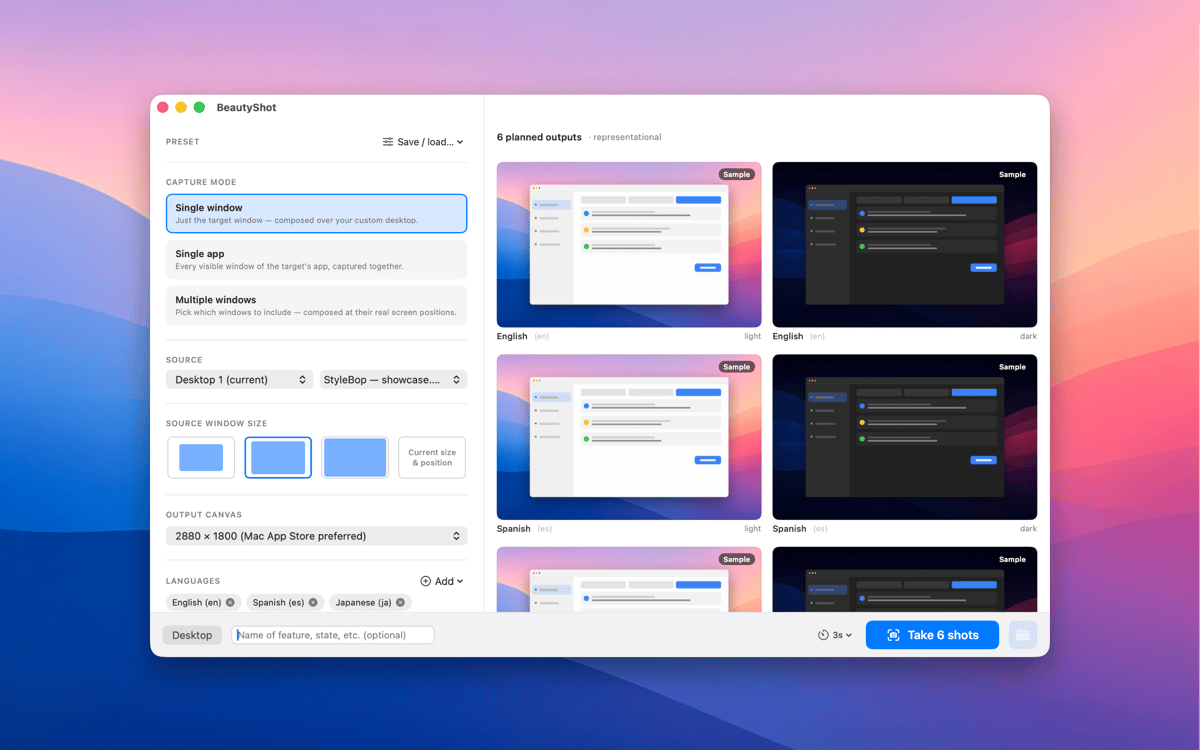
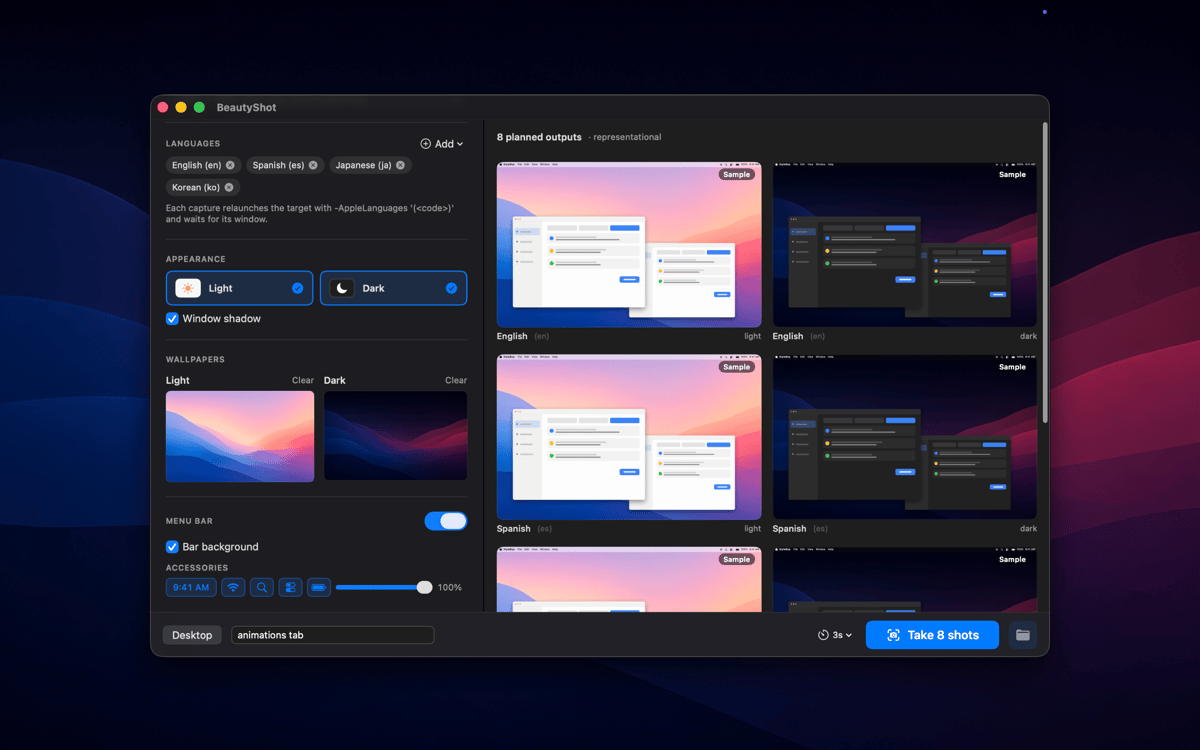
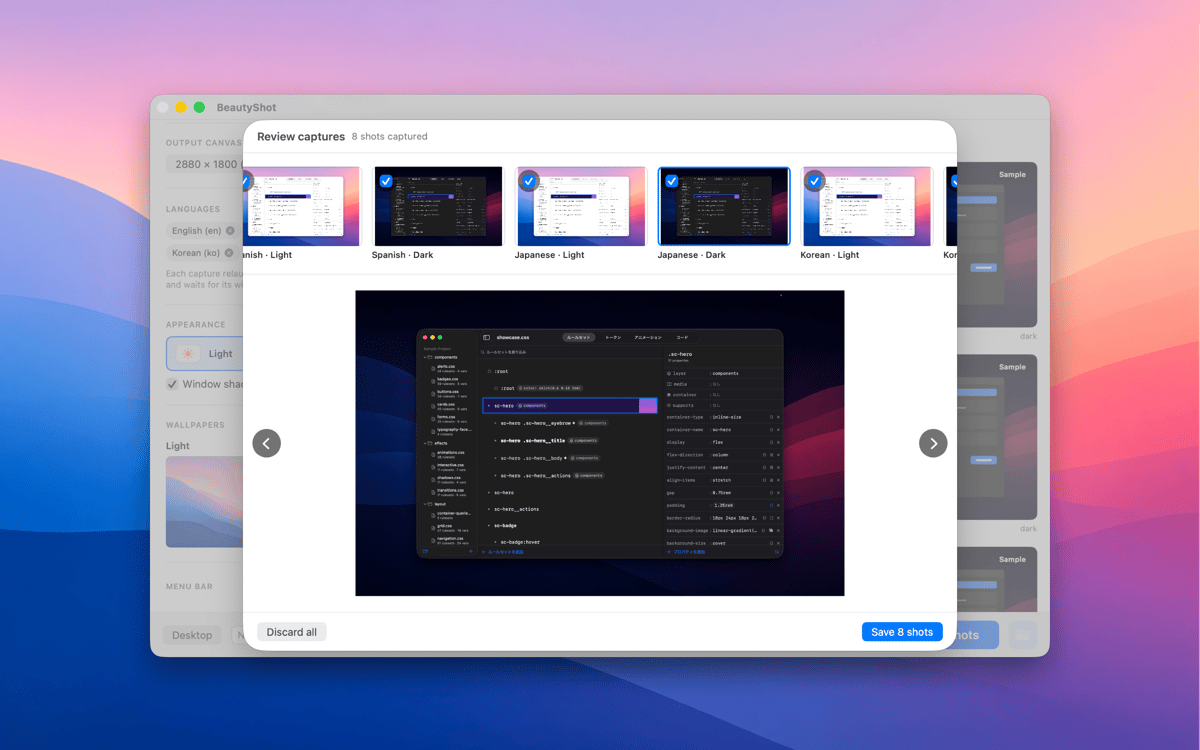
BeautyShot makes App-Store-quality promo screenshots the easy way. Pick a running window — or stack a composite of several — drop it onto a custom background, and render pixel-perfect light and dark versions in one pass. Switch the captured app through every language you ship in, in one run, and export to every standard Mac App Store canvas size.
Create App Store screenshot sets fast
Composite windows onto custom scenes
Localize screenshots for every language
Render light & dark screenshots at once
Fonctionnalités de BeautyShot
Single window or composite
Sometimes a single window is all you need. Other times, your app's story takes more than one view to tell. BeautyShot handles both: capture a solo window in seconds, or layer multiple app windows into one cohesive composite shot. You're in control of what the screenshot shows — and how much of it.
Every language in one run
Localizing screenshots used to mean repeating the same setup over and over for each market. BeautyShot removes that loop. Point it at your app, pick your languages, and it switches the locale and re-captures automatically — one run, every market, no manual repetition. Whether you ship to three countries or thirty, the time it takes is the same.
Pixel-perfect canvases
The Mac App Store has specific size requirements, and getting them wrong wastes review time. BeautyShot exports every standard canvas size right out of the box, so you're never guessing what resolution to export at. Need something non-standard? Custom dimensions are there when you need them, too.
Light + dark in one pass
Your app supports dark mode, so your screenshots should too. BeautyShot renders light and dark versions simultaneously in a single pass — no toggling System Settings back and forth, no re-running the whole setup. Both appearances come out together, ready to upload.
Custom backgrounds
A plain white background rarely does an app justice. With BeautyShot, you can place your captured window onto any desktop scene, gradient, or image you choose — giving every screenshot a finished, intentional look that matches your app's visual style. What's behind the window is part of the story too.
Fake menu bar overlay
Real menu bars carry clutter: the wrong time, unwanted icons, notification badges you'd rather not show. BeautyShot's fake menu bar overlay replaces all of that with a clean, customizable stand-in — so every screenshot looks deliberate and presentation-ready, right down to the last pixel.
Profitez de centaines d'applications avec Membership
Devenez membre Setapp et utilisez des centaines d'applications incroyables grâce à un seul abonnement.
Forfait tout compris, après 7 jours d'essai gratuit
Installez Setapp sur votre Mac
Explorez des applications pour Mac, iOS et le Web. Découvrez comment accomplir facilement les tâches du quotidien.

Téléchargez l'application qui vous intéresse
Cette application vous attend dans Setapp. Installez-la d'un seul clic.

BeautyShot
Choisissez votre abonnement
Une seule application ou bien plus avec un abonnement Setapp. Accédez aux applications comme vous le souhaitez.

Profitez de centaines d'applications avec Membership
Devenez membre Setapp et utilisez des centaines d'applications incroyables grâce à un seul abonnement.
Forfait tout compris, après 7 jours d'essai gratuit
1
Installez Setapp sur votre Mac
Explorez des applications pour Mac, iOS et le Web. Découvrez comment accomplir facilement les tâches du quotidien.
2
Téléchargez l'application qui vous intéresse
Cette application vous attend dans Setapp. Installez-la d'un seul clic.
BeautyShot
3
Choisissez votre abonnement
Une seule application ou bien plus avec un abonnement Setapp. Accédez aux applications comme vous le souhaitez.
Des applications de qualité
Pour gérer des plannings, accomplir des tâches de routine, créer des contenus, coder et bien plus encore, optez pour Setapp.

TypingMind
IA conversationnelle avec interface alternative
générez ou résumez du texte
utilisez une bibliothèque de requêtes
IA

Spark Mail
Gérez vos e-mails
IA

CleanMyMac
Supprimez les fichiers inutiles

Bartender
Personnalisez la barre des menus

CleanShot X
Profitez de plus de possibilités pour les captures d'écran

Luminar Neo
Retouchez vos photos
IA

ClearVPN
Sécurisez votre connexion Internet

Craft
Travaillez sur vos documents
IA
BeautyShot
Promo screenshots, made easy