CamLoop
Step away. Stay on camera
Mac
Version 1.2.10
macOS 14.0 ou version supérieure
36.1 MB
5 langues
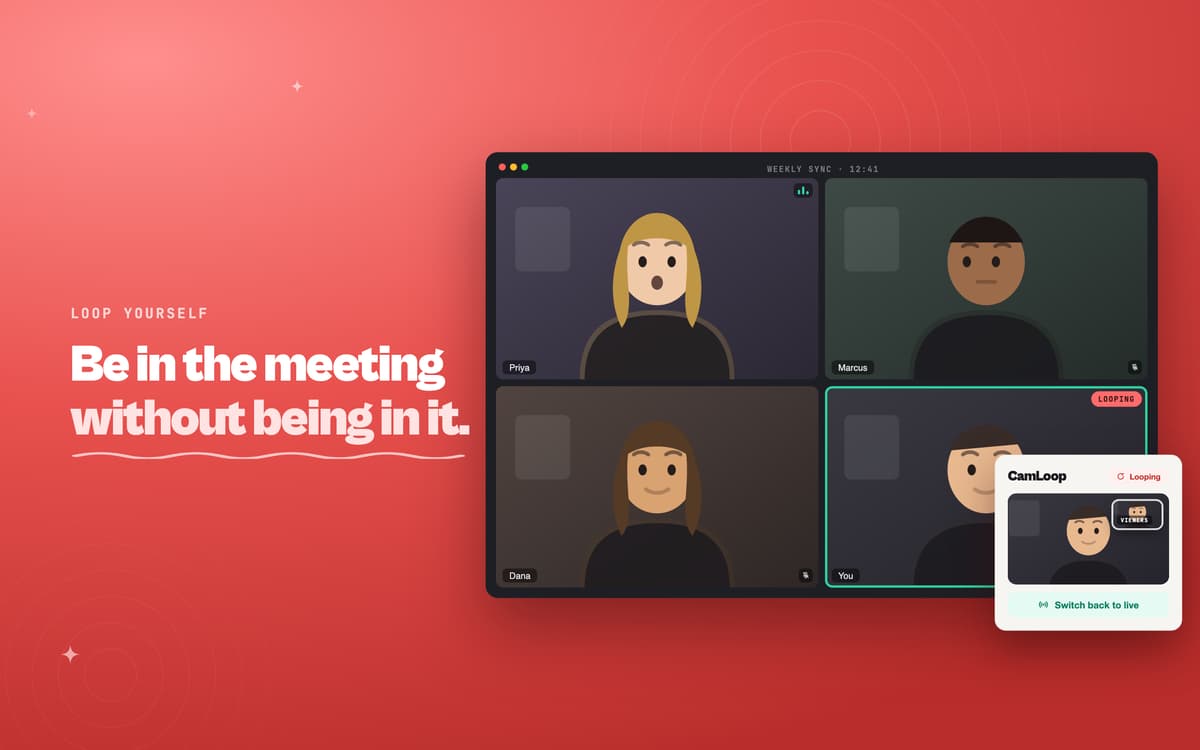
CamLoop is a virtual camera app for Mac. Record a few seconds of yourself looking attentive, and CamLoop turns it into a seamless, naturally looping clip — no jarring resets, no obvious seam. Pick "CamLoop" as your camera in Zoom, Google Meet, Slack, or Teams, and the meeting sees the loop instead of your live feed. Your mic stays untouched, so you can still talk. When you're back, one hotkey switches you to live. Everything runs on your Mac — your video never leaves the device.
Loop yourself in any video call
Step away without stepping out
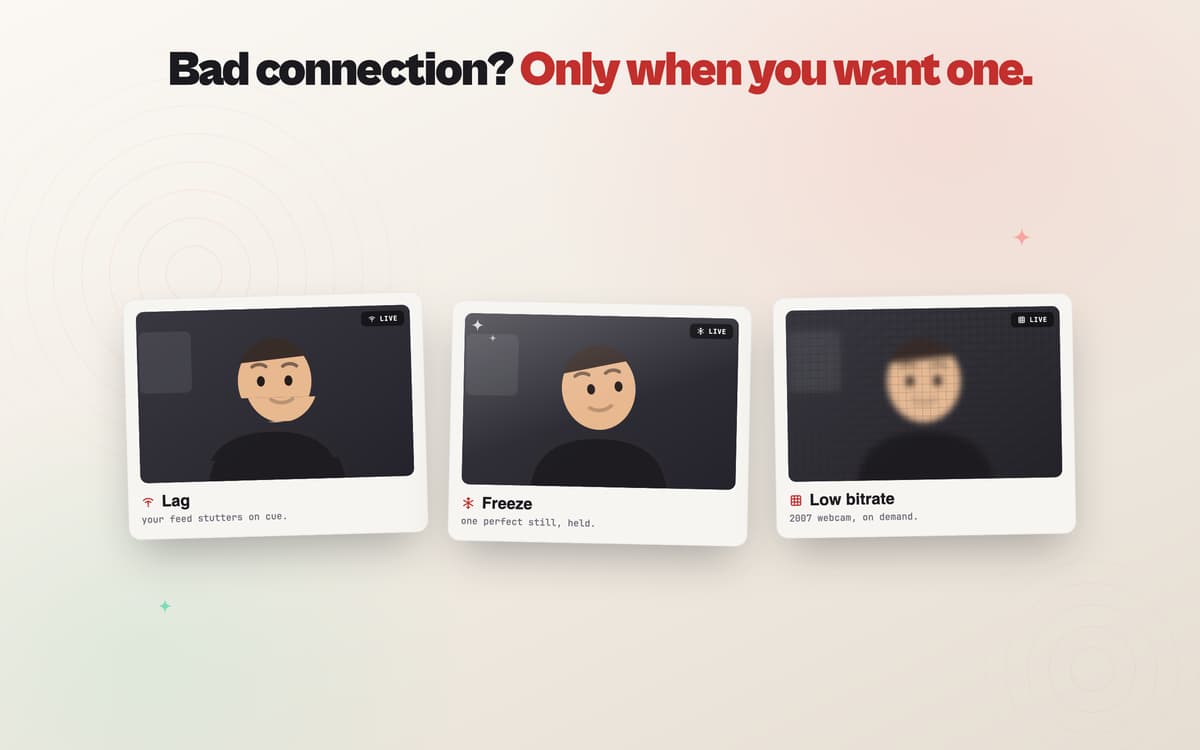
Add lag or freeze to your live feed
Switch between live and loop with one hotkey
Fonctionnalités de CamLoop
Loop that doesn't look like a loop
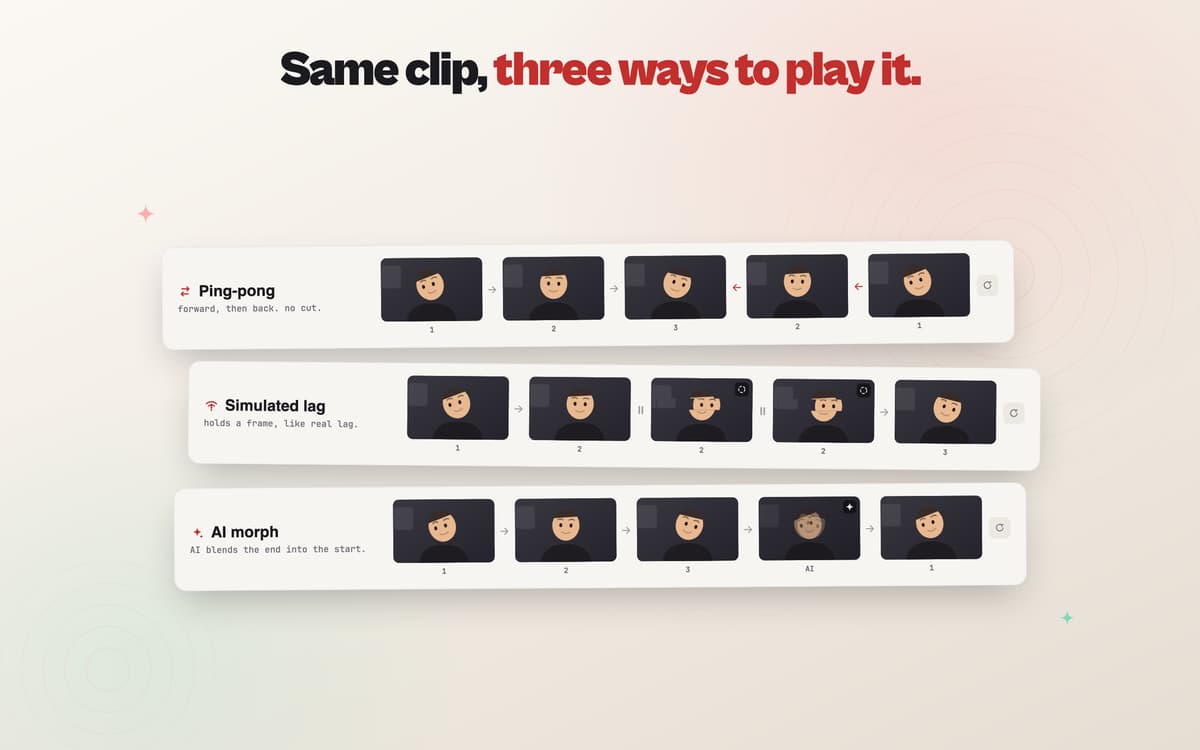
The tricky part of looping video is the join. CamLoop detects the best point to loop automatically, blends across the seam, and offers an AI morph style that smooths the motion between the end and the start. The result looks continuous — not like a clip on repeat.
A virtual camera any app can use
CamLoop serves its output as a system camera, so it works in Zoom, Google Meet, Slack, Teams, and anything else that lets you pick a camera. No plugins, no per-app setup. Just select "CamLoop" from the camera list and you're live — or looping.
Live effects when you need a little cover
Not every moment calls for a loop. CamLoop's live effects — lag, freeze, and bitrate — apply directly to your real camera at whatever intensity you choose, so stepping out of frame for a moment doesn't look like stepping out of frame.
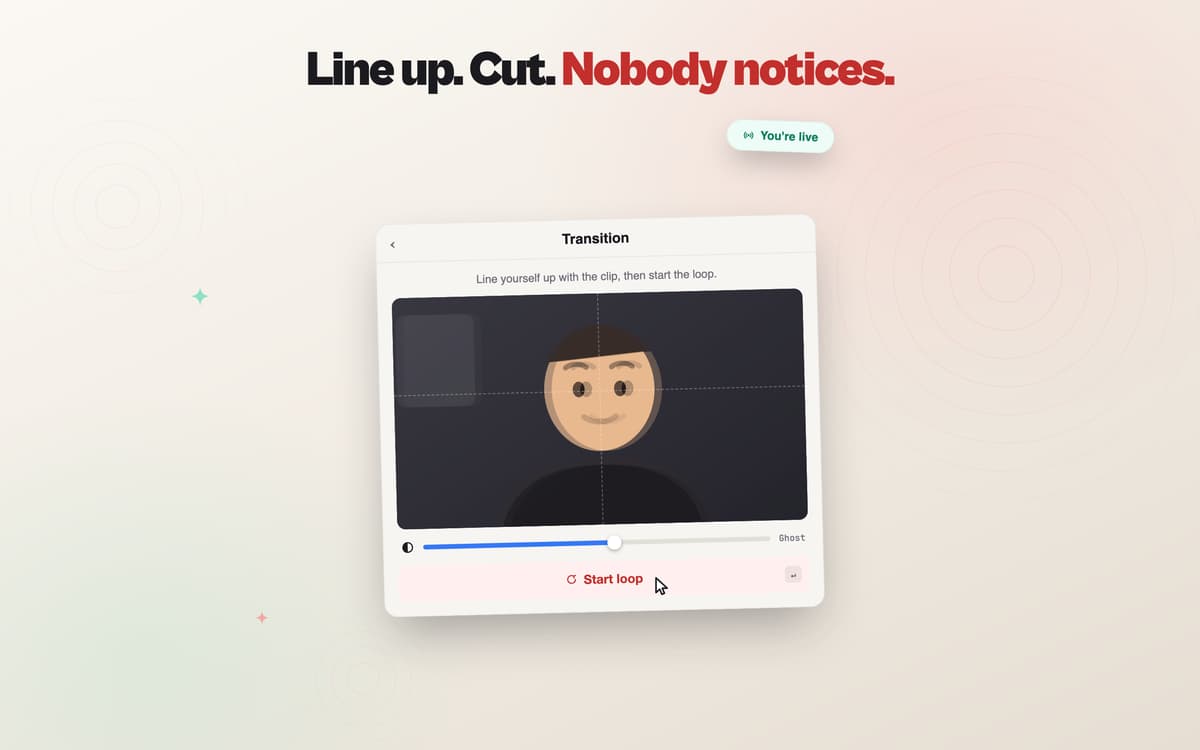
Transition cover for a clean switch
Switching between live and loop mid-call? Transition cover masks the moment with a brief burst of simulated connection lag. It reads as a normal network hiccup. Nobody notices a thing.
Record and manage clips from the menu bar
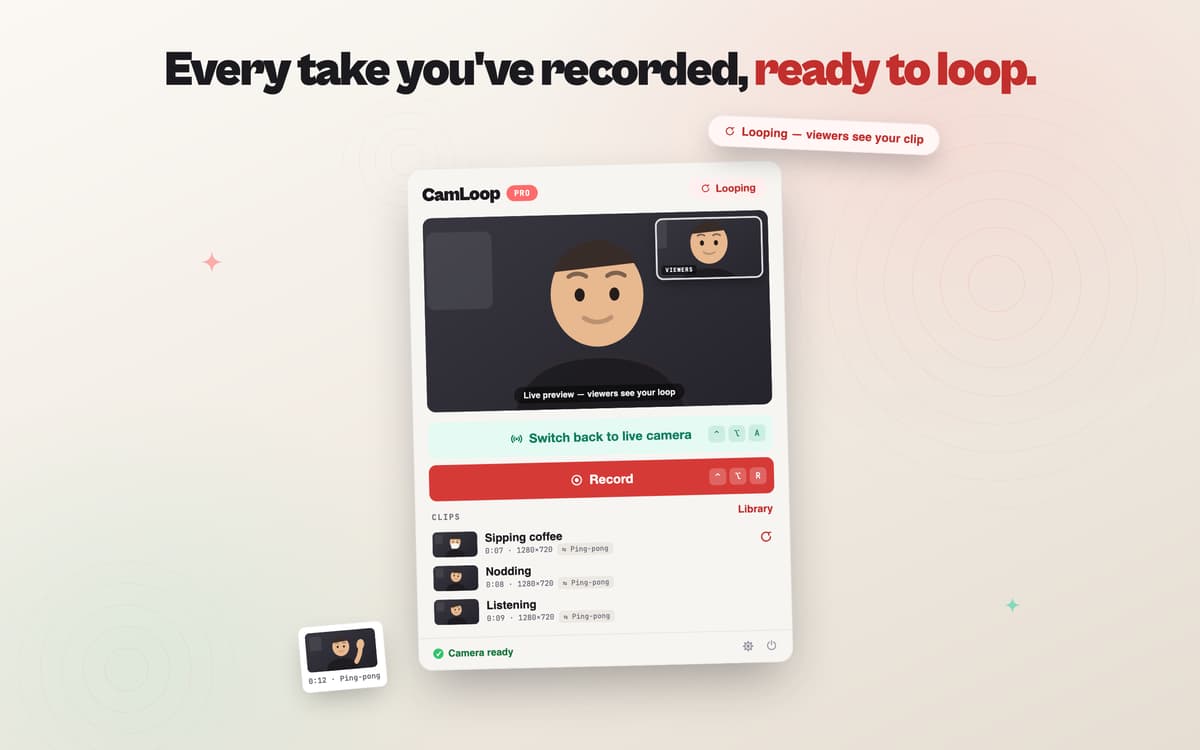
Record new clips right from the menu bar and keep as many as you like. Import clips from elsewhere, export them, rename your virtual camera, and use the alignment studio to line up your shots. Picture-in-picture pinning lets you keep an eye on what the meeting sees.
Stays on your Mac, full stop
CamLoop doesn't upload your video, doesn't process your audio, and doesn't record anything without you asking. It runs entirely on your Mac, requires macOS 14 Sonoma or later, and installs a camera extension on first launch that macOS will ask you to approve.
Avis et commentaires
CamLoop
•
5 classements
Eric Erickson
12 oct. 2026
Version de l'application : 1.2.8
Wonderful app! Great idea and well executed. This is such a needed app for me. Thank you!
Réponse du développeur
13 oct. 2026
Thank you so much, Eric! CamLoop started on a tired afternoon of back-to-back calls, when I just wanted to rest my face for thirty seconds without turning into a black tile, so it means a lot that it's useful to you too. If you ever hit a snag or have an idea for it, let me know on [email protected]. Tarik
Profitez de centaines d'applications avec Membership
Devenez membre Setapp et utilisez des centaines d'applications incroyables grâce à un seul abonnement.
Forfait tout compris, après 7 jours d'essai gratuit
Installez Setapp sur votre Mac
Explorez des applications pour Mac, iOS et le Web. Découvrez comment accomplir facilement les tâches du quotidien.

Téléchargez l'application qui vous intéresse
Cette application vous attend dans Setapp. Installez-la d'un seul clic.

CamLoop
Choisissez votre abonnement
Une seule application ou bien plus avec un abonnement Setapp. Accédez aux applications comme vous le souhaitez.

Profitez de centaines d'applications avec Membership
Devenez membre Setapp et utilisez des centaines d'applications incroyables grâce à un seul abonnement.
Forfait tout compris, après 7 jours d'essai gratuit
1
Installez Setapp sur votre Mac
Explorez des applications pour Mac, iOS et le Web. Découvrez comment accomplir facilement les tâches du quotidien.
2
Téléchargez l'application qui vous intéresse
Cette application vous attend dans Setapp. Installez-la d'un seul clic.
CamLoop
3
Choisissez votre abonnement
Une seule application ou bien plus avec un abonnement Setapp. Accédez aux applications comme vous le souhaitez.
Des applications de qualité
Pour gérer des plannings, accomplir des tâches de routine, créer des contenus, coder et bien plus encore, optez pour Setapp.

TypingMind
IA conversationnelle avec interface alternative
générez ou résumez du texte
utilisez une bibliothèque de requêtes
IA

Spark Mail
Gérez vos e-mails
IA

CleanMyMac
Supprimez les fichiers inutiles

Bartender
Personnalisez la barre des menus

CleanShot X
Profitez de plus de possibilités pour les captures d'écran

Luminar Neo
Retouchez vos photos
IA

ClearVPN
Sécurisez votre connexion Internet

Craft
Travaillez sur vos documents
IA
CamLoop
Step away. Stay on camera