
Chunk
Time-block your whole day
Mac
Version 3.4.4
macOS 13.0 ou version supérieure
223.5 MB
32 langues
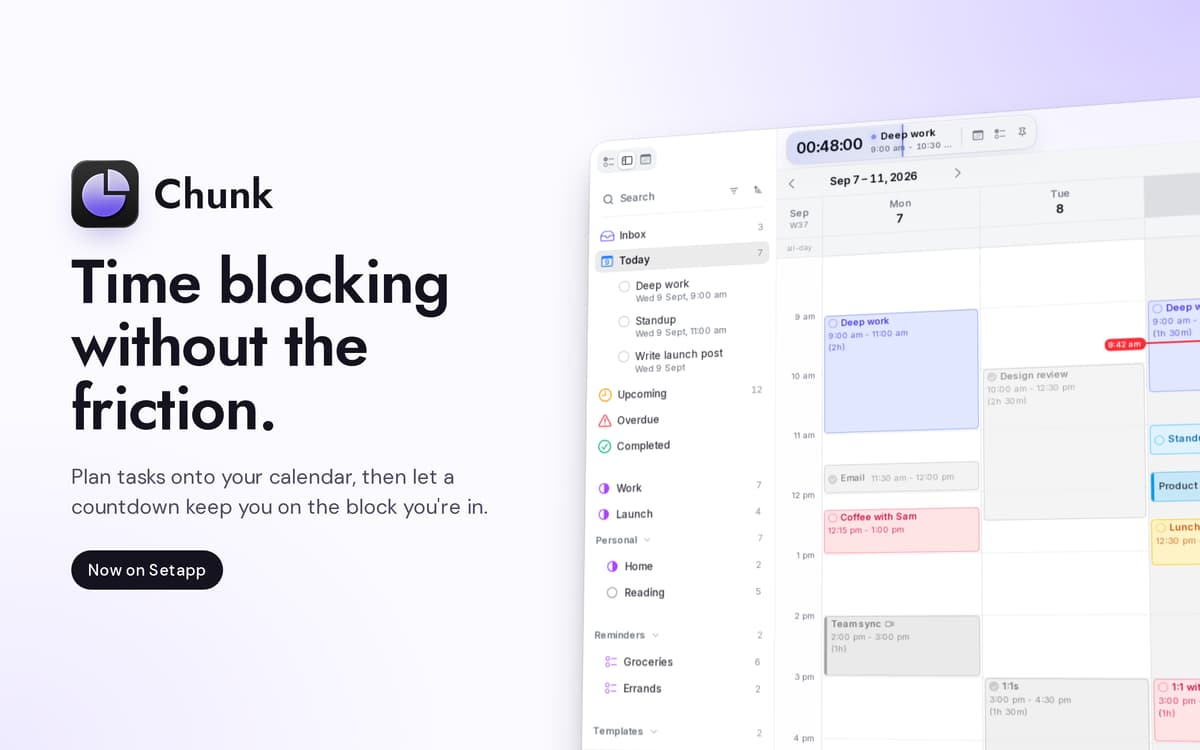
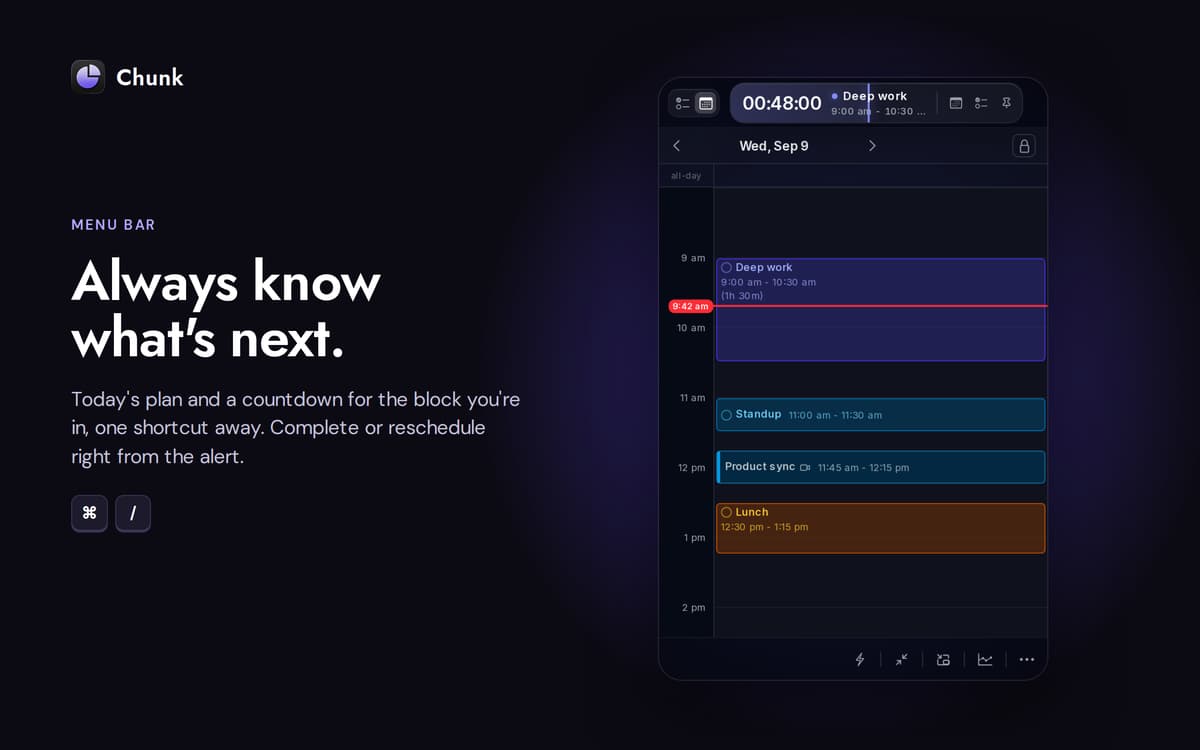
Chunk est un bloqueur de temps dans la barre de menus pour Mac. Appuyez sur Cmd+T et un panneau translucide apparaît, prêt pour les blocs avec codes couleur. Glissez vos réunions, vos périodes de travail approfondi et votre pause-café de l'après-midi sur une chronologie de 24 heures, et la barre de menu affiche le temps restant dans votre bloc actuel. La synchronisation bidirectionnelle avec Google, Outlook et Apple Calendar garde tout au même endroit ; l'agenda lui-même se trouve sur votre Mac.
Planifiez demain en 30 secondes chrono
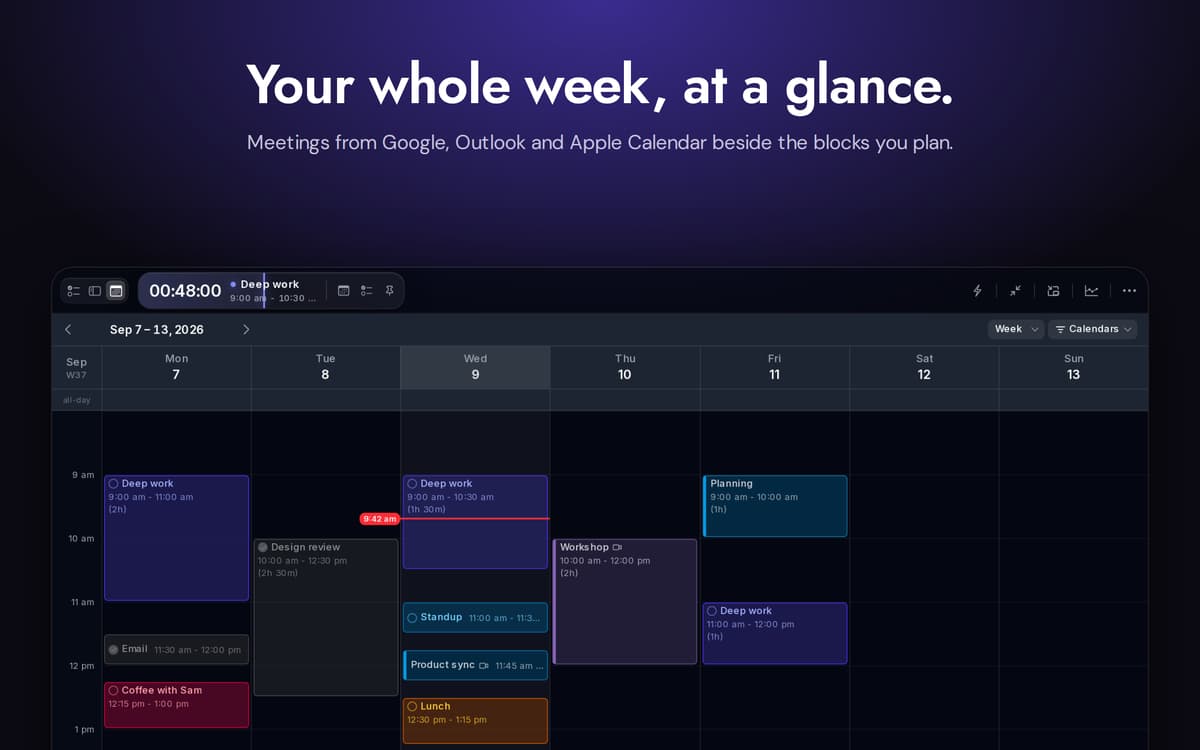
Sync des calendriers Google, Outlook et Apple
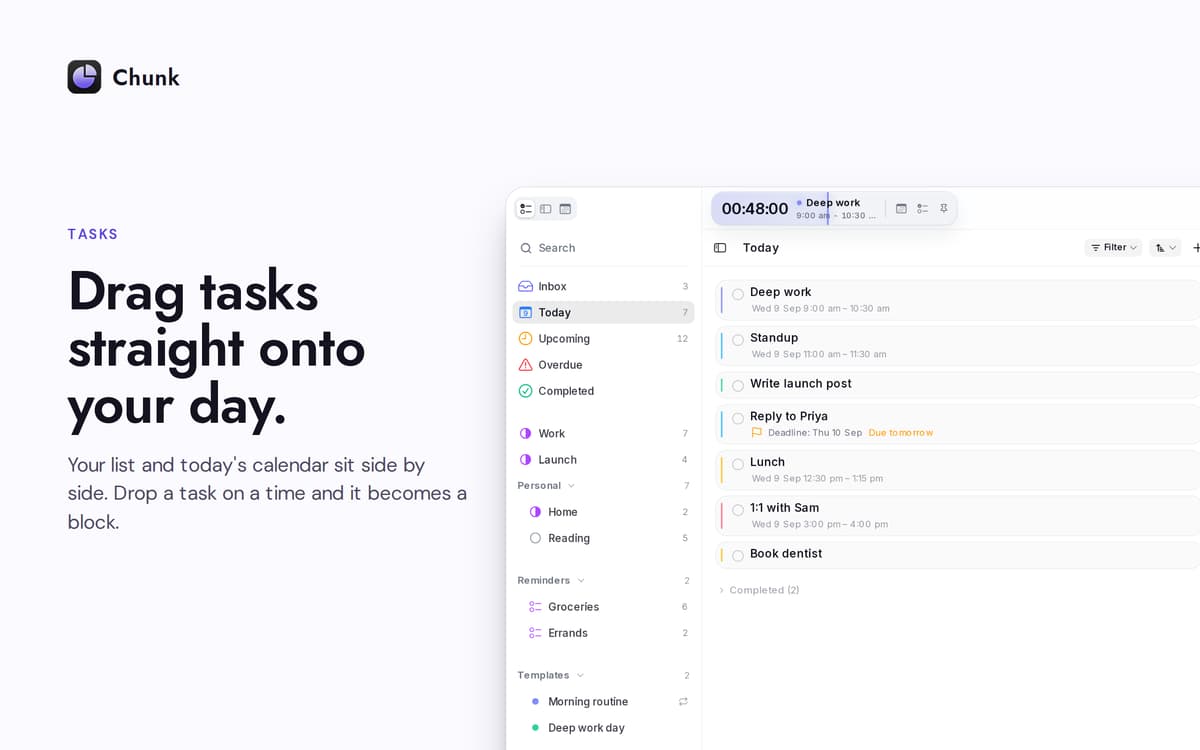
Glissez les tâches directement sur votre journée
Replanifiez sans perdre votre concentration
Fonctionnalités de Chunk
Chronologie glisser-déposer
Une timeline verticale de 24 heures que vous construisez par glisser-déposer. Redimensionnez les blocs à partir de n'importe quel bord. L'intervalle d'accrochage se réduit au fur et à mesure que vous effectuez un zoom, jusqu'à une minute lorsque vous en avez besoin.
Calendriers synchronisés
Connectez Google, Outlook ou Apple Calendar — choisissez-en un ou les trois. Toute modification apportée dans Chunk est répercutée vers la source en quelques secondes. Les événements externes apparaissent sur la même chronologie que vos propres blocs, vous n'avez donc qu'un seul endroit à consulter.
Apple Rappels, côte à côte
Vos listes Rappels s'affichent dans la barre latérale des tâches de Chunk. Cochez une tâche ici et elle sera cochée dans l'application Rappels du système. Glissez un rappel sur votre journée pour le transformer en bloc de temps.
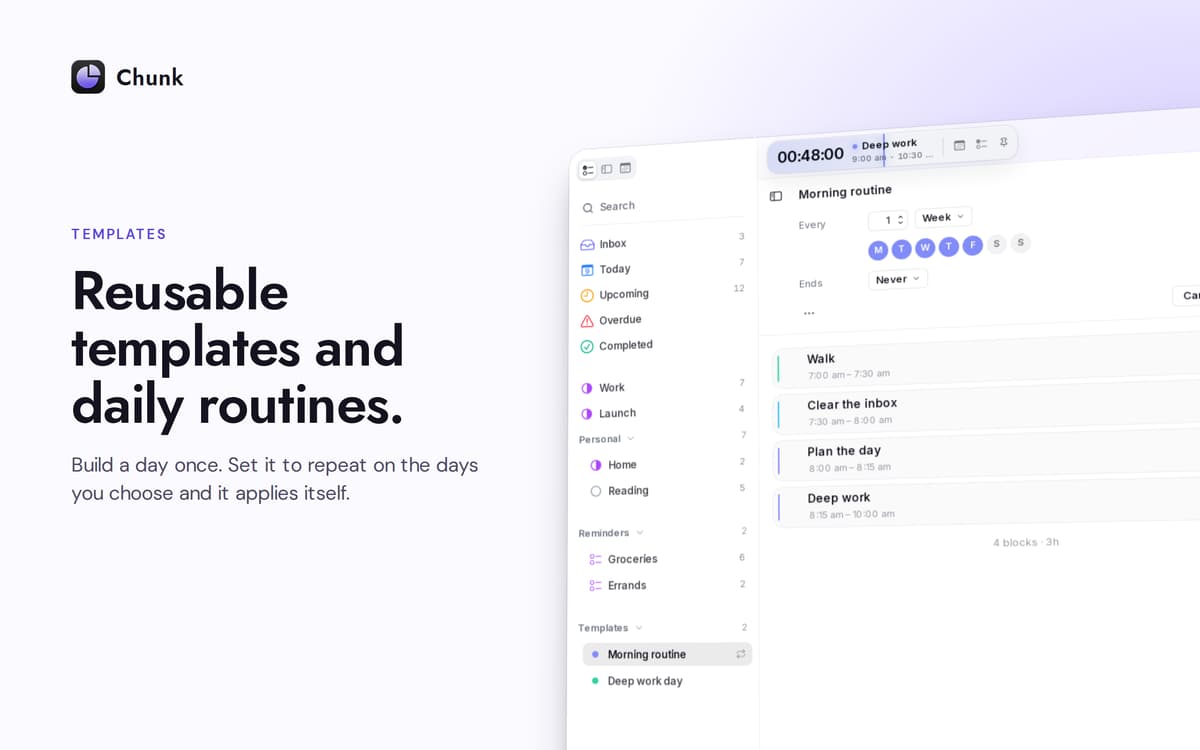
Modèles qui s'affichent automatiquement
Sauvegardez une journée type une seule fois. Choisissez les jours de la semaine où il doit s'appliquer automatiquement. Chunk remplit l'agenda avant même que vous n'ouvriez le panneau — une nouvelle semaine, déjà organisée.
Un compte à rebours qui ne se cache pas
La barre de menus affiche le temps restant de votre bloc actuel. Le panneau principal flotte au-dessus des applications en plein écran, permettant un coup d'œil rapide — ou une replanification express — sans interrompre votre travail.
Planifiez avec Claude, sur votre Mac
Connectez Chunk à Claude et laissez-le rédiger, déplacer ou réorganiser votre journée à partir de commandes en langage naturel. La connexion s'effectue en local ; votre planning ne quitte jamais l'appareil.
Profitez de centaines d'applications avec Membership
Devenez membre Setapp et utilisez des centaines d'applications incroyables grâce à un seul abonnement.
Forfait tout compris, après 7 jours d'essai gratuit
Installez Setapp sur votre Mac
Explorez des applications pour Mac, iOS et le Web. Découvrez comment accomplir facilement les tâches du quotidien.

Téléchargez l'application qui vous intéresse
Cette application vous attend dans Setapp. Installez-la d'un seul clic.

Chunk
Choisissez votre abonnement
Une seule application ou bien plus avec un abonnement Setapp. Accédez aux applications comme vous le souhaitez.

Profitez de centaines d'applications avec Membership
Devenez membre Setapp et utilisez des centaines d'applications incroyables grâce à un seul abonnement.
Forfait tout compris, après 7 jours d'essai gratuit
1
Installez Setapp sur votre Mac
Explorez des applications pour Mac, iOS et le Web. Découvrez comment accomplir facilement les tâches du quotidien.
2
Téléchargez l'application qui vous intéresse
Cette application vous attend dans Setapp. Installez-la d'un seul clic.
Chunk
3
Choisissez votre abonnement
Une seule application ou bien plus avec un abonnement Setapp. Accédez aux applications comme vous le souhaitez.
Des applications de qualité
Pour gérer des plannings, accomplir des tâches de routine, créer des contenus, coder et bien plus encore, optez pour Setapp.

TypingMind
IA conversationnelle avec interface alternative
générez ou résumez du texte
utilisez une bibliothèque de requêtes
IA

Spark Mail
Gérez vos e-mails
IA

CleanMyMac
Supprimez les fichiers inutiles

Bartender
Personnalisez la barre des menus

CleanShot X
Profitez de plus de possibilités pour les captures d'écran

Luminar Neo
Retouchez vos photos
IA

ClearVPN
Sécurisez votre connexion Internet

Craft
Travaillez sur vos documents
IA
Chunk
Time-block your whole day