
Deadline Go
Votre son, au bon niveau
Mac
Version 1.0.2
macOS 12.0 ou version supérieure
52.6 MB
1 langues
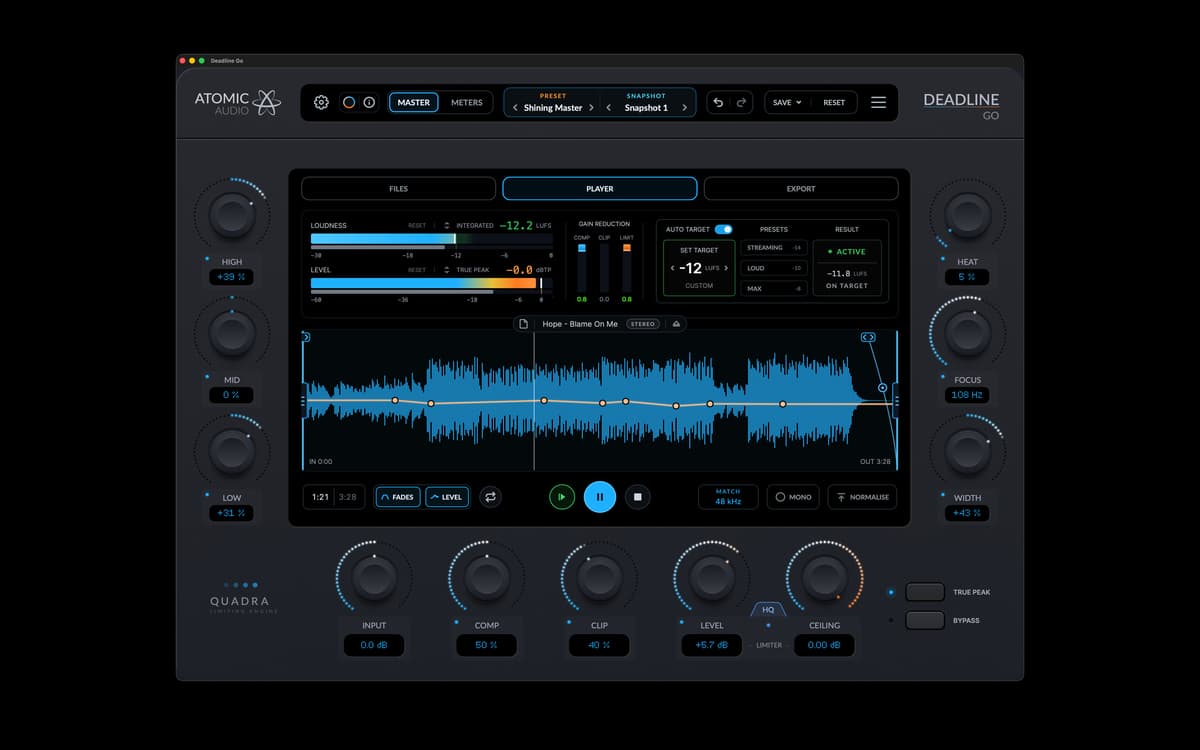
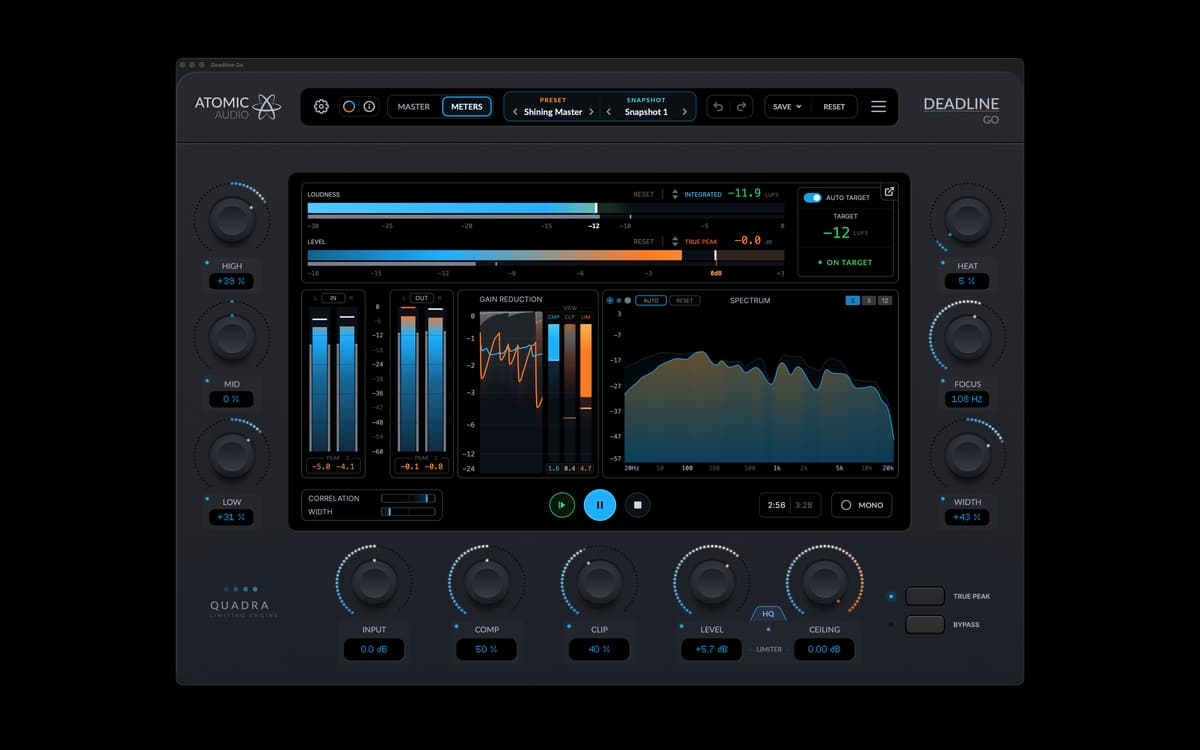
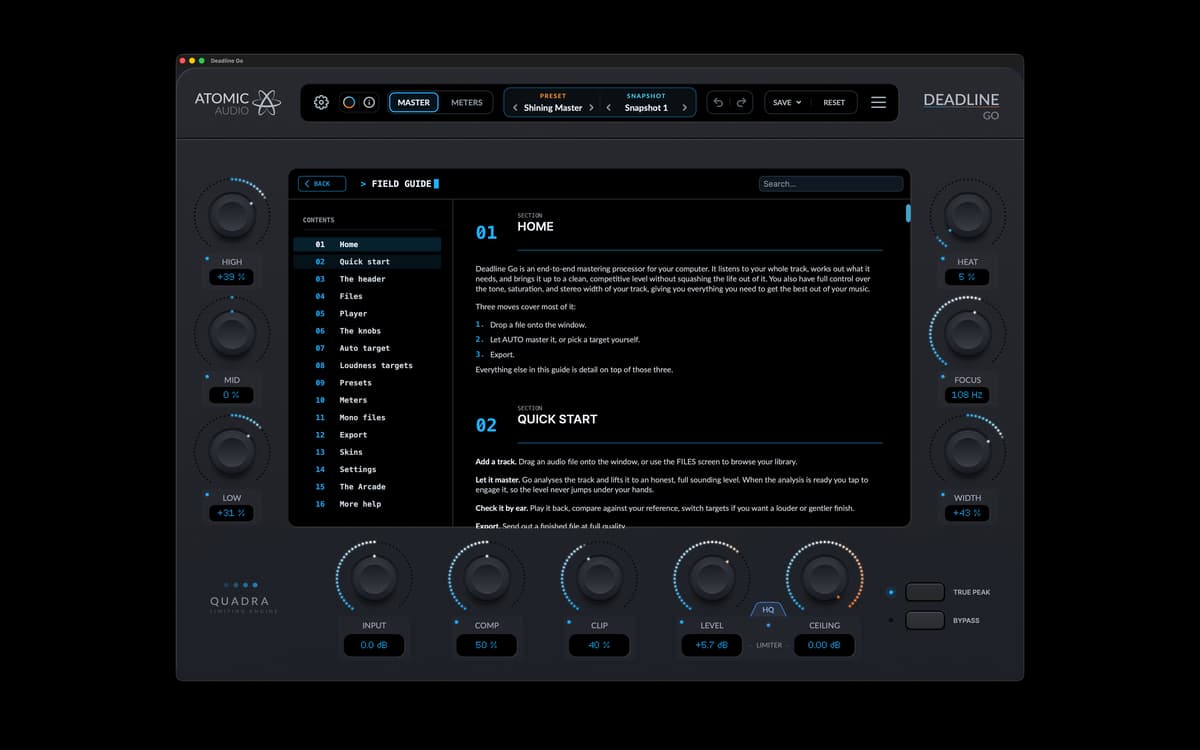
Deadline Go est une application de mastering autonome pour Mac. Auto Target règle le volume sonore tandis que la tonalité, la saturation et la largeur stéréo restent sous votre contrôle. Chaque piste est analysée une seule fois, vous pouvez donc changer la cible instantanément sans devoir l'analyser de nouveau. La chaîne de mastering complète, les indicateurs, la bibliothèque et les commandes d'exportation sont tous réunis dans une seule fenêtre.
Masterisez pour le streaming
Préparez vos morceaux pour le club
Un volume cohérent sur vos sorties
Donnez du caractère à vos mixages
Fonctionnalités de Deadline Go
Auto Target
Deadline Go analyse le morceau lors de son chargement. Auto Target ajuste l'entrée, la compression, l'écrêtage et le drive du limiteur pour atteindre votre cible. Modifiez la cible : les commandes se mettent à jour instantanément. Il n'est pas nécessaire d'analyser à nouveau le morceau.
Commandes sonores
Les aigus, les médiums et les graves donnent le ton. Heat ajoute de la saturation, Focus resserre les basses et Width contrôle l'image stéréo. Ces commandes restent manuelles. Auto Target ajuste les commandes de volume autour d'elles.
Chaîne de mastering complète
La tonalité, la saturation, la largeur stéréo, la compression, l'écrêtage et le limiteur sont tous accessibles sur l'écran principal. Le lecteur comprend des fondus et une ligne de niveau que vous pouvez tracer directement sur la forme d'onde.
Mesure du niveau sonore
Le volume sonore intégré et à court terme, le pic réel, la réduction de gain, la corrélation, la largeur stéréo et le spectre se mettent à jour pendant la lecture du morceau. Les indicateurs affichent le niveau atteint, et pas seulement l'objectif visé. Ils peuvent également être détachés et déplacés vers un second écran.
Bibliothèque, préréglages et instantanés
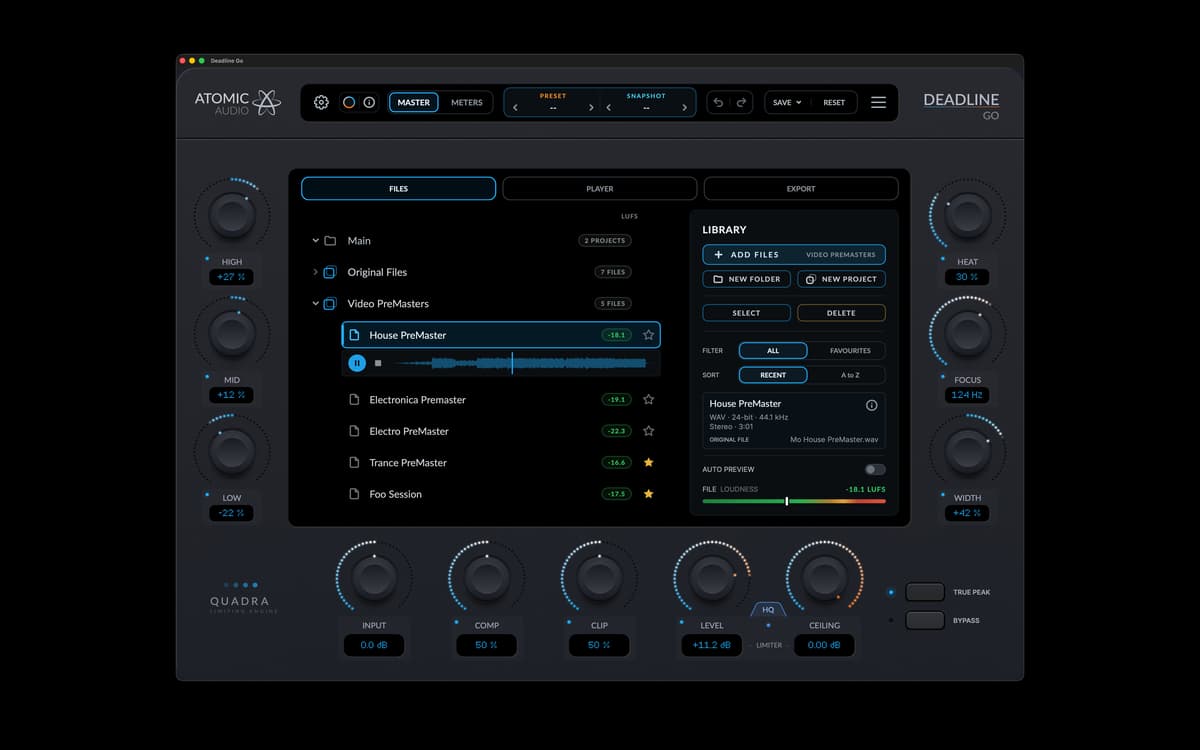
Les dossiers et les projets permettent de garder les pistes organisées. Chaque piste conserve ses paramètres, ses préréglages et son analyse d'une session à l'autre. Les préréglages constituent un point de départ, et les instantanés permettent de regrouper différentes versions.
Exportation
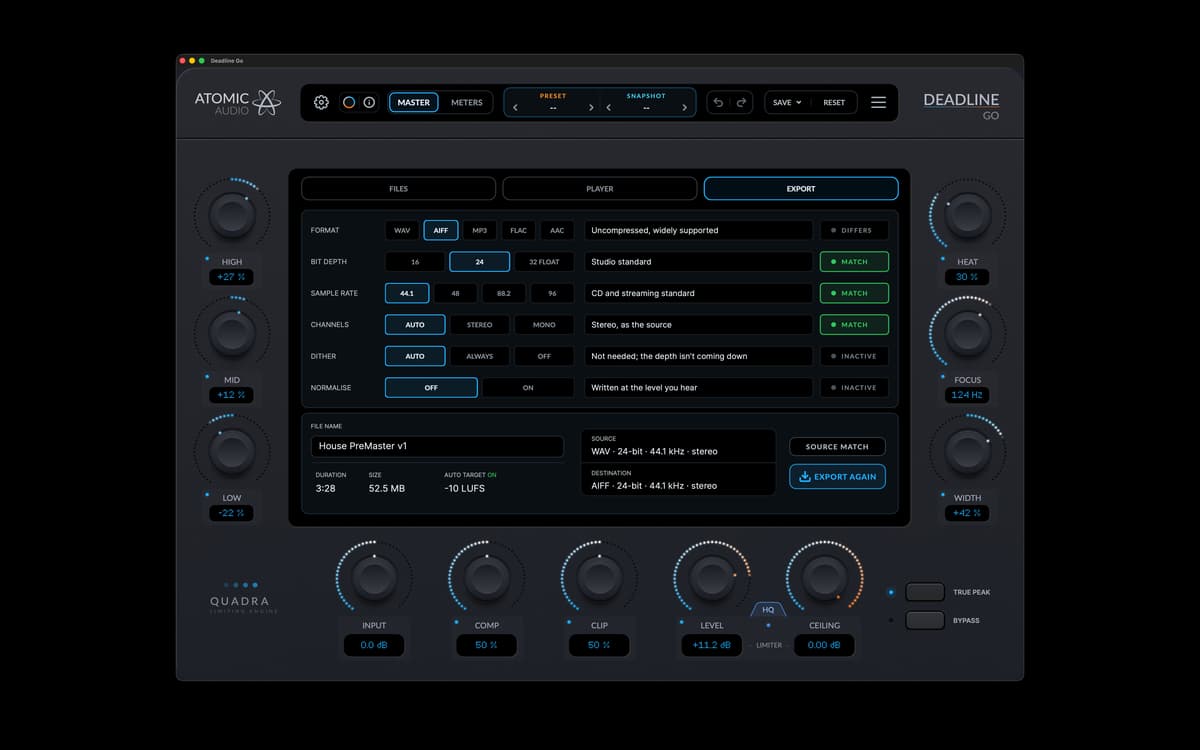
Deadline Go exporte aux formats WAV, AIFF, FLAC, MP3 et AAC. Définissez la profondeur de bits, la fréquence d'échantillonnage, le dithering et la normalisation avant le rendu. Deadline Go vérifie le fichier final après son écriture.
Profitez de centaines d'applications avec Membership
Devenez membre Setapp et utilisez des centaines d'applications incroyables grâce à un seul abonnement.
Forfait tout compris, après 7 jours d'essai gratuit
Installez Setapp sur votre Mac
Explorez des applications pour Mac, iOS et le Web. Découvrez comment accomplir facilement les tâches du quotidien.

Téléchargez l'application qui vous intéresse
Cette application vous attend dans Setapp. Installez-la d'un seul clic.

Deadline Go
Choisissez votre abonnement
Une seule application ou bien plus avec un abonnement Setapp. Accédez aux applications comme vous le souhaitez.

Profitez de centaines d'applications avec Membership
Devenez membre Setapp et utilisez des centaines d'applications incroyables grâce à un seul abonnement.
Forfait tout compris, après 7 jours d'essai gratuit
1
Installez Setapp sur votre Mac
Explorez des applications pour Mac, iOS et le Web. Découvrez comment accomplir facilement les tâches du quotidien.
2
Téléchargez l'application qui vous intéresse
Cette application vous attend dans Setapp. Installez-la d'un seul clic.
Deadline Go
3
Choisissez votre abonnement
Une seule application ou bien plus avec un abonnement Setapp. Accédez aux applications comme vous le souhaitez.
Des applications de qualité
Pour gérer des plannings, accomplir des tâches de routine, créer des contenus, coder et bien plus encore, optez pour Setapp.

TypingMind
IA conversationnelle avec interface alternative
générez ou résumez du texte
utilisez une bibliothèque de requêtes
IA

Spark Mail
Gérez vos e-mails
IA

CleanMyMac
Supprimez les fichiers inutiles

Bartender
Personnalisez la barre des menus

CleanShot X
Profitez de plus de possibilités pour les captures d'écran

Luminar Neo
Retouchez vos photos
IA

ClearVPN
Sécurisez votre connexion Internet

Craft
Travaillez sur vos documents
IA
Deadline Go
Votre son, au bon niveau