
Desktop Composer
Customize & switch macOS looks
Mac
Version 1.2
macOS 26 ou version supérieure
50.2 MB
10 langues
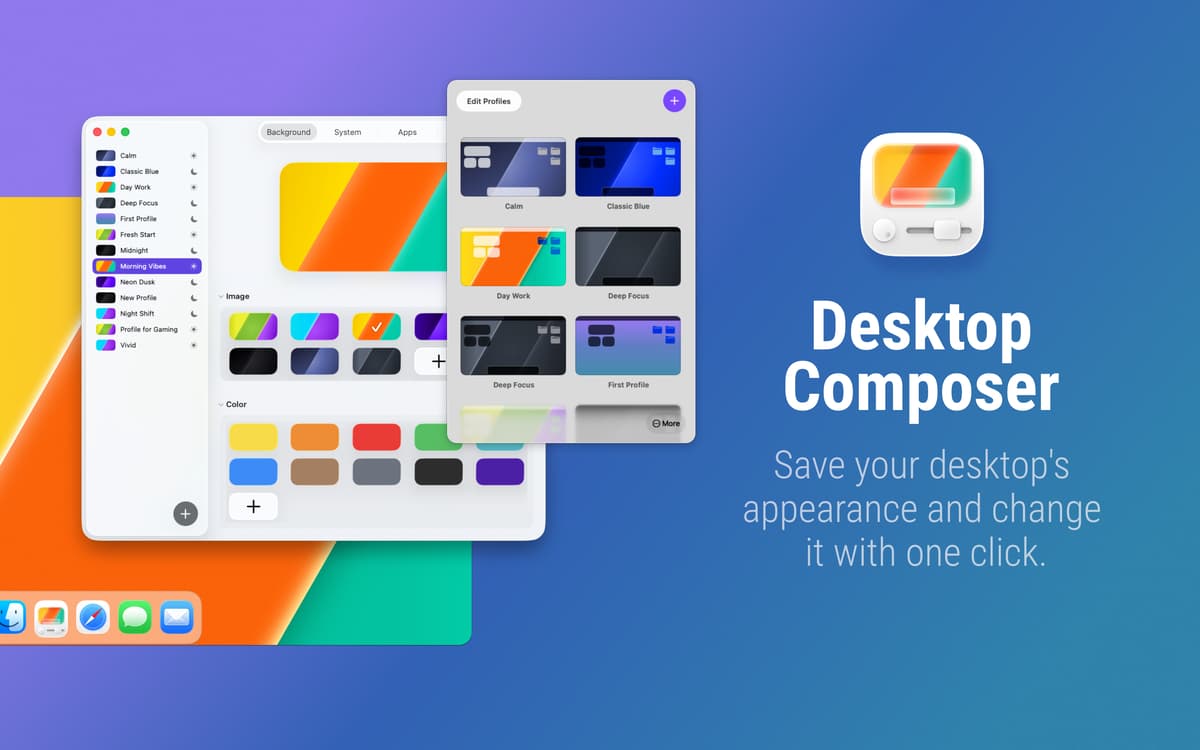
Do you want a minimalist setup for deep work and a vibrant vibe for creative sessions? Why manually toggle system settings and app themes every time? Desktop Composer combines your entire macOS aesthetic into one-click profiles, finally allowing your environment to keep up with your brain.
Create multiple profiles for every mood
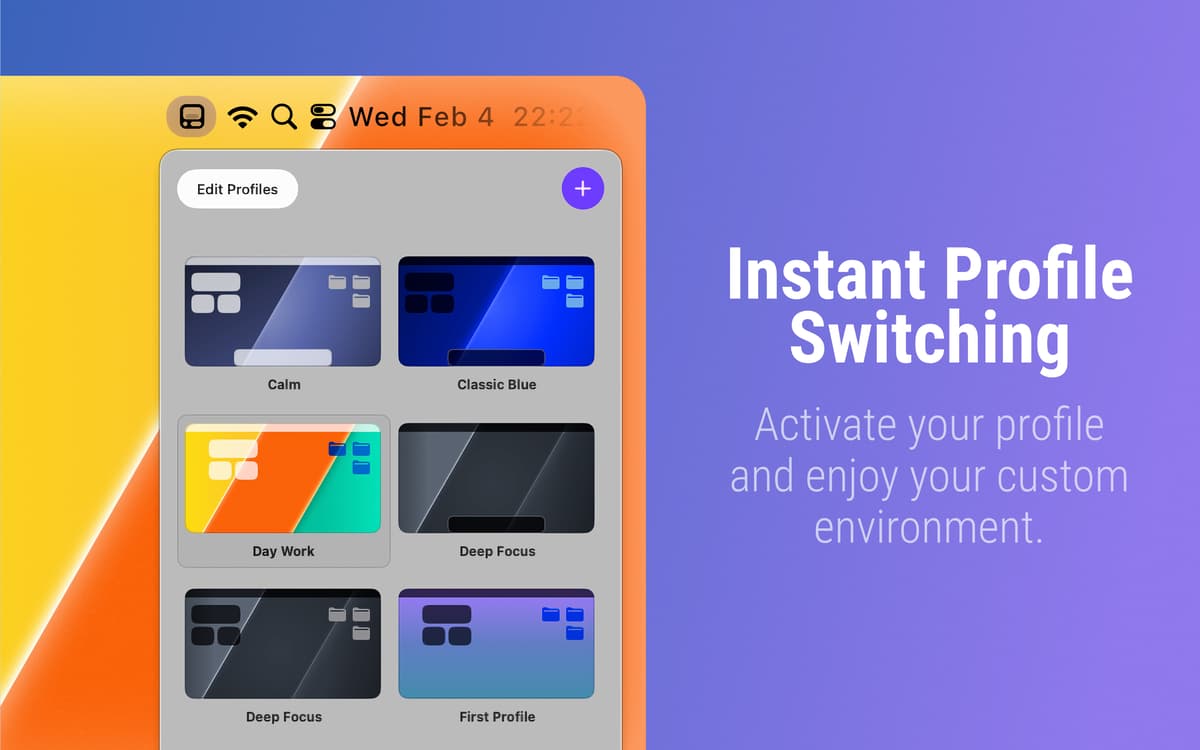
Switch Mac looks instantly
Schedule profiles to apply automatically
Sync settings via iCloud
Fonctionnalités de Desktop Composer
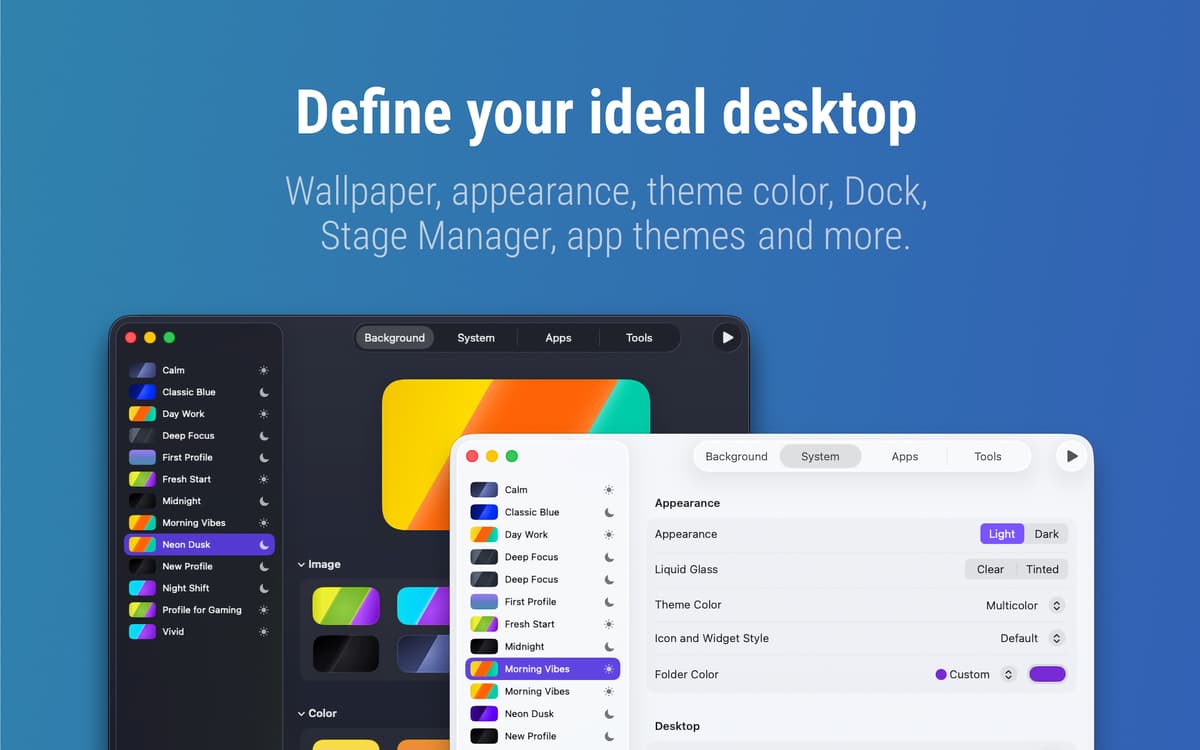
Create profiles for your macOS aesthetic
Why spend ten minutes clicking through menus when you could be working? This app captures everything, from your wallpaper and Dock position to your Terminal and Xcode themes. It even handles Tahoe’s new folder colors and widget styles. Save your favorite “workspace outfits” once, then swap your entire environment whenever you need a change of pace.
Automate your workspace transitions
Your Mac should know when it’s time to shift gears. You can schedule profiles for specific times or link them directly to Focus modes. For example, your “Coding” profile can activate the moment you start a deep work session, while your “Meeting” profile can hide your messy desktop icons and widgets the moment you start a screen share.
Define exactly what never changes
Is there a specific setting you want to keep permanent? You can disable options selectively, either globally or per profile, which gives you total control over what the app modifies. This allows you to keep your favorite configurations locked in while the rest of the look evolves.
Carry your setups across devices
Your hard-earned setups shouldn’t be trapped on just one machine. Everything stays synced via iCloud, so your MacBook and iMac always feel consistent. For added security, the app also creates local backups of your profiles. Now, your ideal workspace follows you wherever you go, safe and ready for your next project.
Avis et commentaires
Desktop Composer
•
37 classements
Ben Pruitt
25 mai 2026
Version de l'application : 1.1
HEY!, what a great idea and great implementation
Eric Vorm
30 mars 2026
Version de l'application : 1.1
Beautiful and simple. Sometimes makes my dock appear even though I have it set to auto-hide. Generally I love this app!
Réponse du développeur
31 mars 2026
Thank you!
Christopher Cook
25 mars 2026
Version de l'application : 1.1
I didn’t fully read the app page for this. I was flabbergasted when I was tabbing through the settings and saw it supported setting themes in other apps like VS Code. ⭐⭐⭐⭐⭐
Profitez de centaines d'applications avec Membership
Devenez membre Setapp et utilisez des centaines d'applications incroyables grâce à un seul abonnement.
Forfait tout compris, après 7 jours d'essai gratuit
Installez Setapp sur votre Mac
Explorez des applications pour Mac, iOS et le Web. Découvrez comment accomplir facilement les tâches du quotidien.

Téléchargez l'application qui vous intéresse
Cette application vous attend dans Setapp. Installez-la d'un seul clic.

Desktop Composer
Choisissez votre abonnement
Une seule application ou bien plus avec un abonnement Setapp. Accédez aux applications comme vous le souhaitez.

Profitez de centaines d'applications avec Membership
Devenez membre Setapp et utilisez des centaines d'applications incroyables grâce à un seul abonnement.
Forfait tout compris, après 7 jours d'essai gratuit
1
Installez Setapp sur votre Mac
Explorez des applications pour Mac, iOS et le Web. Découvrez comment accomplir facilement les tâches du quotidien.
2
Téléchargez l'application qui vous intéresse
Cette application vous attend dans Setapp. Installez-la d'un seul clic.
Desktop Composer
3
Choisissez votre abonnement
Une seule application ou bien plus avec un abonnement Setapp. Accédez aux applications comme vous le souhaitez.
Des applications de qualité
Pour gérer des plannings, accomplir des tâches de routine, créer des contenus, coder et bien plus encore, optez pour Setapp.

TypingMind
IA conversationnelle avec interface alternative
générez ou résumez du texte
utilisez une bibliothèque de requêtes
IA

Spark Mail
Gérez vos e-mails
IA

CleanMyMac
Supprimez les fichiers inutiles

Bartender
Personnalisez la barre des menus

CleanShot X
Profitez de plus de possibilités pour les captures d'écran

Luminar Neo
Retouchez vos photos
IA

ClearVPN
Sécurisez votre connexion Internet

Craft
Travaillez sur vos documents
IA
Desktop Composer
Customize & switch macOS looks