
DMARC Report Reader
Make DMARC reports readable
Mac
Version 2.4.0
macOS 12.0 ou version supérieure
20.1 MB
1 langues
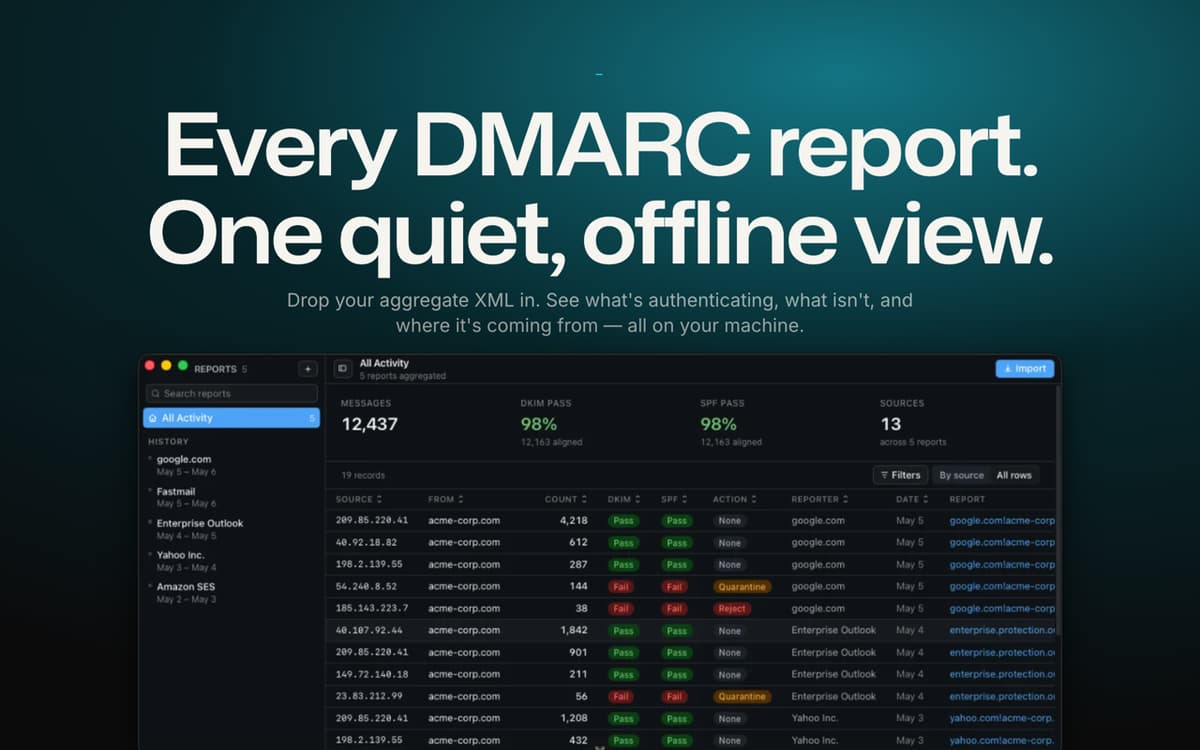
DMARC Report Reader turns those unreadable aggregate reports piling up in your inbox into a clean, visual dashboard. Drop in any report — plain XML, zipped, or still buried in the .eml it arrived in — and see instantly what's passing, what's failing, and who's really sending mail as you. It'll even tell you when you're ready to move from monitoring to full enforcement. And since everything runs locally on your Mac, none of your data ever leaves your machine.
Audit domain authentication fast
Catch spoofing and phishing risks
Track SPF/DKIM pass rates over time
Move safely to a stricter DMARC policy
Fonctionnalités de DMARC Report Reader
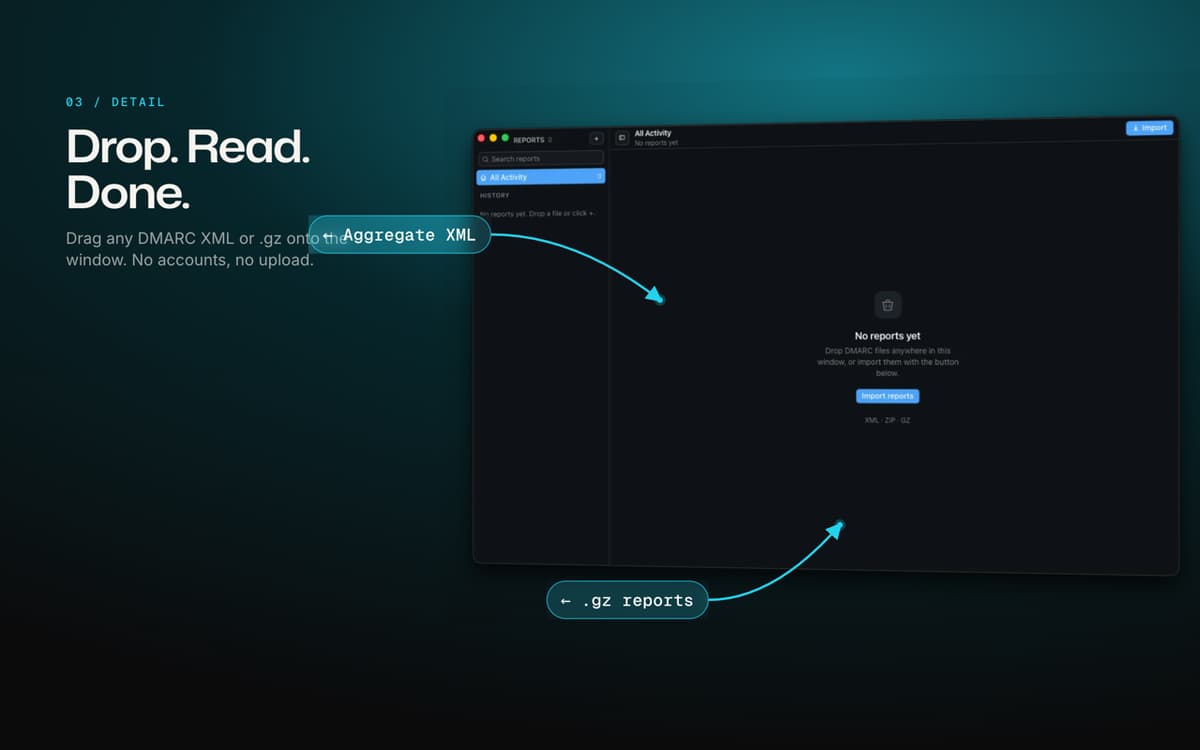
Drop in any report, any format
No converting, no cleanup. Drag in a raw XML file, a zipped report, or the original email it came in — DMARC Report Reader extracts and reads it automatically.
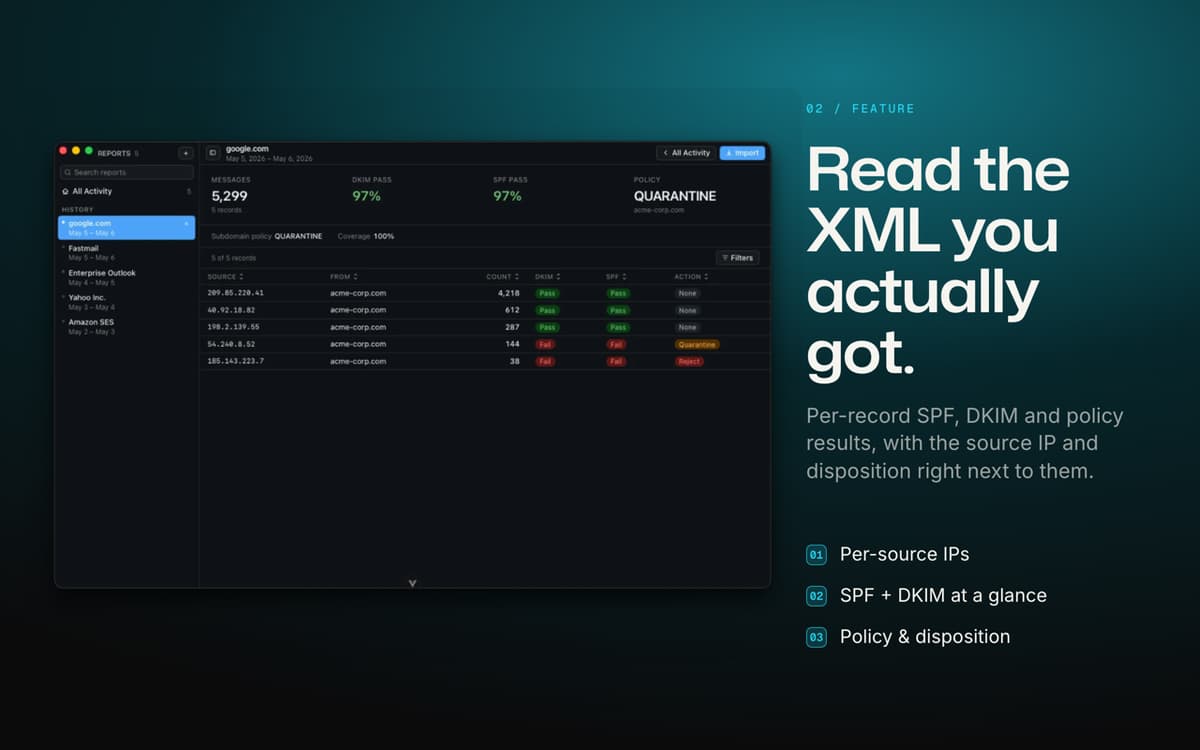
One dashboard for SPF, DKIM and DMARC
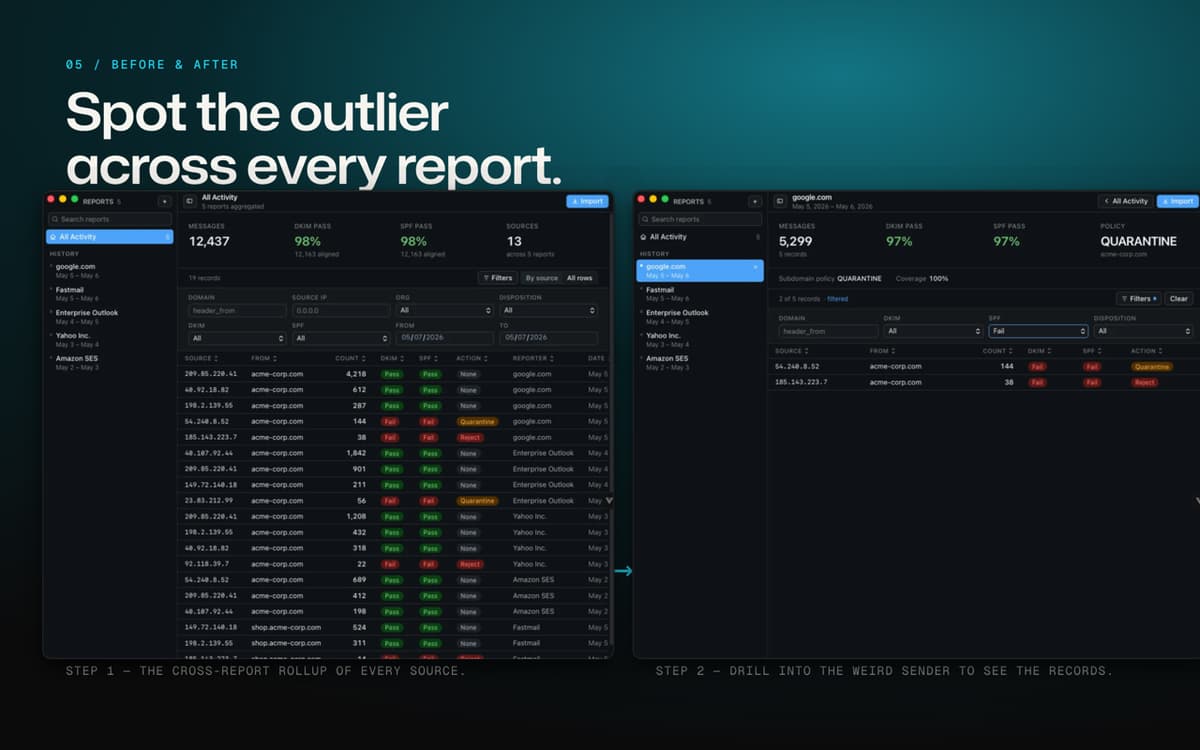
Skip the manual XML parsing. Get a clear pass/fail breakdown for every authentication method, updated the moment you import a new report.
Per-source IP breakdown
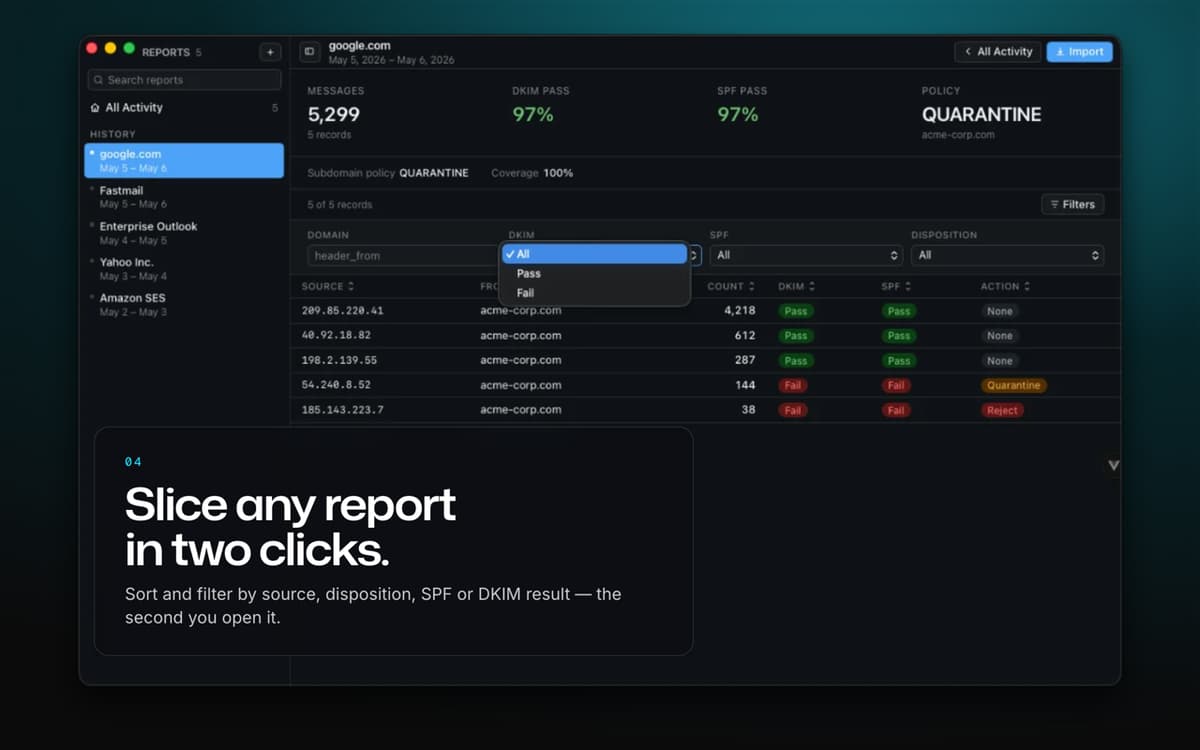
See exactly which servers are sending mail on your domain's behalf, what disposition each one got, and whether it's authenticating properly — then trace any IP across your entire report history.
Know who's really sending your mail
Reverse-DNS lookups match source IPs to the services behind them, so you're not left guessing whether that IP belongs to Google, Microsoft 365, or something less friendly.
A policy advisor built in
DMARC Report Reader watches your pass rates and tells you when it's actually safe to tighten your policy — from p=none to quarantine to reject — plus live DNS checks on your published SPF and DMARC records.
Trends over time
Watch your pass rates and mail volume charted across every report you've imported, and export any filtered view to CSV when you need the numbers elsewhere.
Profitez de centaines d'applications avec Membership
Devenez membre Setapp et utilisez des centaines d'applications incroyables grâce à un seul abonnement.
Forfait tout compris, après 7 jours d'essai gratuit
Installez Setapp sur votre Mac
Explorez des applications pour Mac, iOS et le Web. Découvrez comment accomplir facilement les tâches du quotidien.

Téléchargez l'application qui vous intéresse
Cette application vous attend dans Setapp. Installez-la d'un seul clic.

DMARC Report Reader
Choisissez votre abonnement
Une seule application ou bien plus avec un abonnement Setapp. Accédez aux applications comme vous le souhaitez.

Profitez de centaines d'applications avec Membership
Devenez membre Setapp et utilisez des centaines d'applications incroyables grâce à un seul abonnement.
Forfait tout compris, après 7 jours d'essai gratuit
1
Installez Setapp sur votre Mac
Explorez des applications pour Mac, iOS et le Web. Découvrez comment accomplir facilement les tâches du quotidien.
2
Téléchargez l'application qui vous intéresse
Cette application vous attend dans Setapp. Installez-la d'un seul clic.
DMARC Report Reader
3
Choisissez votre abonnement
Une seule application ou bien plus avec un abonnement Setapp. Accédez aux applications comme vous le souhaitez.
Des applications de qualité
Pour gérer des plannings, accomplir des tâches de routine, créer des contenus, coder et bien plus encore, optez pour Setapp.

TypingMind
IA conversationnelle avec interface alternative
générez ou résumez du texte
utilisez une bibliothèque de requêtes
IA

Spark Mail
Gérez vos e-mails
IA

CleanMyMac
Supprimez les fichiers inutiles

Bartender
Personnalisez la barre des menus

CleanShot X
Profitez de plus de possibilités pour les captures d'écran

Luminar Neo
Retouchez vos photos
IA

ClearVPN
Sécurisez votre connexion Internet

Craft
Travaillez sur vos documents
IA
DMARC Report Reader
Make DMARC reports readable