
DMGKit
Créez des installateurs Mac soignés
Mac
Version 2.1.2
macOS 15.0 ou version supérieure
18.7 MB
1 langues
DMGKit est un créateur de fichiers DMG pour applications Mac qui vous aide à concevoir, signer et notariser vos installateurs sans avoir à jongler avec plusieurs outils. Créez des programmes d'installation soignés avec un éditeur visuel, puis gérez la signature et la notarisation depuis la même application. Il fonctionne avec les applications Swift, Python, Electron et Tauri, rendant la préparation des versions un peu moins chaotique. Vous pouvez également enregistrer des modèles réutilisables, ajouter des accords juridiques et localiser le contenu de l'installateur pour les utilisateurs du monde entier. Parce que votre programme d'installation d'application mérite mieux que « final-final-v3.dmg ».
Créer des installateurs DMG personnalisés
Signer et notarier les apps Mac
Réutiliser les modèles d'installateurs
Ajouter des accords légaux localisés
Fonctionnalités de DMGKit
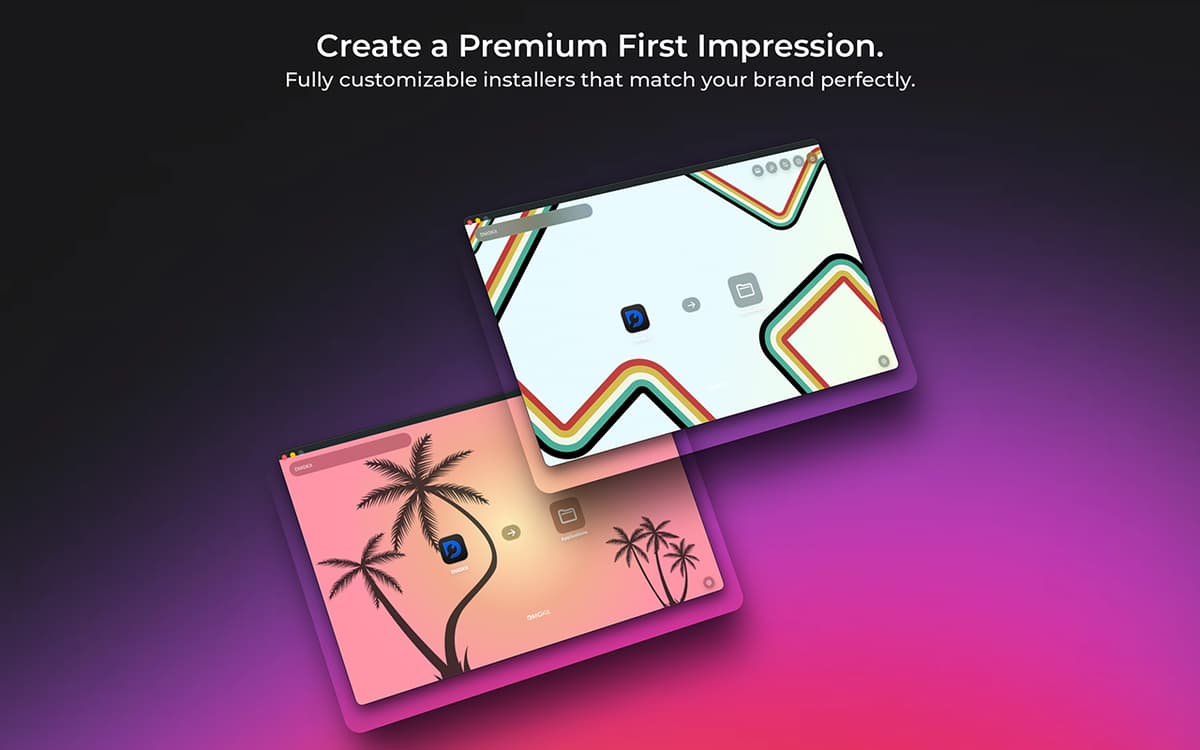
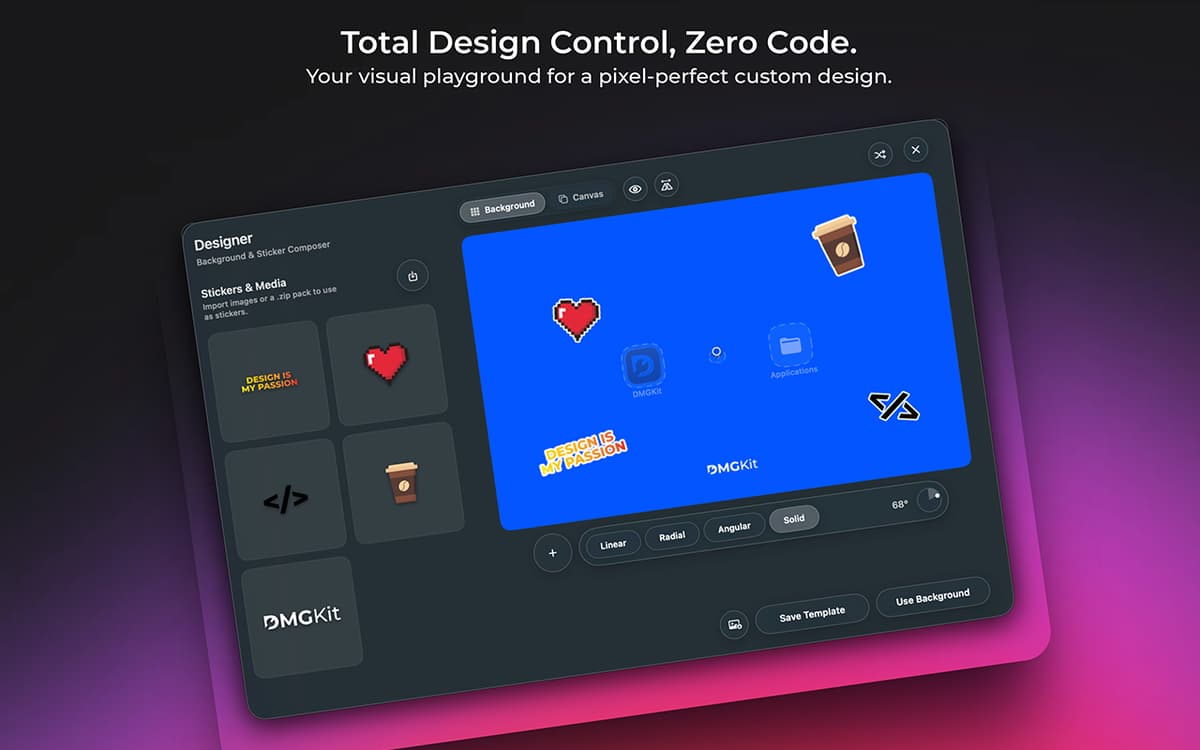
Créez des installateurs DMG personnalisés
Créez des installateurs Mac personnalisés avec un éditeur visuel plutôt que d'organiser manuellement les fichiers et arrière-plans dans Finder.
Signez et faites notarier vos applications en un seul endroit
Gérez la signature de code et la notarisation Apple pour les applications Swift, Python, Electron et Tauri sans changer d'outil.
Enregistrez des modèles d'installation réutilisables
Réutilisez les mises en page, l'identité visuelle et les paramètres d'un projet à l'autre pour garantir la cohérence des versions entre les applications et les appareils.
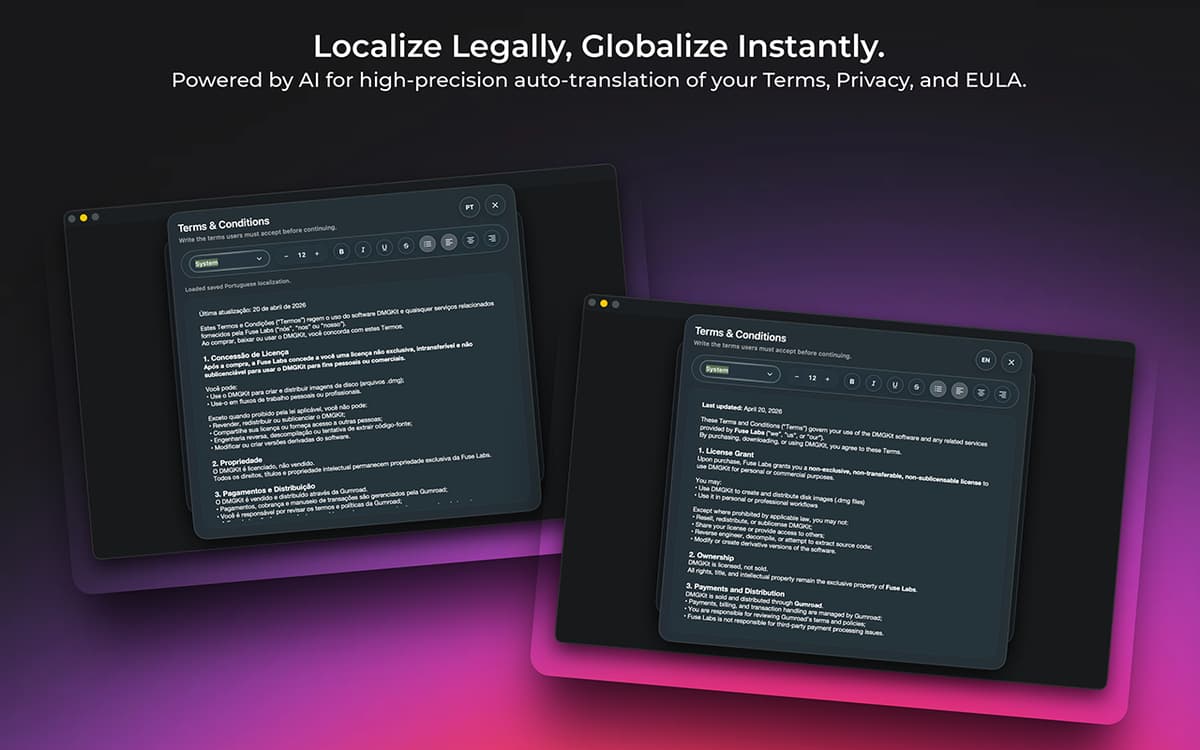
Ajoutez facilement des accords juridiques
Intégrez les conditions générales, les politiques de confidentialité et les CLUF directement dans les programmes d'installation avec prise en charge SLA intégrée.
Localiser le contenu d'installateurs
Modifiez, traduisez et gérez le texte d'installation dans plusieurs langues sans maintenir des flux de travail séparés.
Simplifiez les workflows de version
DMGKit combine empaquetage, signature, notarisation et personnalisation d'installateur en une seule app Mac simplifiée.
Profitez de centaines d'applications avec Membership
Devenez membre Setapp et utilisez des centaines d'applications incroyables grâce à un seul abonnement.
Forfait tout compris, après 7 jours d'essai gratuit
Installez Setapp sur votre Mac
Explorez des applications pour Mac, iOS et le Web. Découvrez comment accomplir facilement les tâches du quotidien.

Téléchargez l'application qui vous intéresse
Cette application vous attend dans Setapp. Installez-la d'un seul clic.

DMGKit
Choisissez votre abonnement
Une seule application ou bien plus avec un abonnement Setapp. Accédez aux applications comme vous le souhaitez.

Profitez de centaines d'applications avec Membership
Devenez membre Setapp et utilisez des centaines d'applications incroyables grâce à un seul abonnement.
Forfait tout compris, après 7 jours d'essai gratuit
1
Installez Setapp sur votre Mac
Explorez des applications pour Mac, iOS et le Web. Découvrez comment accomplir facilement les tâches du quotidien.
2
Téléchargez l'application qui vous intéresse
Cette application vous attend dans Setapp. Installez-la d'un seul clic.
DMGKit
3
Choisissez votre abonnement
Une seule application ou bien plus avec un abonnement Setapp. Accédez aux applications comme vous le souhaitez.
Des applications de qualité
Pour gérer des plannings, accomplir des tâches de routine, créer des contenus, coder et bien plus encore, optez pour Setapp.

TypingMind
IA conversationnelle avec interface alternative
générez ou résumez du texte
utilisez une bibliothèque de requêtes
IA

Spark Mail
Gérez vos e-mails
IA

CleanMyMac
Supprimez les fichiers inutiles

Bartender
Personnalisez la barre des menus

CleanShot X
Profitez de plus de possibilités pour les captures d'écran

Luminar Neo
Retouchez vos photos
IA

ClearVPN
Sécurisez votre connexion Internet

Craft
Travaillez sur vos documents
IA
DMGKit
Créez des installateurs Mac soignés