
EasyHomebrew
Homebrew, minus the Terminal
Mac
Version 3.5.0
macOS 14.0 ou version supérieure
13.7 MB
6 langues
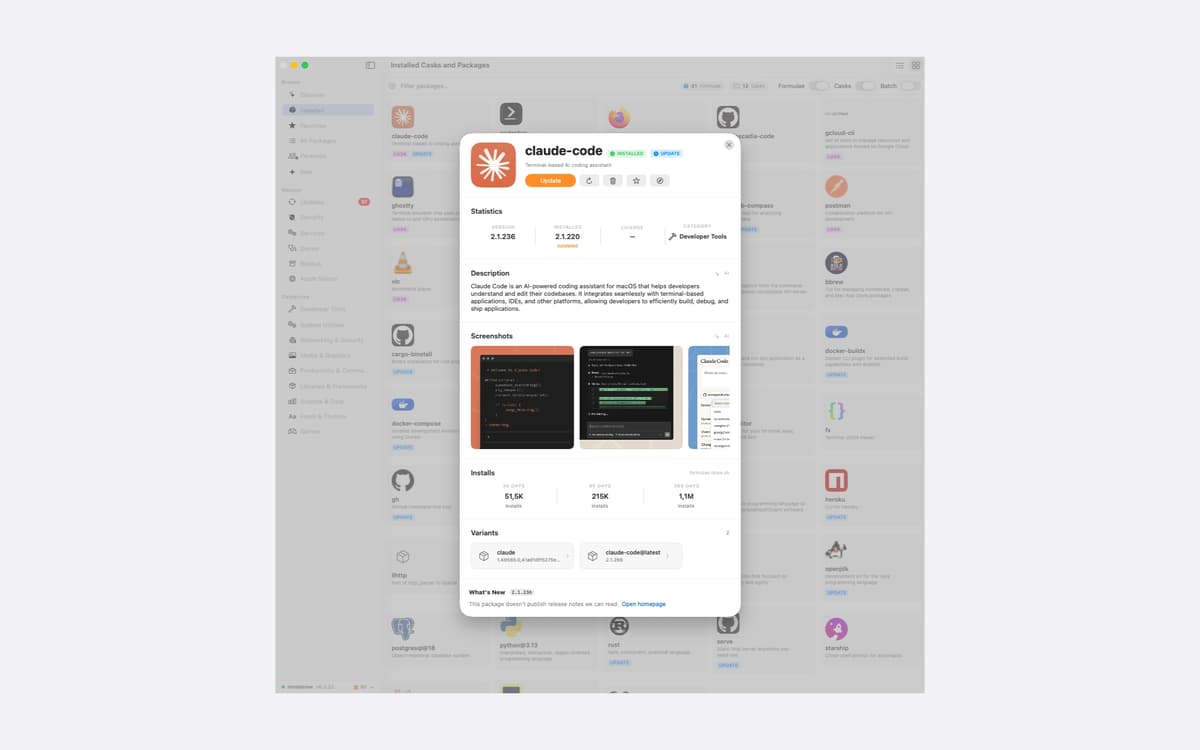
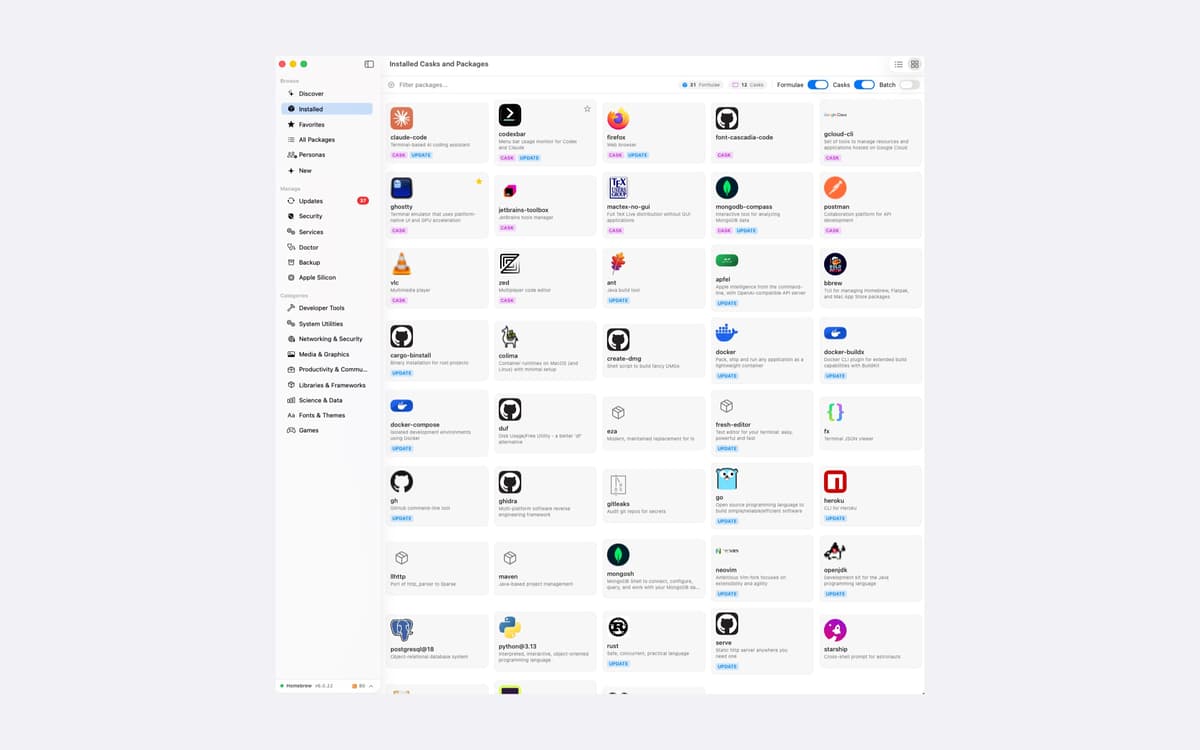
EasyHomebrew is a Homebrew manager for Mac that gives brew a proper interface. Browse, install, update, and remove packages without typing a command. It also checks everything you've installed against a live vulnerability database and lets you know when something needs attention. No account, no analytics, no tracking.
Check packages for known vulnerabilities
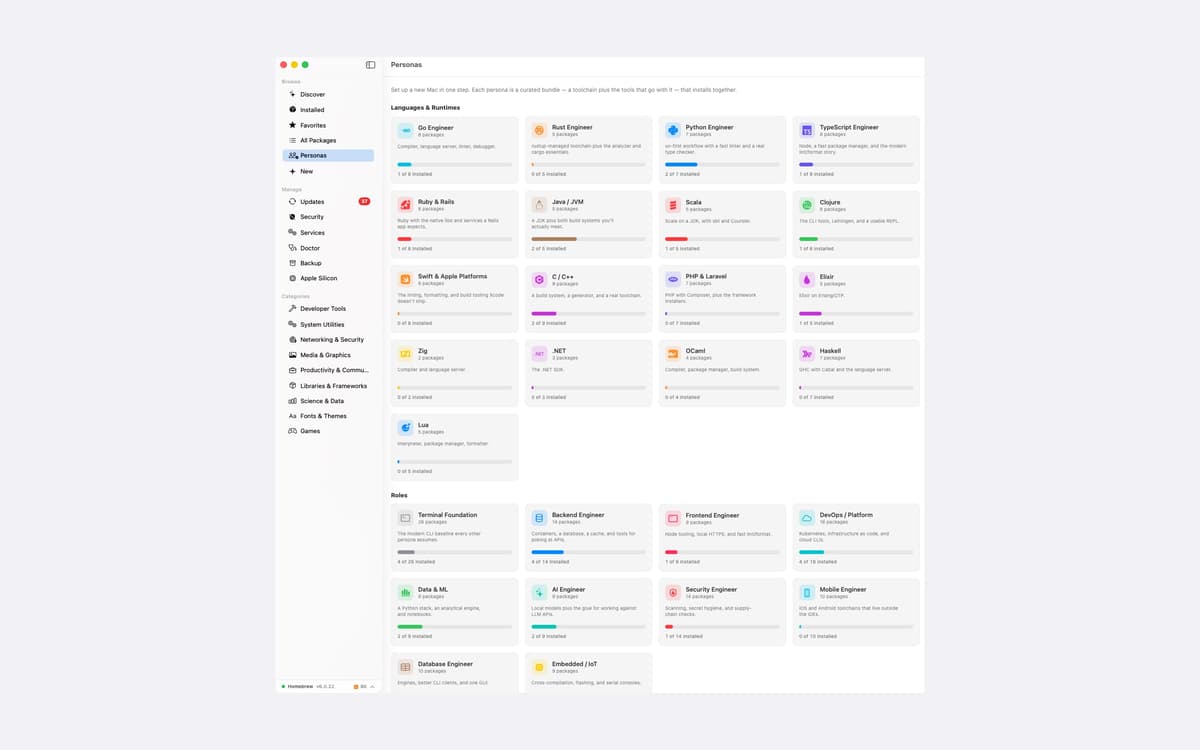
Set up a new Mac in one step
Update packages with release notes
Move your setup to another Mac
Fonctionnalités de EasyHomebrew
Know what's vulnerable
Every formula and cask on your Mac is matched against a live vulnerability database. You see severity at a glance and can open the official advisory in one click. A small menu-bar agent rechecks on your schedule, so you hear about new advisories the same day. One health score sums up your machine, and vulnerable packages weigh the most.
Update on your terms
See every outdated package in one place, with the upstream release notes right on the page. Read first, then decide. You can pin a package to hold its version, or snooze an update for a day, a week, or a month.
Services and Doctor, without the Terminal
Start, stop, and restart databases and web servers. Follow their logs live, with levels color-coded. Doctor runs a full brew health check, and wherever brew offers a fix, you get a "Run fix" button instead of a command to copy and paste.
Set up or move a Mac fast
Personas are 27 curated bundles that install together. There are 17 for languages and runtimes, plus 10 for roles like DevOps, Security, and Data & ML. Each one brings a whole toolchain, not just a bare compiler. Moving to a new Mac? Export all your formulae, casks, and taps to one file and restore it there. A restore only adds what's missing and leaves what you already have alone.
Search the way you think
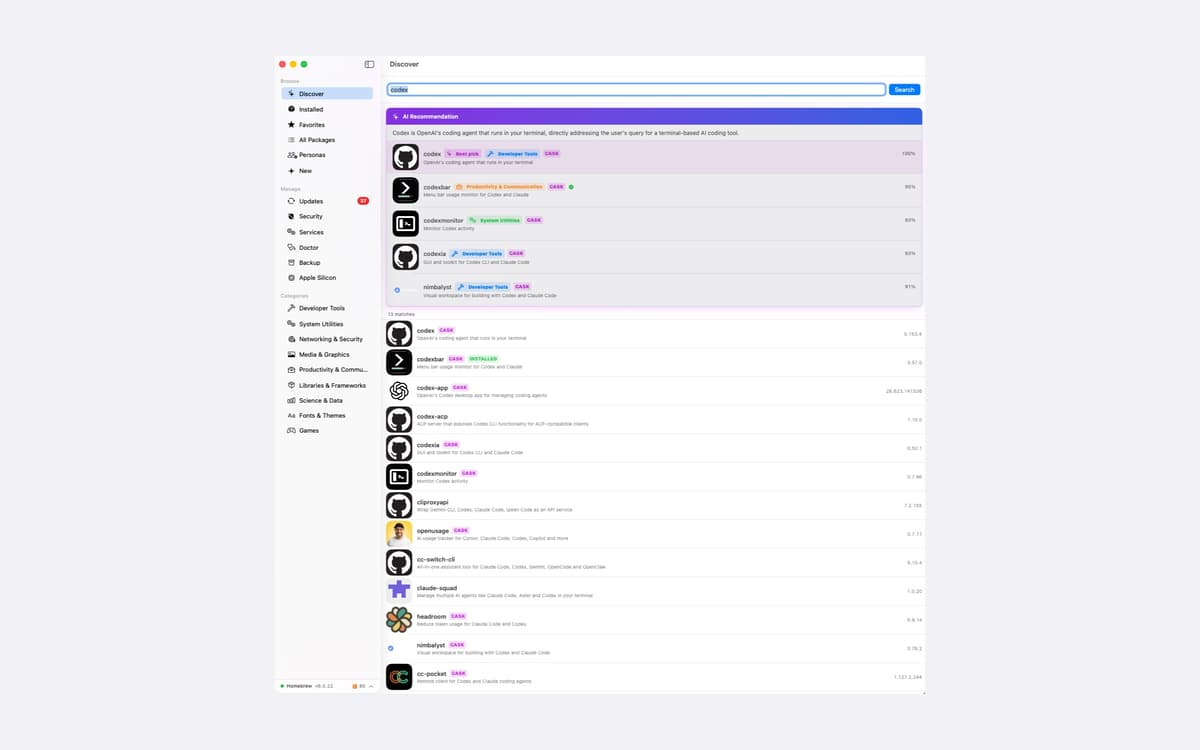
Type what you want, like "fast SQL client with autocomplete," and EasyHomebrew finds the package that fits. It knows Homebrew's alternate names too, so "java" finds the JDK and "postgres" finds PostgreSQL. On macOS 26 and later, Apple Intelligence writes plain-English summaries of packages and taps. It runs on your Mac, and nothing leaves it.
Private by design
No analytics, no telemetry, no crash reports, and no install identifier. There's no account to sign into. The servers EasyHomebrew talks to are asked about a package or a vulnerability, never about you. It's a universal app for Apple Silicon and Intel, in English, French, German, Greek, Italian, and Spanish.
Profitez de centaines d'applications avec Membership
Devenez membre Setapp et utilisez des centaines d'applications incroyables grâce à un seul abonnement.
Forfait tout compris, après 7 jours d'essai gratuit
Installez Setapp sur votre Mac
Explorez des applications pour Mac, iOS et le Web. Découvrez comment accomplir facilement les tâches du quotidien.

Téléchargez l'application qui vous intéresse
Cette application vous attend dans Setapp. Installez-la d'un seul clic.

EasyHomebrew
Choisissez votre abonnement
Une seule application ou bien plus avec un abonnement Setapp. Accédez aux applications comme vous le souhaitez.

Profitez de centaines d'applications avec Membership
Devenez membre Setapp et utilisez des centaines d'applications incroyables grâce à un seul abonnement.
Forfait tout compris, après 7 jours d'essai gratuit
1
Installez Setapp sur votre Mac
Explorez des applications pour Mac, iOS et le Web. Découvrez comment accomplir facilement les tâches du quotidien.
2
Téléchargez l'application qui vous intéresse
Cette application vous attend dans Setapp. Installez-la d'un seul clic.
EasyHomebrew
3
Choisissez votre abonnement
Une seule application ou bien plus avec un abonnement Setapp. Accédez aux applications comme vous le souhaitez.
Des applications de qualité
Pour gérer des plannings, accomplir des tâches de routine, créer des contenus, coder et bien plus encore, optez pour Setapp.

TypingMind
IA conversationnelle avec interface alternative
générez ou résumez du texte
utilisez une bibliothèque de requêtes
IA

Spark Mail
Gérez vos e-mails
IA

CleanMyMac
Supprimez les fichiers inutiles

Bartender
Personnalisez la barre des menus

CleanShot X
Profitez de plus de possibilités pour les captures d'écran

Luminar Neo
Retouchez vos photos
IA

ClearVPN
Sécurisez votre connexion Internet

Craft
Travaillez sur vos documents
IA
EasyHomebrew
Homebrew, minus the Terminal