
Evenlight
Contrôlez la luminosité de l’application
Mac
Version 1.2.12
macOS 14 ou version supérieure
41.4 MB
1 langues
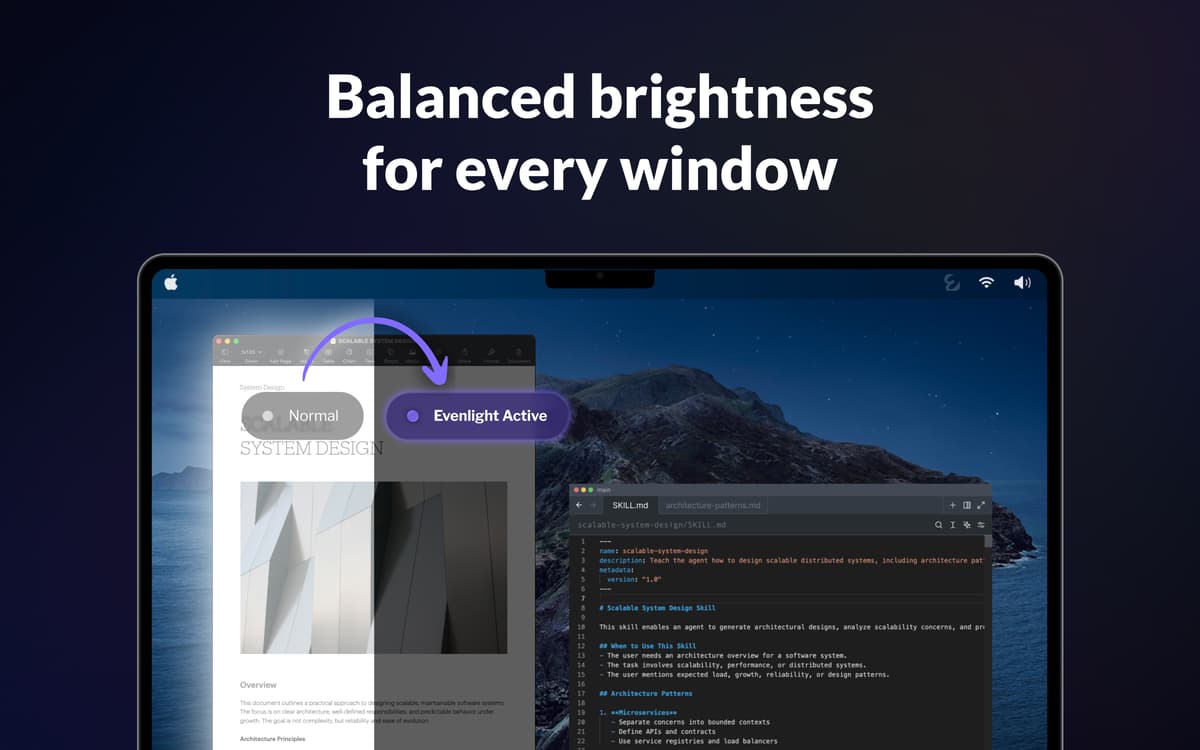
Vous ouvrez Slack — un blanc éblouissant. Passez à votre éditeur de code — et tout devient sombre. De retour sur un Google Doc — à nouveau lumineux. Faites cela cent fois par jour et vos yeux seront abîmés avant la fin de l'après-midi. Evenlight fonctionne discrètement en arrière-plan et homogénéise la luminosité entre les fenêtres, pour que chaque changement soit naturel plutôt que brutal.
Équilibrez la luminosité entre toutes les fenêtres
Réduisez la fatigue oculaire à l’écran
Améliorez productivité et clarté mentale
Programmez la luminosité pour la journée
Fonctionnalités de Evenlight
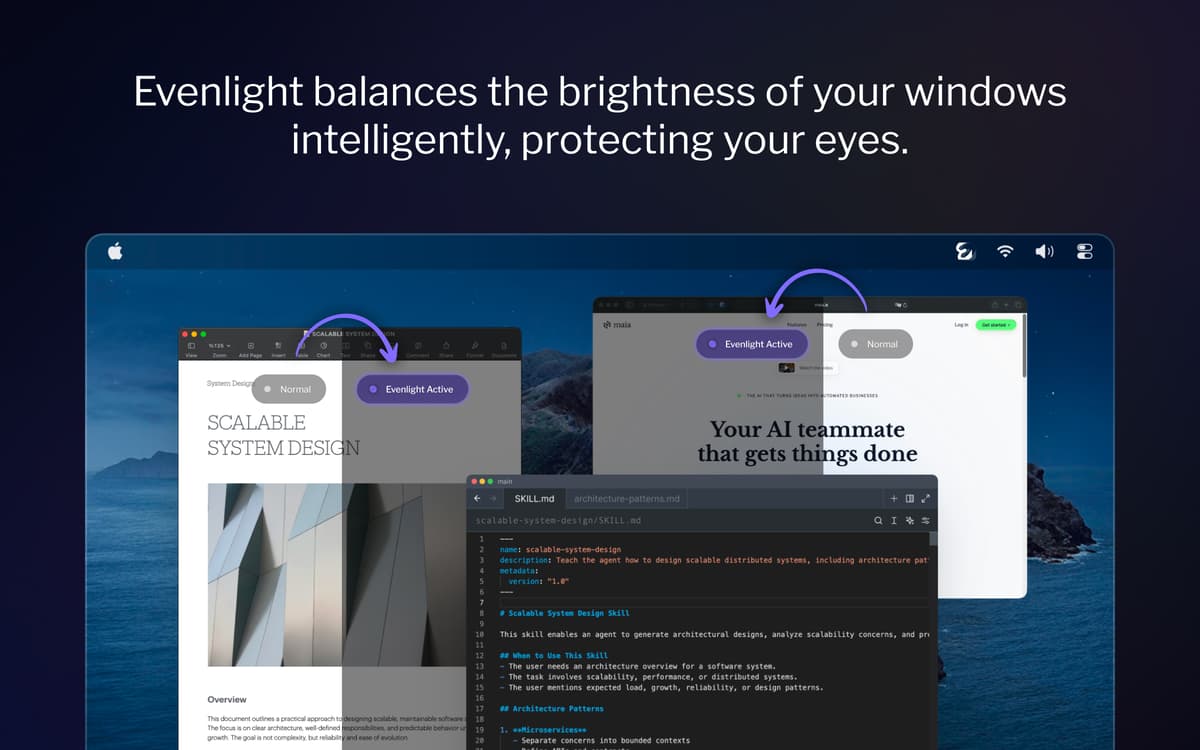
Équilibrez la luminosité entre chaque fenêtre ouverte
À chaque fois que vous passez d’une application sombre à une application claire, vos yeux doivent s’adapter. Evenlight gère intelligemment ces transitions — sur tous vos moniteurs — pour que les contrastes deviennent imperceptibles.
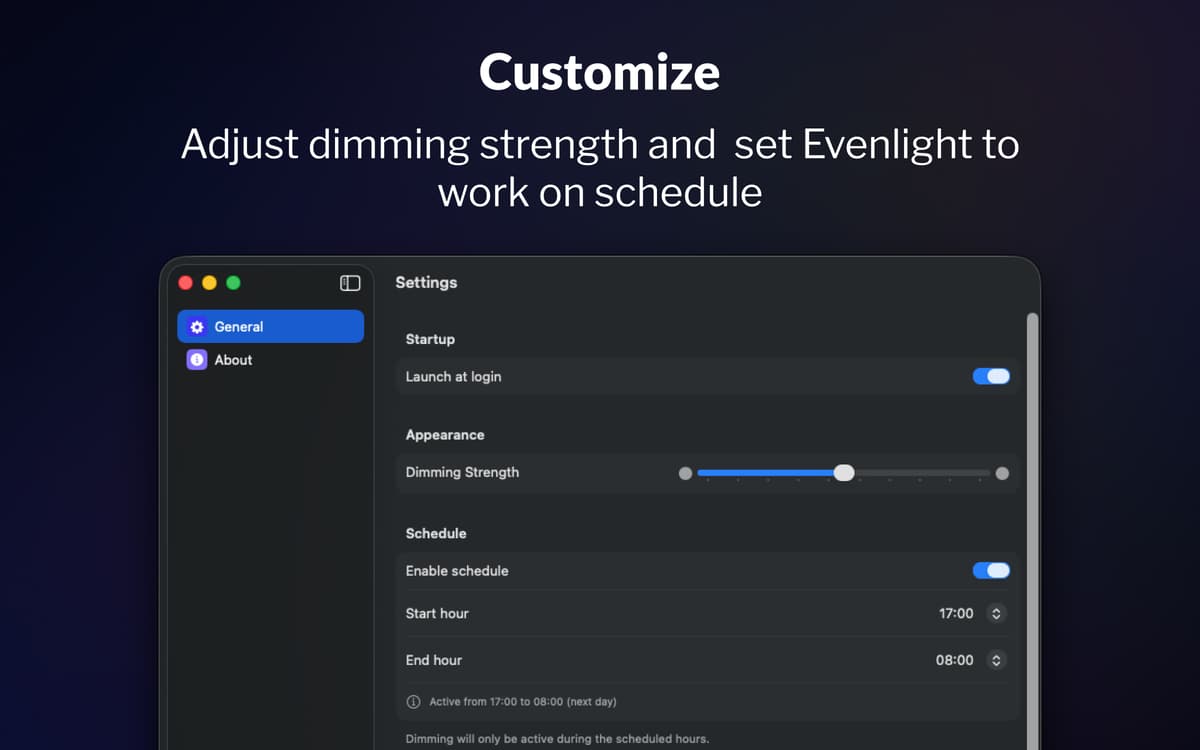
Programmez la diminution de la luminosité selon votre journée
La plupart des gens oublient d’ajuster la luminosité de leur écran avant que leurs yeux ne soient déjà fatigués. Grâce à la programmation d’Evenlight, vous choisissez exactement quand la diminution de la luminosité commence et s’arrête. Définissez votre heure de début, votre heure de fin, et l’application s’adapte à votre routine.
Ajustez et contrôlez-la instantanément depuis la barre de menu
Evenlight vous permet d’affiner à tout moment l’intensité de la diminution via un simple curseur, pour augmenter ou réduire l’intensité selon la sensation de vos yeux. Si vous avez besoin de la luminosité maximale pendant un moment, vous pouvez mettre en pause la diminution immédiatement ou planifier une pause temporaire pour une période définie. Toujours accessible depuis la barre de menu, les réglages prennent quelques secondes et n’interrompent jamais votre flux de travail.
Avis et commentaires
Evenlight
•
33 classements
Shrikant Meena
17 mai 2026
Version de l'application : 1.2.0
Not a quality app, the dimming mask keeps slipping with bright window visible when moved across screen
Réponse du développeur
17 mai 2026
Hi Shrikant, thank you for your feedback. It is the best macOS allows, so the quality is on Apple's part, but thank you for the comment.
Randy
2 avr. 2026
Version de l'application : 1.1.5
This is a very useful utility! I would like to have an option to either disable it for blacklisted apps, or enable it only for whitelisted apps. I want to be able to manage this so that it does not affect watching movies or gaming.
Jeremy Weathers
2 avr. 2026
Version de l'application : 1.1.5
This doesn’t work at all, and in fact is worse, with the menu bar and dock in light mode. The developer acknowledged that they are unable to modify the menu bar or dock brightness at least with macOS Tahoe.
Profitez de centaines d'applications avec Membership
Devenez membre Setapp et utilisez des centaines d'applications incroyables grâce à un seul abonnement.
Forfait tout compris, après 7 jours d'essai gratuit
Installez Setapp sur votre Mac
Explorez des applications pour Mac, iOS et le Web. Découvrez comment accomplir facilement les tâches du quotidien.

Téléchargez l'application qui vous intéresse
Cette application vous attend dans Setapp. Installez-la d'un seul clic.

Evenlight
Choisissez votre abonnement
Une seule application ou bien plus avec un abonnement Setapp. Accédez aux applications comme vous le souhaitez.

Profitez de centaines d'applications avec Membership
Devenez membre Setapp et utilisez des centaines d'applications incroyables grâce à un seul abonnement.
Forfait tout compris, après 7 jours d'essai gratuit
1
Installez Setapp sur votre Mac
Explorez des applications pour Mac, iOS et le Web. Découvrez comment accomplir facilement les tâches du quotidien.
2
Téléchargez l'application qui vous intéresse
Cette application vous attend dans Setapp. Installez-la d'un seul clic.
Evenlight
3
Choisissez votre abonnement
Une seule application ou bien plus avec un abonnement Setapp. Accédez aux applications comme vous le souhaitez.
Des applications de qualité
Pour gérer des plannings, accomplir des tâches de routine, créer des contenus, coder et bien plus encore, optez pour Setapp.

TypingMind
IA conversationnelle avec interface alternative
générez ou résumez du texte
utilisez une bibliothèque de requêtes
IA

Spark Mail
Gérez vos e-mails
IA

CleanMyMac
Supprimez les fichiers inutiles

Bartender
Personnalisez la barre des menus

CleanShot X
Profitez de plus de possibilités pour les captures d'écran

Luminar Neo
Retouchez vos photos
IA

ClearVPN
Sécurisez votre connexion Internet

Craft
Travaillez sur vos documents
IA
Evenlight
Contrôlez la luminosité de l’application