
FileRouter
Open files your way

Mac
Version 1.0.27
macOS 13.0 ou version supérieure
13 MB
1 langues
FileRouter — File routing utility for Mac. Double-click a file and it lands in exactly the editor you want — no manual detours, no wrong apps opening by default. Set rules by file type, folder, or condition, and FileRouter handles the rest silently from your menu bar. It's the kind of utility you'll wonder how you ever worked without.
Route Markdown files to the right editor
Open files with hotkeys and custom rules
Set per-folder editor preferences
Automate file routing from scripts
Fonctionnalités de FileRouter
Open every file in the right editor
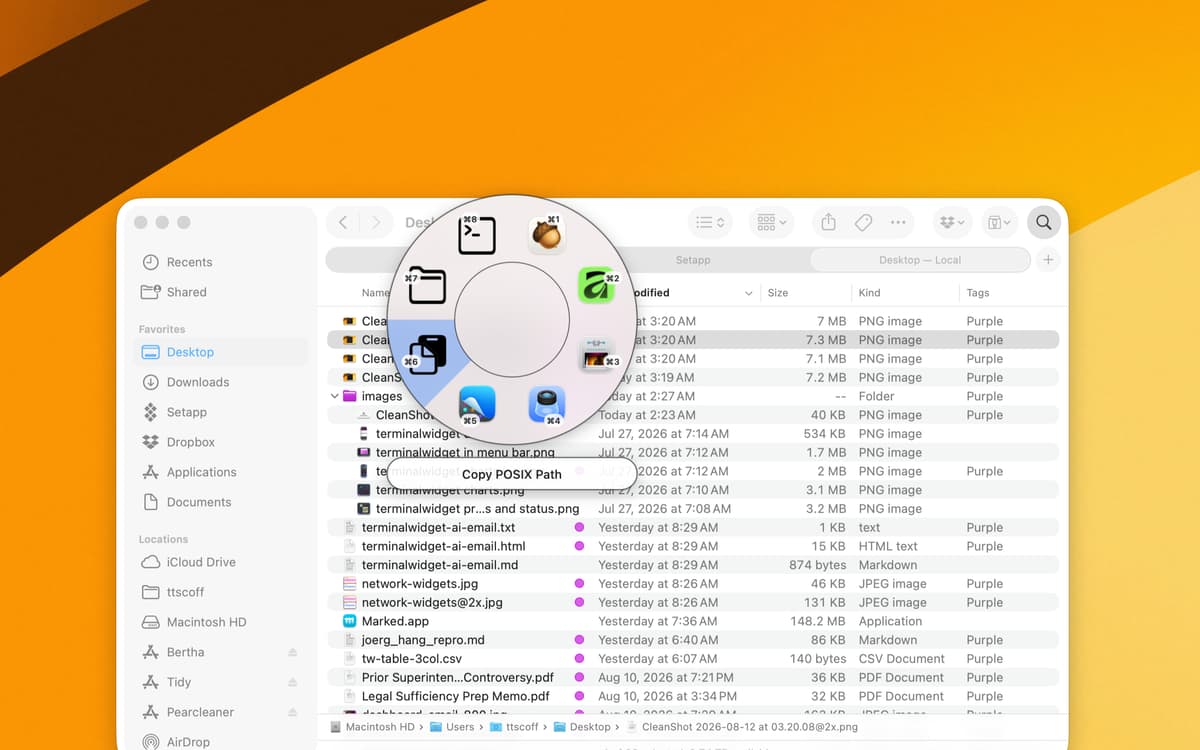
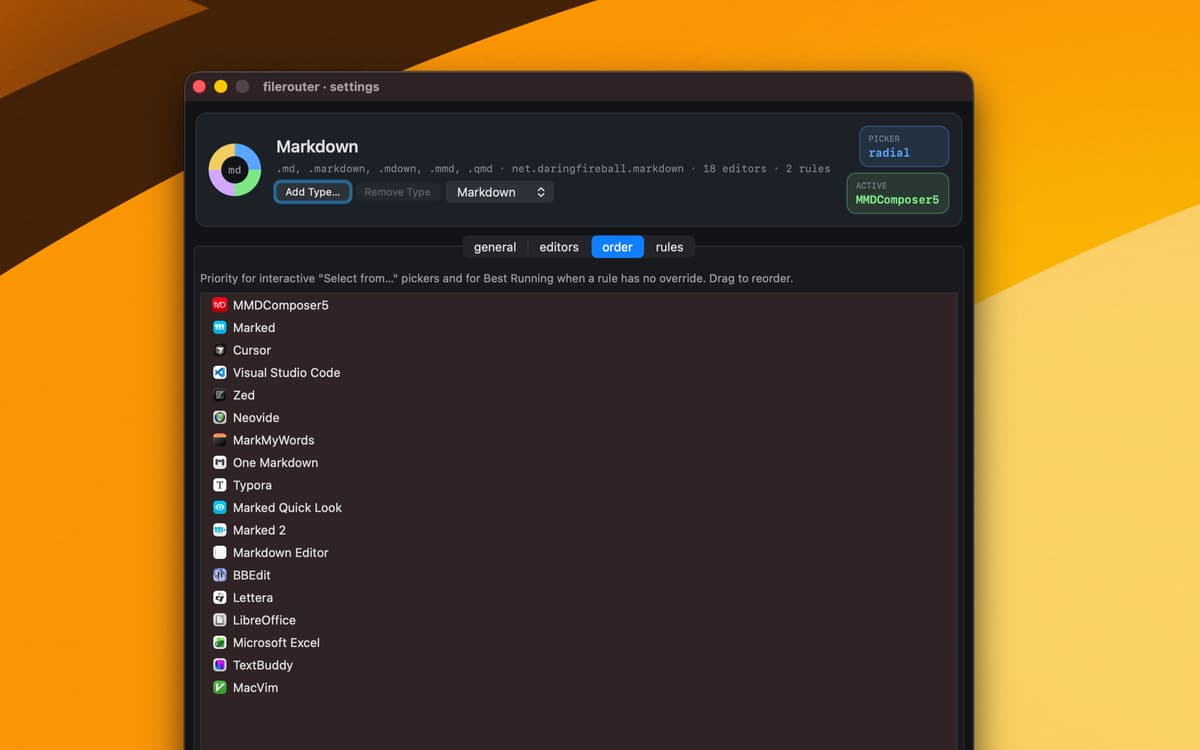
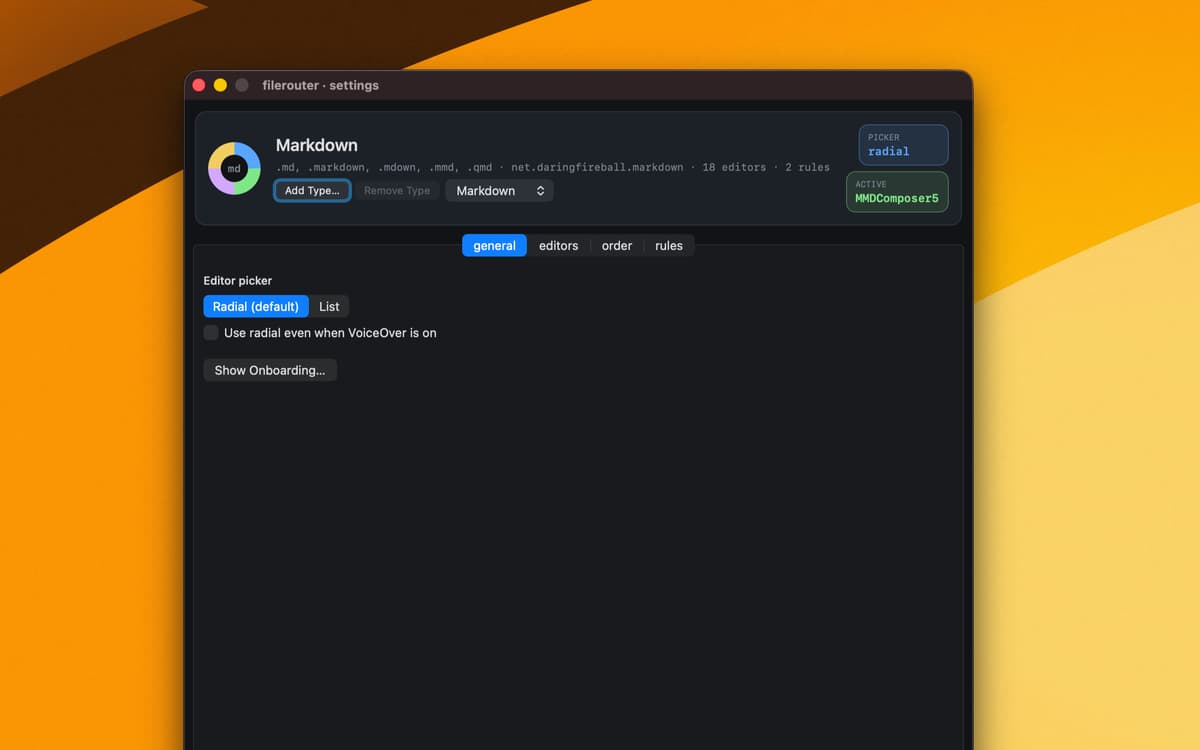
macOS has one default app per file type. You probably have five opinions about that. FileRouter lets you set a different editor for Markdown, plain text, or any custom type — then quietly routes each file there when you double-click. No more wrestling with "Open With."
Build rules that actually match how you work
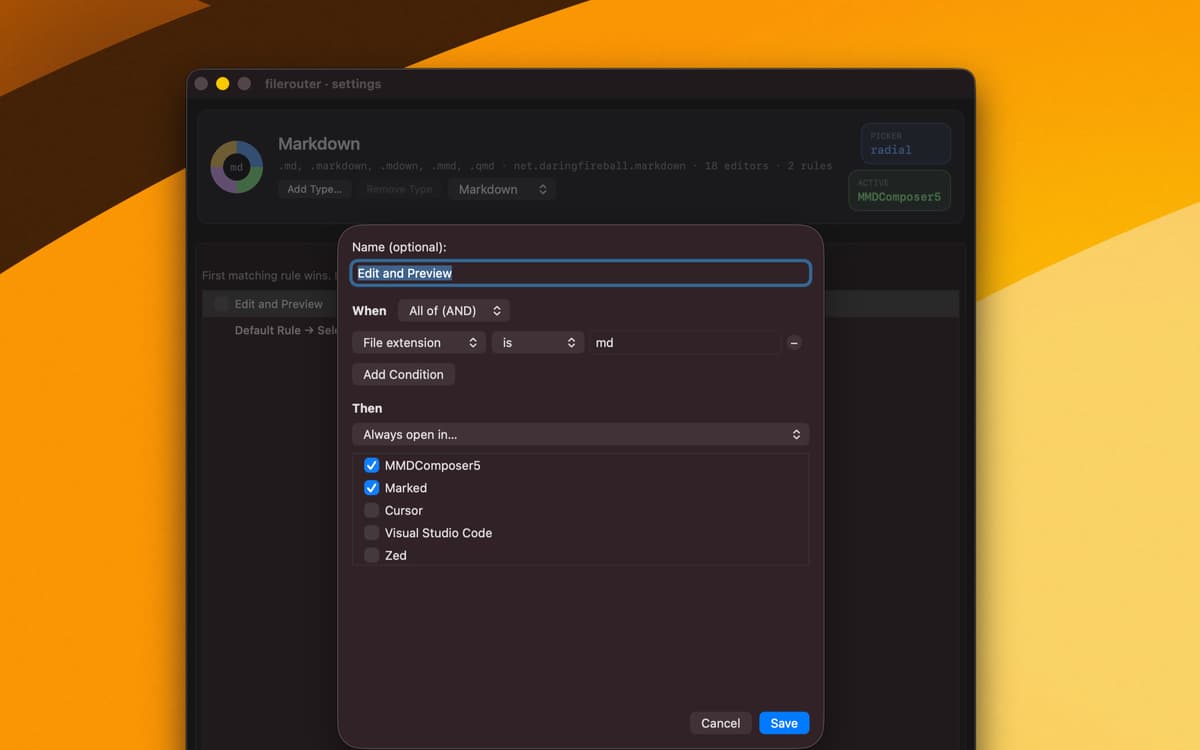
FileRouter's rule engine goes well beyond file type. Combine conditions — folder path, file name, parent directory, or which editors are currently running — to create routing logic that fits your real workflow. The first matching rule wins, and a permanent fallback catches everything else.
Trigger any editor from the keyboard
Assign global hotkeys to specific rules and open files your way without touching the mouse. Hotkeys are recorded shortcuts that route your current file selection on demand — great for power users who switch between editors depending on context.
Route files from scripts and automations
FileRouter registers a custom URL scheme (x-filerouter://) so you can send files to any rule from Terminal, Shortcuts, or any app that opens URLs. Name the rule, pass the file path, and FileRouter handles the rest — even for rules you've kept disabled for everyday use.
Add any file type in seconds
Got an unusual file type that macOS doesn't know what to do with? Drop it onto FileRouter or use Add Type in Settings to teach it a new route. FileRouter claims default-handler status for that type right away, and you pick the editor from there.
Stay in control from the menu bar
FileRouter lives quietly in your menu bar — one icon, one submenu per file type, no clutter. Switch your active editor for any route with a single click, or dive into Settings to fine-tune rules, editors, and URL templates. It never opens files itself; it just makes sure the right app does.
Avis et commentaires
FileRouter
•
3 classements
Mal Herring
29 sept. 2026
Version de l'application : 1.0.24
Cannot drag an app to create a new file route without the Window Switcher activating and so you cannot teach it new files to learn.
Profitez de centaines d'applications avec Membership
Devenez membre Setapp et utilisez des centaines d'applications incroyables grâce à un seul abonnement.
Forfait tout compris, après 7 jours d'essai gratuit
Installez Setapp sur votre Mac
Explorez des applications pour Mac, iOS et le Web. Découvrez comment accomplir facilement les tâches du quotidien.

Téléchargez l'application qui vous intéresse
Cette application vous attend dans Setapp. Installez-la d'un seul clic.

FileRouter
Choisissez votre abonnement
Une seule application ou bien plus avec un abonnement Setapp. Accédez aux applications comme vous le souhaitez.

Profitez de centaines d'applications avec Membership
Devenez membre Setapp et utilisez des centaines d'applications incroyables grâce à un seul abonnement.
Forfait tout compris, après 7 jours d'essai gratuit
1
Installez Setapp sur votre Mac
Explorez des applications pour Mac, iOS et le Web. Découvrez comment accomplir facilement les tâches du quotidien.
2
Téléchargez l'application qui vous intéresse
Cette application vous attend dans Setapp. Installez-la d'un seul clic.
FileRouter
3
Choisissez votre abonnement
Une seule application ou bien plus avec un abonnement Setapp. Accédez aux applications comme vous le souhaitez.
Des applications de qualité
Pour gérer des plannings, accomplir des tâches de routine, créer des contenus, coder et bien plus encore, optez pour Setapp.

TypingMind
IA conversationnelle avec interface alternative
générez ou résumez du texte
utilisez une bibliothèque de requêtes
IA

Spark Mail
Gérez vos e-mails
IA

CleanMyMac
Supprimez les fichiers inutiles

Bartender
Personnalisez la barre des menus

CleanShot X
Profitez de plus de possibilités pour les captures d'écran

Luminar Neo
Retouchez vos photos
IA

ClearVPN
Sécurisez votre connexion Internet

Craft
Travaillez sur vos documents
IA
FileRouter
Open files your way