
FinderCraft
Finder, but more in control
Mac
Version 1.1.0
macOS 14.0 ou version supérieure
23.3 MB
1 langues
FinderCraft is a file manager for Mac that works inside the Finder windows you already use. Stage files on its Shelf from any Finder window, compare two folders before you copy anything, and preview a batch rename before it happens. It also sorts a cluttered Desktop into folders in one go. FinderCraft shows you what will change first, never silently overwrites a file, and keeps a log so you can undo. No account, no cloud, and nothing leaves your Mac.
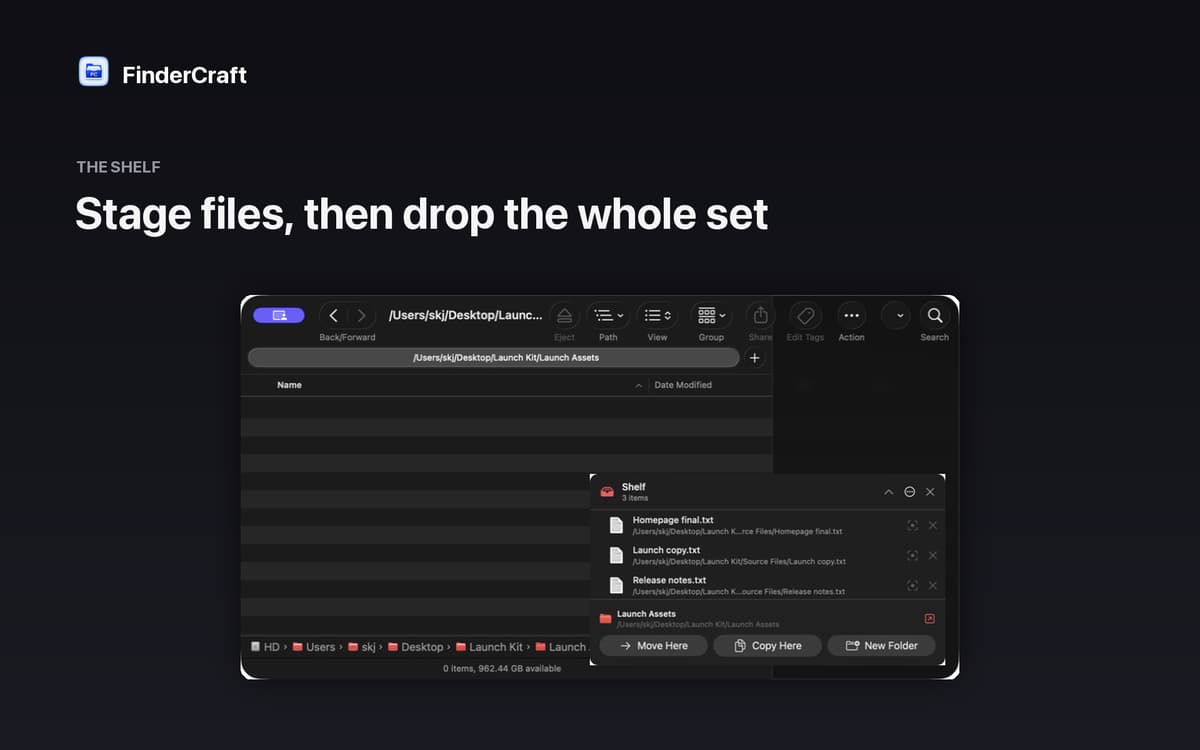
Stage files before you move them
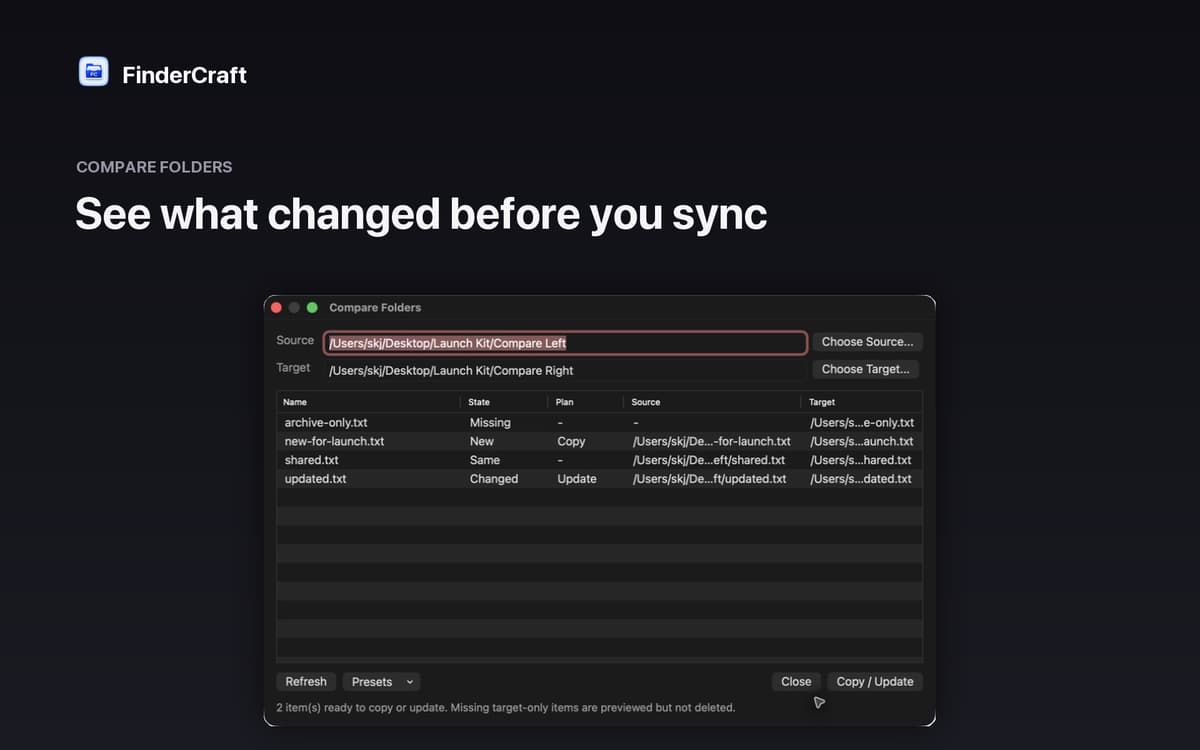
Compare two folders side by side
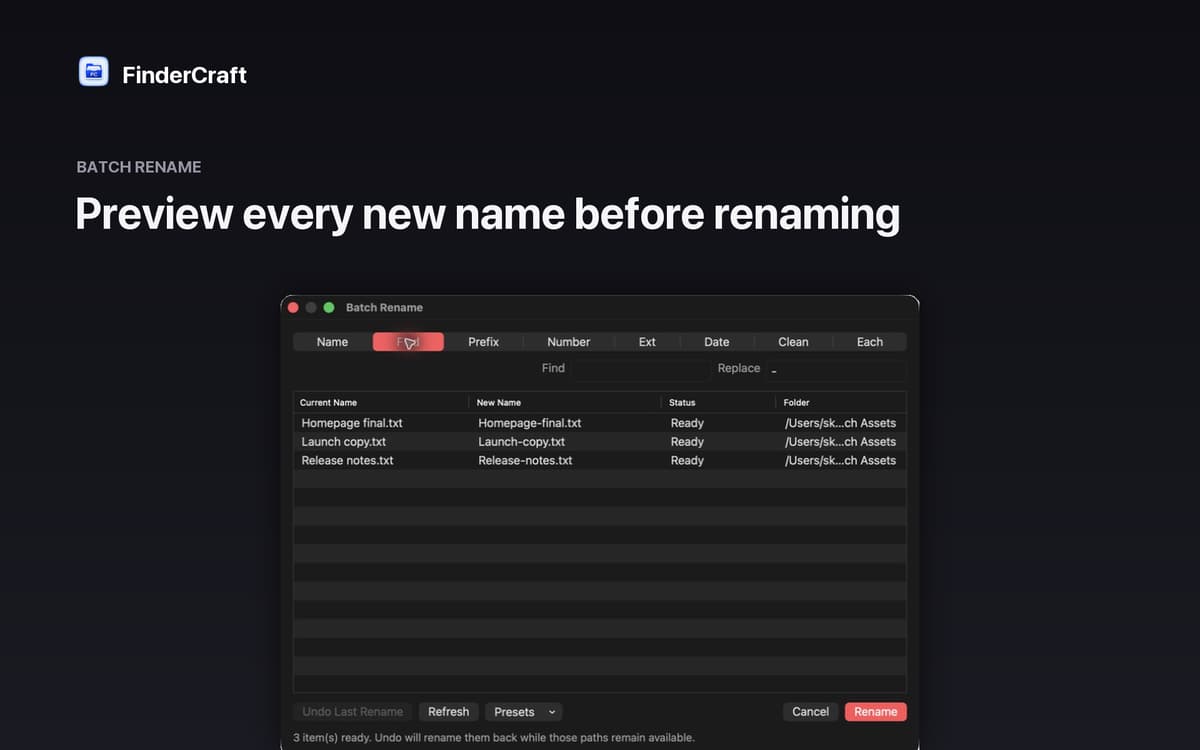
Batch rename with a live preview
Sort files into folders in one go
Fonctionnalités de FinderCraft
The Shelf: your staging tray
Drop files on the Shelf from any Finder window, then move the whole batch to its destination in one calm step. No juggling two windows at once.
Keyboard shuttle
Stage your current Finder selection onto the Shelf with a single keystroke. A small thing that adds up when you’re working through a lot of files.
Compare Folders
See exactly what’s missing, new, identical or changed between two folders before anything is touched. Review the plan, then decide what to copy.
Batch Rename
See every new filename next to the original before you commit. Adjust the pattern, check the preview, confirm. No surprises.
Tidy Up
Screenshots piling up on your Desktop? Tidy Up sorts files into folders by type: images, documents, audio, video, archives, code and more.
Safe by default
FinderCraft previews risky changes, never silently overwrites files and records what it did so you can undo. No account, no analytics, no trackers.
Profitez de centaines d'applications avec Membership
Devenez membre Setapp et utilisez des centaines d'applications incroyables grâce à un seul abonnement.
Forfait tout compris, après 7 jours d'essai gratuit
Installez Setapp sur votre Mac
Explorez des applications pour Mac, iOS et le Web. Découvrez comment accomplir facilement les tâches du quotidien.

Téléchargez l'application qui vous intéresse
Cette application vous attend dans Setapp. Installez-la d'un seul clic.

FinderCraft
Choisissez votre abonnement
Une seule application ou bien plus avec un abonnement Setapp. Accédez aux applications comme vous le souhaitez.

Profitez de centaines d'applications avec Membership
Devenez membre Setapp et utilisez des centaines d'applications incroyables grâce à un seul abonnement.
Forfait tout compris, après 7 jours d'essai gratuit
1
Installez Setapp sur votre Mac
Explorez des applications pour Mac, iOS et le Web. Découvrez comment accomplir facilement les tâches du quotidien.
2
Téléchargez l'application qui vous intéresse
Cette application vous attend dans Setapp. Installez-la d'un seul clic.
FinderCraft
3
Choisissez votre abonnement
Une seule application ou bien plus avec un abonnement Setapp. Accédez aux applications comme vous le souhaitez.
Des applications de qualité
Pour gérer des plannings, accomplir des tâches de routine, créer des contenus, coder et bien plus encore, optez pour Setapp.

TypingMind
IA conversationnelle avec interface alternative
générez ou résumez du texte
utilisez une bibliothèque de requêtes
IA

Spark Mail
Gérez vos e-mails
IA

CleanMyMac
Supprimez les fichiers inutiles

Bartender
Personnalisez la barre des menus

CleanShot X
Profitez de plus de possibilités pour les captures d'écran

Luminar Neo
Retouchez vos photos
IA

ClearVPN
Sécurisez votre connexion Internet

Craft
Travaillez sur vos documents
IA
FinderCraft
Finder, but more in control