
GapSucker
One cursor, zero dead ends
Mac
Version 1.0.1
macOS 11.5 ou version supérieure
10 MB
1 langues
GapSucker — cursor manager for multi-monitor Mac setups. When your displays don't physically line up, your cursor gets stuck at the edges — GapSucker fixes that by automatically warping it across the gaps. Move from screen to screen as if the bezels aren't even there. It's lightweight, runs quietly in the background, and stays out of your way.
Move between screens without friction
Works with any multi-monitor layout
Skips gaps between misaligned displays
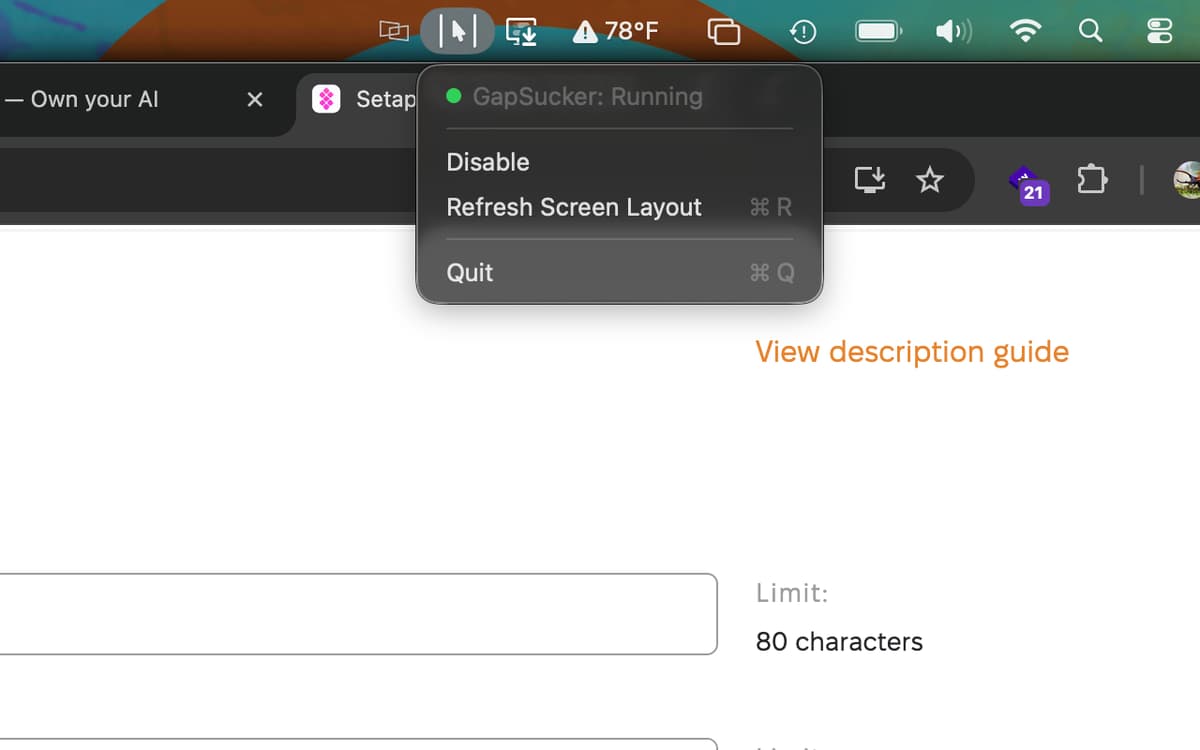
Control it all from your menu bar
Fonctionnalités de GapSucker
Move freely between displays
Got a vertical monitor sitting next to a horizontal one, or two screens that don't quite line up edge to edge? GapSucker detects the gap and bridges it automatically. Your cursor glides through to the adjacent screen — no nudging, no hunting, no dead zones.
Smart adjacent-screen detection
GapSucker doesn't warp blindly. It only teleports your cursor when there's actually a screen on the other side, so you won't get unexpected jumps if you push your cursor toward an empty edge. It knows your layout.
Works with any arrangement
Portrait, landscape, side by side, stacked — GapSucker works with whatever multi-monitor setup you're running, no matter how unusual the configuration. Plug in a new display and it adapts without any manual tweaking.
Quick controls from the menu bar
Enable it, disable it, or refresh your screen layout whenever things change — all from a simple menu bar icon. No preferences window to dig through, no configuration headaches. It's just there when you need it.
Runs quietly in the background
GapSucker is exactly the kind of app you forget is installed — until you try a multi-monitor setup without it. It uses minimal resources and doesn't interrupt your workflow. Set it up once and let it do its thing.
Profitez de centaines d'applications avec Membership
Devenez membre Setapp et utilisez des centaines d'applications incroyables grâce à un seul abonnement.
Forfait tout compris, après 7 jours d'essai gratuit
Installez Setapp sur votre Mac
Explorez des applications pour Mac, iOS et le Web. Découvrez comment accomplir facilement les tâches du quotidien.

Téléchargez l'application qui vous intéresse
Cette application vous attend dans Setapp. Installez-la d'un seul clic.

GapSucker
Choisissez votre abonnement
Une seule application ou bien plus avec un abonnement Setapp. Accédez aux applications comme vous le souhaitez.

Profitez de centaines d'applications avec Membership
Devenez membre Setapp et utilisez des centaines d'applications incroyables grâce à un seul abonnement.
Forfait tout compris, après 7 jours d'essai gratuit
1
Installez Setapp sur votre Mac
Explorez des applications pour Mac, iOS et le Web. Découvrez comment accomplir facilement les tâches du quotidien.
2
Téléchargez l'application qui vous intéresse
Cette application vous attend dans Setapp. Installez-la d'un seul clic.
GapSucker
3
Choisissez votre abonnement
Une seule application ou bien plus avec un abonnement Setapp. Accédez aux applications comme vous le souhaitez.
Des applications de qualité
Pour gérer des plannings, accomplir des tâches de routine, créer des contenus, coder et bien plus encore, optez pour Setapp.

TypingMind
IA conversationnelle avec interface alternative
générez ou résumez du texte
utilisez une bibliothèque de requêtes
IA

Spark Mail
Gérez vos e-mails
IA

CleanMyMac
Supprimez les fichiers inutiles

Bartender
Personnalisez la barre des menus

CleanShot X
Profitez de plus de possibilités pour les captures d'écran

Luminar Neo
Retouchez vos photos
IA

ClearVPN
Sécurisez votre connexion Internet

Craft
Travaillez sur vos documents
IA
GapSucker
One cursor, zero dead ends