
GetFerret
Find any file, any drive
Mac
Version 1.0.11
macOS 14.0 ou version supérieure
24.5 MB
1 langues
GetFerret is a file finder for Mac with a long memory. Plug in a drive once and GetFerret catalogs it — after that, you can search it anytime, even when it's unplugged and sitting in a drawer. Type a few letters, and GetFerret finds the file, tells you which drive it's on, and reminds you where that drive is stored. It also checks that your important files are backed up and offloads camera cards with verified copies. Everything stays on your Mac, private, with nothing sent to a server.
Search drives plugged in or sitting in a drawer
Find files on disconnected drives
Check that important files are backed up safely
Offload camera cards with verified copies
Fonctionnalités de GetFerret
Search across every drive
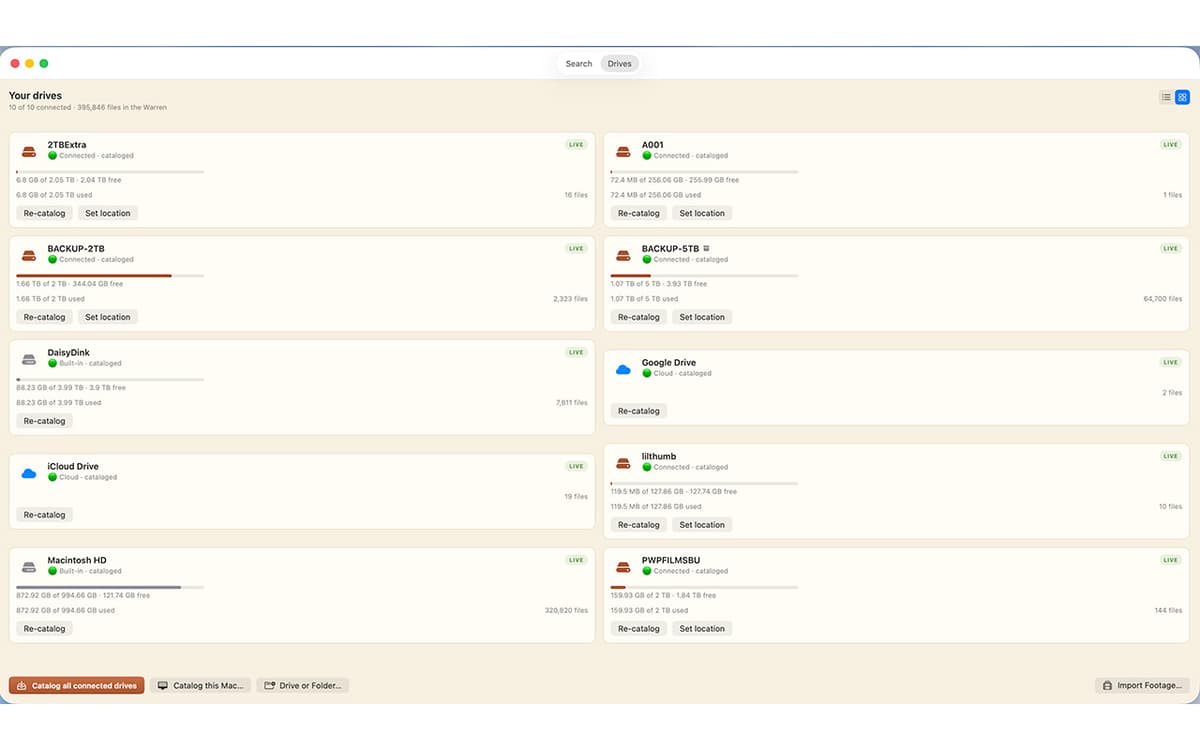
One bar covers every drive you've cataloged, whether it's plugged in or not. Results appear as you type, merged from live search and your catalog.
Find files on unplugged drives
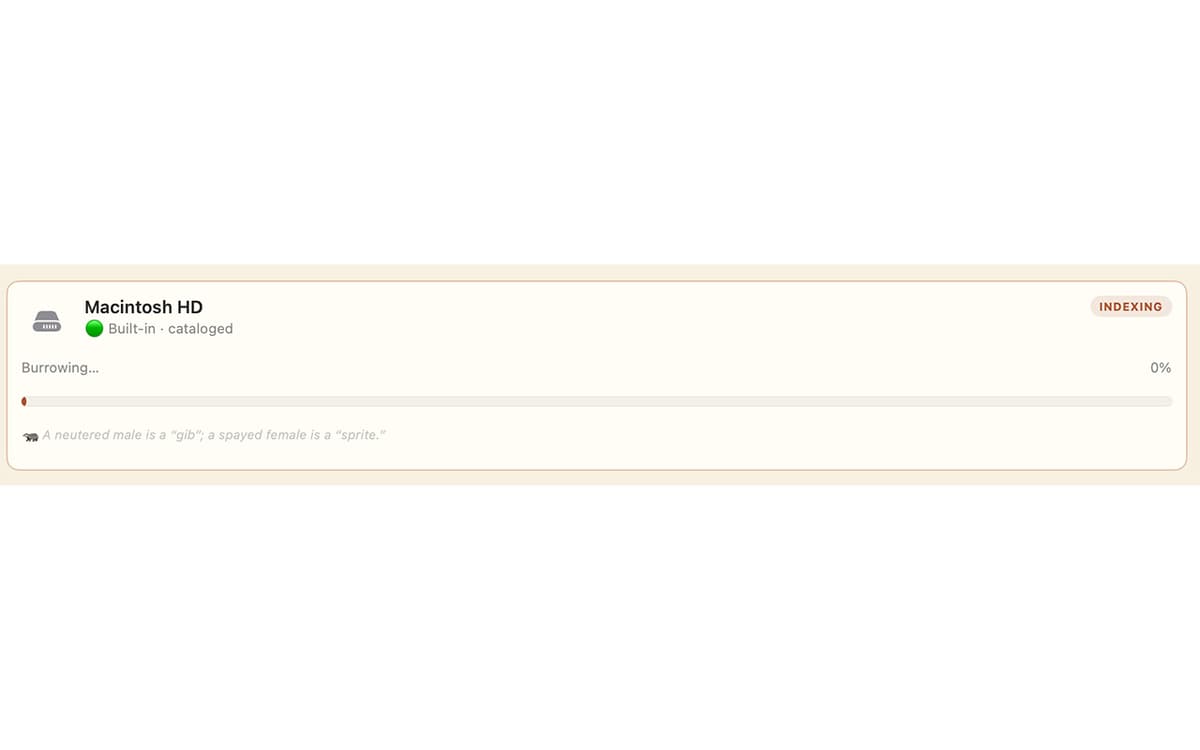
Catalog a drive once by plugging it in, and its files stay searchable after you unplug it. GetFerret even remembers which drawer you put the drive in.
Know your files are safe
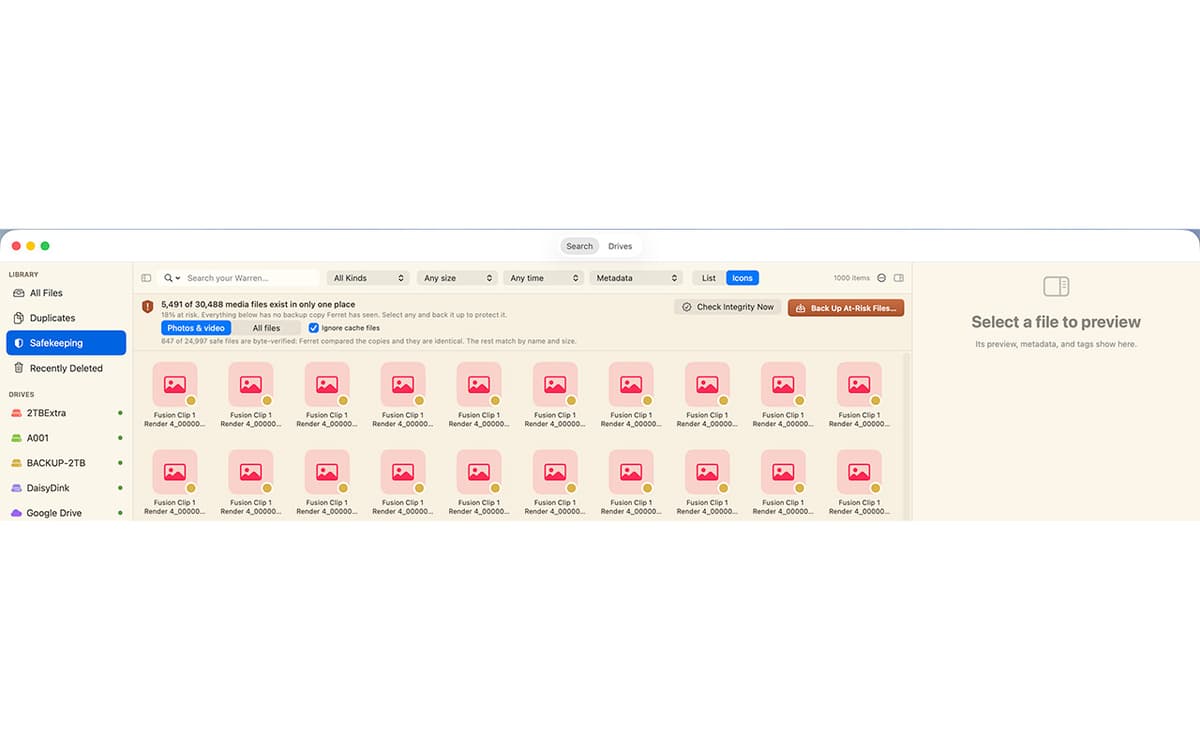
Safekeeping checks that your important files live on more than one drive, verifies the copies by their actual contents, and catches silent corruption before it spreads.
Verified camera-card offload
Copy footage off a card to as many drives as you like. Every file is hashed and read back to confirm it landed intact, with a checksum manifest saved beside it.
Back up a drive, the safe way
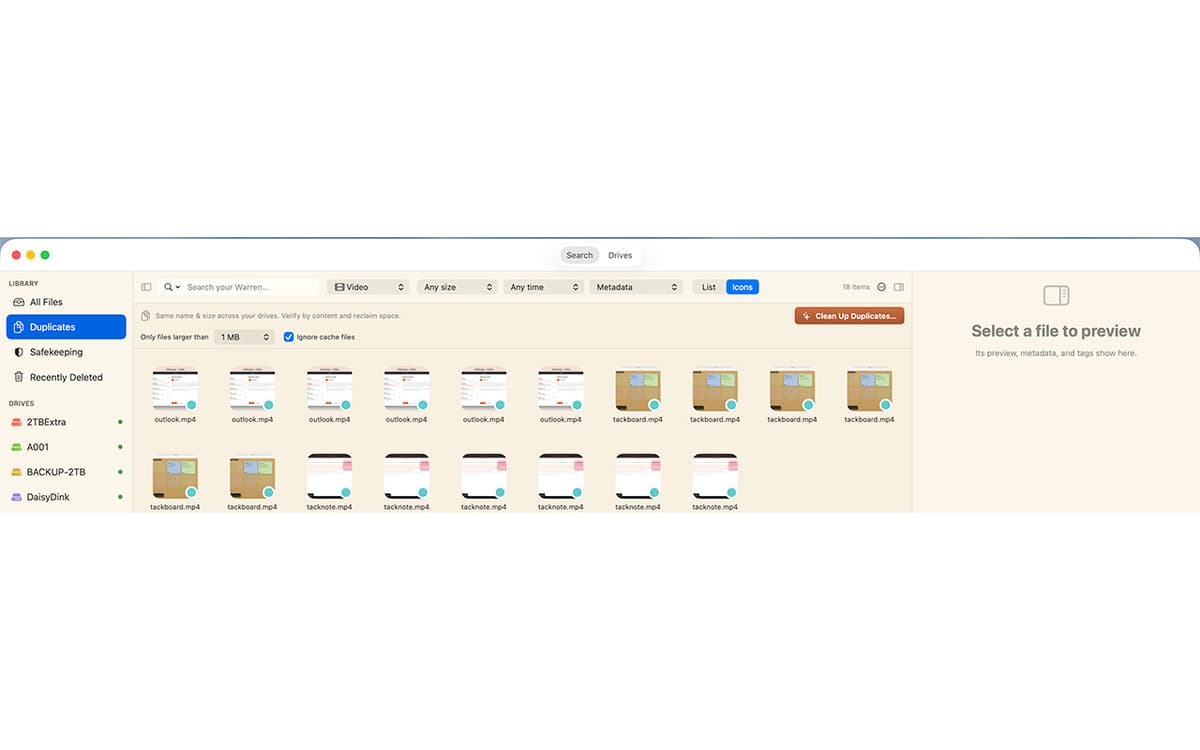
Make a 1-for-1 backup to another drive. GetFerret copies only what changed, never deletes anything, and confirms every file by content.
Private by design
Your files and their catalog stay on your Mac, encrypted. No account, no cloud, nothing sent to us.
Profitez de centaines d'applications avec Membership
Devenez membre Setapp et utilisez des centaines d'applications incroyables grâce à un seul abonnement.
Forfait tout compris, après 7 jours d'essai gratuit
Installez Setapp sur votre Mac
Explorez des applications pour Mac, iOS et le Web. Découvrez comment accomplir facilement les tâches du quotidien.

Téléchargez l'application qui vous intéresse
Cette application vous attend dans Setapp. Installez-la d'un seul clic.

GetFerret
Choisissez votre abonnement
Une seule application ou bien plus avec un abonnement Setapp. Accédez aux applications comme vous le souhaitez.

Profitez de centaines d'applications avec Membership
Devenez membre Setapp et utilisez des centaines d'applications incroyables grâce à un seul abonnement.
Forfait tout compris, après 7 jours d'essai gratuit
1
Installez Setapp sur votre Mac
Explorez des applications pour Mac, iOS et le Web. Découvrez comment accomplir facilement les tâches du quotidien.
2
Téléchargez l'application qui vous intéresse
Cette application vous attend dans Setapp. Installez-la d'un seul clic.
GetFerret
3
Choisissez votre abonnement
Une seule application ou bien plus avec un abonnement Setapp. Accédez aux applications comme vous le souhaitez.
Des applications de qualité
Pour gérer des plannings, accomplir des tâches de routine, créer des contenus, coder et bien plus encore, optez pour Setapp.

TypingMind
IA conversationnelle avec interface alternative
générez ou résumez du texte
utilisez une bibliothèque de requêtes
IA

Spark Mail
Gérez vos e-mails
IA

CleanMyMac
Supprimez les fichiers inutiles

Bartender
Personnalisez la barre des menus

CleanShot X
Profitez de plus de possibilités pour les captures d'écran

Luminar Neo
Retouchez vos photos
IA

ClearVPN
Sécurisez votre connexion Internet

Craft
Travaillez sur vos documents
IA
GetFerret
Find any file, any drive