
GlassNudge
The reminder you can't ignore
Mac
Version 1.0.12
macOS 13.0 ou version supérieure
37.8 MB
1 langues
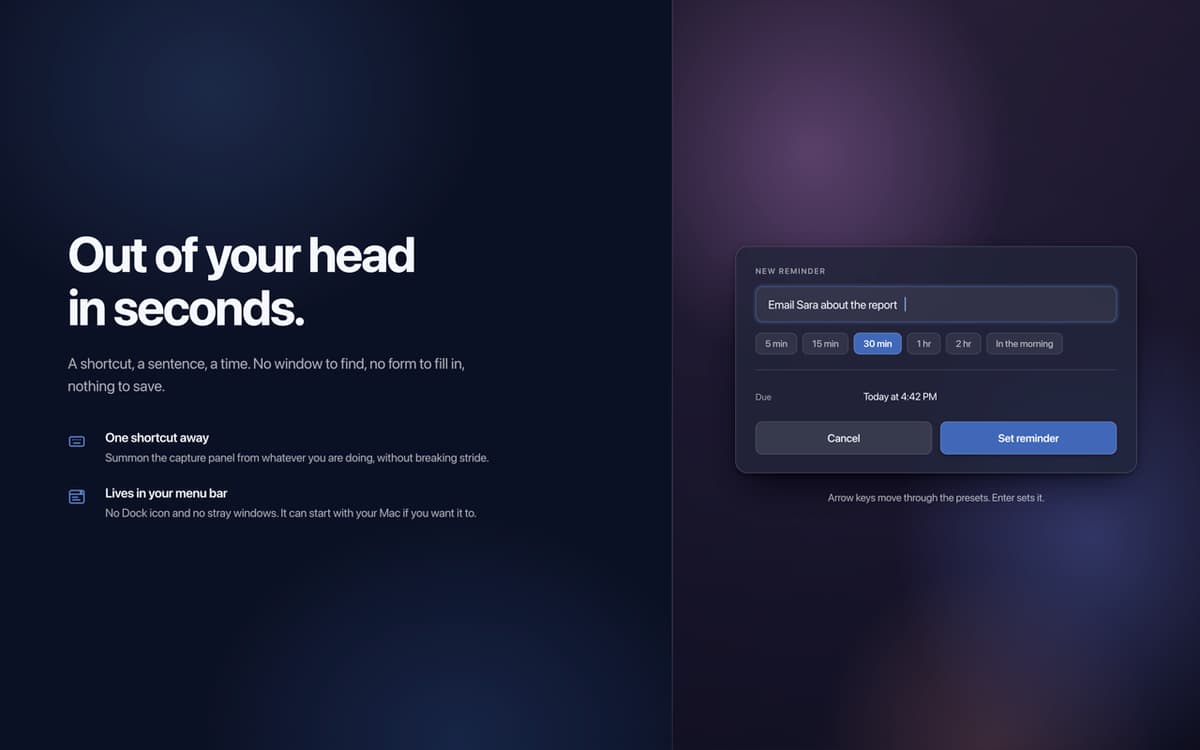
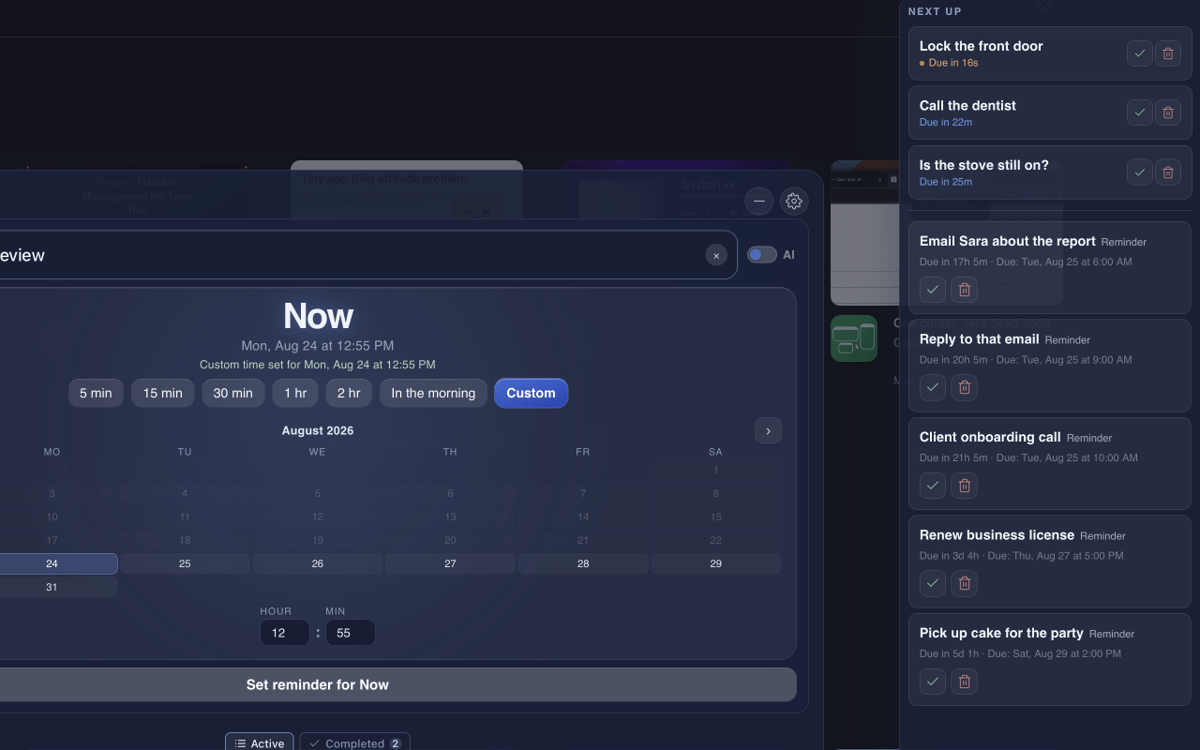
GlassNudge is a full-screen reminder app for macOS. Type a reminder, pick a time, and GlassNudge handles the rest: when it's due, it takes over your screen and stays there until you deal with it. It lives quietly in your menu bar, so you can capture a reminder from anywhere with one keyboard shortcut. Type a full sentence, like "Email Sara tomorrow at 10am", and connect your own AI provider to have the task, date, and time sorted for you. Private by default: reminders are stored on your Mac, and AI capture sends only what you type to your provider.
Remember the small stuff you'd forget
Reply to texts you keep meaning to send
Take your meds on time, every time
Never walk into a meeting blind again
Fonctionnalités de GlassNudge
Reminders you can't miss
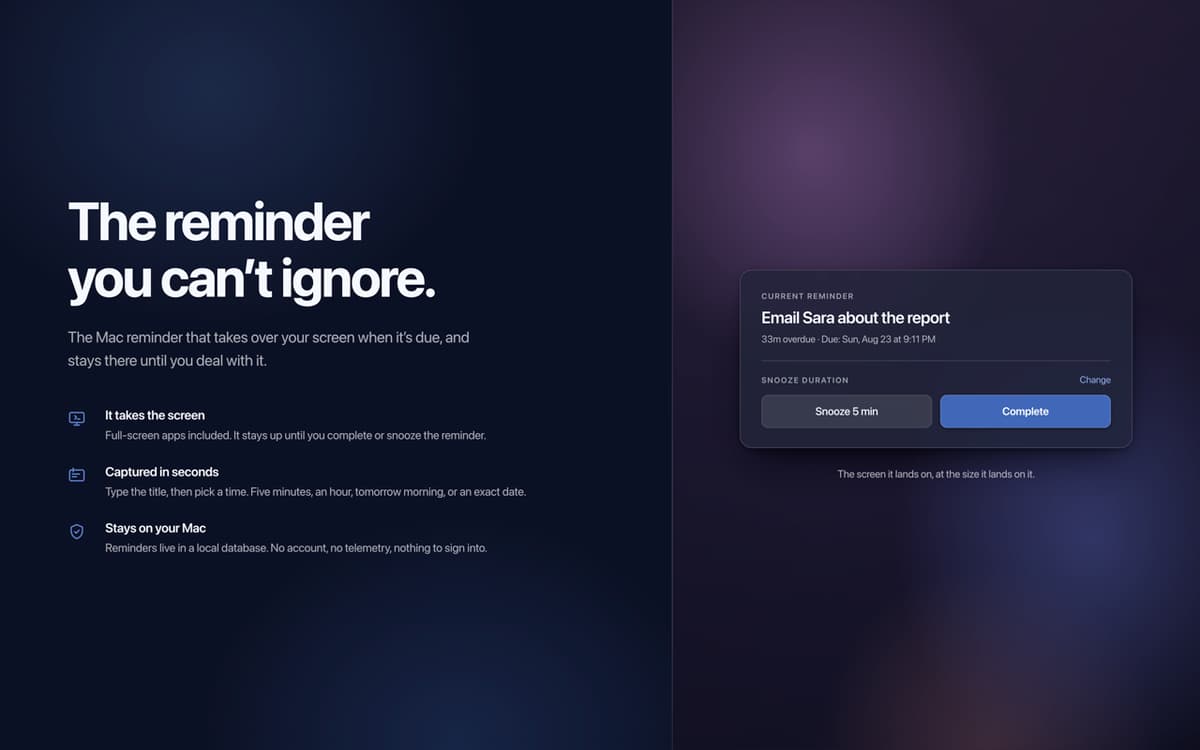
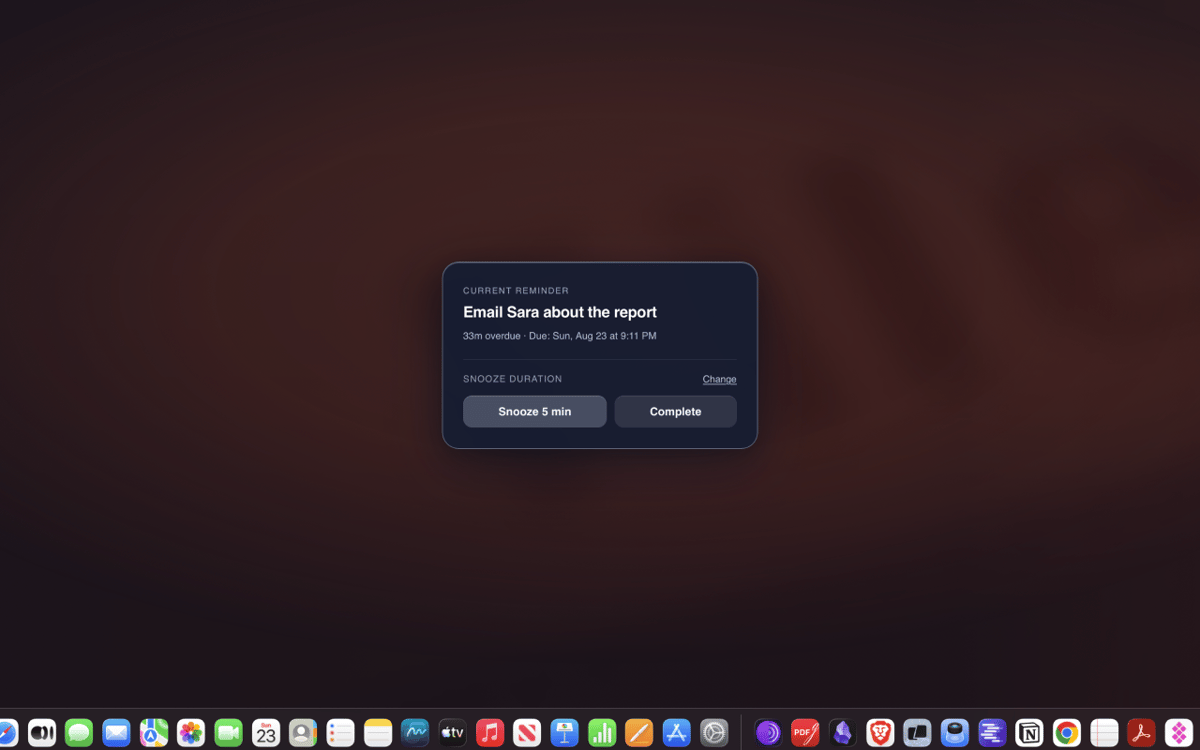
A banner you can swipe away is easy to ignore. When a reminder is due, GlassNudge puts it on your whole screen and keeps it there until you've actually dealt with it. The things that matter stop slipping through.
Type it in plain English
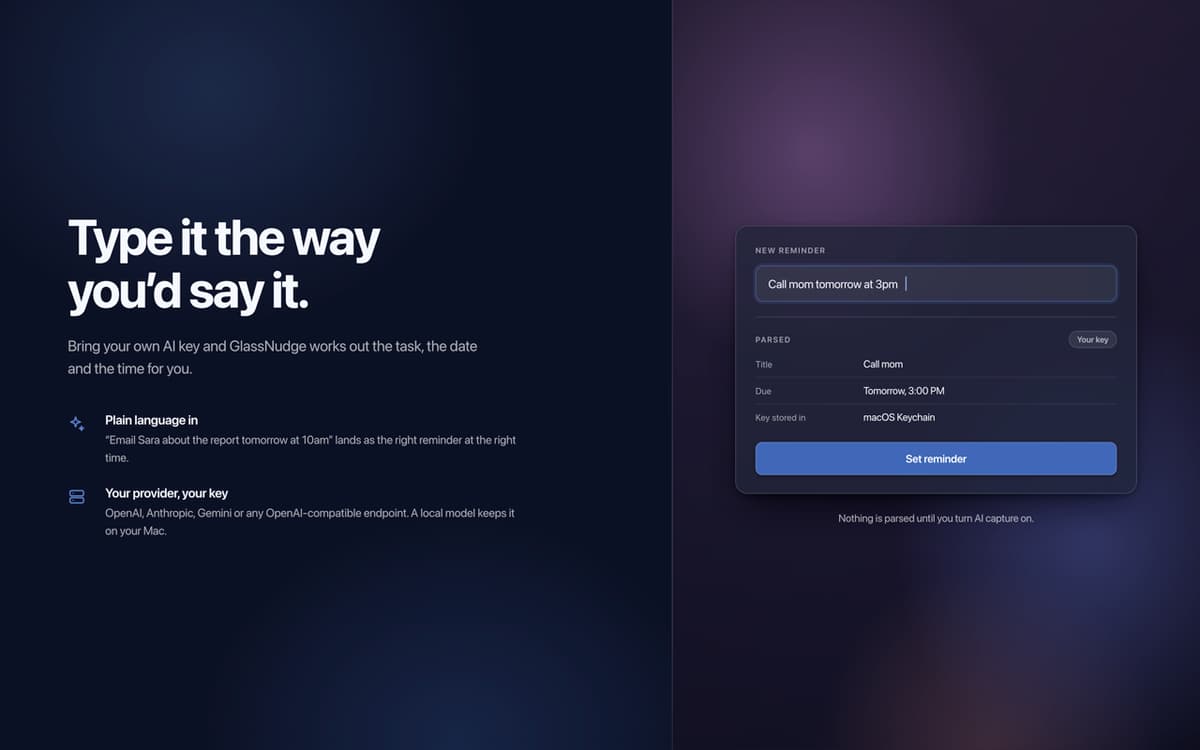
Typing out a time is fiddly. Just write a full sentence instead: "Email Sara tomorrow at 10am." Connect your own AI provider with your own key, from OpenAI or Gemini to any OpenAI-compatible API, and GlassNudge works out the task, date, and time for you.
Quiet hours for focus
Not every hour should ping you. Set quiet hours for meetings, sleep, or deep focus, and GlassNudge holds your reminders until you're free to see them.
Snooze that keeps you honest
Busy when a reminder fires? Snooze it for five minutes or until tomorrow, or mark it done. If it goes overdue, the overlay stays on screen until you deal with it.
Private by default
Reminders are stored locally on your Mac. There is no account and no telemetry. AI capture sends only what you type to the provider you connect, or stays on your Mac with a local one like Ollama or LM Studio.
Profitez de centaines d'applications avec Membership
Devenez membre Setapp et utilisez des centaines d'applications incroyables grâce à un seul abonnement.
Forfait tout compris, après 7 jours d'essai gratuit
Installez Setapp sur votre Mac
Explorez des applications pour Mac, iOS et le Web. Découvrez comment accomplir facilement les tâches du quotidien.

Téléchargez l'application qui vous intéresse
Cette application vous attend dans Setapp. Installez-la d'un seul clic.

GlassNudge
Choisissez votre abonnement
Une seule application ou bien plus avec un abonnement Setapp. Accédez aux applications comme vous le souhaitez.

Profitez de centaines d'applications avec Membership
Devenez membre Setapp et utilisez des centaines d'applications incroyables grâce à un seul abonnement.
Forfait tout compris, après 7 jours d'essai gratuit
1
Installez Setapp sur votre Mac
Explorez des applications pour Mac, iOS et le Web. Découvrez comment accomplir facilement les tâches du quotidien.
2
Téléchargez l'application qui vous intéresse
Cette application vous attend dans Setapp. Installez-la d'un seul clic.
GlassNudge
3
Choisissez votre abonnement
Une seule application ou bien plus avec un abonnement Setapp. Accédez aux applications comme vous le souhaitez.
Des applications de qualité
Pour gérer des plannings, accomplir des tâches de routine, créer des contenus, coder et bien plus encore, optez pour Setapp.

TypingMind
IA conversationnelle avec interface alternative
générez ou résumez du texte
utilisez une bibliothèque de requêtes
IA

Spark Mail
Gérez vos e-mails
IA

CleanMyMac
Supprimez les fichiers inutiles

Bartender
Personnalisez la barre des menus

CleanShot X
Profitez de plus de possibilités pour les captures d'écran

Luminar Neo
Retouchez vos photos
IA

ClearVPN
Sécurisez votre connexion Internet

Craft
Travaillez sur vos documents
IA
GlassNudge
The reminder you can't ignore