
Insomniac
Gardez votre Mac éveillé, intelligemment
Mac
Version 1.0.2
macOS 13.5 ou version supérieure
21.8 MB
15 langues
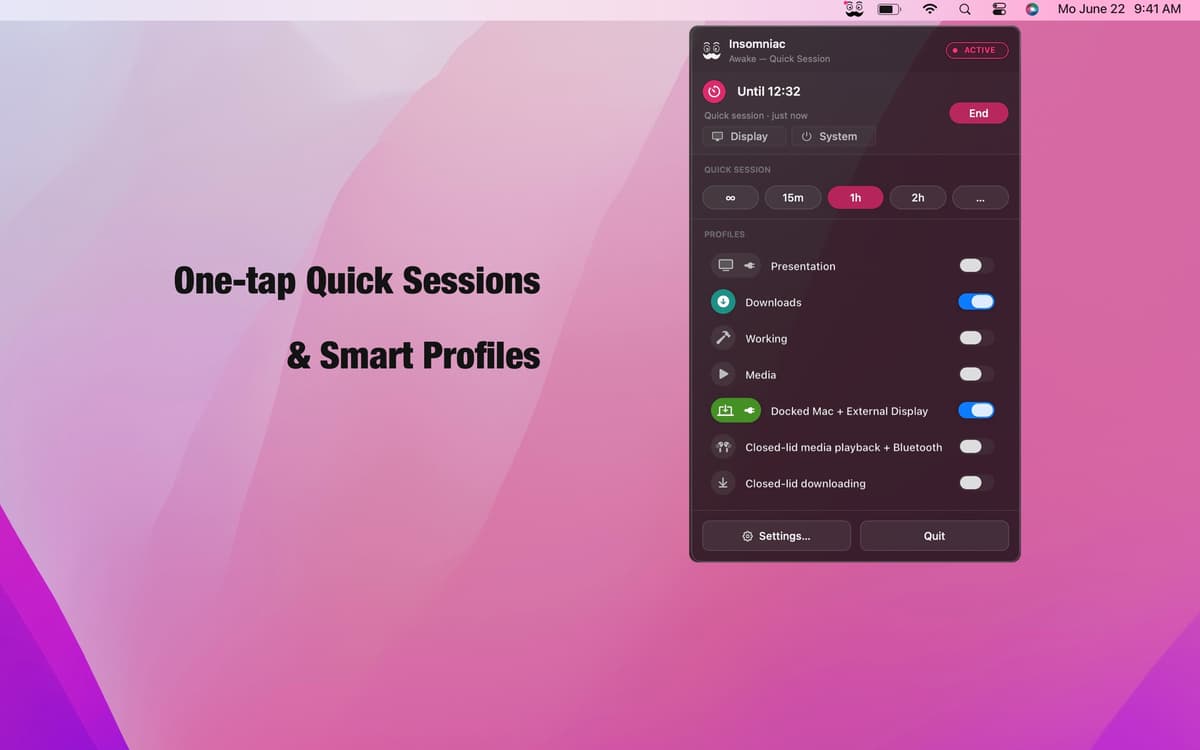
Insomniac est une application de gestion de veille contextuelle pour Mac. Oubliez le simple bouton toujours actif — il exécute un moteur de règles à la place. Créez des profils depuis plus de 30 déclencheurs — état du couvercle, lecture audio, charge du processeur, événements du calendrier ou alimentation secteur — et Insomniac s'occupe du reste : réveil si la condition est remplie, mise en veille dans le cas contraire. Des contrôles intelligents pour la batterie, la chaleur et votre calendrier garantissent que l'application ne travaille jamais contre vous. Réside dans votre barre de menus. Discret et non intrusif.
Gardez votre Mac éveillé pendant les présentations
Empêchez la veille pendant les téléchargements
Rester actif lorsqu'un écran externe est allumé
Pause automatique si la batterie est faible
Fonctionnalités de Insomniac
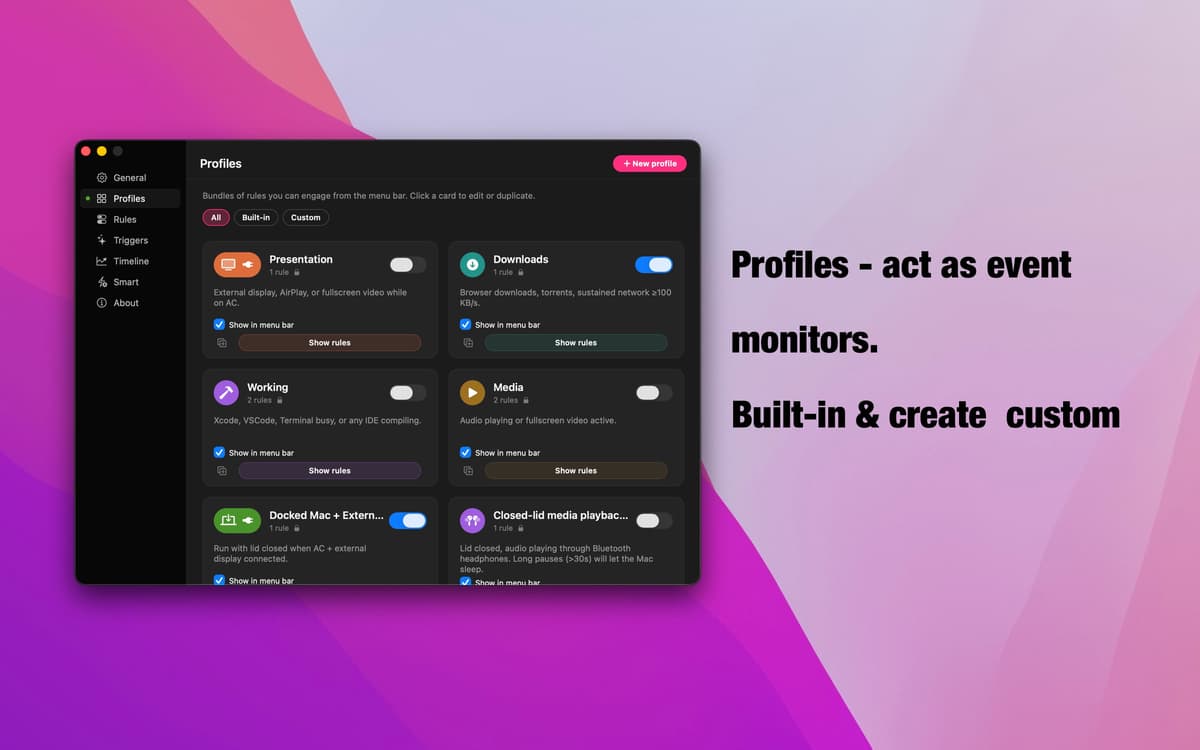
Profils — surveillance événementielle
Sept profils prêts à l'emploi couvrent les scénarios les plus courants : présentations, téléchargements, lecture multimédia, configurations en station d'accueil, mode couvercle fermé, et plus encore. Chacun surveille un signal spécifique, s'active automatiquement dès qu'il se produit, puis s'efface une fois sa tâche accomplie. Créez le vôtre en quelques secondes : nommez-le, ajoutez vos règles et le tour est joué.
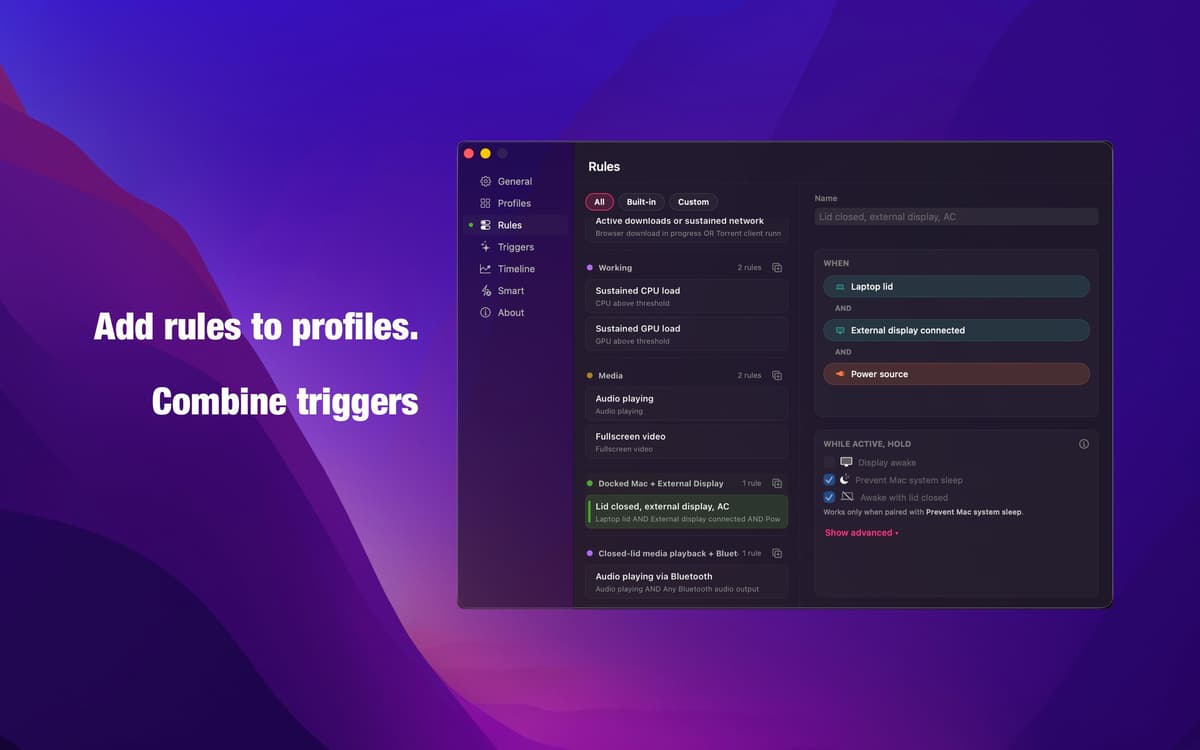
Éditeur de règles — une logique fidèle à vos intentions
Combinez n'importe quel déclencheur avec la logique ET, OU et NON pour créer exactement la condition dont vous avez besoin. Pas de modes automatiques flous, pas d'approximations. Le même moteur qui alimente chaque profil intégré vous est entièrement accessible : précis, transparent, et entièrement configurable.
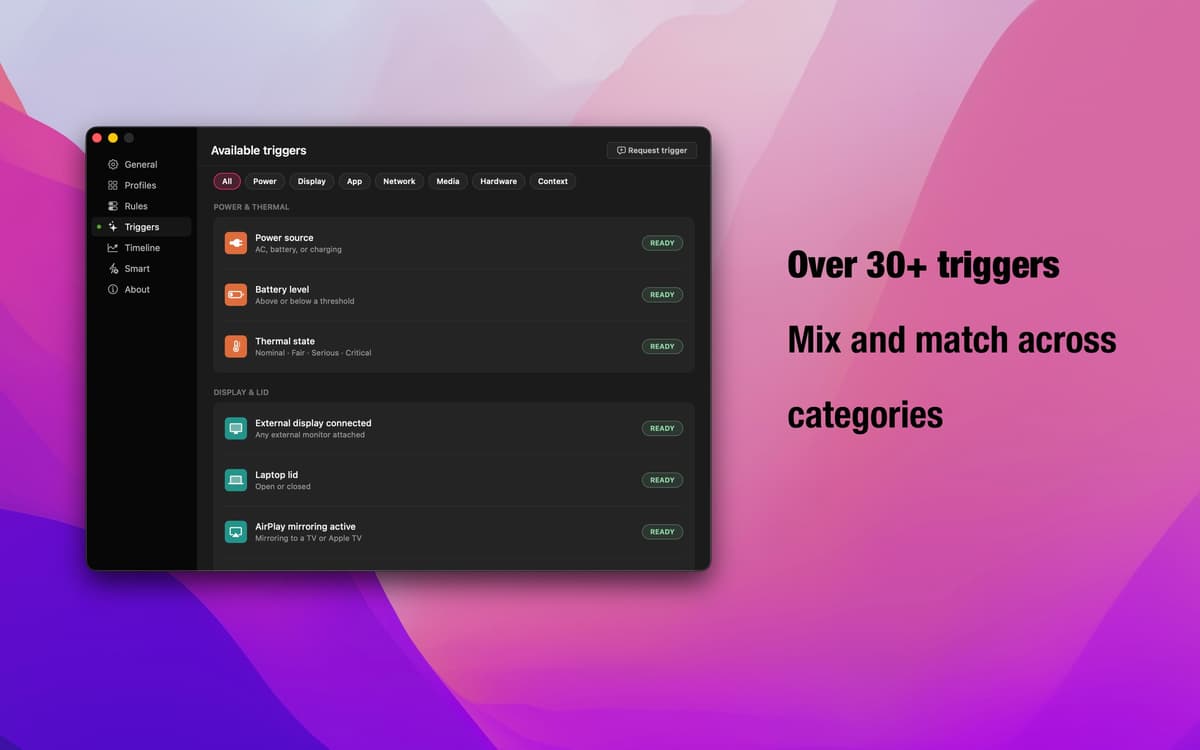
30+ déclencheurs — tous les signaux macOS
État du couvercle, écran externe, AirPlay, applications en cours, téléchargements du navigateur, lecture audio, connexions Bluetooth, événements du calendrier, charge du processeur et du GPU, plages horaires, alimentation secteur, débit réseau — et bien plus encore. Combinez les catégories pour s'adapter à tous vos flux de travail.
Remplacements intelligents — votre filet de sécurité
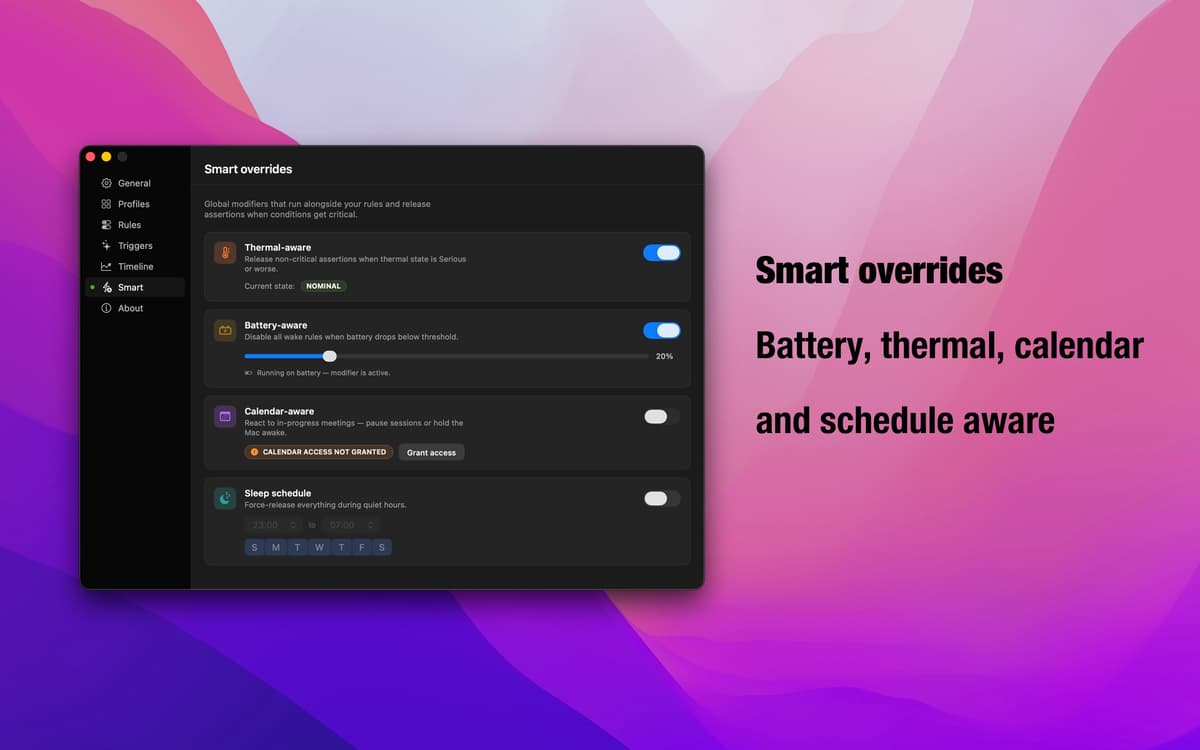
Batterie faible ? Le Mac ralentit-il à cause de la chaleur ? Réunions à la suite ? Les remplacements intelligents détectent ces conditions et suspendent automatiquement les profils actifs. Vous décidez si chaque remplacement suspend la prévention de la mise en veille ou maintient le Mac éveillé. Insomniac s'adapte à ce qui se passe réellement.
App dans la barre des menus — toujours là, jamais gênante
Insomniac se loge discrètement dans votre barre des menus. Vérifiez ce qui est actif, changez de profil ou ajustez les paramètres sans interrompre votre travail. Pas d'icône dans le Dock, pas de fenêtres de configuration en plein écran — juste les commandes dont vous avez besoin, exactement quand vous en avez besoin.
Profitez de centaines d'applications avec Membership
Devenez membre Setapp et utilisez des centaines d'applications incroyables grâce à un seul abonnement.
Forfait tout compris, après 7 jours d'essai gratuit
Installez Setapp sur votre Mac
Explorez des applications pour Mac, iOS et le Web. Découvrez comment accomplir facilement les tâches du quotidien.

Téléchargez l'application qui vous intéresse
Cette application vous attend dans Setapp. Installez-la d'un seul clic.

Insomniac
Choisissez votre abonnement
Une seule application ou bien plus avec un abonnement Setapp. Accédez aux applications comme vous le souhaitez.

Profitez de centaines d'applications avec Membership
Devenez membre Setapp et utilisez des centaines d'applications incroyables grâce à un seul abonnement.
Forfait tout compris, après 7 jours d'essai gratuit
1
Installez Setapp sur votre Mac
Explorez des applications pour Mac, iOS et le Web. Découvrez comment accomplir facilement les tâches du quotidien.
2
Téléchargez l'application qui vous intéresse
Cette application vous attend dans Setapp. Installez-la d'un seul clic.
Insomniac
3
Choisissez votre abonnement
Une seule application ou bien plus avec un abonnement Setapp. Accédez aux applications comme vous le souhaitez.
Des applications de qualité
Pour gérer des plannings, accomplir des tâches de routine, créer des contenus, coder et bien plus encore, optez pour Setapp.

TypingMind
IA conversationnelle avec interface alternative
générez ou résumez du texte
utilisez une bibliothèque de requêtes
IA

Spark Mail
Gérez vos e-mails
IA

CleanMyMac
Supprimez les fichiers inutiles

Bartender
Personnalisez la barre des menus

CleanShot X
Profitez de plus de possibilités pour les captures d'écran

Luminar Neo
Retouchez vos photos
IA

ClearVPN
Sécurisez votre connexion Internet

Craft
Travaillez sur vos documents
IA
Insomniac
Gardez votre Mac éveillé, intelligemment