
InSpec
The inspector that remembers
Mac
Version 1.8
macOS 14.0 ou version supérieure
31.9 MB
13 langues
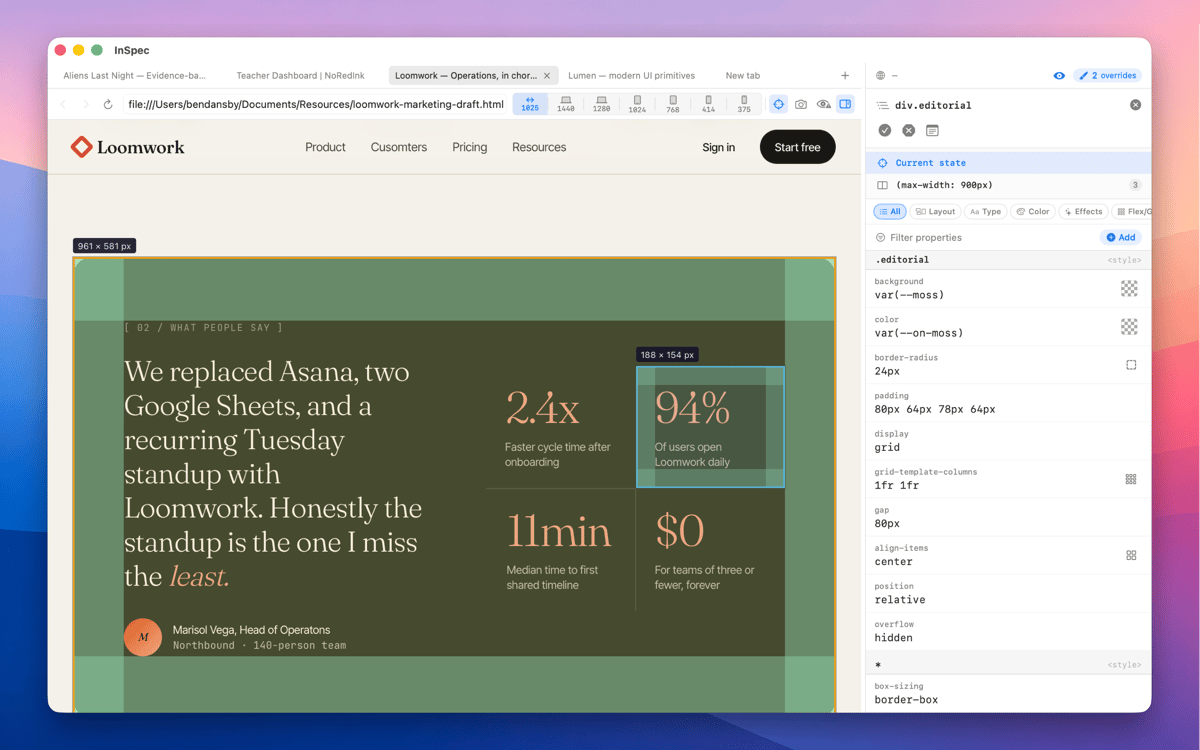
InSpec is a standalone Mac CSS editor for live web pages. Click any element to see every matching ruleset, edit declarations with real visual controls, and save your changes straight back to the right stylesheet — or into the HTML itself. Unlike browser DevTools, InSpec's edits survive reloads, tab closes, even a quit and relaunch.
Edit live CSS without losing changes
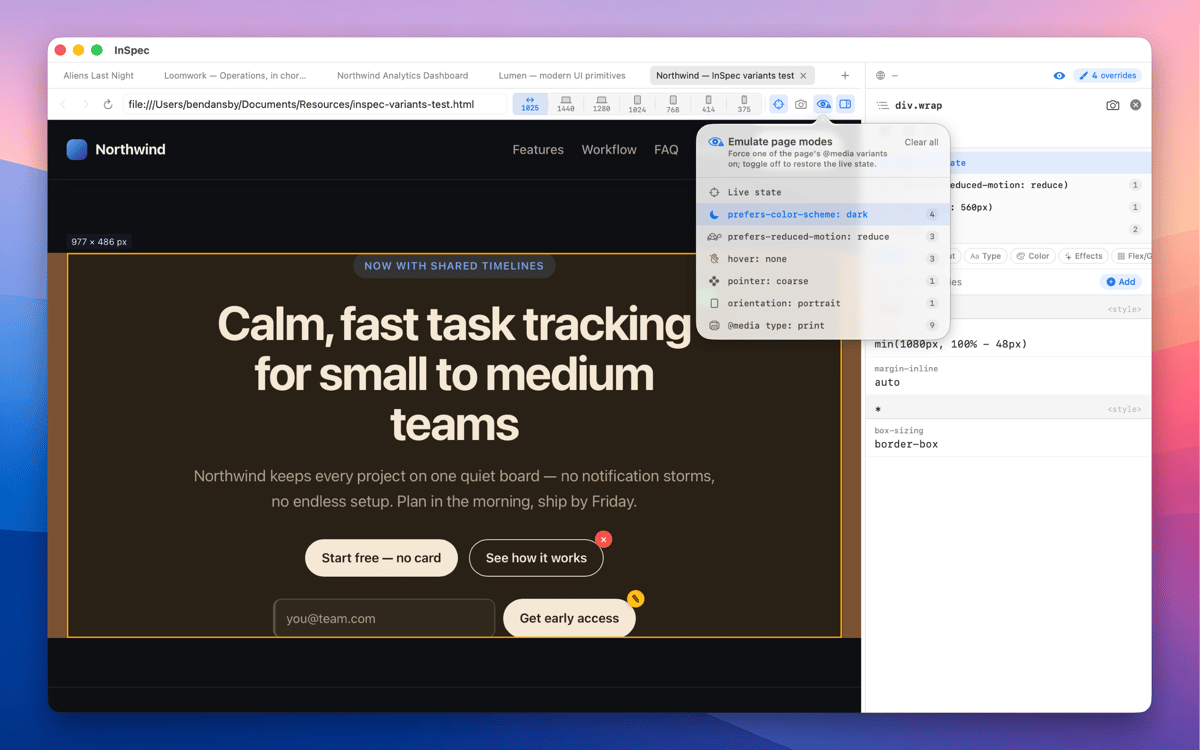
Inspect hover & dark mode states
Save style edits straight to source
Capture styled pages at any viewport
Fonctionnalités de InSpec
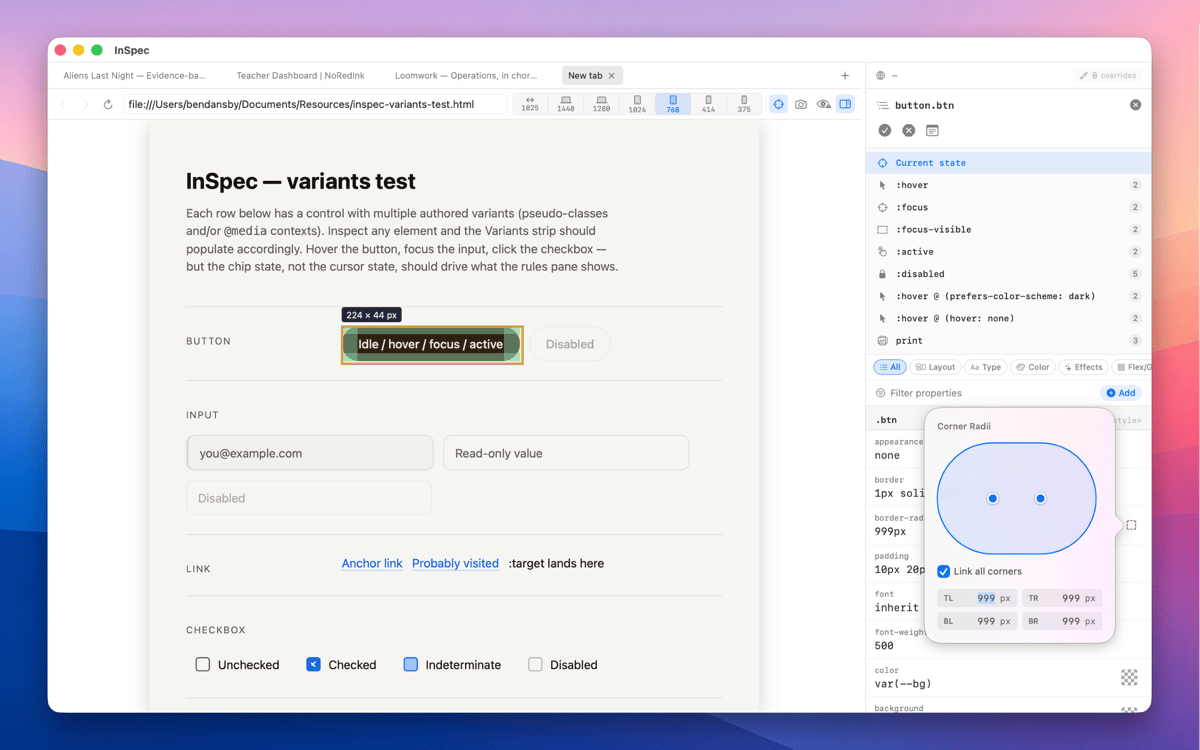
Every variant, one click away
Switch into :hover, :focus-visible, dark mode, and other states without holding a key or freezing the DOM. InSpec just shows you the element as it actually behaves — so you can edit the styles that matter, not just the ones that are easy to reach.
Edits that survive a reload
Close the tab, reload the page, quit and relaunch — InSpec's overrides are still there. Browser DevTools forgets everything the moment the page moves. InSpec doesn't, which means you can work iteratively without starting from scratch every time.
Built for the handoff
Done tweaking? Copy your edits as clean, ready-to-paste CSS, or save them straight back to the right stylesheet or HTML file. No manual transcription, no diffing what changed. InSpec gets your edits where they need to go.
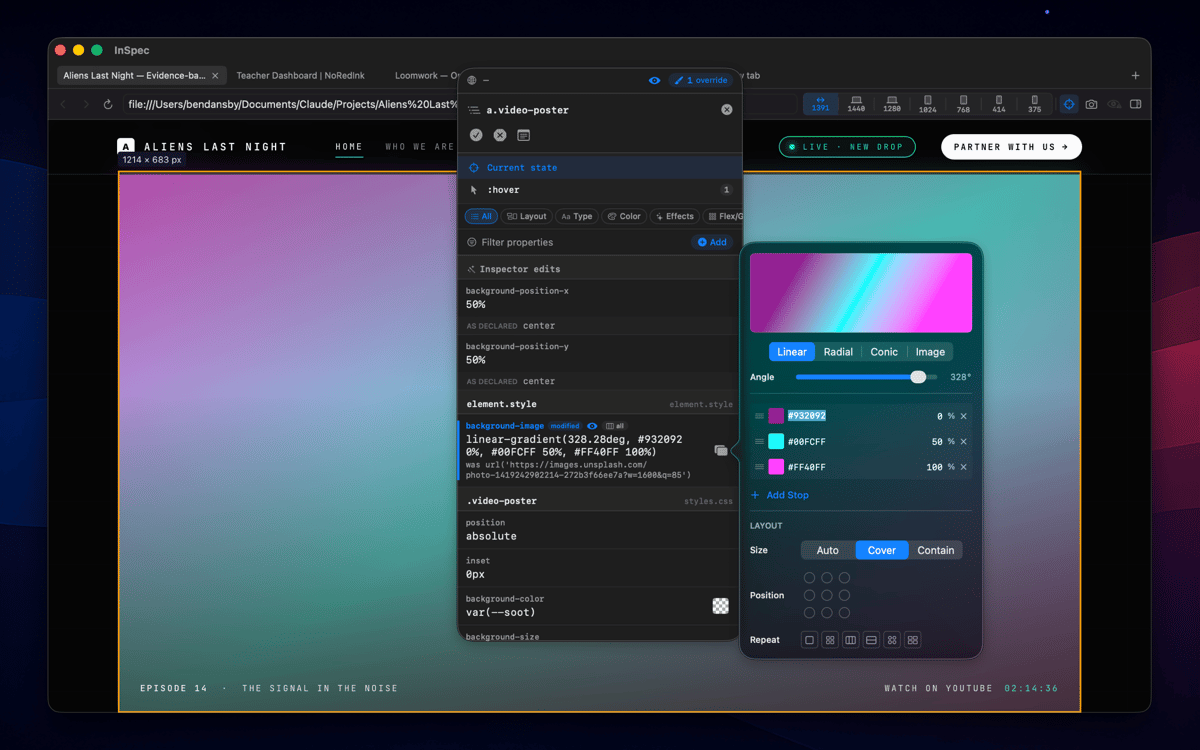
Visual editing, not just reading
Every CSS property gets the control it deserves — sliders for spacing and sizing, a color picker for anything color-related, shorthand builders for properties like border or transition. You're editing visually, not typing values blind and hoping for the best.
A spacious dedicated window
InSpec lives in its own Mac window, not squeezed into a browser sidebar you have to keep resizing. More room to see your ruleset, more room to edit, and it stays exactly where you left it.
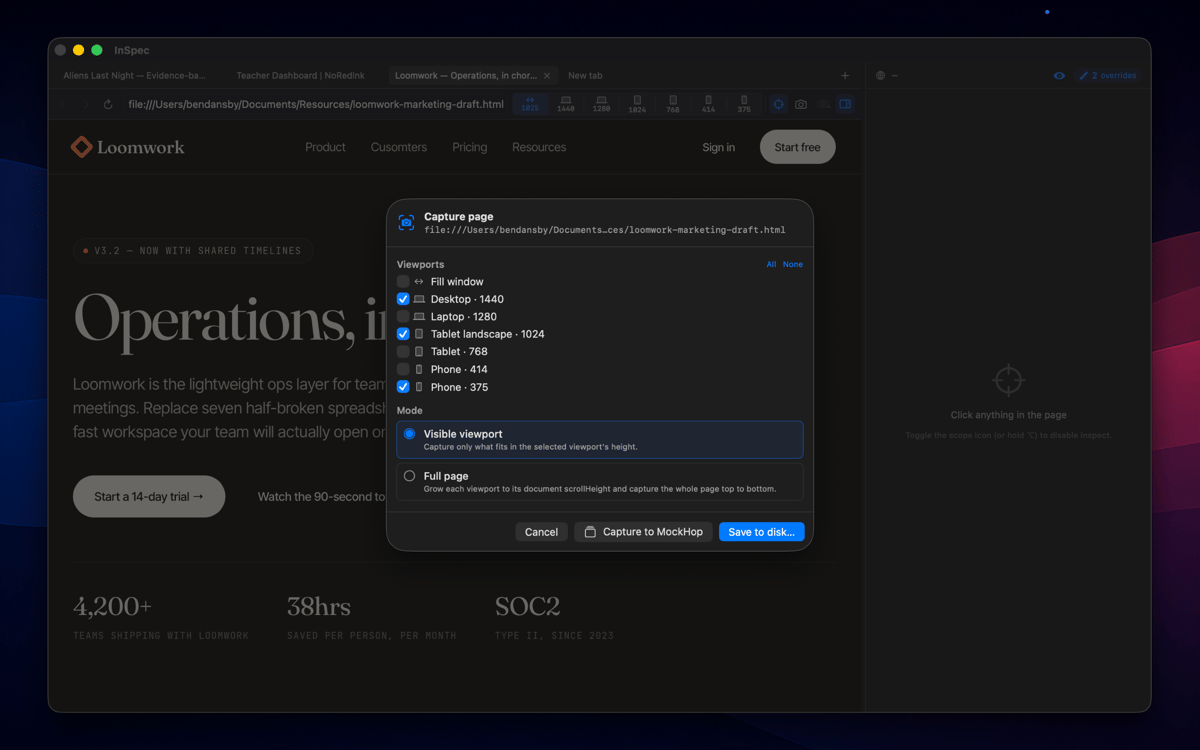
Capture as image
Screenshot any page at any viewport size — mobile, tablet, desktop — and bake your annotations straight into the image. Useful for documentation, async feedback, or handing off exactly what you saw to a developer or client.
Profitez de centaines d'applications avec Membership
Devenez membre Setapp et utilisez des centaines d'applications incroyables grâce à un seul abonnement.
Forfait tout compris, après 7 jours d'essai gratuit
Installez Setapp sur votre Mac
Explorez des applications pour Mac, iOS et le Web. Découvrez comment accomplir facilement les tâches du quotidien.

Téléchargez l'application qui vous intéresse
Cette application vous attend dans Setapp. Installez-la d'un seul clic.

InSpec
Choisissez votre abonnement
Une seule application ou bien plus avec un abonnement Setapp. Accédez aux applications comme vous le souhaitez.

Profitez de centaines d'applications avec Membership
Devenez membre Setapp et utilisez des centaines d'applications incroyables grâce à un seul abonnement.
Forfait tout compris, après 7 jours d'essai gratuit
1
Installez Setapp sur votre Mac
Explorez des applications pour Mac, iOS et le Web. Découvrez comment accomplir facilement les tâches du quotidien.
2
Téléchargez l'application qui vous intéresse
Cette application vous attend dans Setapp. Installez-la d'un seul clic.
InSpec
3
Choisissez votre abonnement
Une seule application ou bien plus avec un abonnement Setapp. Accédez aux applications comme vous le souhaitez.
Des applications de qualité
Pour gérer des plannings, accomplir des tâches de routine, créer des contenus, coder et bien plus encore, optez pour Setapp.

TypingMind
IA conversationnelle avec interface alternative
générez ou résumez du texte
utilisez une bibliothèque de requêtes
IA

Spark Mail
Gérez vos e-mails
IA

CleanMyMac
Supprimez les fichiers inutiles

Bartender
Personnalisez la barre des menus

CleanShot X
Profitez de plus de possibilités pour les captures d'écran

Luminar Neo
Retouchez vos photos
IA

ClearVPN
Sécurisez votre connexion Internet

Craft
Travaillez sur vos documents
IA
InSpec
The inspector that remembers