
JoyMix
Le mixeur audio macOS qui manquait
Mac
Version 26.5.13.0
macOS 15.0 ou version supérieure
5.1 MB
1 langues
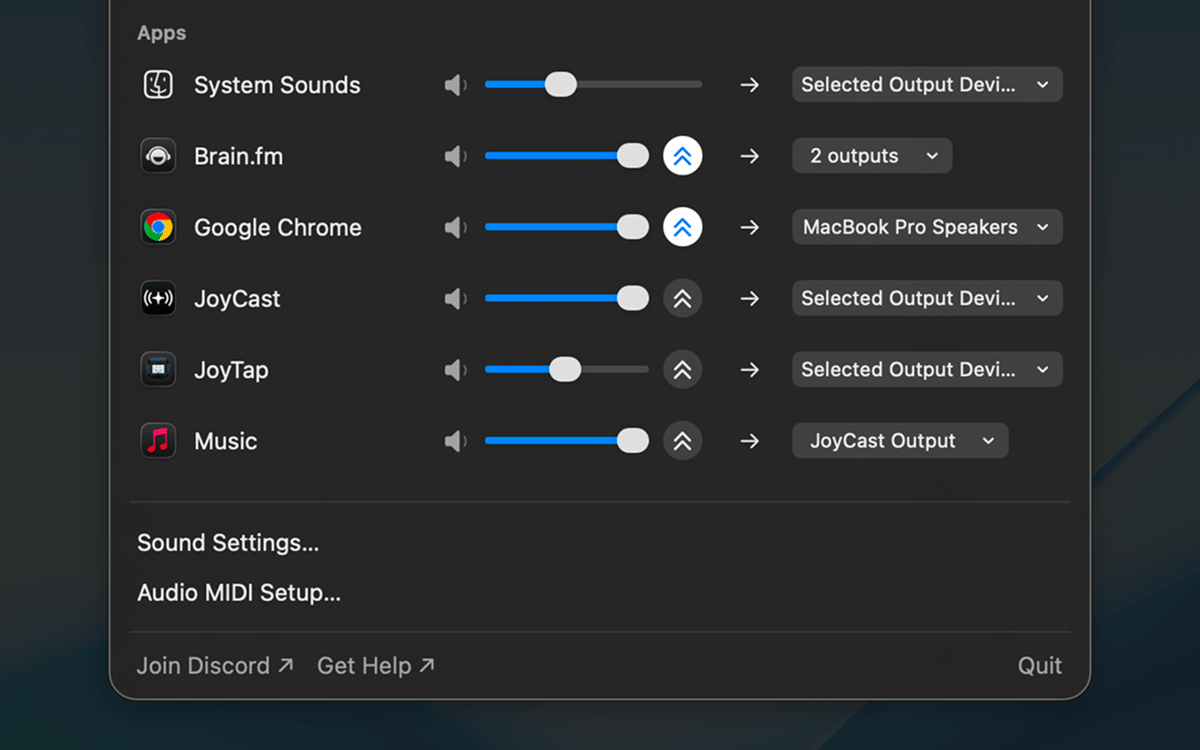
JoyMix est un mixeur audio par application pour Mac, accessible depuis la barre de menus. Configurez le volume, la mise en sourdine et le routage audio pour chaque application séparément : envoyez YouTube vers les haut-parleurs pendant que Zoom reste sur les AirPods, coupez le son de Slack sans réduire la musique, et amplifiez un podcast trop faible au-delà du maximum système. Changez de microphone ou de sortie audio depuis la même fenêtre contextuelle, sans passer par les Réglages Son. Un clic dans la barre de menus, puis retour au travail.
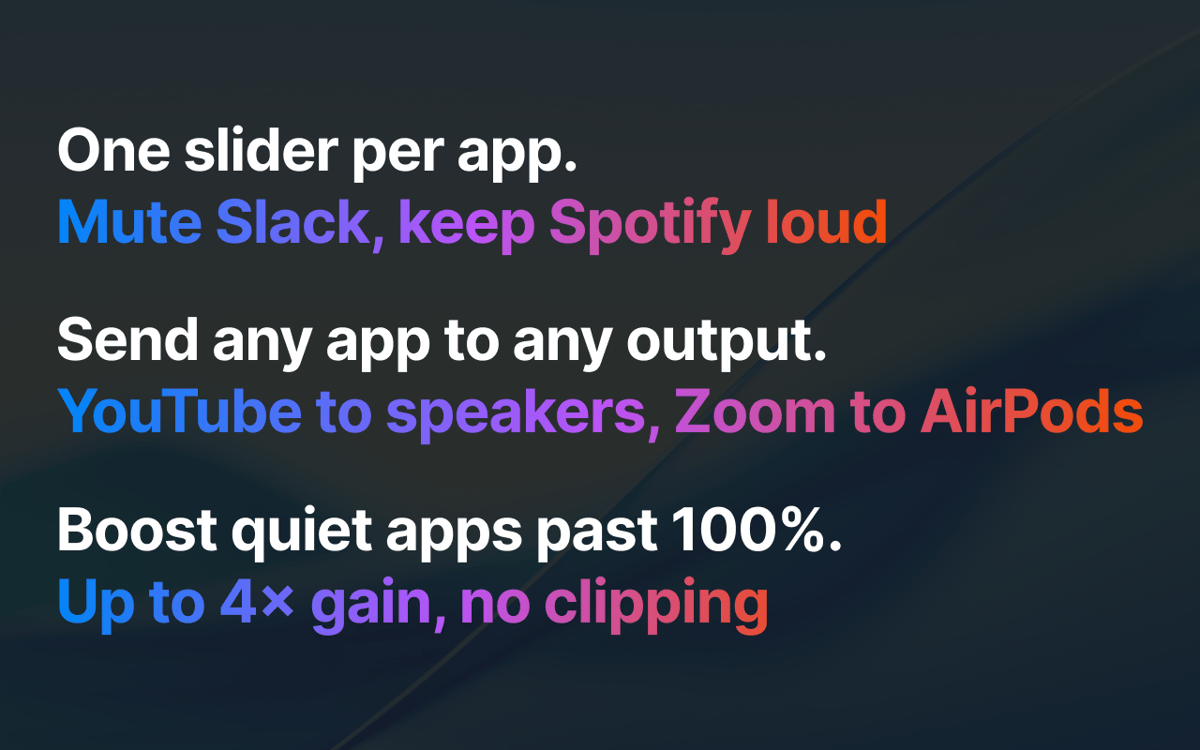
Coupez Slack pendant que Spotify continue
Diffusez YouTube sur les HP, Zoom sur AirPods
Changez micro ou haut-parleurs depuis la barre
Amplifiez un podcast silencieux au-delà de 100%
Fonctionnalités de JoyMix
Mélangez chaque application indépendamment
Chaque application dispose de son propre curseur de volume et d'une fonction de sourdine. Slack plus silencieux que Spotify, Zoom en sourdine pendant qu'un podcast se lance, sons système réduits à un discret fond sonore — configurez une fois, JoyMix s'en souvient au prochain démarrage de l'app.
Envoyer chaque application vers sa propre sortie
Dirigez n'importe quelle application en cours d'exécution vers n'importe quel haut-parleur, casque ou appareil virtuel. YouTube sur les haut-parleurs du bureau tandis que Zoom reste sur les AirPods. Les applications que vous n'avez pas redirigées continuent d'utiliser votre système par défaut comme d'habitude.
Basculer entre l'entrée et la sortie depuis la barre de menus
Choisissez le microphone actif, la sortie système et le périphérique pour les sons système — sans avoir à naviguer dans les Réglages Système. Chacune d'elles ne nécessite qu'un simple clic dans la même fenêtre contextuelle.
Augmentez le volume des applications silencieuses au-delà de 100 %
Lorsqu'une application est trop silencieuse même avec le volume système au maximum, JoyMix amplifie le son au-delà de la limite grâce à une protection intégrée qui évite la saturation et la distorsion. Jusqu'à 4 fois plus de gain, par application.
Ne touche pas ce que vous n'avez pas modifié
Les applications que vous n'avez pas personnalisées s'exécutent sous macOS sans aucune modification. JoyMix n'intervient que pour les applications que vous avez réellement configurées — remettez le volume à 100 %, rétablissez le routage par défaut, et cette application se comporte exactement comme si JoyMix n'était pas installé. Aucune altération du son, aucun impact supplémentaire sur la batterie.
Avis et commentaires
JoyMix
•
70 classements
Nadir Palacios
30 sept. 2026
Version de l'application : 26.5.13.0
Works great
Lee
24 sept. 2026
Version de l'application : 26.5.13.0
Loads and works straightaway for me on MacOS 27.
Mohamed Kawsara
29 août 2026
Version de l'application : 26.5.13.0
It doesn't work. The app doesn't even open at all
Profitez de centaines d'applications avec Membership
Devenez membre Setapp et utilisez des centaines d'applications incroyables grâce à un seul abonnement.
Forfait tout compris, après 7 jours d'essai gratuit
Installez Setapp sur votre Mac
Explorez des applications pour Mac, iOS et le Web. Découvrez comment accomplir facilement les tâches du quotidien.

Téléchargez l'application qui vous intéresse
Cette application vous attend dans Setapp. Installez-la d'un seul clic.

JoyMix
Choisissez votre abonnement
Une seule application ou bien plus avec un abonnement Setapp. Accédez aux applications comme vous le souhaitez.

Profitez de centaines d'applications avec Membership
Devenez membre Setapp et utilisez des centaines d'applications incroyables grâce à un seul abonnement.
Forfait tout compris, après 7 jours d'essai gratuit
1
Installez Setapp sur votre Mac
Explorez des applications pour Mac, iOS et le Web. Découvrez comment accomplir facilement les tâches du quotidien.
2
Téléchargez l'application qui vous intéresse
Cette application vous attend dans Setapp. Installez-la d'un seul clic.
JoyMix
3
Choisissez votre abonnement
Une seule application ou bien plus avec un abonnement Setapp. Accédez aux applications comme vous le souhaitez.
Des applications de qualité
Pour gérer des plannings, accomplir des tâches de routine, créer des contenus, coder et bien plus encore, optez pour Setapp.

TypingMind
IA conversationnelle avec interface alternative
générez ou résumez du texte
utilisez une bibliothèque de requêtes
IA

Spark Mail
Gérez vos e-mails
IA

CleanMyMac
Supprimez les fichiers inutiles

Bartender
Personnalisez la barre des menus

CleanShot X
Profitez de plus de possibilités pour les captures d'écran

Luminar Neo
Retouchez vos photos
IA

ClearVPN
Sécurisez votre connexion Internet

Craft
Travaillez sur vos documents
IA
JoyMix
Le mixeur audio macOS qui manquait