
MacMD Viewer
Lecteur Markdown natif pour Mac
Mac
Version 1.6.1
macOS 14.0 ou version supérieure
20.1 MB
1 langues
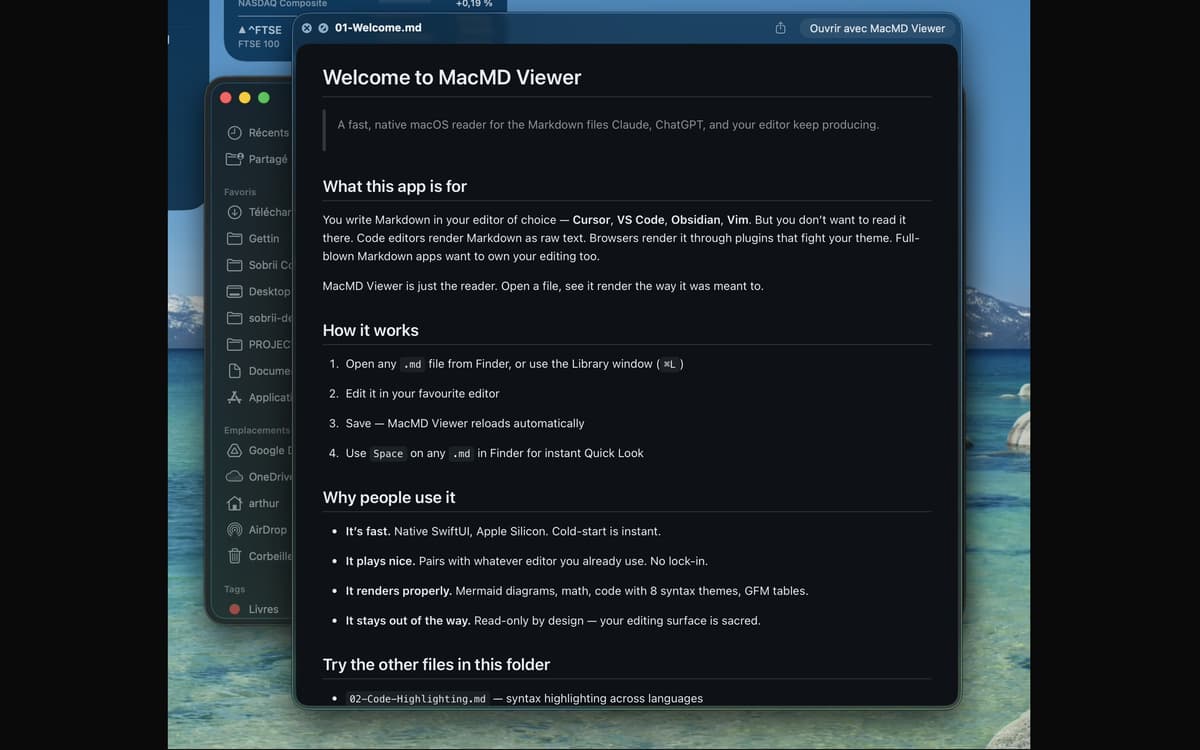
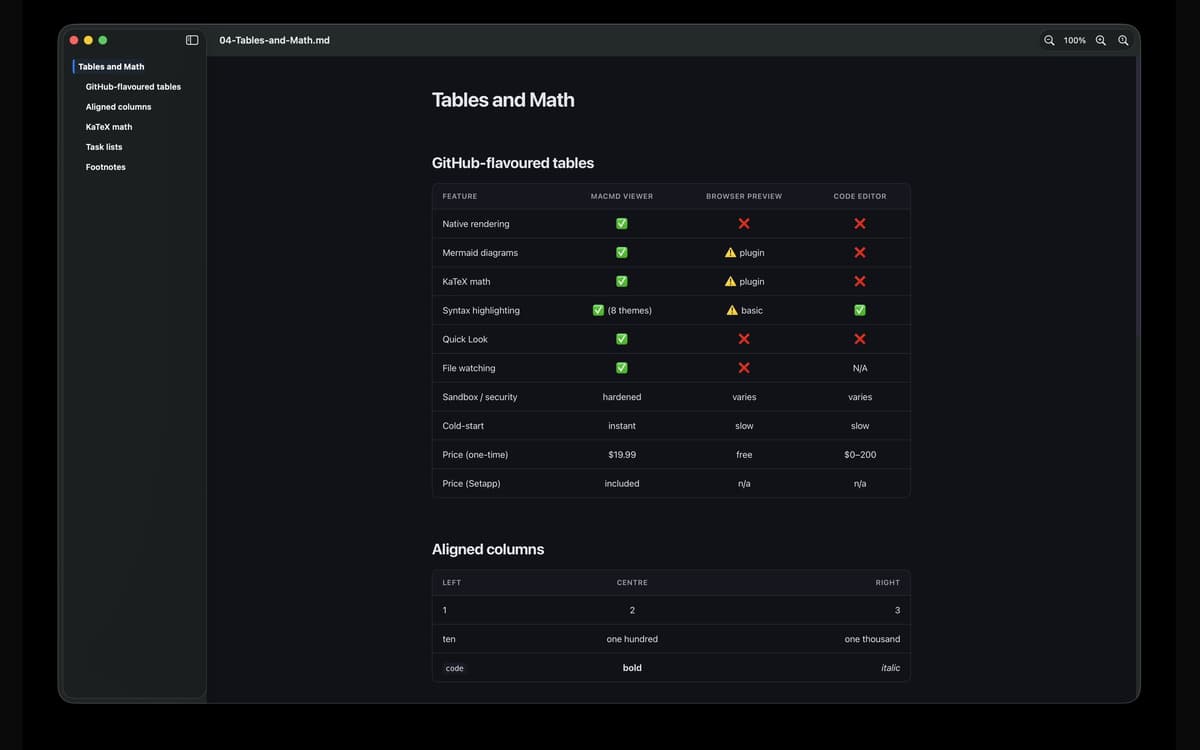
MacMD Viewer est un lecteur de markdown pour Mac. Ouvrez un fichier .md et il s'affiche exactement comme prévu : typographie soignée, blocs de code avec coloration syntaxique, tableaux fonctionnels et diagrammes Mermaid. Il s'associe à l'éditeur que vous utilisez déjà, surveille le fichier et se recharge dès que vous l'enregistrez. Aucune modification, aucune friction — juste votre contenu, tel qu'il devrait apparaître.
Prévisualisez les fichiers README sans texte brut
Lisez les docs générés par Claude ou GPT
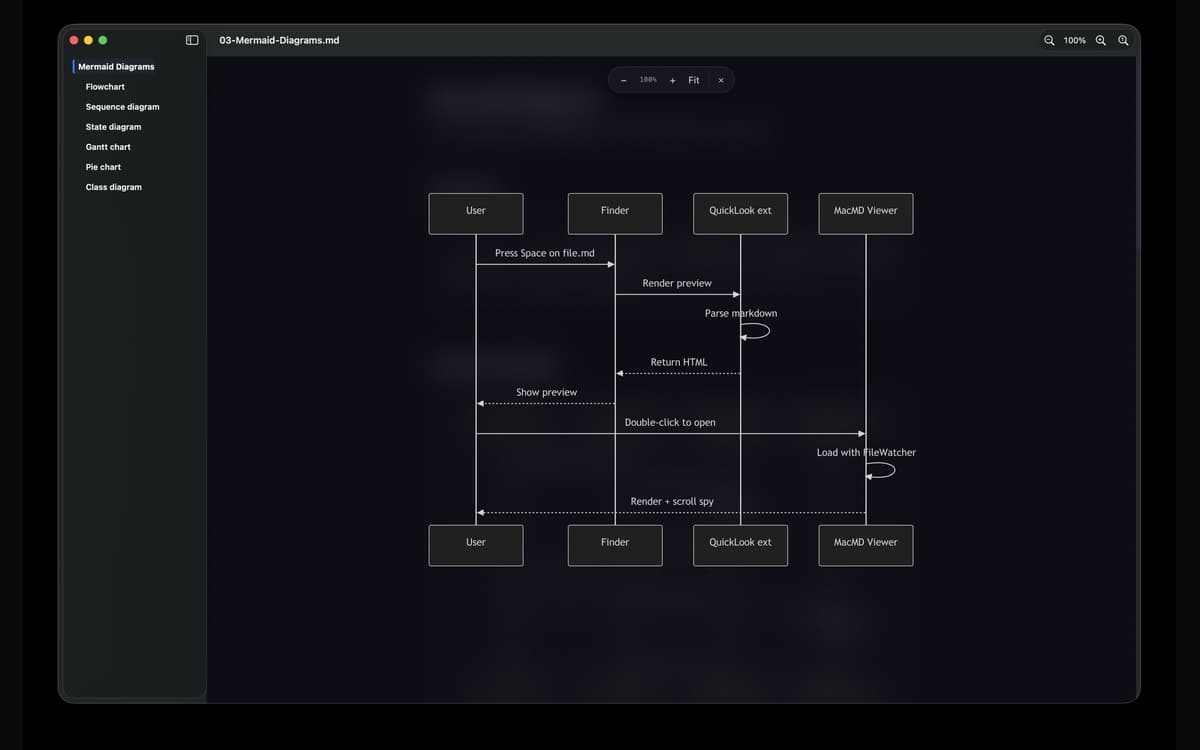
Visualisez les diagrammes Mermaid rendus
Aperçu rapide de tout fichier .md depuis le Finder
Fonctionnalités de MacMD Viewer
Magnifique rendu, tout de suite
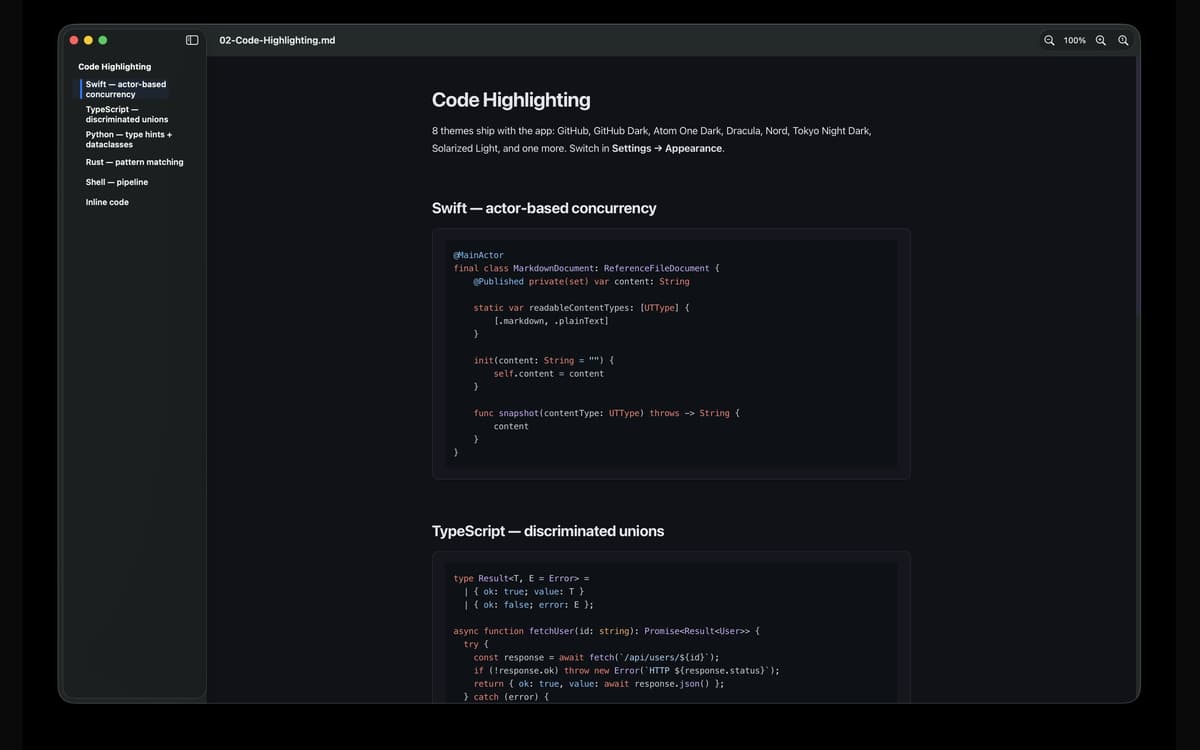
Ouvrez n'importe quel fichier .md et MacMD Viewer fait la seule chose pour laquelle il a été conçu : l'afficher correctement. Les tables s'alignent. Mise en évidence des blocs de code. Les diagrammes de sirènes dessinent réellement. Pas de texte brut, pas de conjectures.
Un Coup d'œil rapide qui fonctionne vraiment
Appuyez sur Espace sur n'importe quel fichier .md dans le Finder et vous obtiendrez un véritable aperçu du rendu — pas un mur de syntaxe. C'est la mise à niveau que macOS Quick Look aurait dû inclure dès le départ.
Visionnage de fichiers en direct
MacMD Viewer surveille votre fichier. Dès que vous enregistrez dans votre éditeur — VS Code, Cursor, Vim, Obsidian, n'importe lequel — l'aperçu se met à jour automatiquement. Aucune actualisation manuelle n'est nécessaire.
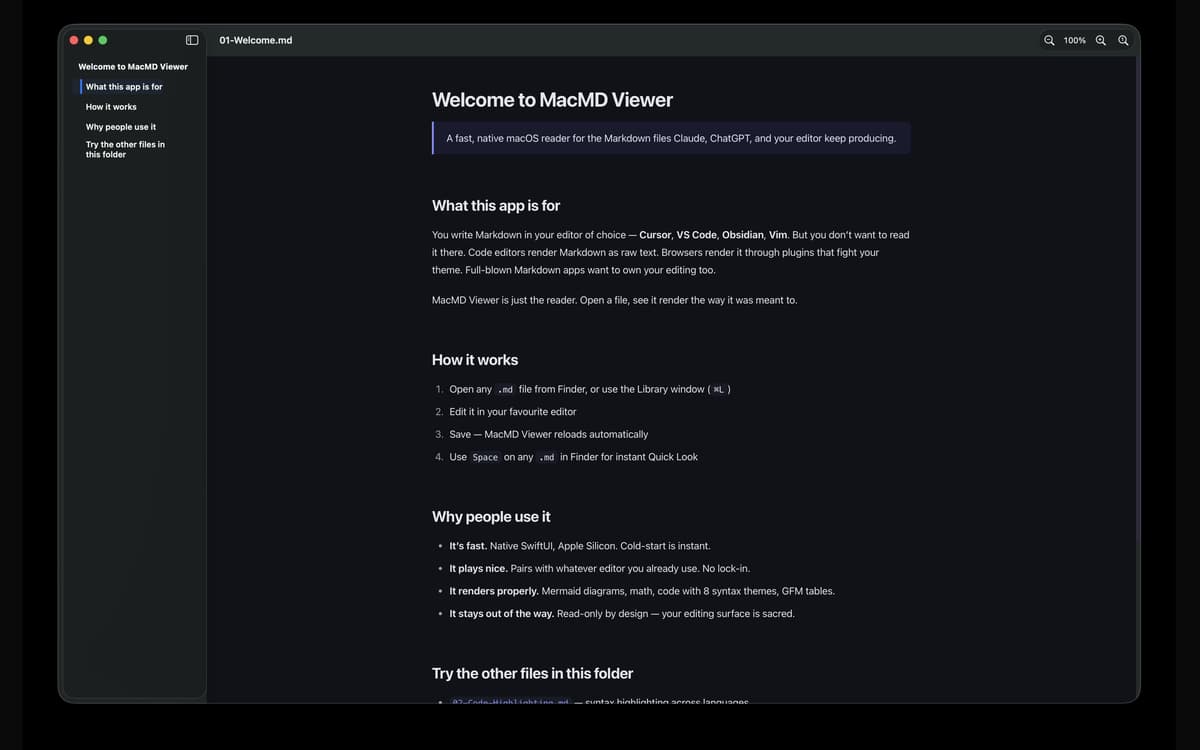
Barre latérale du sommaire
Les longs documents sont plus faciles à parcourir avec une barre latérale qui suit votre position pendant le défilement. Accédez à n'importe quelle section en un clic et gardez toujours le fil de votre lecture dans le document.
Sept thèmes de coloration syntaxique
Basculez entre GitHub, GitHub Dark, Atom One Dark, Dracula, Nord, Solarized Light et Tokyo Night Dark. Mode clair, sombre ou automatique — personnalisation de l'apparence par application incluse. Vos yeux, votre appel.
Conçu pour Mac, correctement
Interface utilisateur Swift native. Binaire universel Apple Silicon et Intel. Le démarrage à froid est instantané. Exécution sécurisée en sandbox, les fichiers liés s'ouvrent donc via les autorisations macOS standard — aucune surprise, rien de suspect.
Avis et commentaires
MacMD Viewer
•
1 classements
Aldo Bergamini
1 juil. 2026
Version de l'application : 1.2.2
Surprised by how well the app fits with my evolving AI coding setup. Well thought product.
Profitez de centaines d'applications avec Membership
Devenez membre Setapp et utilisez des centaines d'applications incroyables grâce à un seul abonnement.
Forfait tout compris, après 7 jours d'essai gratuit
Installez Setapp sur votre Mac
Explorez des applications pour Mac, iOS et le Web. Découvrez comment accomplir facilement les tâches du quotidien.

Téléchargez l'application qui vous intéresse
Cette application vous attend dans Setapp. Installez-la d'un seul clic.

MacMD Viewer
Choisissez votre abonnement
Une seule application ou bien plus avec un abonnement Setapp. Accédez aux applications comme vous le souhaitez.

Profitez de centaines d'applications avec Membership
Devenez membre Setapp et utilisez des centaines d'applications incroyables grâce à un seul abonnement.
Forfait tout compris, après 7 jours d'essai gratuit
1
Installez Setapp sur votre Mac
Explorez des applications pour Mac, iOS et le Web. Découvrez comment accomplir facilement les tâches du quotidien.
2
Téléchargez l'application qui vous intéresse
Cette application vous attend dans Setapp. Installez-la d'un seul clic.
MacMD Viewer
3
Choisissez votre abonnement
Une seule application ou bien plus avec un abonnement Setapp. Accédez aux applications comme vous le souhaitez.
Des applications de qualité
Pour gérer des plannings, accomplir des tâches de routine, créer des contenus, coder et bien plus encore, optez pour Setapp.

TypingMind
IA conversationnelle avec interface alternative
générez ou résumez du texte
utilisez une bibliothèque de requêtes
IA

Spark Mail
Gérez vos e-mails
IA

CleanMyMac
Supprimez les fichiers inutiles

Bartender
Personnalisez la barre des menus

CleanShot X
Profitez de plus de possibilités pour les captures d'écran

Luminar Neo
Retouchez vos photos
IA

ClearVPN
Sécurisez votre connexion Internet

Craft
Travaillez sur vos documents
IA
MacMD Viewer
Lecteur Markdown natif pour Mac