MacNotch
Utilitaire d'encoche pour Mac
Mac
Version 1.9.9.6
macOS 14.0 ou version supérieure
241.6 MB
11 langues
MacNotch - utilitaire d'encoche pour Mac. Transformez l'encoche du MacBook en centre de contrôle intelligent pour la musique, les tâches et les actions rapides. Contrôlez la lecture, suivez votre journée et accédez aux outils sans perdre votre concentration. Elle garde visible ce qui compte, sans jamais vous gêner.
Contrôlez votre musique sans changer d'app
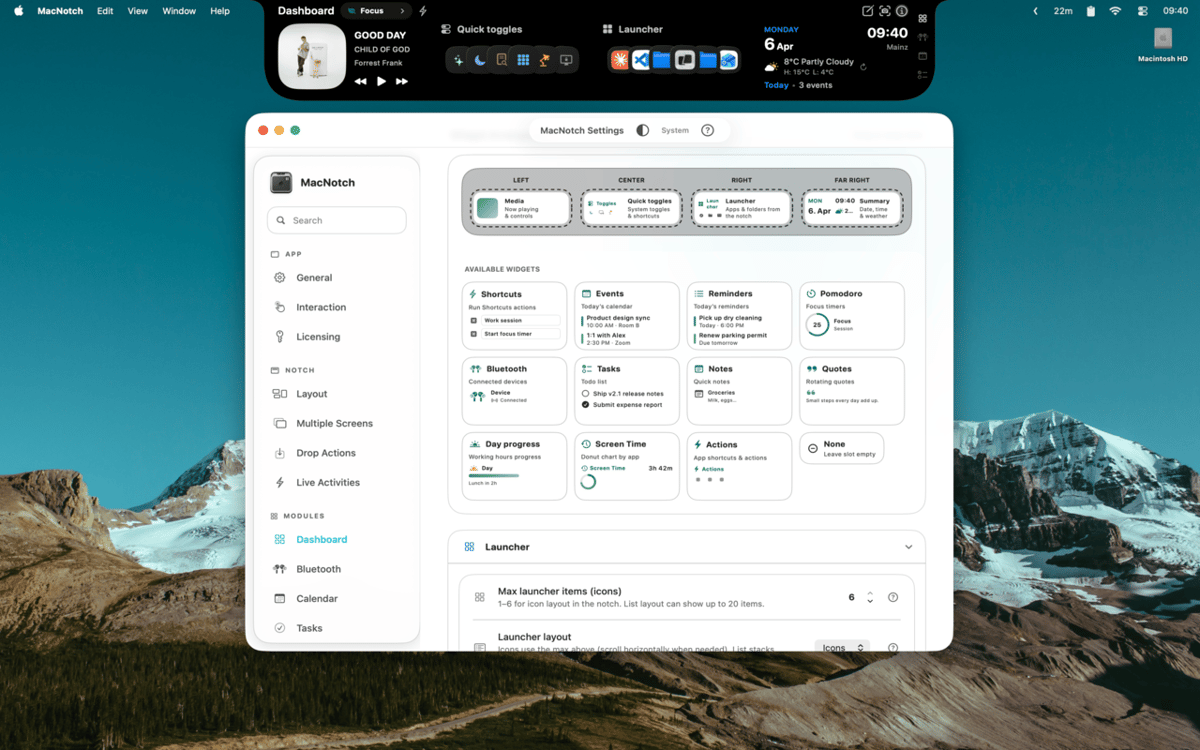
Personnalisez votre encoche avec widgets
Suivez tâches, événements et minuteurs
Déposez des fichiers pour agir vite
Fonctionnalités de MacNotch
Contrôlez votre musique et vos médias
Affichez ce qui est en cours de lecture avec les pochettes d'album, les barres musicales animées et tous les contrôles de lecture - directement depuis l'encoche. MacNotch fonctionne avec Spotify, Apple Music, YouTube et d'autres lecteurs de navigateur, peu importe la source audio. Changez de piste, parcourez un morceau ou consultez simplement la pochette sans rien ouvrir.
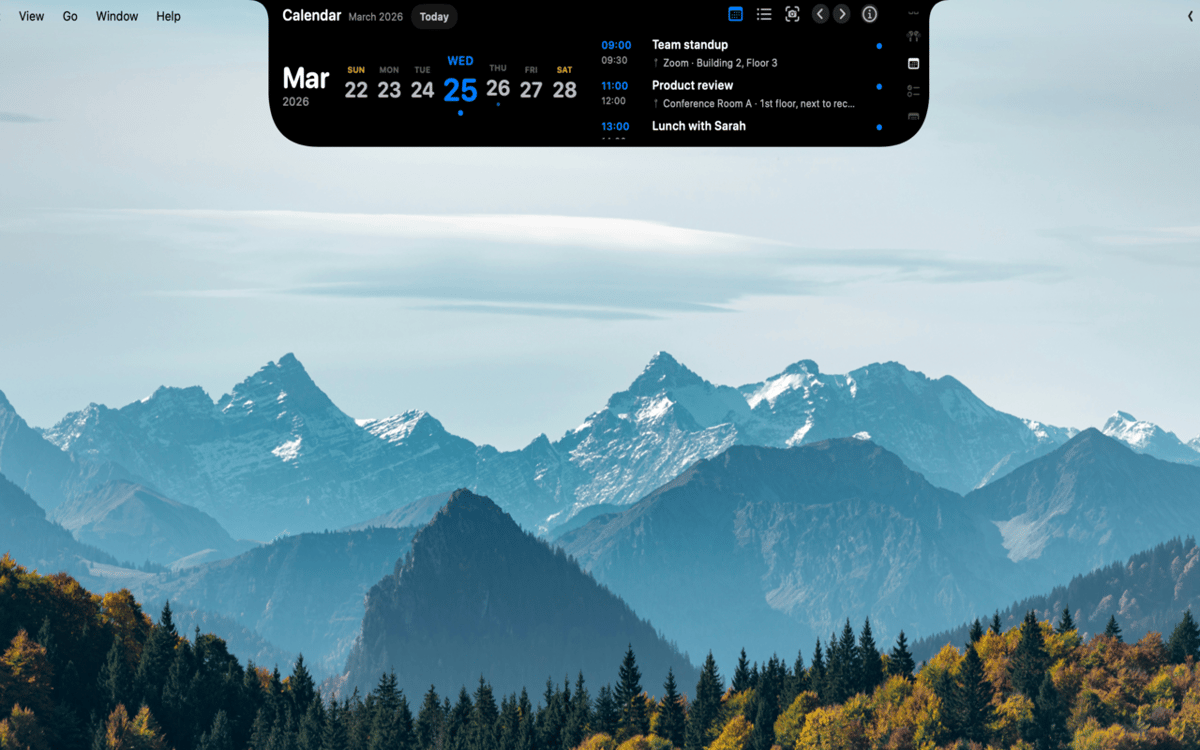
Restez maître de votre journée
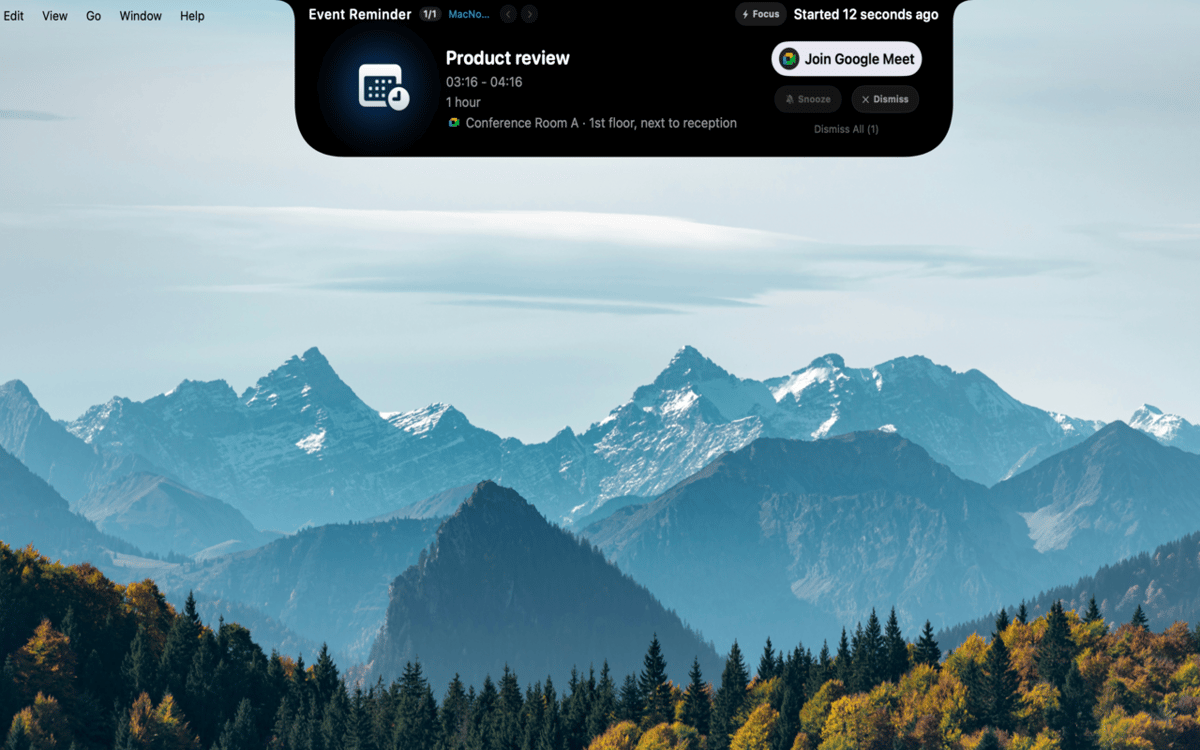
Gardez événements, rappels et sessions de focus en un lieu. MacNotch affiche vos prochains événements de calendrier avec des comptes à rebours et détecte les réunions actives pour que vous sachiez toujours ce qui vous attend. Il comprend un minuteur Pomodoro intégré avec progression visuelle, une liste de tâches légère qui se synchronise avec Rappels de macOS et un module de prise de notes rapide — le tout sans quitter votre flux de travail.
Créez votre propre tableau de bord
Personnalisez une grille de widgets avec la météo, des lanceurs d'applications et des raccourcis pour le mode sombre, True Tone et Night Shift. Créez des profils comme Travail, Personnel ou Concentration pour que votre configuration s'adapte à vos activités. Vous pouvez également surveiller l'utilisation du processeur, de la RAM et du stockage, ou traduire du texte à la volée avec OpenAI ou une instance locale d'Ollama.
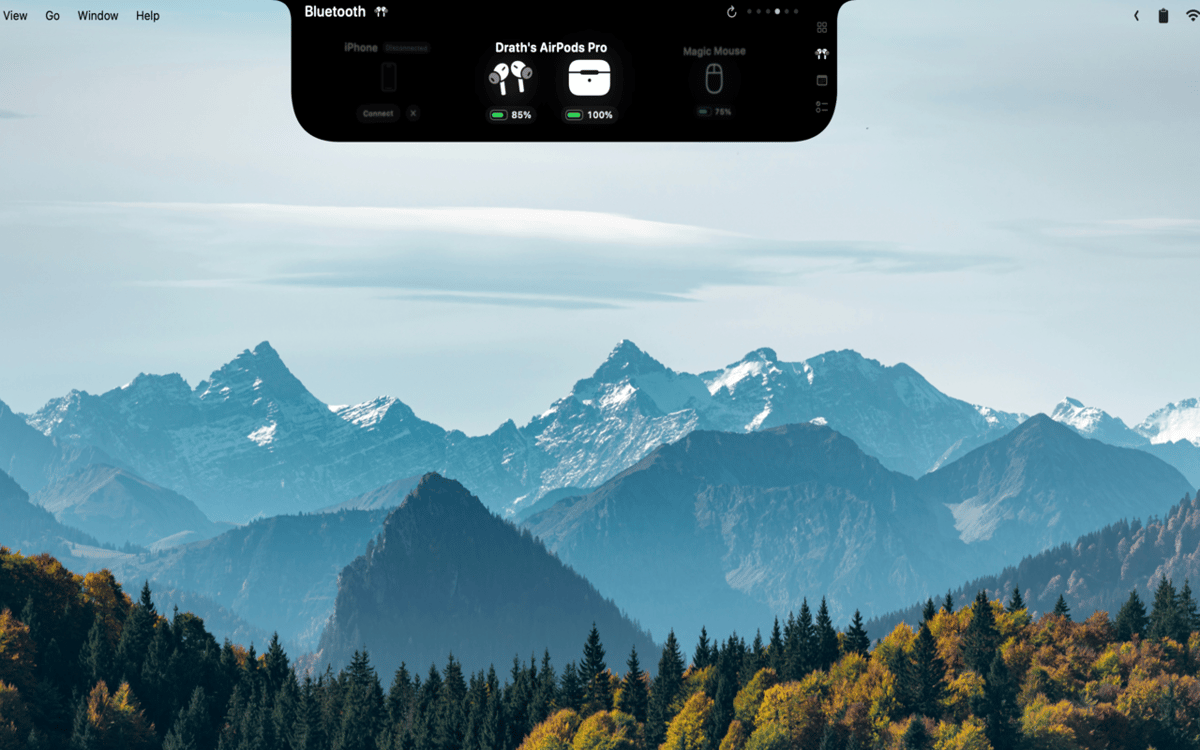
Gardez un œil sur vos appareils
Consultez en temps réel le niveau de batterie de vos AirPods (gauche, droit et boîtier), casques, souris, claviers, trackpads et manettes de jeu. MacNotch vous avertit lorsqu'un appareil est presque déchargé, pour que vous ne soyez jamais pris au dépourvu en plein appel ou en pleine partie.
Glissez-déposez vos fichiers et gagnez en efficacité
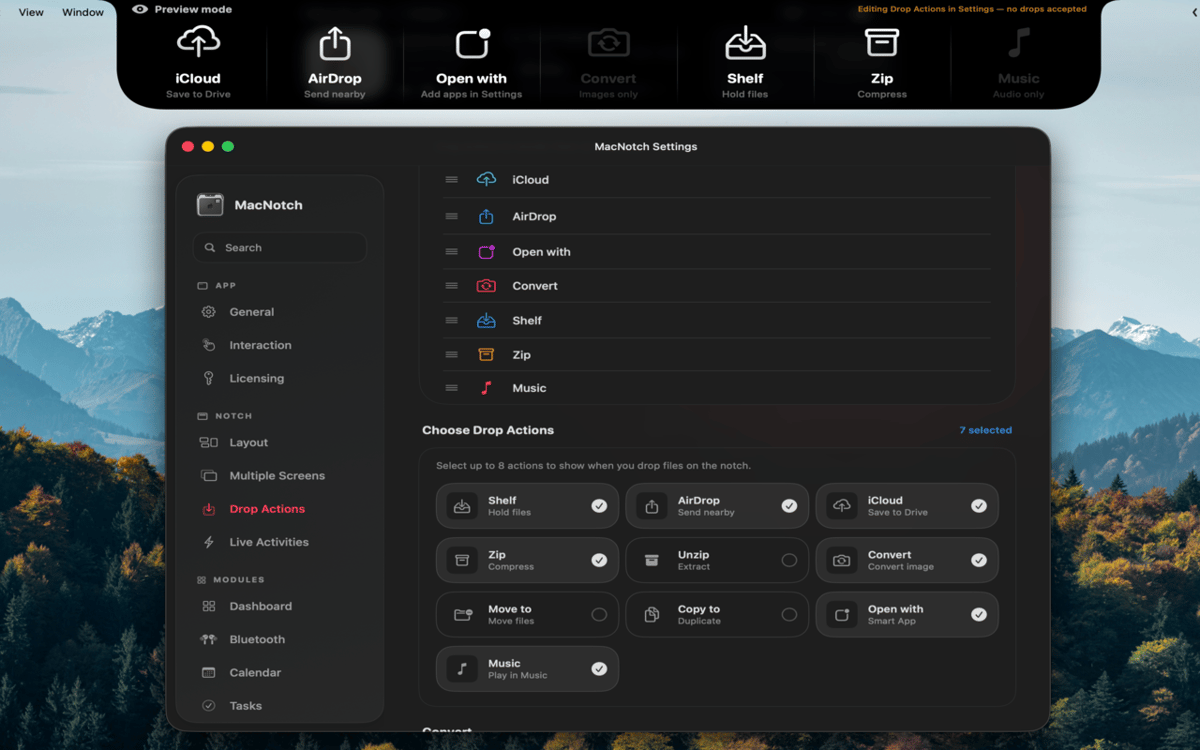
Glissez un fichier sur l'encoche pour l'envoyer instantanément par AirDrop, le compresser, convertir des images, le déplacer ou le copier dans un dossier, ou l'ouvrir avec une app spécifique. Plus besoin de fouiller dans les menus du Finder : glissez et c'est parti ! C'est le genre de raccourci qui paraît évident une fois qu'on l'a.
Toujours utile, même réduite
Lorsque l'encoche est masquée, elle affiche toujours les activités en temps réel : informations sur la lecture en cours, compte à rebours Pomodoro, événements à venir et état du Bluetooth. Les modifications du volume et de la luminosité s'affichent sous forme d'interface système directement dans l'encoche. Les informations importantes sont toujours visibles, sans jamais vous gêner.
Avis et commentaires
MacNotch
•
33 classements
Aarsh Oza
21 sept. 2026
Version de l'application : 1.9.9.5
The app is looking and functioning top notch. Just few things that needs to be there is first to polish the look and also able to resize the notch when its active instead of taking up half of the width of screen.
Marcelo
10 sept. 2026
Version de l'application : 1.9.9.4
Estou gostando bastante do MacNotch! Só notei algo que talvez seja um bug: depois que desliguei e liguei o notebook novamente, a opção de mostrar em telas externas ficou desativada, mesmo estando ativada antes. Mas a ferramenta é sensacional!
Georgi Kolev
9 sept. 2026
Version de l'application : 1.9.9.4
Not bad but it needs live sports and finance tickers.
Profitez de centaines d'applications avec Membership
Devenez membre Setapp et utilisez des centaines d'applications incroyables grâce à un seul abonnement.
Forfait tout compris, après 7 jours d'essai gratuit
Installez Setapp sur votre Mac
Explorez des applications pour Mac, iOS et le Web. Découvrez comment accomplir facilement les tâches du quotidien.

Téléchargez l'application qui vous intéresse
Cette application vous attend dans Setapp. Installez-la d'un seul clic.

MacNotch
Choisissez votre abonnement
Une seule application ou bien plus avec un abonnement Setapp. Accédez aux applications comme vous le souhaitez.

Profitez de centaines d'applications avec Membership
Devenez membre Setapp et utilisez des centaines d'applications incroyables grâce à un seul abonnement.
Forfait tout compris, après 7 jours d'essai gratuit
1
Installez Setapp sur votre Mac
Explorez des applications pour Mac, iOS et le Web. Découvrez comment accomplir facilement les tâches du quotidien.
2
Téléchargez l'application qui vous intéresse
Cette application vous attend dans Setapp. Installez-la d'un seul clic.
MacNotch
3
Choisissez votre abonnement
Une seule application ou bien plus avec un abonnement Setapp. Accédez aux applications comme vous le souhaitez.
Des applications de qualité
Pour gérer des plannings, accomplir des tâches de routine, créer des contenus, coder et bien plus encore, optez pour Setapp.

TypingMind
IA conversationnelle avec interface alternative
générez ou résumez du texte
utilisez une bibliothèque de requêtes
IA

Spark Mail
Gérez vos e-mails
IA

CleanMyMac
Supprimez les fichiers inutiles

Bartender
Personnalisez la barre des menus

CleanShot X
Profitez de plus de possibilités pour les captures d'écran

Luminar Neo
Retouchez vos photos
IA

ClearVPN
Sécurisez votre connexion Internet

Craft
Travaillez sur vos documents
IA
MacNotch
Utilitaire d'encoche pour Mac