
MacPulse
Surveillez l'activité de votre Mac
Mac
Version 1.3.0.3
macOS 14.0 ou version supérieure
22.7 MB
6 langues
MacPulse est un moniteur système pour Mac qui transforme le Moniteur d'activité en un tableau de bord plus clair et plus intelligent. Surveillez en temps réel l'activité du processeur, de la mémoire, du GPU, de la batterie, du réseau et thermique grâce à des graphiques en direct, des statistiques dans la barre de menu et des analyses historiques. Il est conçu pour les personnes qui souhaitent plus qu'un simple mur de chiffres. MacPulse vous aide à repérer les pics de performance, surveiller l'état de votre système et comprendre ce qui se passe sur votre Mac en termes clairs. Tout reste sur l'appareil, y compris l'historique système et les informations générées par l'IA. Votre Mac garde ses secrets.
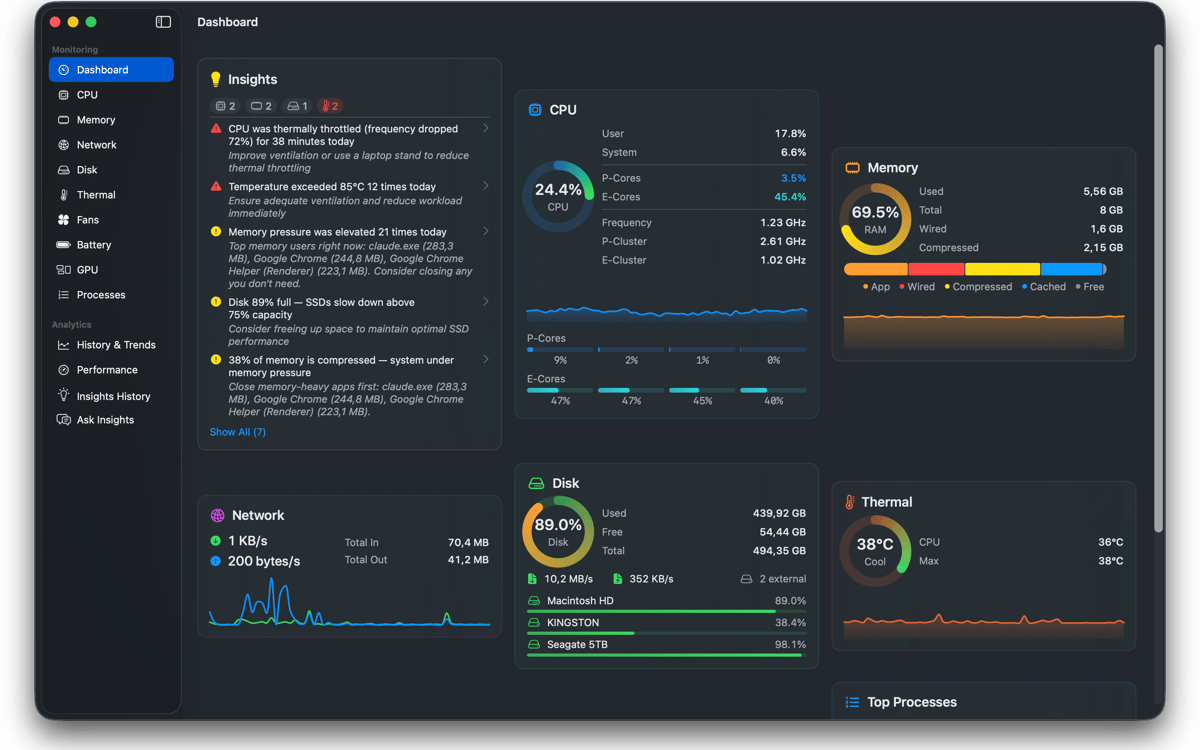
Surveillez les performances de votre Mac en direct
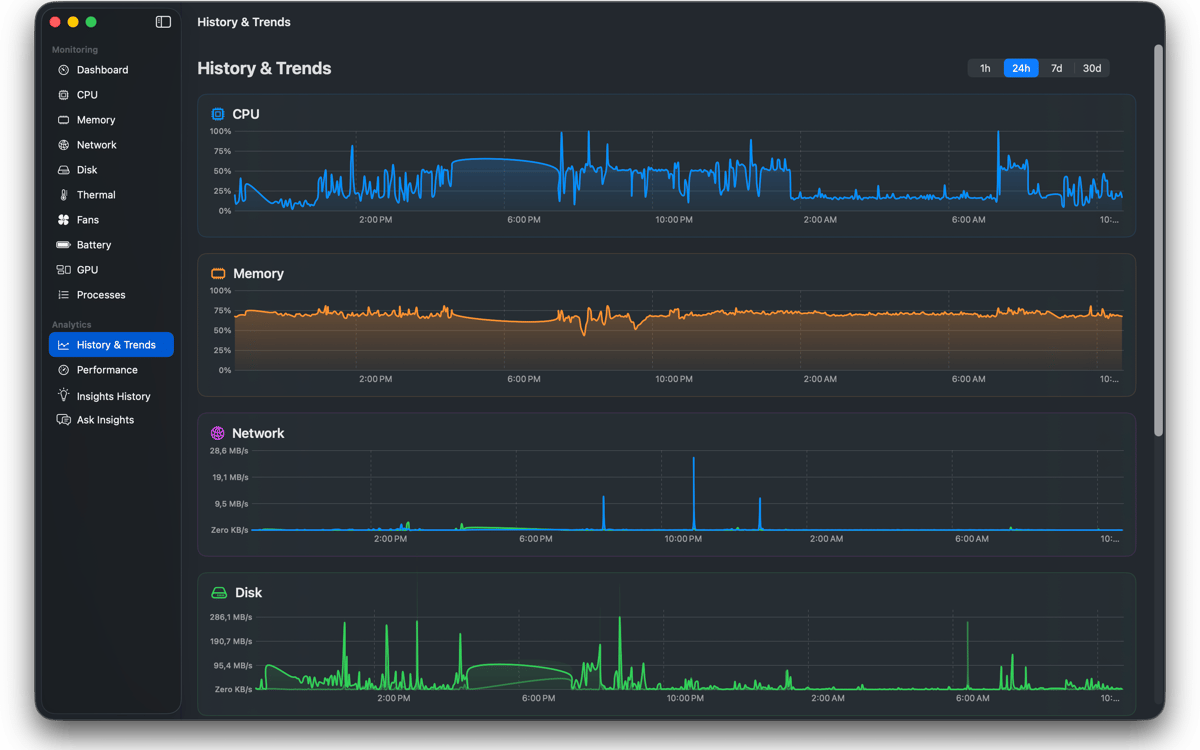
Suivi de l'historique du CPU et de la mémoire
Contrôlez ventilateurs et températures
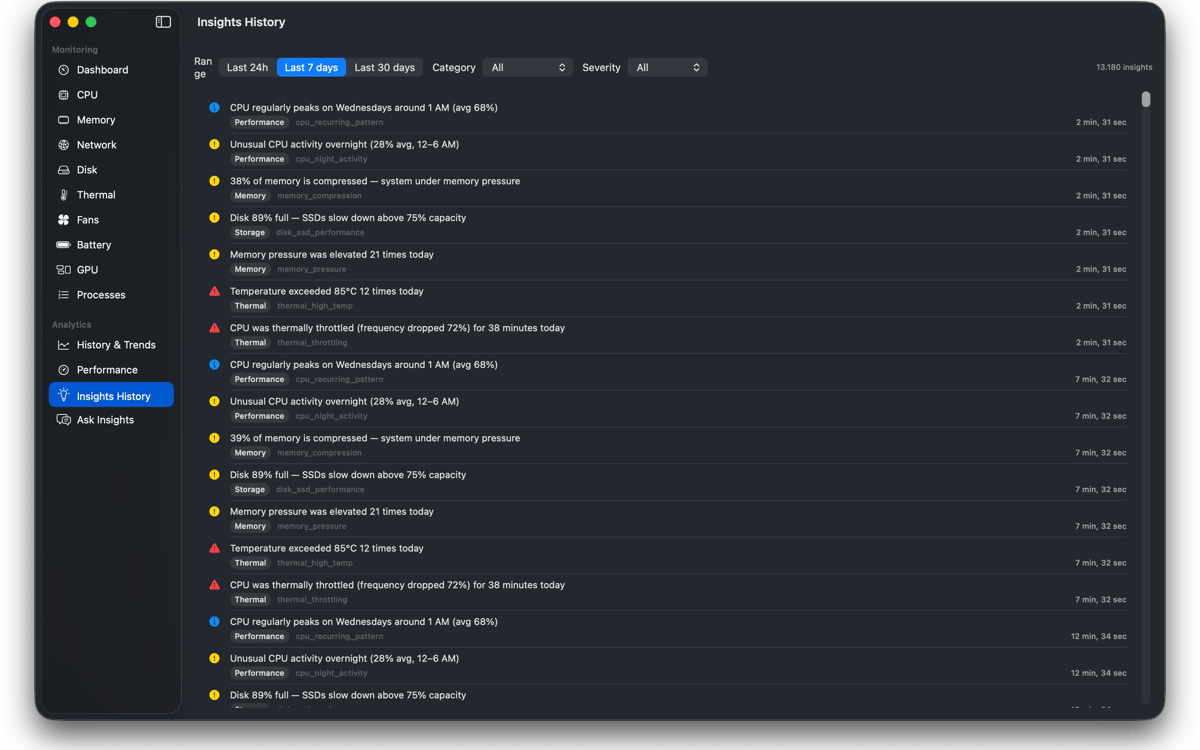
Obtenez des infos de performances claires
Fonctionnalités de MacPulse
Surveillez votre Mac en temps réel
Surveillez l'activité du processeur, de la mémoire, du GPU, de la batterie, du réseau, du disque et de la température depuis un tableau de bord épuré avec des graphiques en direct et des jauges animées.
Gardez les statistiques clés dans la barre de menu
Visualisez en un coup d'œil l'activité du processeur, de la mémoire ou du réseau grâce aux widgets personnalisables de la barre de menu, aux graphiques sparkline et aux résumés système rapides.
Explorez les tendances de performance historiques
Consultez l'activité du système de la dernière heure, du dernier jour, de la dernière semaine ou du dernier mois. Exportez les métriques au format CSV quand vous avez besoin d'une analyse plus approfondie.
Comprendre les performances grâce à des informations intelligentes
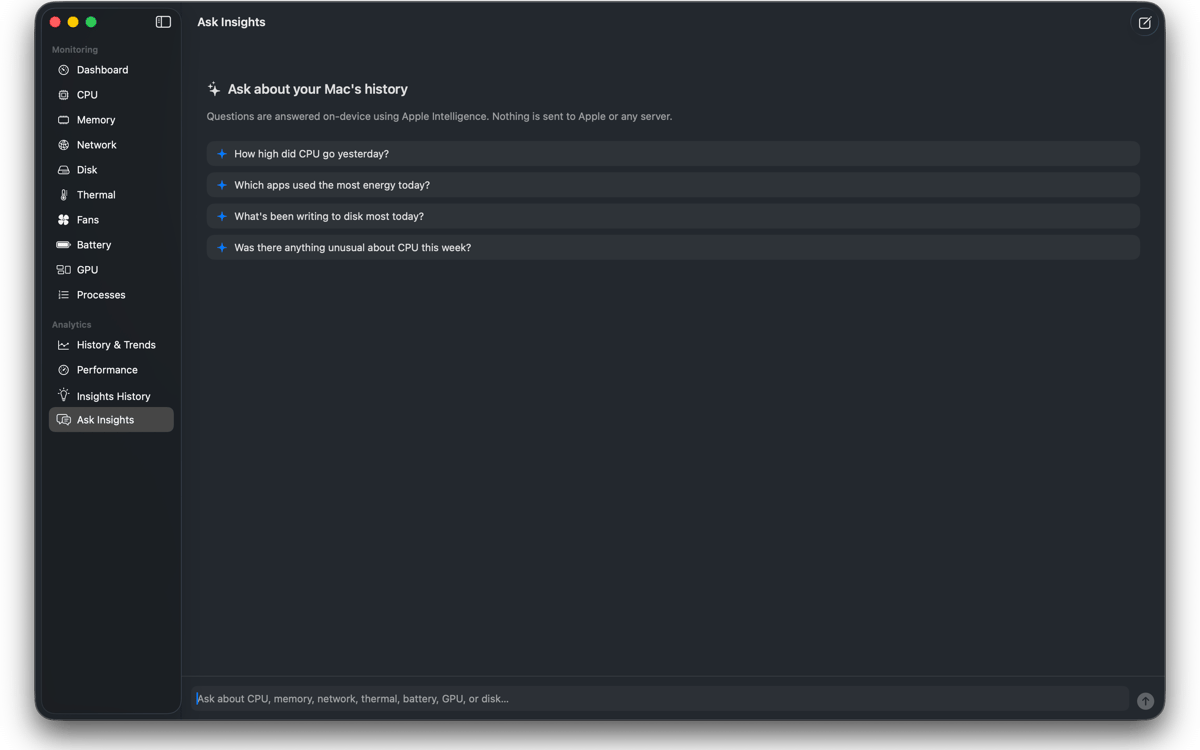
Obtenez des résumés en français simple des pics de processeur, des événements thermiques, des changements d'état de la batterie, de la pression mémoire et des activités réseau inhabituelles.
Contrôle des ventilateurs et surveillance thermique
Vérifiez les températures des capteurs, surveillez la vitesse des ventilateurs et créez des courbes de ventilation personnalisées ou des préréglages de performance pour les charges de travail exigeantes.
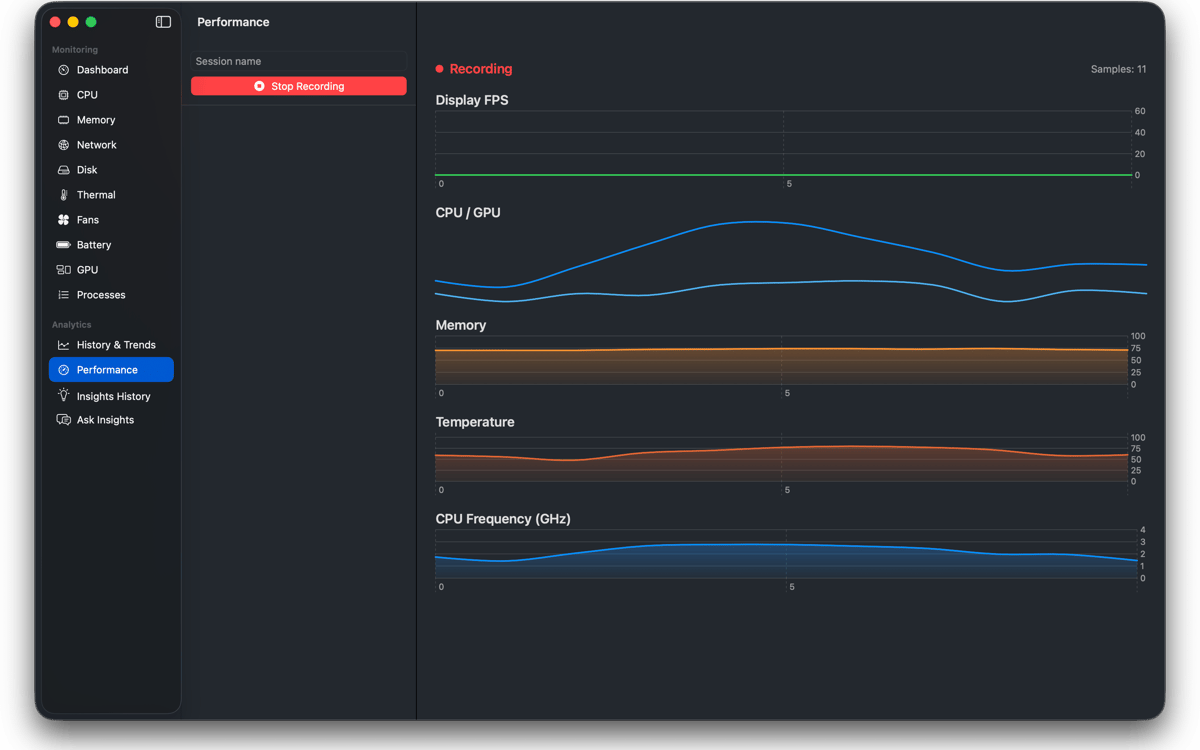
Enregistrer les sessions de performance
Suivez l'utilisation du processeur, de la mémoire, des FPS et des temps de rendu pendant les jeux ou les travaux créatifs, puis consultez des graphiques détaillés par la suite.
Profitez de centaines d'applications avec Membership
Devenez membre Setapp et utilisez des centaines d'applications incroyables grâce à un seul abonnement.
Forfait tout compris, après 7 jours d'essai gratuit
Installez Setapp sur votre Mac
Explorez des applications pour Mac, iOS et le Web. Découvrez comment accomplir facilement les tâches du quotidien.

Téléchargez l'application qui vous intéresse
Cette application vous attend dans Setapp. Installez-la d'un seul clic.

MacPulse
Choisissez votre abonnement
Une seule application ou bien plus avec un abonnement Setapp. Accédez aux applications comme vous le souhaitez.

Profitez de centaines d'applications avec Membership
Devenez membre Setapp et utilisez des centaines d'applications incroyables grâce à un seul abonnement.
Forfait tout compris, après 7 jours d'essai gratuit
1
Installez Setapp sur votre Mac
Explorez des applications pour Mac, iOS et le Web. Découvrez comment accomplir facilement les tâches du quotidien.
2
Téléchargez l'application qui vous intéresse
Cette application vous attend dans Setapp. Installez-la d'un seul clic.
MacPulse
3
Choisissez votre abonnement
Une seule application ou bien plus avec un abonnement Setapp. Accédez aux applications comme vous le souhaitez.
Des applications de qualité
Pour gérer des plannings, accomplir des tâches de routine, créer des contenus, coder et bien plus encore, optez pour Setapp.

TypingMind
IA conversationnelle avec interface alternative
générez ou résumez du texte
utilisez une bibliothèque de requêtes
IA

Spark Mail
Gérez vos e-mails
IA

CleanMyMac
Supprimez les fichiers inutiles

Bartender
Personnalisez la barre des menus

CleanShot X
Profitez de plus de possibilités pour les captures d'écran

Luminar Neo
Retouchez vos photos
IA

ClearVPN
Sécurisez votre connexion Internet

Craft
Travaillez sur vos documents
IA
MacPulse
Surveillez l'activité de votre Mac