
MacWrench
Tune up your Mac in one place
Mac
Version 1.5.2
macOS 15.0 ou version supérieure
25.9 MB
15 langues
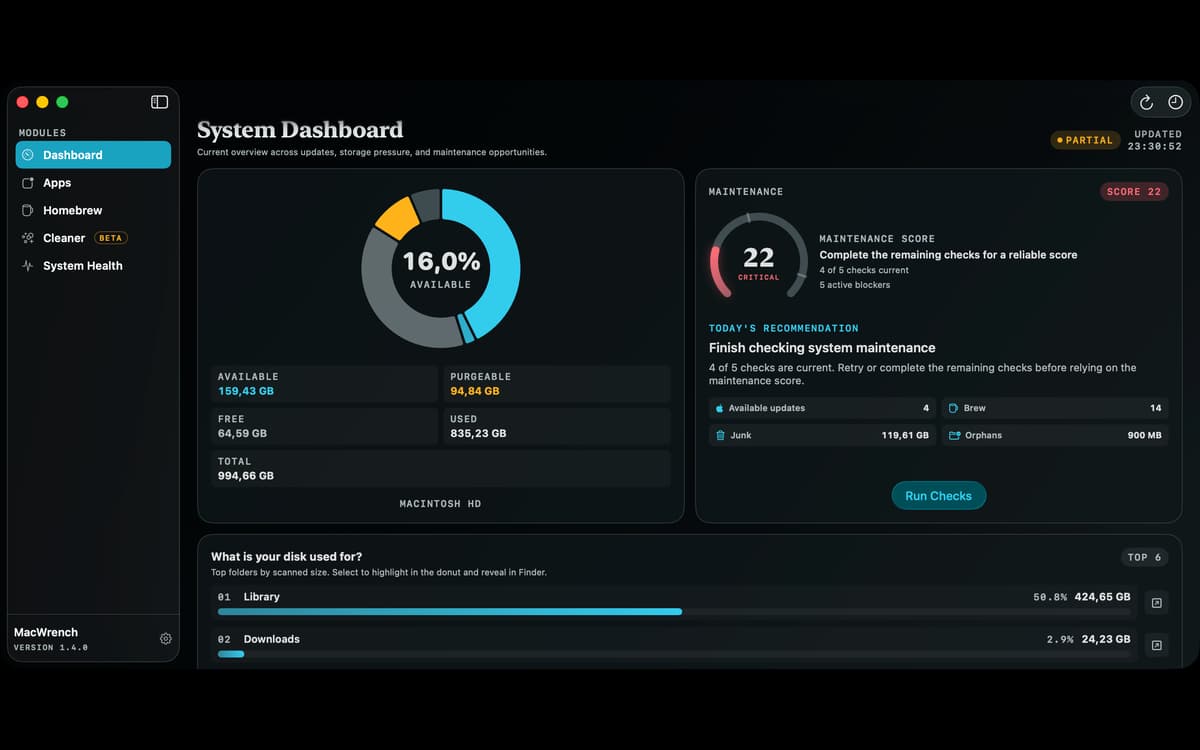
MacWrench is a Mac maintenance app that brings software updates, disk cleanup, app removal, and system monitoring into one window. Find outdated apps, review files taking up space, remove leftovers, and see what your Mac is doing without jumping between different utilities.
Find updates for your installed apps
Clear caches and developer leftovers
Uninstall apps and their related files
Monitor performance from the menu bar
Fonctionnalités de MacWrench
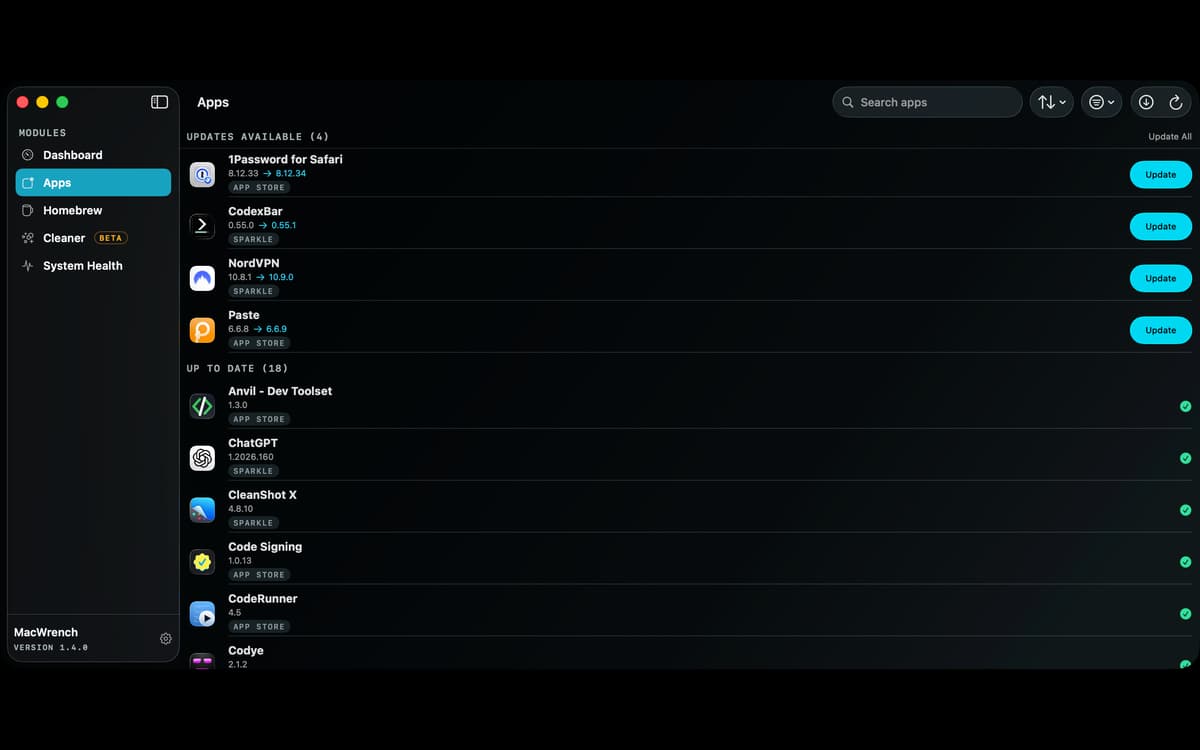
Keep apps up to date
Check installed apps against their developers’ update feeds and the App Store. Outdated apps appear first with the installed version, available update, and release notes. Update App Store apps individually or all at once (current macOS versions need the free mas tool). Apps that use their own updater are clearly marked, and one click opens them so you can finish there.
Review what’s taking up space
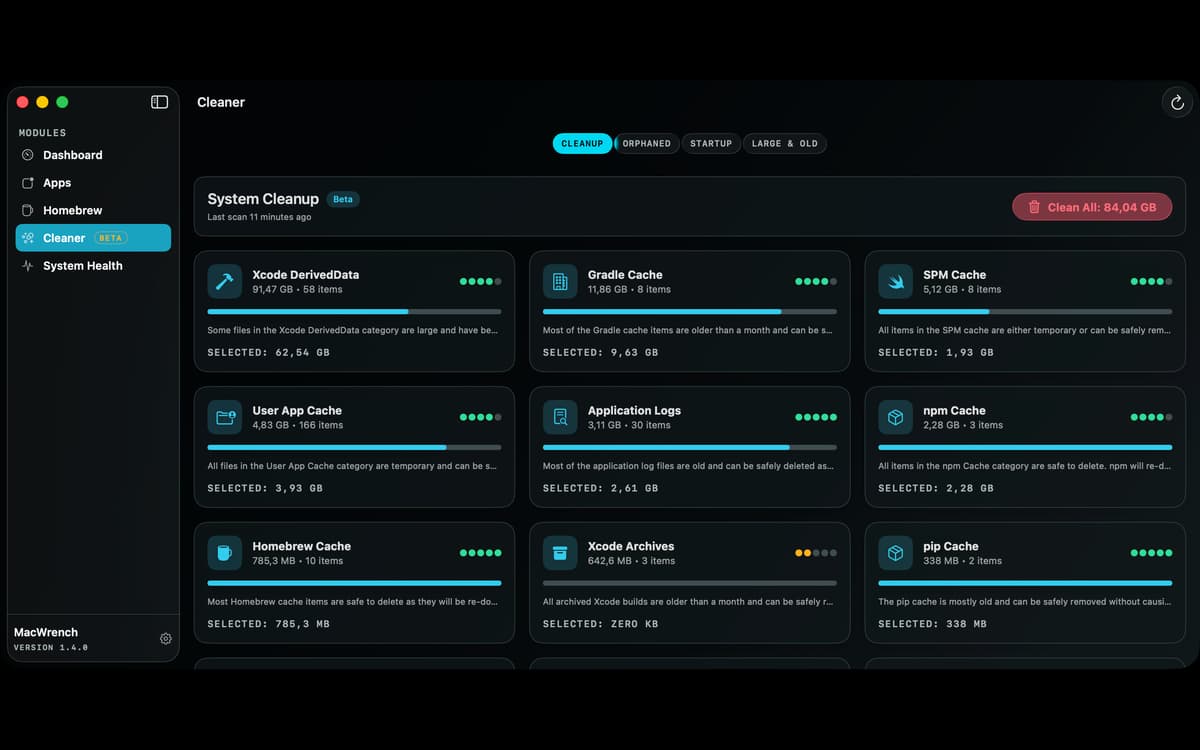
Scan caches, logs, crash reports, browser data, abandoned files, and large or old downloads. Developer files get dedicated categories for Xcode, npm, Yarn, pip, Gradle, CocoaPods, Swift Package Manager, Docker, and Homebrew. MacWrench shows each item’s size, location, and cleanup guidance before anything is removed. On macOS 26 and later, Apple’s on-device Foundation Models explain categories and flag files that may deserve a closer look. Earlier macOS versions use built-in heuristics instead.
Uninstall apps properly
Remove an app together with its containers, preferences, caches, logs, and launch agents. MacWrench shows every file it will move before anything goes to the Trash, so you can untick what you want to keep.
Watch your Mac at work
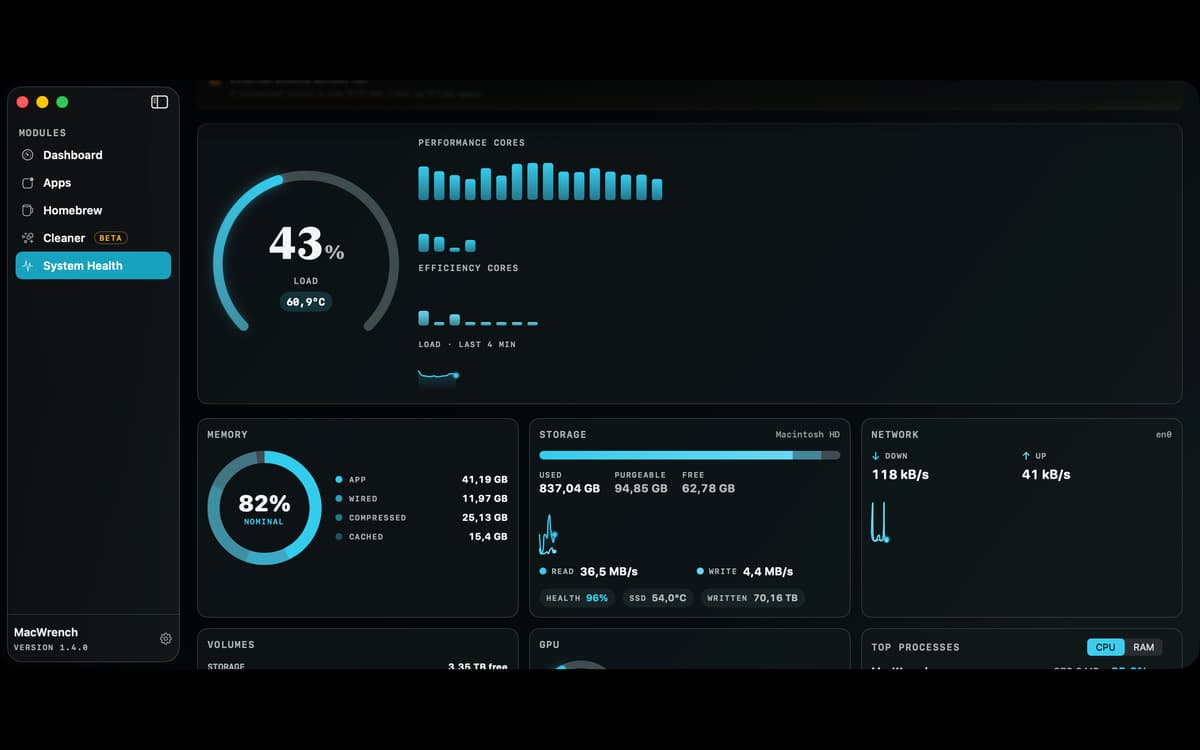
Monitor CPU load, memory pressure, disk activity, and network throughput, and see which apps use the most CPU and memory. Where supported, MacWrench also shows performance and efficiency cores, GPU load, power draw, temperatures, fan speeds, and SSD health. Add compact gauges to the menu bar or a widget to your desktop, and set your own alert thresholds.
Manage Homebrew visually
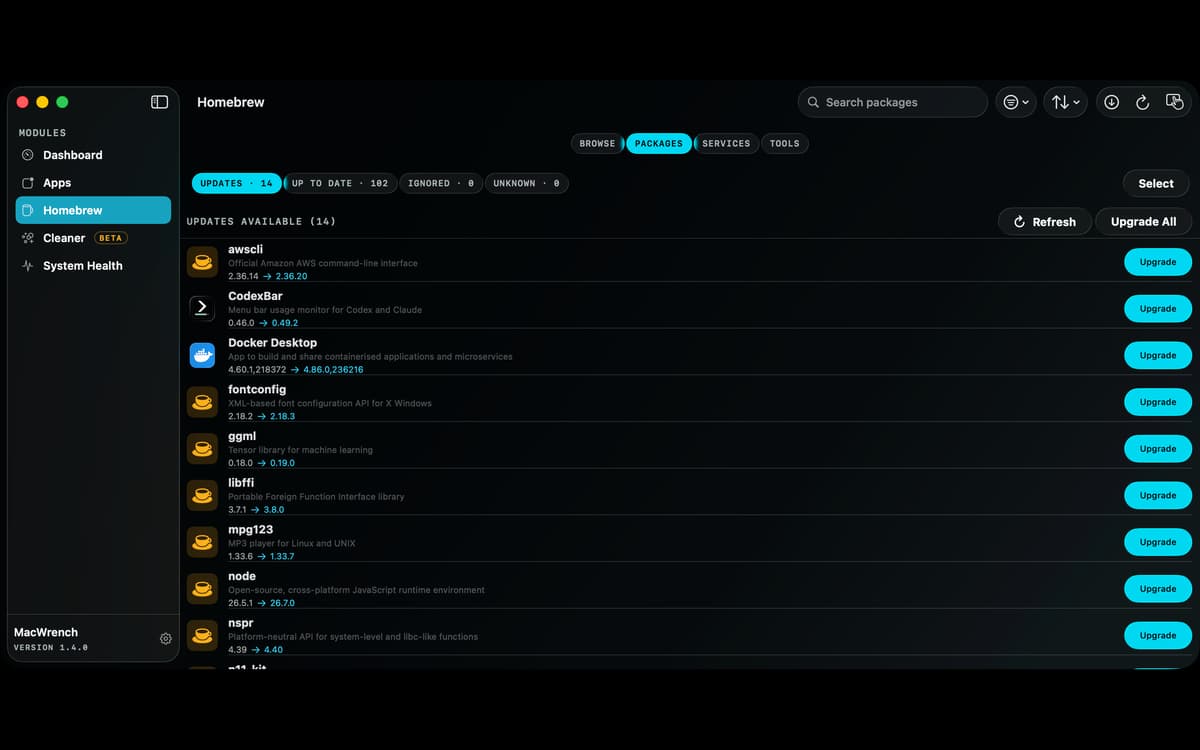
Browse and install new packages, view installed formulae and casks, check versions, and install updates one by one or in bulk. Pin packages, manage services and taps, clean stale downloads, run brew doctor, and export a Brewfile. Cleanup previews what Homebrew plans to remove, and installs show Homebrew’s own output as they run.
Take control of startup items
See the launch agents that run for your account and system-wide in one list. Each shows a readable name, a safety rating, and the program behind it when available, so you can turn off the ones in your account you don’t recognize or no longer need.
Profitez de centaines d'applications avec Membership
Devenez membre Setapp et utilisez des centaines d'applications incroyables grâce à un seul abonnement.
Forfait tout compris, après 7 jours d'essai gratuit
Installez Setapp sur votre Mac
Explorez des applications pour Mac, iOS et le Web. Découvrez comment accomplir facilement les tâches du quotidien.

Téléchargez l'application qui vous intéresse
Cette application vous attend dans Setapp. Installez-la d'un seul clic.

MacWrench
Choisissez votre abonnement
Une seule application ou bien plus avec un abonnement Setapp. Accédez aux applications comme vous le souhaitez.

Profitez de centaines d'applications avec Membership
Devenez membre Setapp et utilisez des centaines d'applications incroyables grâce à un seul abonnement.
Forfait tout compris, après 7 jours d'essai gratuit
1
Installez Setapp sur votre Mac
Explorez des applications pour Mac, iOS et le Web. Découvrez comment accomplir facilement les tâches du quotidien.
2
Téléchargez l'application qui vous intéresse
Cette application vous attend dans Setapp. Installez-la d'un seul clic.
MacWrench
3
Choisissez votre abonnement
Une seule application ou bien plus avec un abonnement Setapp. Accédez aux applications comme vous le souhaitez.
Des applications de qualité
Pour gérer des plannings, accomplir des tâches de routine, créer des contenus, coder et bien plus encore, optez pour Setapp.

TypingMind
IA conversationnelle avec interface alternative
générez ou résumez du texte
utilisez une bibliothèque de requêtes
IA

Spark Mail
Gérez vos e-mails
IA

CleanMyMac
Supprimez les fichiers inutiles

Bartender
Personnalisez la barre des menus

CleanShot X
Profitez de plus de possibilités pour les captures d'écran

Luminar Neo
Retouchez vos photos
IA

ClearVPN
Sécurisez votre connexion Internet

Craft
Travaillez sur vos documents
IA
MacWrench
Tune up your Mac in one place