
MoveMatic
Motion that moves your product
Mac
Version 3.2
macOS 15.0 ou version supérieure
39 MB
12 langues
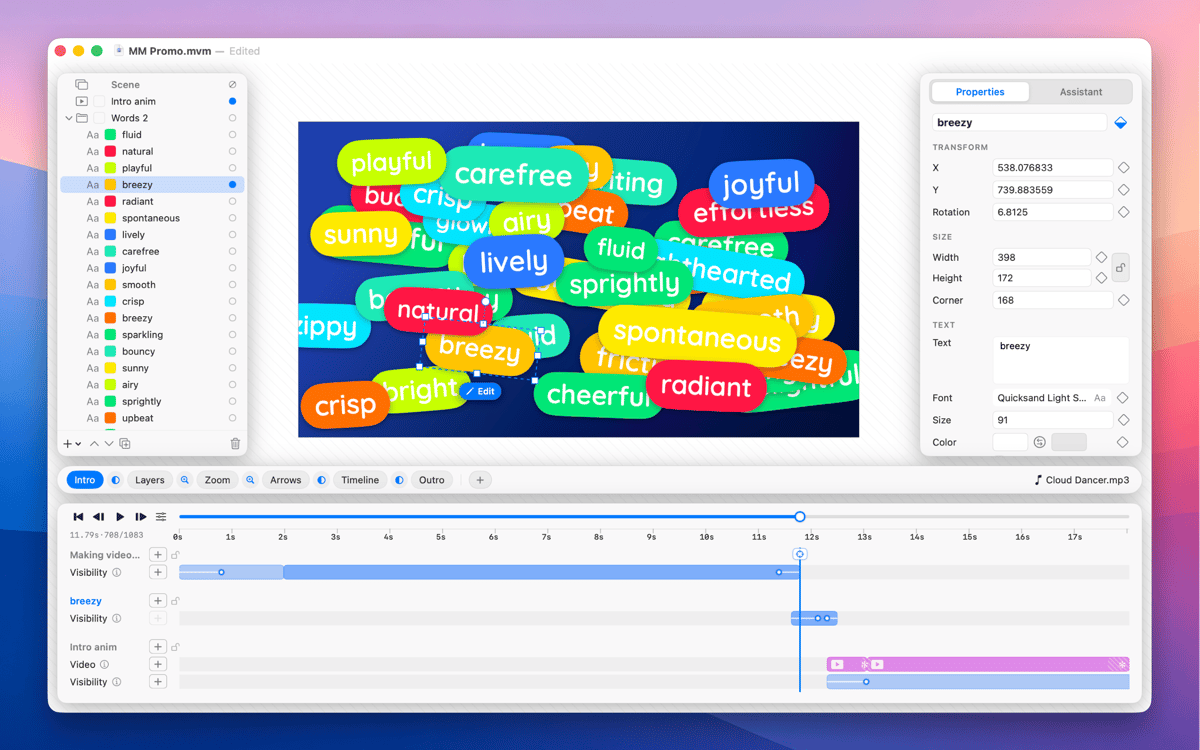
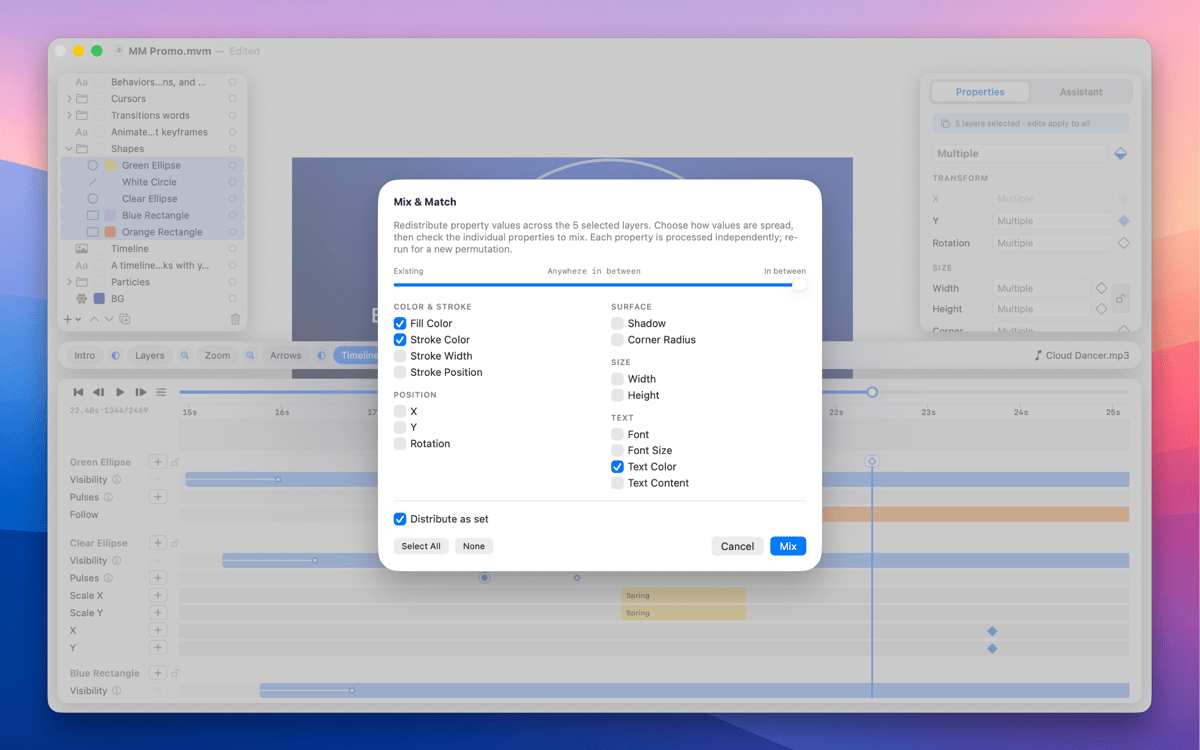
MoveMatic is a native Mac motion design app for the animation that ships in product demos, App Store preview videos, and the marketing clips you wish were animated. Animate cursors, camera zooms, particles, and self-drawing arrows on a ripple-aware timeline, across multi-scene documents. Export straight to MP4 at any aspect ratio — no After Effects required.
Animate App Store preview videos
Build product feature demo clips
Create social marketing animations
Design presentation animations fast
Fonctionnalités de MoveMatic
Visibility spans
Every layer lives on a time range with its own intro and outro effects (fade, pop, slide, draw-on); you choreograph when things exist, not just tween values from A to B.
Ripple-aware timeline
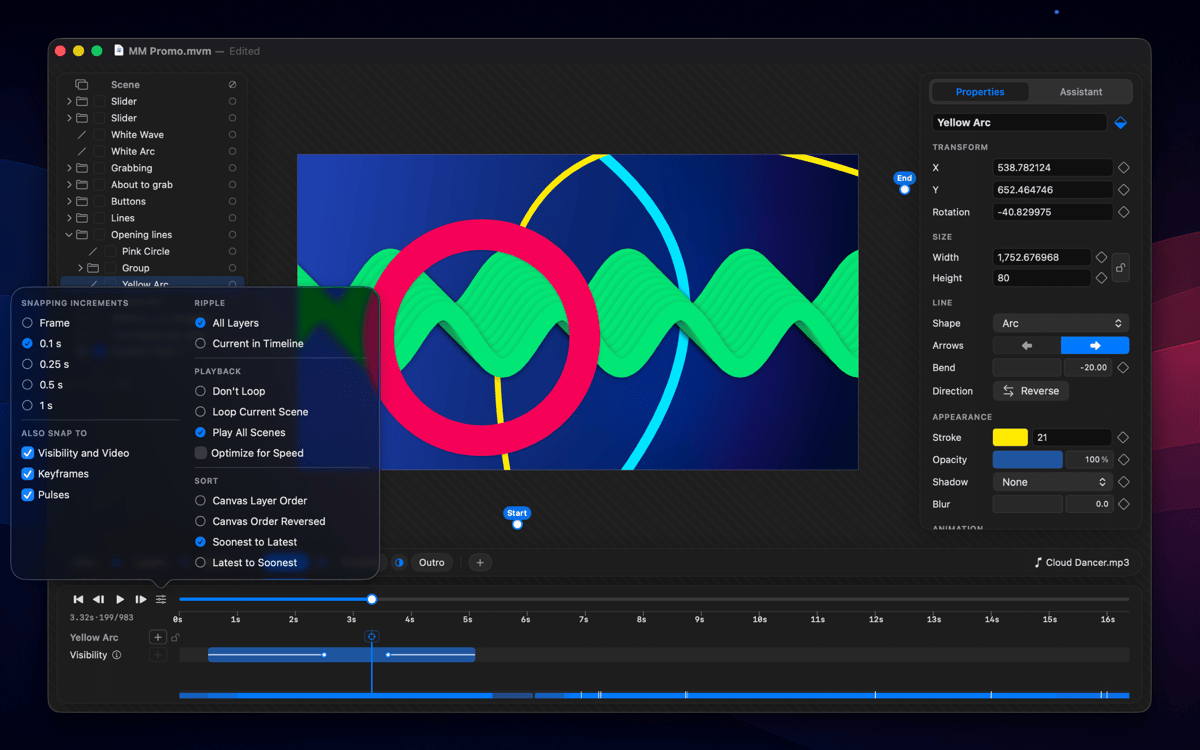
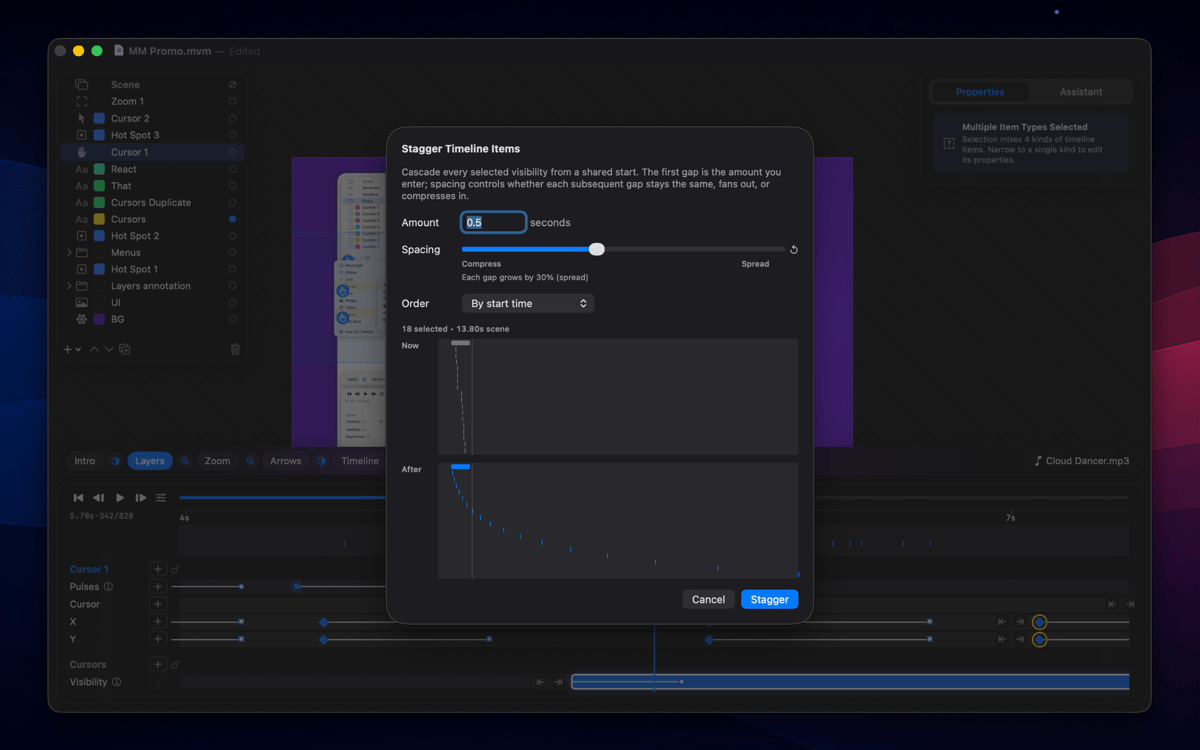
Drag a keyframe and span edges, pulses, group children, and clips all shift with it; cycle ripple modes with one key and every edit honors it.
Procedural motion
Animated cursors with click hotspots, layers that follow a path or another layer, attractors, and behaviors you configure once — the scene animates itself, no keyframing required.
Multi-scene documents
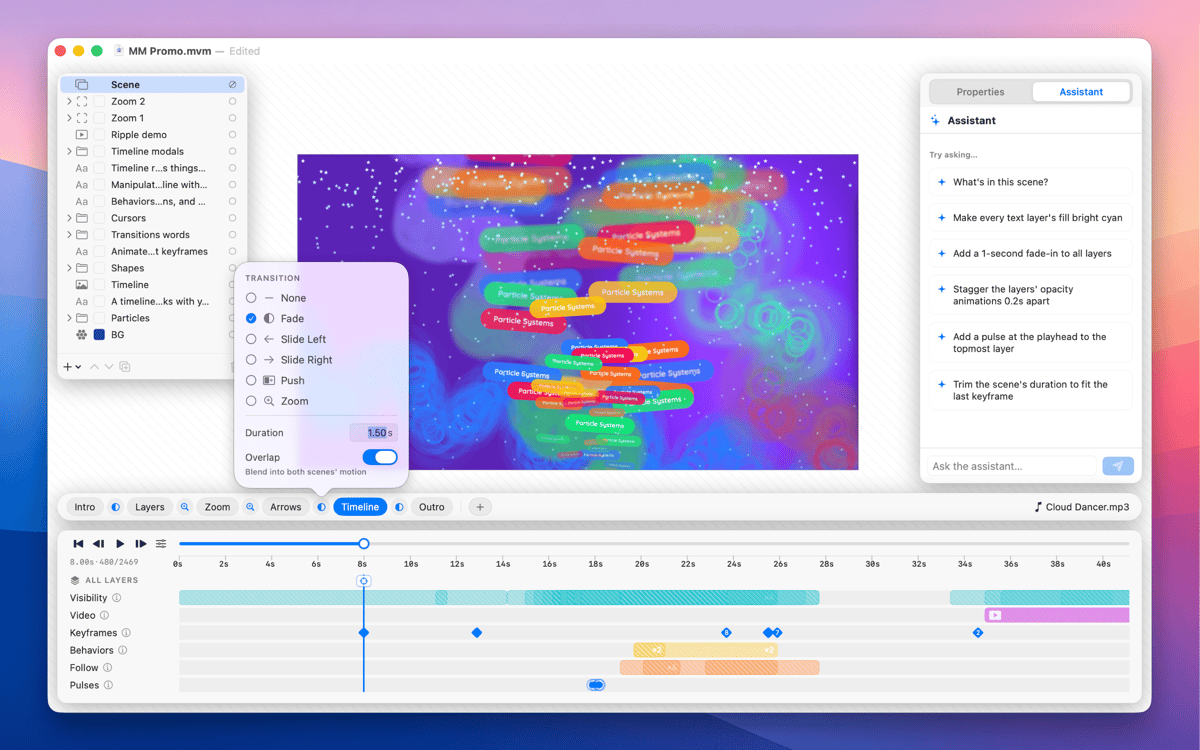
A document is a sequence of scenes, each with its own layers and timeline; drop Fade, Slide, Push, or Zoom transitions between them and render as one continuous clip or scene-by-scene.
Camera zoom layers
Drop a zoom region and the playhead lenses into it for that span, full-screen or picture-in-picture, for product detail shots without re-staging the composition.
Arrows that draw themselves
Drop two points and MoveMatic generates a keyframable curve with a stroke that draws on and an arrowhead that lands at the end.
Profitez de centaines d'applications avec Membership
Devenez membre Setapp et utilisez des centaines d'applications incroyables grâce à un seul abonnement.
Forfait tout compris, après 7 jours d'essai gratuit
Installez Setapp sur votre Mac
Explorez des applications pour Mac, iOS et le Web. Découvrez comment accomplir facilement les tâches du quotidien.

Téléchargez l'application qui vous intéresse
Cette application vous attend dans Setapp. Installez-la d'un seul clic.

MoveMatic
Choisissez votre abonnement
Une seule application ou bien plus avec un abonnement Setapp. Accédez aux applications comme vous le souhaitez.

Profitez de centaines d'applications avec Membership
Devenez membre Setapp et utilisez des centaines d'applications incroyables grâce à un seul abonnement.
Forfait tout compris, après 7 jours d'essai gratuit
1
Installez Setapp sur votre Mac
Explorez des applications pour Mac, iOS et le Web. Découvrez comment accomplir facilement les tâches du quotidien.
2
Téléchargez l'application qui vous intéresse
Cette application vous attend dans Setapp. Installez-la d'un seul clic.
MoveMatic
3
Choisissez votre abonnement
Une seule application ou bien plus avec un abonnement Setapp. Accédez aux applications comme vous le souhaitez.
Des applications de qualité
Pour gérer des plannings, accomplir des tâches de routine, créer des contenus, coder et bien plus encore, optez pour Setapp.

TypingMind
IA conversationnelle avec interface alternative
générez ou résumez du texte
utilisez une bibliothèque de requêtes
IA

Spark Mail
Gérez vos e-mails
IA

CleanMyMac
Supprimez les fichiers inutiles

Bartender
Personnalisez la barre des menus

CleanShot X
Profitez de plus de possibilités pour les captures d'écran

Luminar Neo
Retouchez vos photos
IA

ClearVPN
Sécurisez votre connexion Internet

Craft
Travaillez sur vos documents
IA
MoveMatic
Motion that moves your product