
NameQuick
AI file renamer for Mac
Mac
Version 3.0.35
macOS 12.0 ou version supérieure
224.4 MB
4 langues
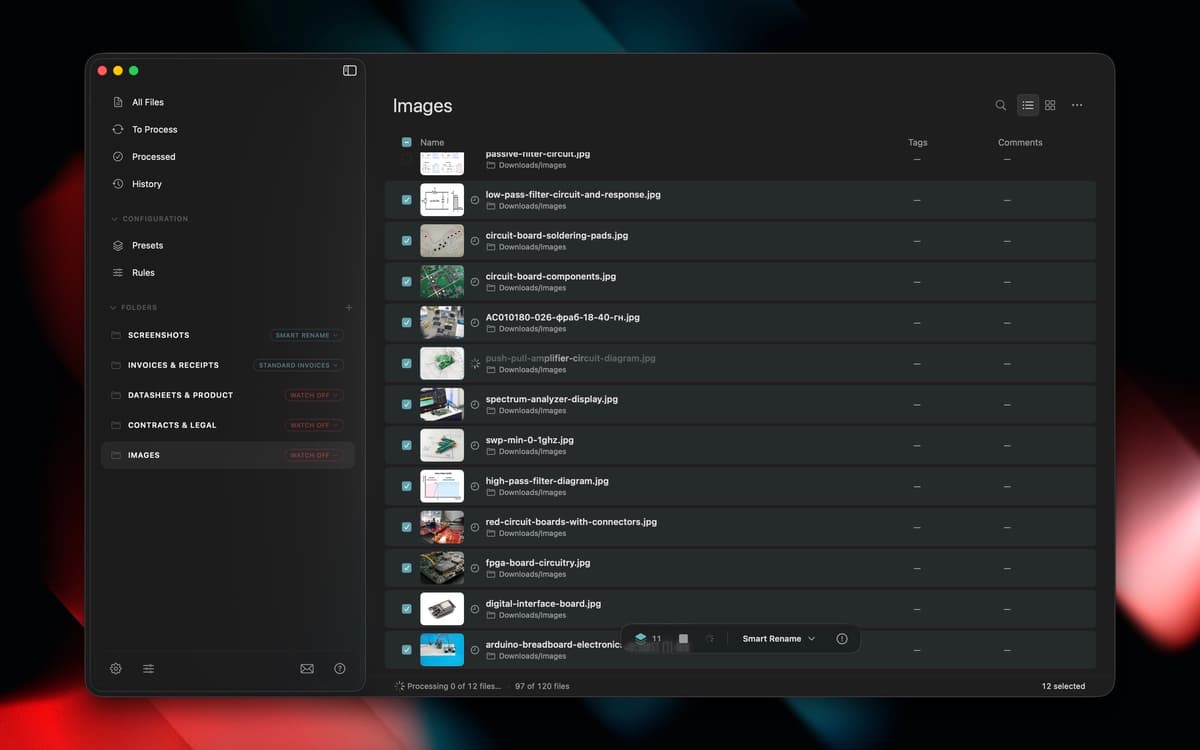
NameQuick reads what's actually inside your files, PDFs, invoices, screenshots, scans, and more, then renames them with something that makes sense. Use Smart Rename for a quick one-off cleanup, or set up templates for naming formats you use again and again. Watch folders handle new files automatically, moving, tagging, or sorting them in the background. Your Downloads folder finally stops running the show.
Rename files based on their content
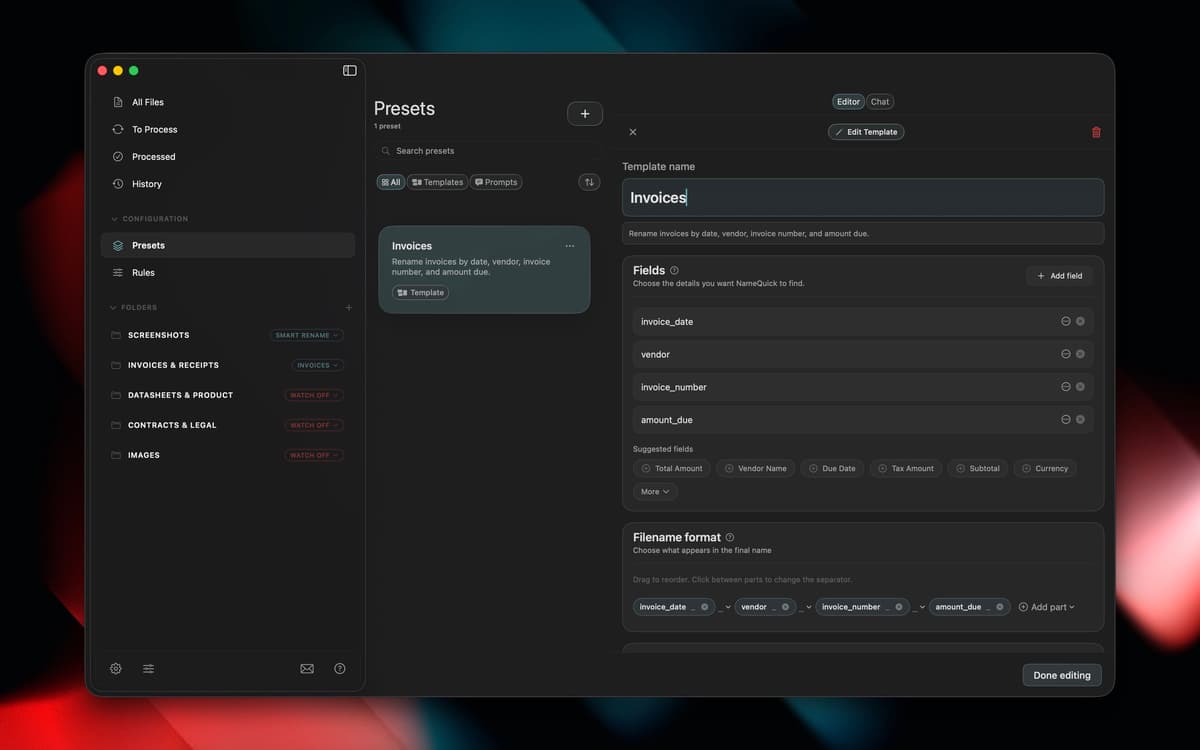
Set up templates for naming formats
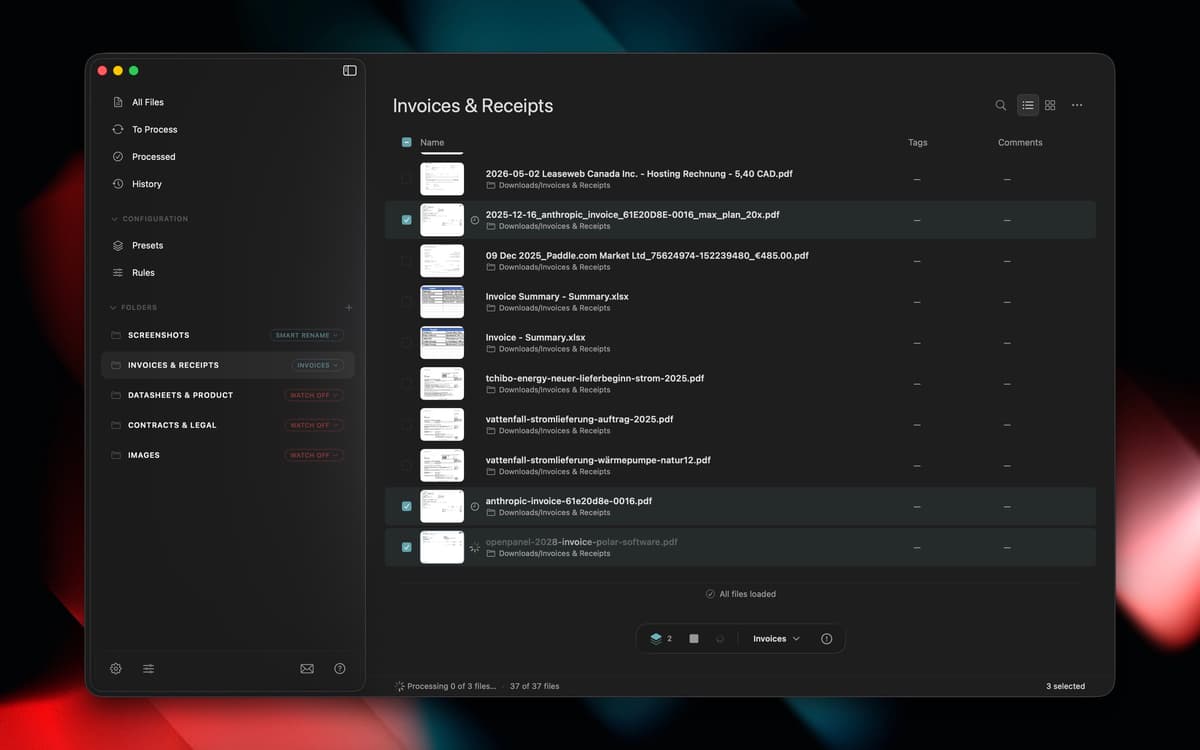
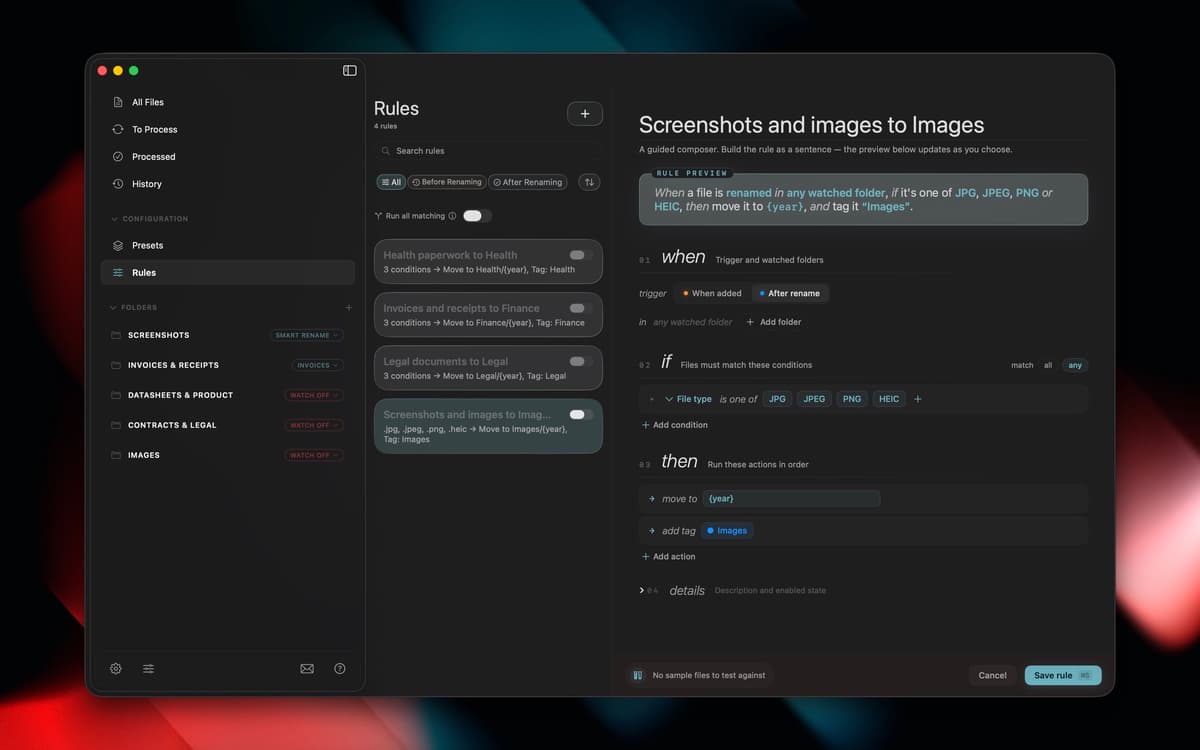
Auto-organize new files with watch folders
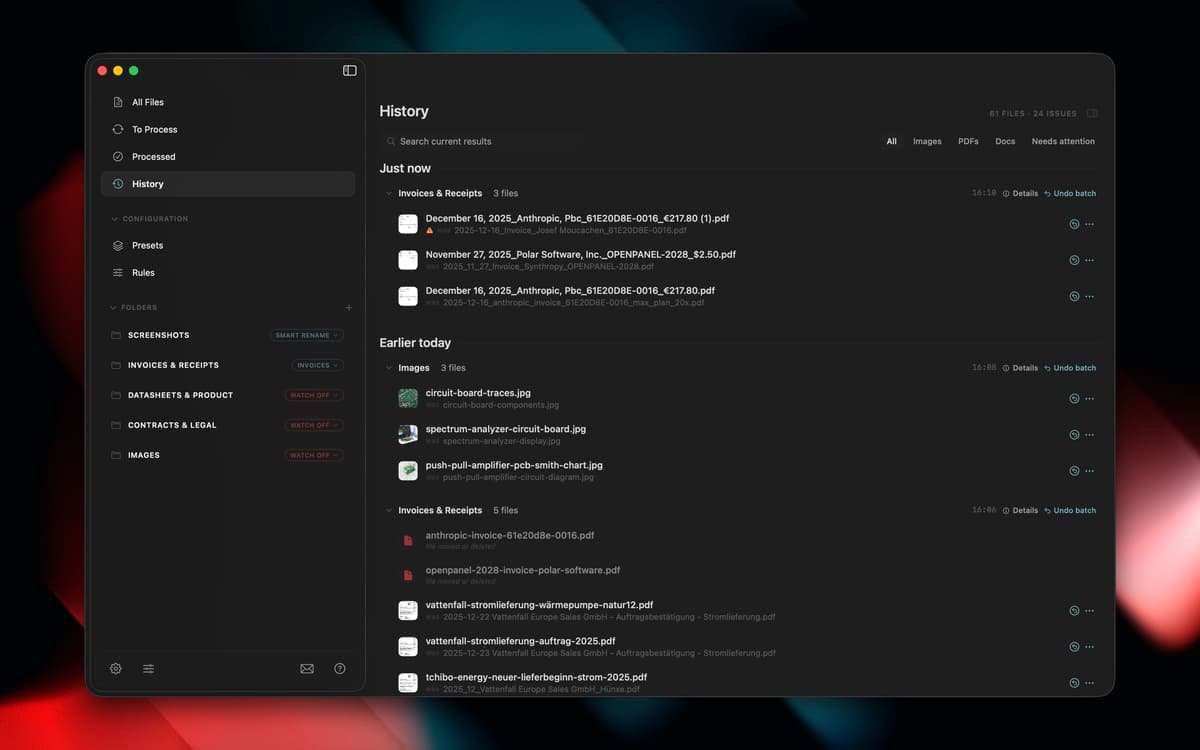
Move, tag, and sort files in background
Fonctionnalités de NameQuick
Content-based renaming
NameQuick looks inside PDFs, invoices, scanned documents, screenshots, images, and Office files to figure out what they actually are, then gives them a clear name instead of "Scan_final_2.pdf."
Smart Rename
Got a folder full of vague filenames? Select them and let NameQuick clean things up in one pass, no manual renaming required.
Naming templates
Set a naming format once, like date, client, or document type, and reuse it every time you need consistent filenames across a project or client.
Watch folders
Point NameQuick at a folder, and it'll rename new files as they land, automatically, so you don't have to think about it again.
Background rules
Beyond renaming, rules can move, tag, or sort files as they come in, keeping folders organized without any extra clicks from you.
Avis et commentaires
NameQuick
•
1 classements
Joe
27 sept. 2026
Version de l'application : 3.0.13
This is exactly the kind of app I like finding on Setapp. Renaming files is one of those boring jobs I tend to put off, especially when there’s a folder full of PDFs and screenshots with names that mean absolutely nothing. Having NameQuick look at the contents and come up with a descriptive name makes that whole process much easier. I especially like being able to rename a batch of files and use presets to keep the names consistent. The real benefit comes later, when I’m looking for something and can tell what a file is without opening three or four documents first. It’s a fairly specific tool, but it solves a problem that comes up all the time. If your Downloads folder is anything like mine, it’s well worth trying through Setapp.
Profitez de centaines d'applications avec Membership
Devenez membre Setapp et utilisez des centaines d'applications incroyables grâce à un seul abonnement.
Forfait tout compris, après 7 jours d'essai gratuit
Installez Setapp sur votre Mac
Explorez des applications pour Mac, iOS et le Web. Découvrez comment accomplir facilement les tâches du quotidien.

Téléchargez l'application qui vous intéresse
Cette application vous attend dans Setapp. Installez-la d'un seul clic.

NameQuick
Choisissez votre abonnement
Une seule application ou bien plus avec un abonnement Setapp. Accédez aux applications comme vous le souhaitez.

Profitez de centaines d'applications avec Membership
Devenez membre Setapp et utilisez des centaines d'applications incroyables grâce à un seul abonnement.
Forfait tout compris, après 7 jours d'essai gratuit
1
Installez Setapp sur votre Mac
Explorez des applications pour Mac, iOS et le Web. Découvrez comment accomplir facilement les tâches du quotidien.
2
Téléchargez l'application qui vous intéresse
Cette application vous attend dans Setapp. Installez-la d'un seul clic.
NameQuick
3
Choisissez votre abonnement
Une seule application ou bien plus avec un abonnement Setapp. Accédez aux applications comme vous le souhaitez.
Des applications de qualité
Pour gérer des plannings, accomplir des tâches de routine, créer des contenus, coder et bien plus encore, optez pour Setapp.

TypingMind
IA conversationnelle avec interface alternative
générez ou résumez du texte
utilisez une bibliothèque de requêtes
IA

Spark Mail
Gérez vos e-mails
IA

CleanMyMac
Supprimez les fichiers inutiles

Bartender
Personnalisez la barre des menus

CleanShot X
Profitez de plus de possibilités pour les captures d'écran

Luminar Neo
Retouchez vos photos
IA

ClearVPN
Sécurisez votre connexion Internet

Craft
Travaillez sur vos documents
IA
NameQuick
AI file renamer for Mac