
Quip
Intelligent clipboard manager
Mac, iOS
Version 1.7.2
macOS 14.0 ou version supérieure
32.8 MB
1 langues
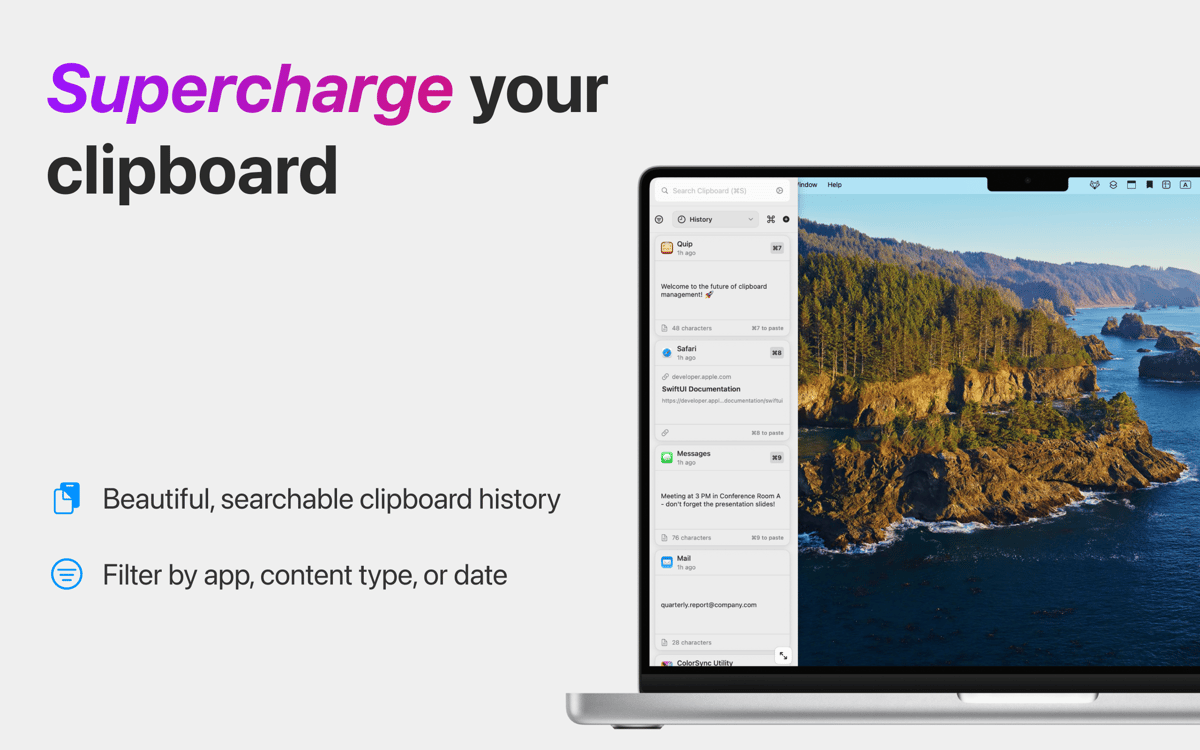
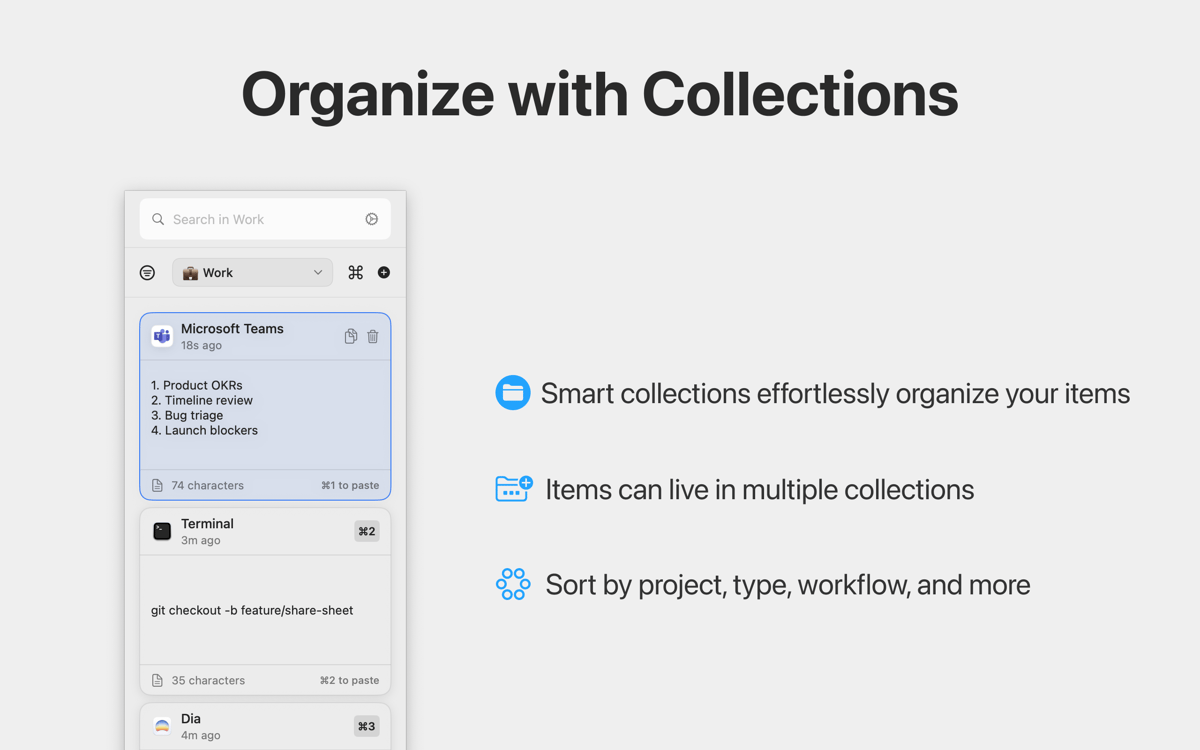
Quip turns your basic clipboard into a persistent, searchable database that keeps up with your workflow. It captures every link, file, and snippet you copy across your Mac and iOS devices so you never lose what you copied, even after pressing Command + C again. Beyond history, Quip lets you extract text from videos and automate repetitive typing with custom shortcuts. The app doesn’t just store your data — it cleans and categorizes it with local on-device AI and Apple Intelligence.
Never lose anything you copy
Stay organized with smart collections
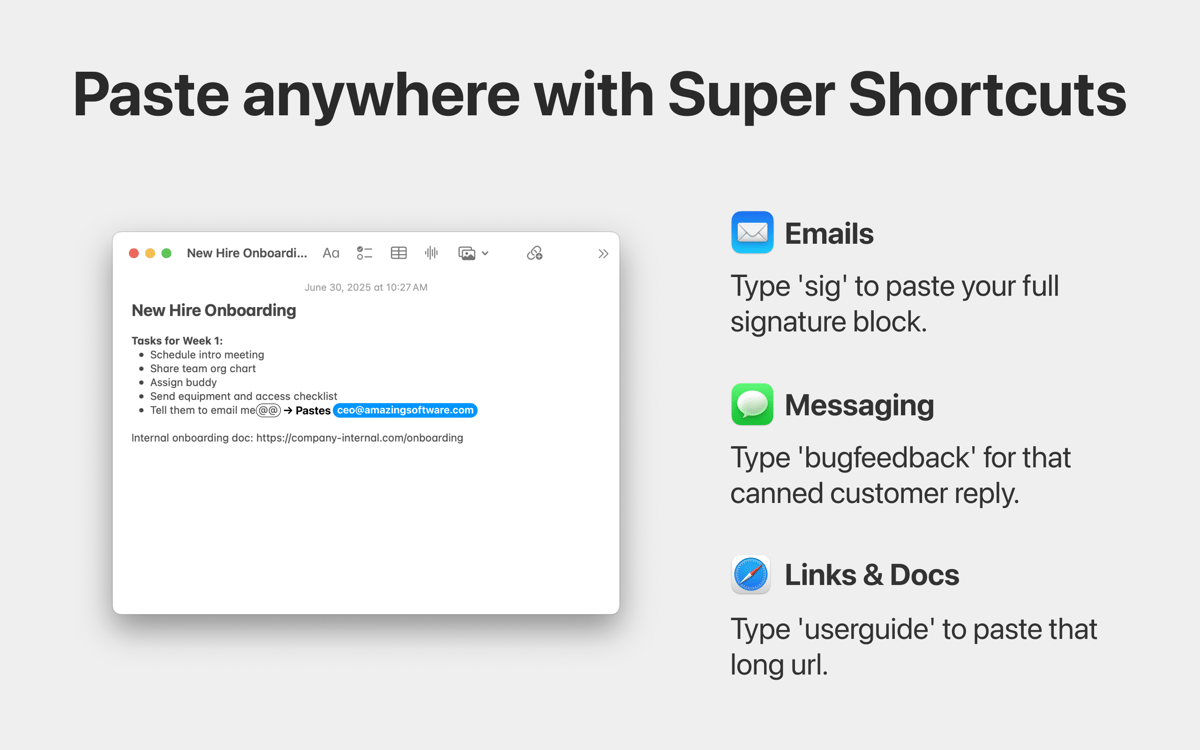
Eliminate repetitive typing with shortcuts
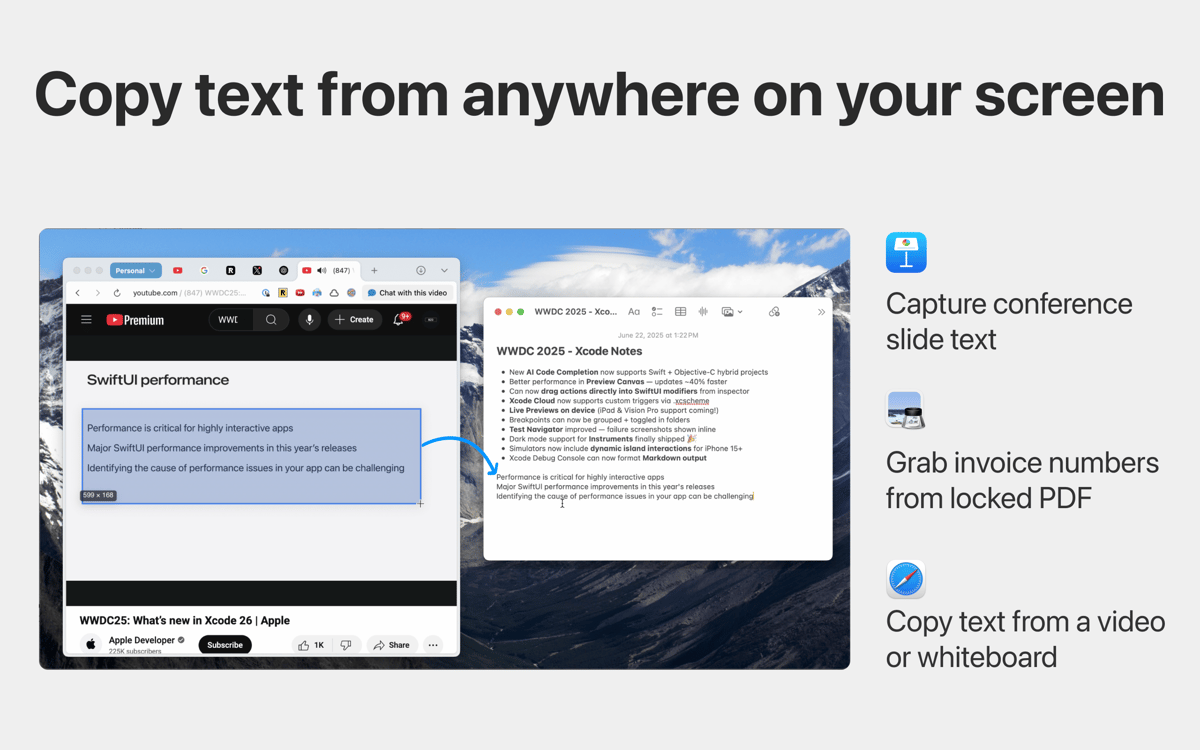
Extract text from images, videos, and more
Fonctionnalités de Quip
Maintain a persistent clipboard history
macOS can only hold one copied item at a time, which creates a constant bottleneck for power users. Quip captures everything you copy and syncs across devices — whether it’s code, images, or links — and stores it in a persistent, searchable database. Even if you copied it days ago, you can find and reuse it instantly.
Automate repetitive typing with shortcuts
Turn your most-used text into “Super Shortcuts.” Assign a short trigger to any item in your history to instantly expand full email templates, canned replies, or complex URLs in any app. This built-in text expander scales with your clipboard, eliminating hours of manual typing from your weekly routine.
Extract text from any visual element
Sometimes information is trapped in a video, a locked PDF, or a presentation slide where text isn’t selectable. Quip’s “Grab Text” tool (Command + ⇧ + 2) uses high-accuracy OCR to extract text from anywhere on your screen. This turns visual data into editable text instantly, making it easy to pull a promo code from a screenshot, a quote from a YouTube video, or text from a locked PDF without retyping them.
Clean your history with AI
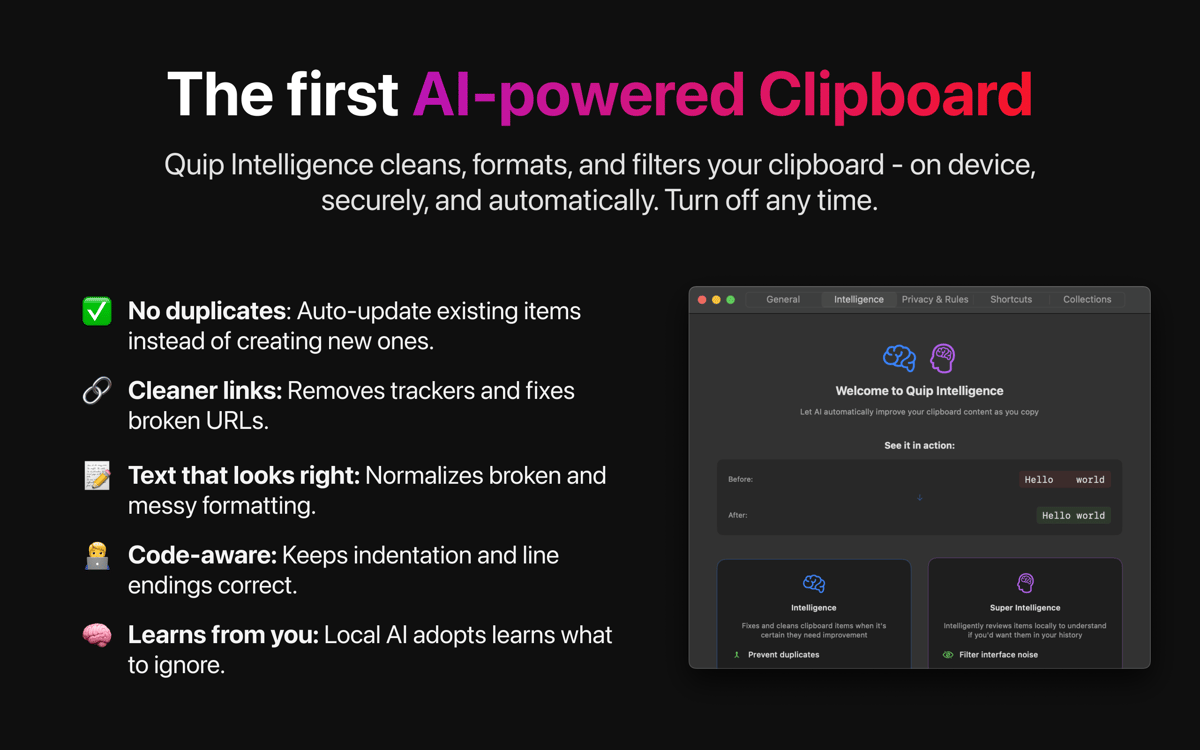
No more messy clipboard history. Quip Intelligence automatically strips tracking junk from URLs, normalizes code formatting, and cleans up messy whitespace. It also uses Apple’s on-device Foundation Models to summarize long text and suggest the right collections — without your data ever leaving your device.
Avis et commentaires
Quip
•
48 classements
Mikaël Janssens
3 juil. 2026
Version de l'application : 1.7.1
iOS app crashes often, syncing of collection doesnt work at all and the interface feel too stuffed and crowded.
Nice app, but not reliable!
21 mai 2026
Version de l'application : 1.7
I’m giving it a thumbs up for good features and design and to encourage developers to keep improving it. However, I was really annoyed yesterday when the app suddenly removed my entire clip history! I have no idea what went wrong.
Sonam Mittal
25 mars 2026
Version de l'application : 1.6
iOS app lags and gets stuck.
Profitez de centaines d'applications avec Membership
Devenez membre Setapp et utilisez des centaines d'applications incroyables grâce à un seul abonnement.
Forfait tout compris, après 7 jours d'essai gratuit
Installez Setapp sur votre Mac
Explorez des applications pour Mac, iOS et le Web. Découvrez comment accomplir facilement les tâches du quotidien.

Téléchargez l'application qui vous intéresse
Cette application vous attend dans Setapp. Installez-la d'un seul clic.

Quip
Choisissez votre abonnement
Une seule application ou bien plus avec un abonnement Setapp. Accédez aux applications comme vous le souhaitez.

Profitez de centaines d'applications avec Membership
Devenez membre Setapp et utilisez des centaines d'applications incroyables grâce à un seul abonnement.
Forfait tout compris, après 7 jours d'essai gratuit
1
Installez Setapp sur votre Mac
Explorez des applications pour Mac, iOS et le Web. Découvrez comment accomplir facilement les tâches du quotidien.
2
Téléchargez l'application qui vous intéresse
Cette application vous attend dans Setapp. Installez-la d'un seul clic.
Quip
3
Choisissez votre abonnement
Une seule application ou bien plus avec un abonnement Setapp. Accédez aux applications comme vous le souhaitez.
Des applications de qualité
Pour gérer des plannings, accomplir des tâches de routine, créer des contenus, coder et bien plus encore, optez pour Setapp.

TypingMind
IA conversationnelle avec interface alternative
générez ou résumez du texte
utilisez une bibliothèque de requêtes
IA

Spark Mail
Gérez vos e-mails
IA

CleanMyMac
Supprimez les fichiers inutiles

Bartender
Personnalisez la barre des menus

CleanShot X
Profitez de plus de possibilités pour les captures d'écran

Luminar Neo
Retouchez vos photos
IA

ClearVPN
Sécurisez votre connexion Internet

Craft
Travaillez sur vos documents
IA
Quip
Intelligent clipboard manager