RAW to HEIC
Turn RAW photos into HEIC
Mac
Version 2.14
macOS 15.0 ou version supérieure
18 MB
1 langues
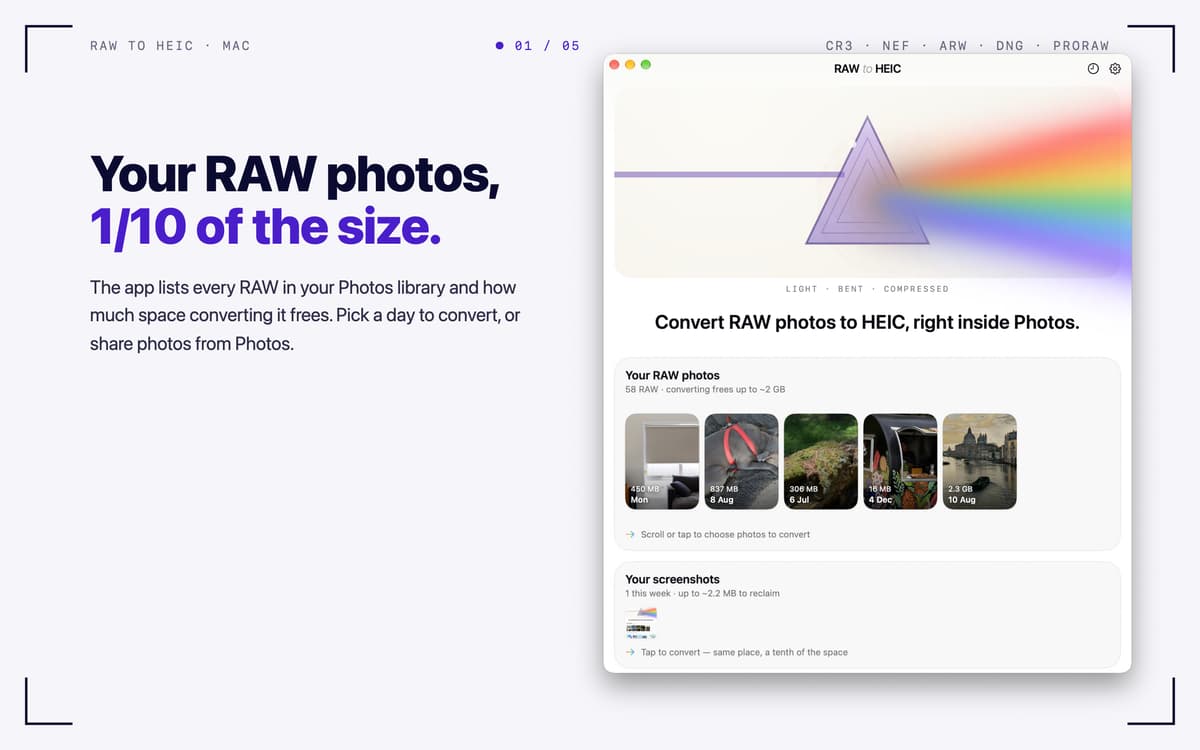
RAW to HEIC — RAW photo converter for Mac. It turns camera RAW files and iPhone ProRAW into HEIC, the format Apple Photos uses natively. You keep the look of your photos and often win back 70–90% of the storage. Convert right from Photos, Finder, or the app window, and your lens details, albums, edits, and HDR come along. You decide what happens to the originals, and everything stays on your Mac.
Free up storage after a big shoot
Convert iPhone ProRAW right in Photos
Keep HDR and metadata intact
Batch-convert RAW files from any camera
Fonctionnalités de RAW to HEIC
Convert where you already work
Select RAWs in Photos, share them to RAW to HEIC, and the converted HEICs land back in your library, in the same albums. In Finder, share files or drop them on the app window, and each HEIC is saved next to its original. You can also pick photos from your library with one click.
Keep what matters
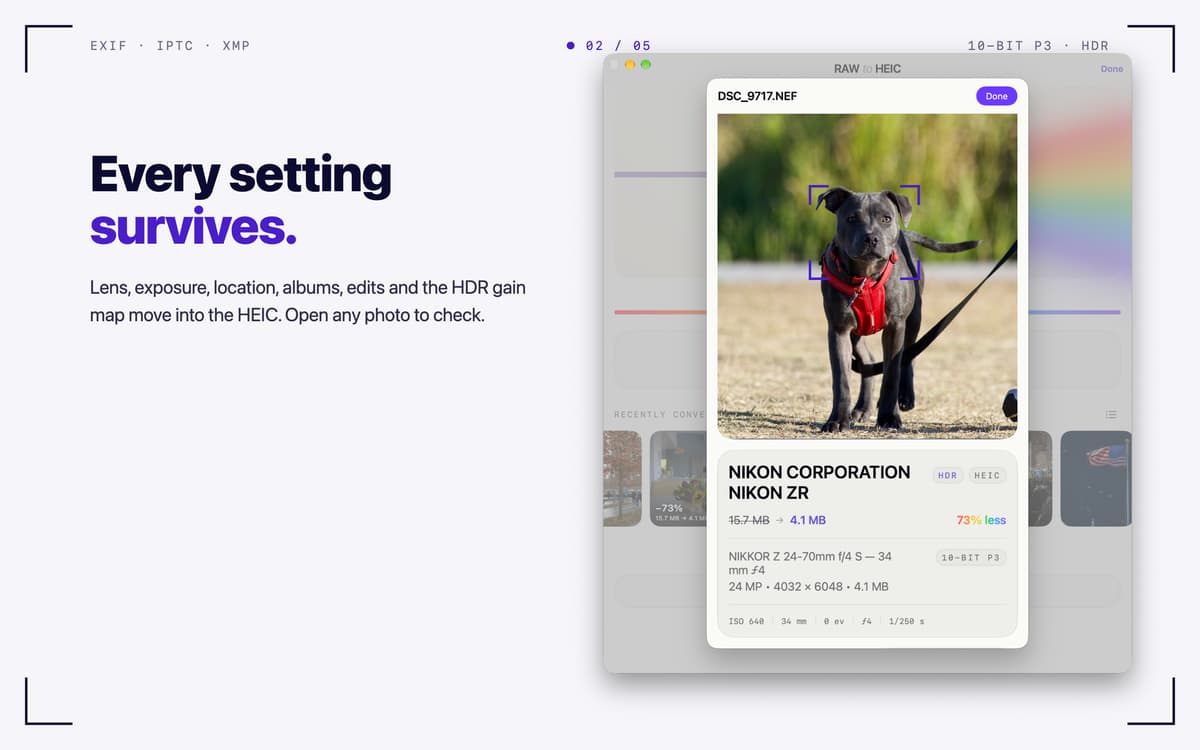
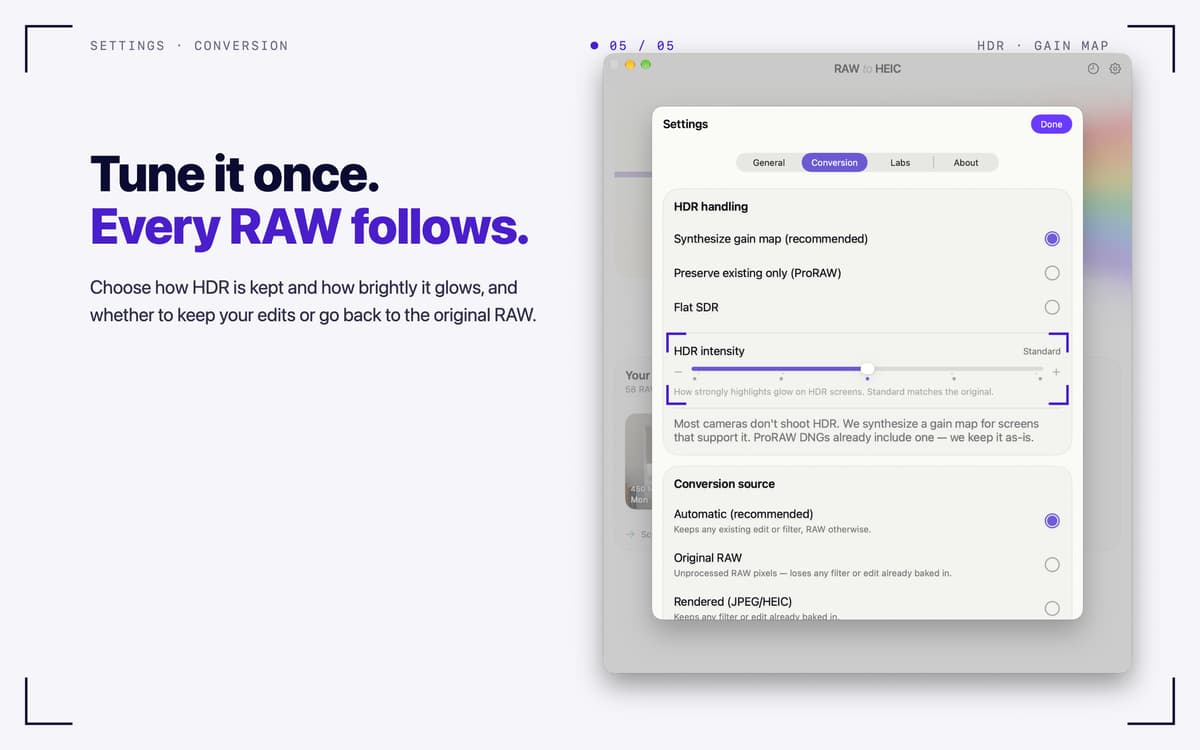
Lens, exposure, date, and location (EXIF, IPTC, XMP) carry over into the HEIC. Your albums and edits in Photos stay put. HDR photos stay HDR, thanks to a gain map in the ISO standard that Photos and macOS display. Output is 10-bit Display P3.
Your originals, your call
After conversion, delete the RAWs (macOS always asks first), move them to an archive folder, or keep them. A RAW is only removed once its HEIC is safely in your library and verified. Files you dropped in are never deleted.
Built for big shoots
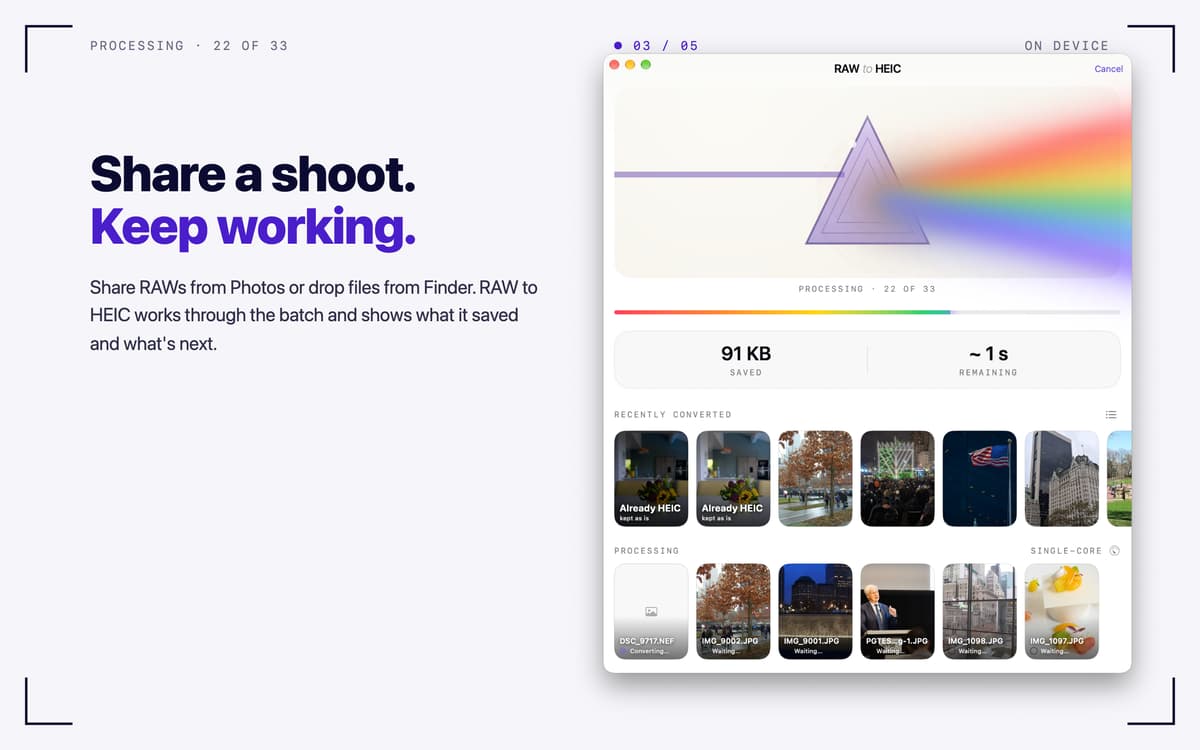
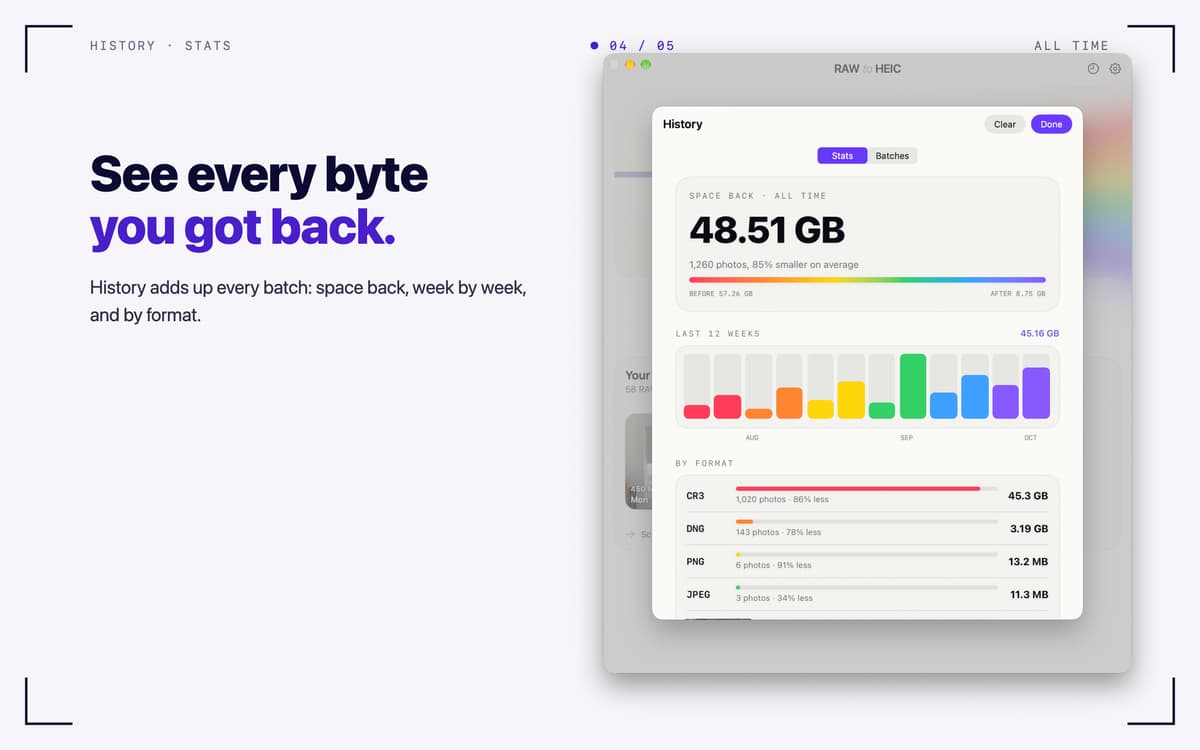
Turbo Mode converts several photos at once on Apple silicon. Keep working while it runs, and check progress in the menu bar. History lists every batch, and Stats show how much space you got back, week by week and by format.
Works with the files you have
Canon CR3/CR2, Sony ARW, Nikon NEF, Fujifilm RAF, Adobe DNG, iPhone ProRAW, and other RAW formats macOS can read. It also handles JPEG, PNG, TIFF, and HEIC.
Private by design
Everything runs on your Mac. No accounts, no analytics, no uploads.
Profitez de centaines d'applications avec Membership
Devenez membre Setapp et utilisez des centaines d'applications incroyables grâce à un seul abonnement.
Forfait tout compris, après 7 jours d'essai gratuit
Installez Setapp sur votre Mac
Explorez des applications pour Mac, iOS et le Web. Découvrez comment accomplir facilement les tâches du quotidien.

Téléchargez l'application qui vous intéresse
Cette application vous attend dans Setapp. Installez-la d'un seul clic.

RAW to HEIC
Choisissez votre abonnement
Une seule application ou bien plus avec un abonnement Setapp. Accédez aux applications comme vous le souhaitez.

Profitez de centaines d'applications avec Membership
Devenez membre Setapp et utilisez des centaines d'applications incroyables grâce à un seul abonnement.
Forfait tout compris, après 7 jours d'essai gratuit
1
Installez Setapp sur votre Mac
Explorez des applications pour Mac, iOS et le Web. Découvrez comment accomplir facilement les tâches du quotidien.
2
Téléchargez l'application qui vous intéresse
Cette application vous attend dans Setapp. Installez-la d'un seul clic.
RAW to HEIC
3
Choisissez votre abonnement
Une seule application ou bien plus avec un abonnement Setapp. Accédez aux applications comme vous le souhaitez.
Des applications de qualité
Pour gérer des plannings, accomplir des tâches de routine, créer des contenus, coder et bien plus encore, optez pour Setapp.

TypingMind
IA conversationnelle avec interface alternative
générez ou résumez du texte
utilisez une bibliothèque de requêtes
IA

Spark Mail
Gérez vos e-mails
IA

CleanMyMac
Supprimez les fichiers inutiles

Bartender
Personnalisez la barre des menus

CleanShot X
Profitez de plus de possibilités pour les captures d'écran

Luminar Neo
Retouchez vos photos
IA

ClearVPN
Sécurisez votre connexion Internet

Craft
Travaillez sur vos documents
IA
RAW to HEIC
Turn RAW photos into HEIC