
ScreenPlace
Put every window in its place




Mac
Version 2.3
macOS 14.0 ou version supérieure
9 MB
2 langues
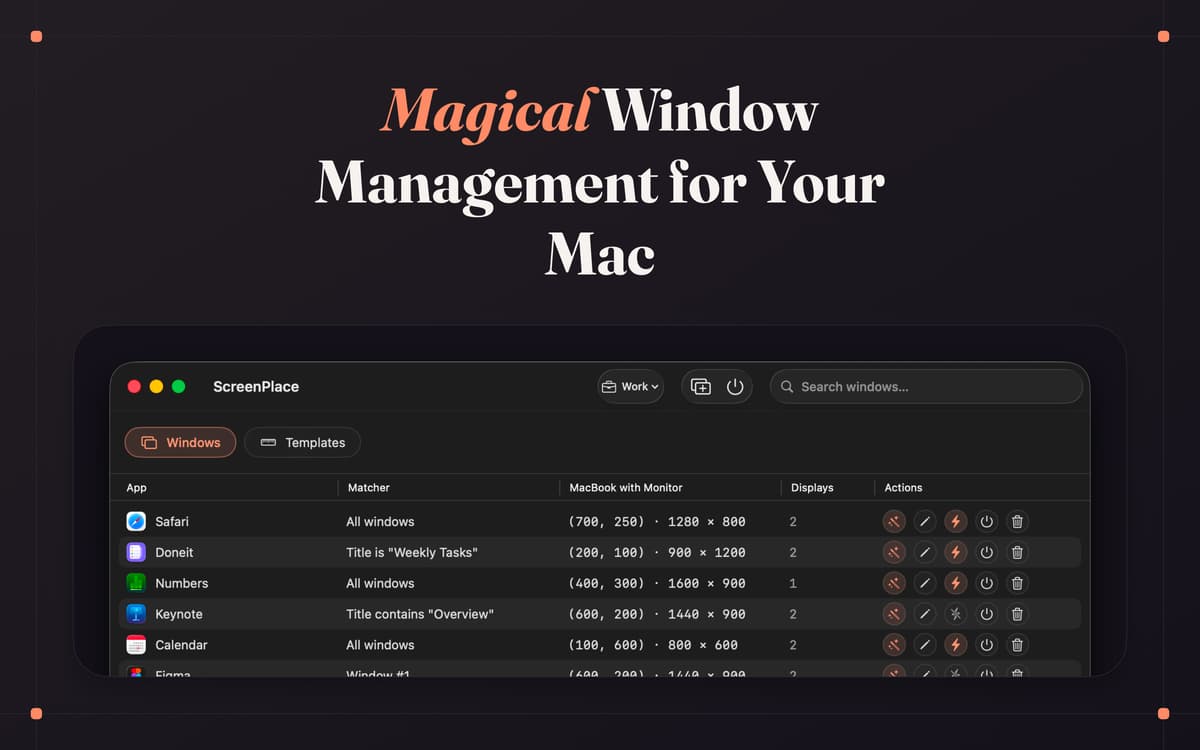
ScreenPlace is a window manager for Mac. It remembers exactly where every window belongs, then puts each one back in its place automatically. Group your apps into workspaces, save layouts you reuse often, and switch between them with a keyboard shortcut. Set it up once, and your windows stay right where you want them.
Snap windows back into place
Group apps into workspaces
Manage windows across displays
Auto-arrange windows on launch
Fonctionnalités de ScreenPlace
Snap windows back with badge
Badge is a small floating companion that stays near your windows. Nudge one out of place and you can snap it right back with a single click, or save its current size and position on the spot. It tucks itself away the moment everything already matches, so it's only there when you need it.
Build your own workspaces
Group your windows by whatever you're working on, then switch between setups in seconds. Jump straight from the menu bar or use a keyboard shortcut. Make as many workspaces as you like — one for writing, one for meetings, one for whatever's next.
Keep things tidy across displays
Plug in a second monitor and ScreenPlace knows what to do. Set up window positions per display, and the right layout applies the moment you connect. No more dragging everything back after you swap setups.
Let windows arrange themselves
With auto-apply, your windows are already in position by the time an app opens. Launch your apps and there's nothing left to resize or rearrange. It just looks the way you set it.
Control it from anywhere
Global shortcuts let you switch workspaces or apply a window size and position without opening the app. Set the keys you like and trigger your layouts from anywhere on your Mac.
Tune it to fit you
Save reusable templates for the sizes and positions you reach for most, and match windows by title, index, or pattern so the right one always lands in the right spot. Customize ScreenPlace down to the detail, and it'll quietly work the way you do.
Profitez de centaines d'applications avec Membership
Devenez membre Setapp et utilisez des centaines d'applications incroyables grâce à un seul abonnement.
Forfait tout compris, après 7 jours d'essai gratuit
Installez Setapp sur votre Mac
Explorez des applications pour Mac, iOS et le Web. Découvrez comment accomplir facilement les tâches du quotidien.

Téléchargez l'application qui vous intéresse
Cette application vous attend dans Setapp. Installez-la d'un seul clic.

ScreenPlace
Choisissez votre abonnement
Une seule application ou bien plus avec un abonnement Setapp. Accédez aux applications comme vous le souhaitez.

Profitez de centaines d'applications avec Membership
Devenez membre Setapp et utilisez des centaines d'applications incroyables grâce à un seul abonnement.
Forfait tout compris, après 7 jours d'essai gratuit
1
Installez Setapp sur votre Mac
Explorez des applications pour Mac, iOS et le Web. Découvrez comment accomplir facilement les tâches du quotidien.
2
Téléchargez l'application qui vous intéresse
Cette application vous attend dans Setapp. Installez-la d'un seul clic.
ScreenPlace
3
Choisissez votre abonnement
Une seule application ou bien plus avec un abonnement Setapp. Accédez aux applications comme vous le souhaitez.
Des applications de qualité
Pour gérer des plannings, accomplir des tâches de routine, créer des contenus, coder et bien plus encore, optez pour Setapp.

TypingMind
IA conversationnelle avec interface alternative
générez ou résumez du texte
utilisez une bibliothèque de requêtes
IA

Spark Mail
Gérez vos e-mails
IA

CleanMyMac
Supprimez les fichiers inutiles

Bartender
Personnalisez la barre des menus

CleanShot X
Profitez de plus de possibilités pour les captures d'écran

Luminar Neo
Retouchez vos photos
IA

ClearVPN
Sécurisez votre connexion Internet

Craft
Travaillez sur vos documents
IA
ScreenPlace
Put every window in its place