
Tidyshot
Tidy up your screenshots
Mac
Version 2.7.0
macOS 14.6 ou version supérieure
21.2 MB
6 langues
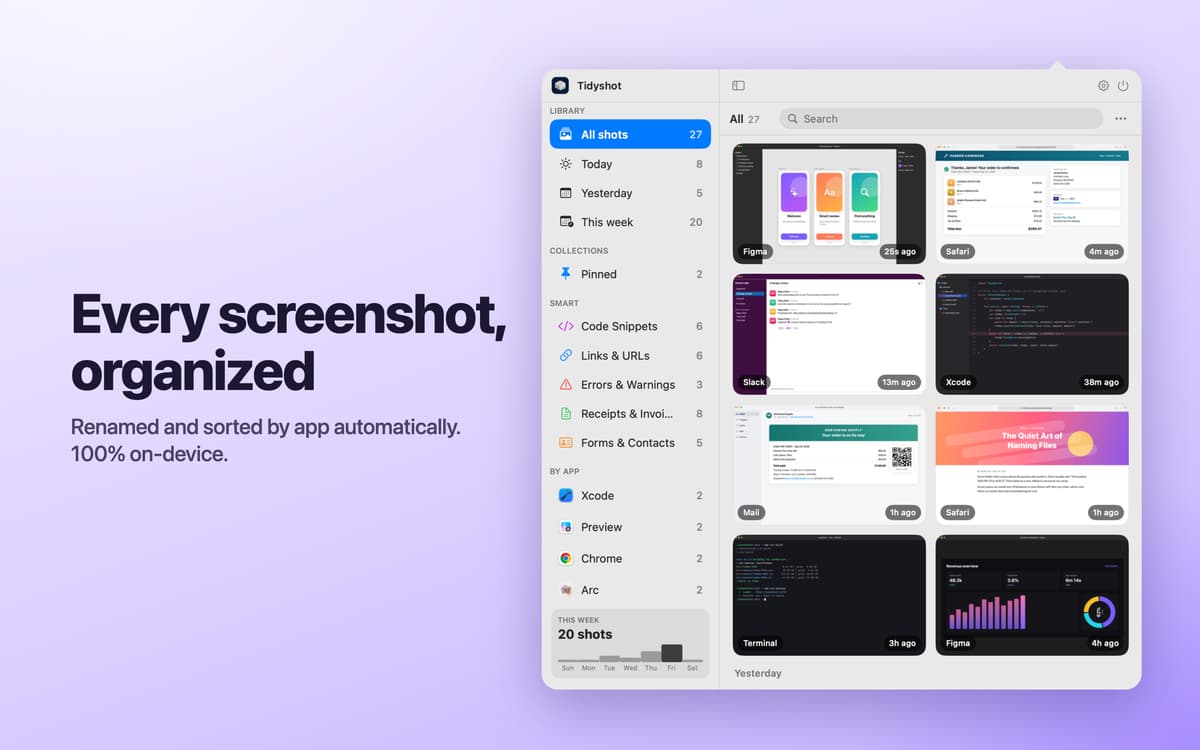
Tidyshot is a screenshot organizer for Mac. It reads the text in new screenshots, gives each file a useful name, and sorts it into the right folder. When you need a screenshot again, search for any word you remember seeing in it. No more opening files called “Screenshot 2026-09-25 at 10.15.32.png” one by one.
Rename screenshots automatically
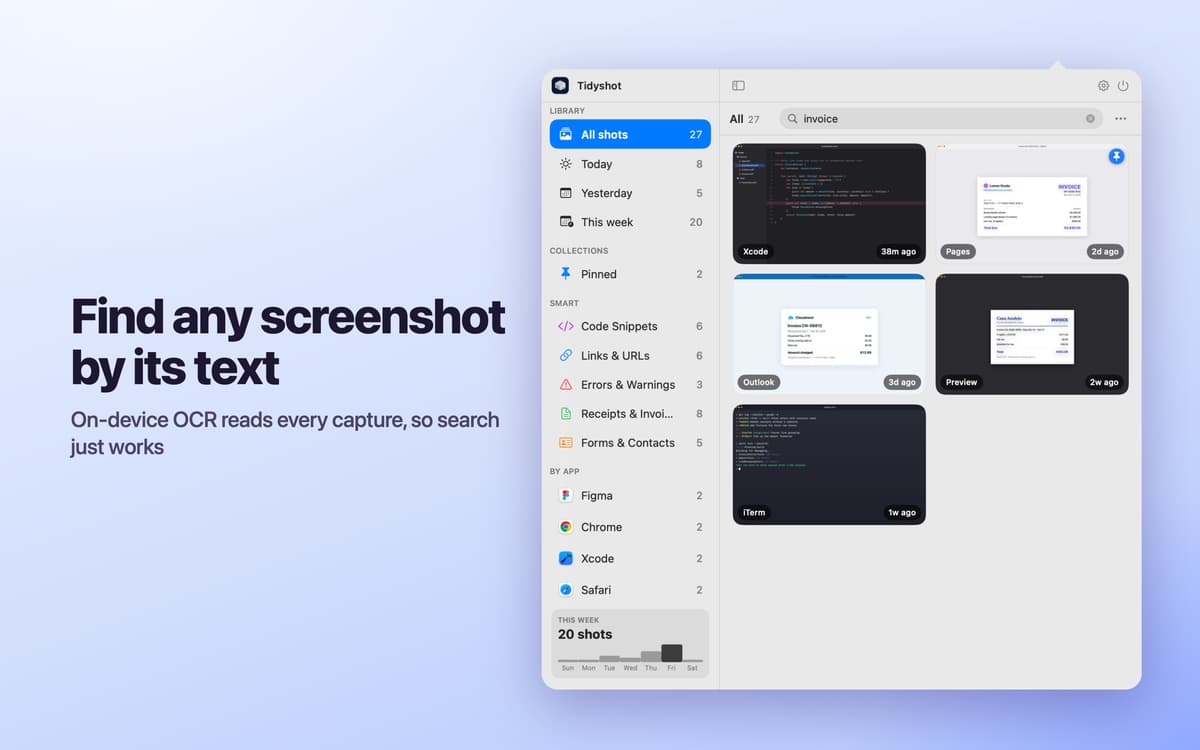
Find any screenshot by its text
Sort screenshots into folders by app
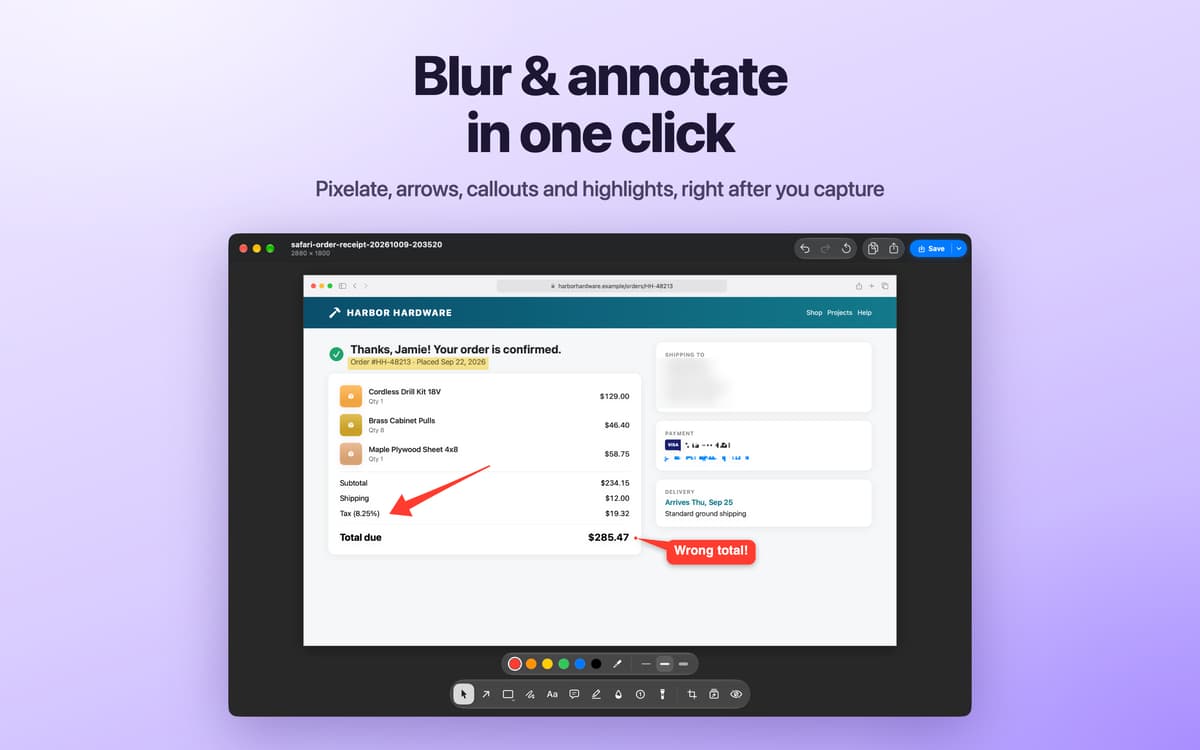
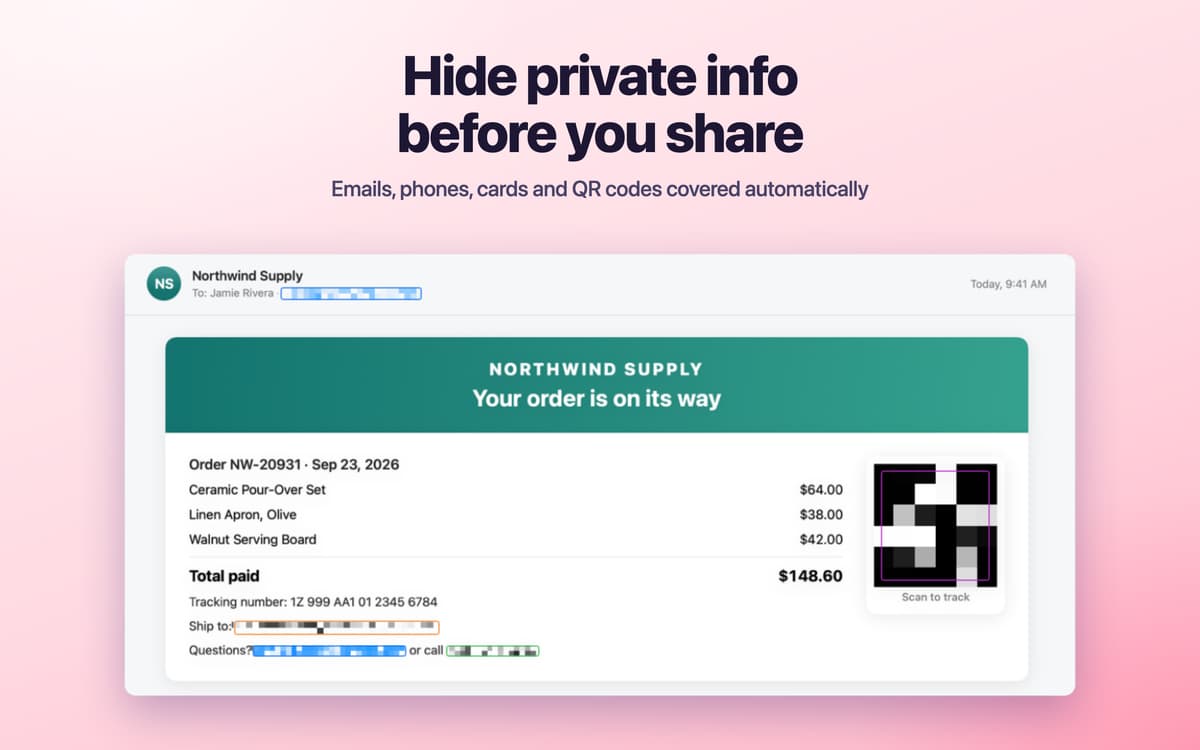
Blur private info before sharing
Fonctionnalités de Tidyshot
Give screenshots useful names
Tidyshot reads the text in a screenshot, identifies its source app, and creates a descriptive filename such as figma-pricing-page-20260925-101532.png. Build your own naming style with tokens including app, date, and keywords.
Sort new and old captures
Monitor screenshot folders and organize new captures within seconds. Each app gets its own folder, and files receive Finder tags automatically. Import an existing screenshot collection, preview every change, and undo the operation if needed. Tidyshot works with the macOS screenshot shortcut, CleanShot, Shottr, and other capture tools.
Search by what you saw
Find a screenshot using any word that appears inside it. Tidyshot recognizes text in dozens of languages and can also find related meanings when you don’t remember the exact wording. Smart Collections automatically group screenshots containing code, links, errors, receipts, and forms. Your screenshots show up in Spotlight search, too.
Hide sensitive details
Detect emails, phone numbers, addresses, card numbers, tracking numbers, IP addresses, and QR codes. Add custom detection rules, review the suggested redactions, and save a protected copy while leaving the original untouched.
Mark up and polish images
Add arrows, shapes, text, callouts, numbered steps, and highlights in the built-in editor. Blur or pixelate details, crop the image, and add a backdrop with padding, rounded corners, and a shadow.
Keep recent captures close
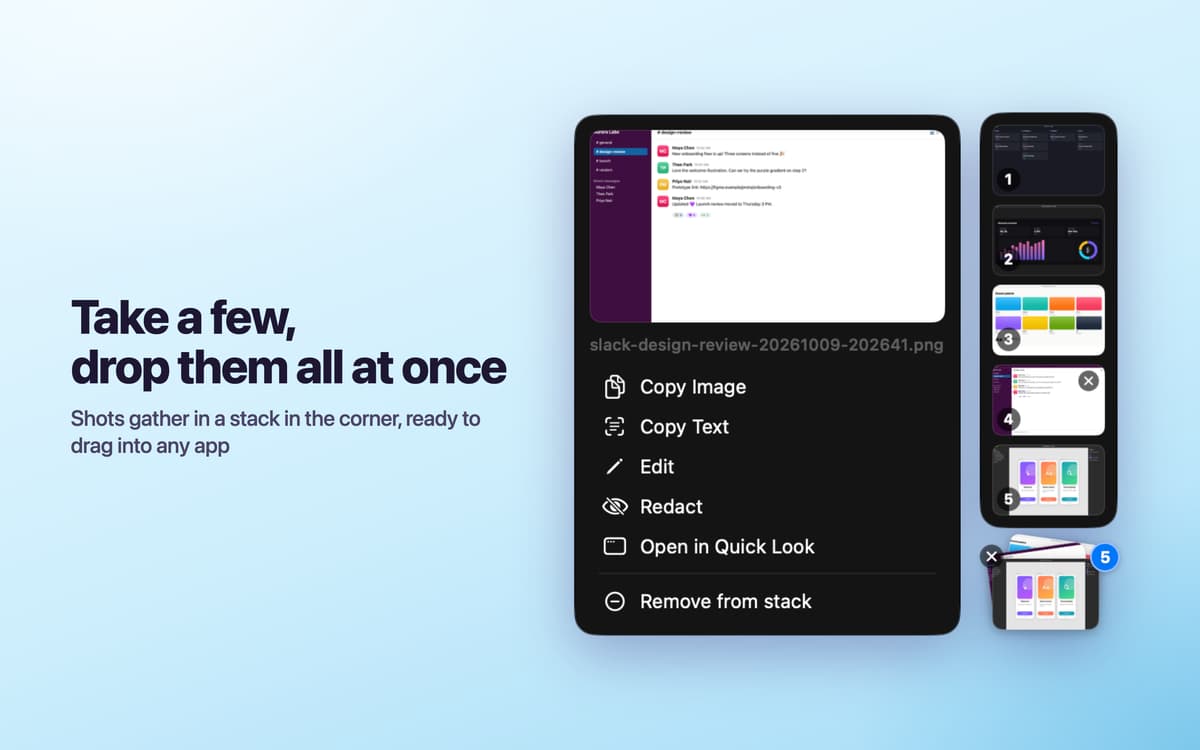
Open the screenshot shelf from the menu bar or with a hot corner. Click a thumbnail to copy it, drag it into another app, or press Space to preview it. After taking a screenshot, use the quick banner to copy the image or its text. Smart Actions turn detected links, emails, phone numbers, and addresses into one-click actions.
Avis et commentaires
Tidyshot
•
2 classements
Pablo
6 oct. 2026
Version de l'application : 2.6.4
Decided to give it a try. Took a few minutes to figure out, and then it just works. One thing you have to turn off the macOS screenshot thumbnail yourself, otherwise it overlaps with Tidyshot. Auto-redact works really well, and you can add your own patterns, still worth double-checking before sending data, of course. Overall a pleasant app, I think I'll get used to it quickly
Réponse du développeur
7 oct. 2026
Thanks for the feedback! Will make setup easier in the next update.
munch.
2 oct. 2026
Version de l'application : 2.6.4
Love from the first screenshot! Totalyl recommend! Screnshot, edit, redact, share.. everythong at the same place! Search and OCR makes it diary of work, nor just screenshots manager
Réponse du développeur
6 oct. 2026
Thank you! We are working on next useful update :)
Profitez de centaines d'applications avec Membership
Devenez membre Setapp et utilisez des centaines d'applications incroyables grâce à un seul abonnement.
Forfait tout compris, après 7 jours d'essai gratuit
Installez Setapp sur votre Mac
Explorez des applications pour Mac, iOS et le Web. Découvrez comment accomplir facilement les tâches du quotidien.

Téléchargez l'application qui vous intéresse
Cette application vous attend dans Setapp. Installez-la d'un seul clic.

Tidyshot
Choisissez votre abonnement
Une seule application ou bien plus avec un abonnement Setapp. Accédez aux applications comme vous le souhaitez.

Profitez de centaines d'applications avec Membership
Devenez membre Setapp et utilisez des centaines d'applications incroyables grâce à un seul abonnement.
Forfait tout compris, après 7 jours d'essai gratuit
1
Installez Setapp sur votre Mac
Explorez des applications pour Mac, iOS et le Web. Découvrez comment accomplir facilement les tâches du quotidien.
2
Téléchargez l'application qui vous intéresse
Cette application vous attend dans Setapp. Installez-la d'un seul clic.
Tidyshot
3
Choisissez votre abonnement
Une seule application ou bien plus avec un abonnement Setapp. Accédez aux applications comme vous le souhaitez.
Des applications de qualité
Pour gérer des plannings, accomplir des tâches de routine, créer des contenus, coder et bien plus encore, optez pour Setapp.

TypingMind
IA conversationnelle avec interface alternative
générez ou résumez du texte
utilisez une bibliothèque de requêtes
IA

Spark Mail
Gérez vos e-mails
IA

CleanMyMac
Supprimez les fichiers inutiles

Bartender
Personnalisez la barre des menus

CleanShot X
Profitez de plus de possibilités pour les captures d'écran

Luminar Neo
Retouchez vos photos
IA

ClearVPN
Sécurisez votre connexion Internet

Craft
Travaillez sur vos documents
IA
Tidyshot
Tidy up your screenshots