Tintd
Icônes de dossiers automatiques pour votre Mac
Mac
Version 2.0.0
macOS 14.0 ou version supérieure
55.8 MB
11 langues
Tous vos dossiers Mac se ressemblent, et les organiser un par un avec des icônes personnalisées est une corvée. Tintd résout ce problème en attribuant automatiquement des icônes et des couleurs basées sur les noms de dossiers. Créez un dossier nommé « Factures » et il obtiendra une icône de facture. « Vacances 2026 » obtient un palmier. Cela se fait automatiquement en arrière-plan, sans application à ouvrir, rien à configurer. Pour plus de contrôle, faites un clic droit sur n'importe quel dossier ou ouvrez l'éditeur complet avec plus de 11 000 icônes et émojis. Tout fonctionne localement sur votre Mac — pas de cloud, pas de services d'IA, entièrement privé.
Icônes auto selon nom de dossier
Stylisez vos nouveaux dossiers à la volée
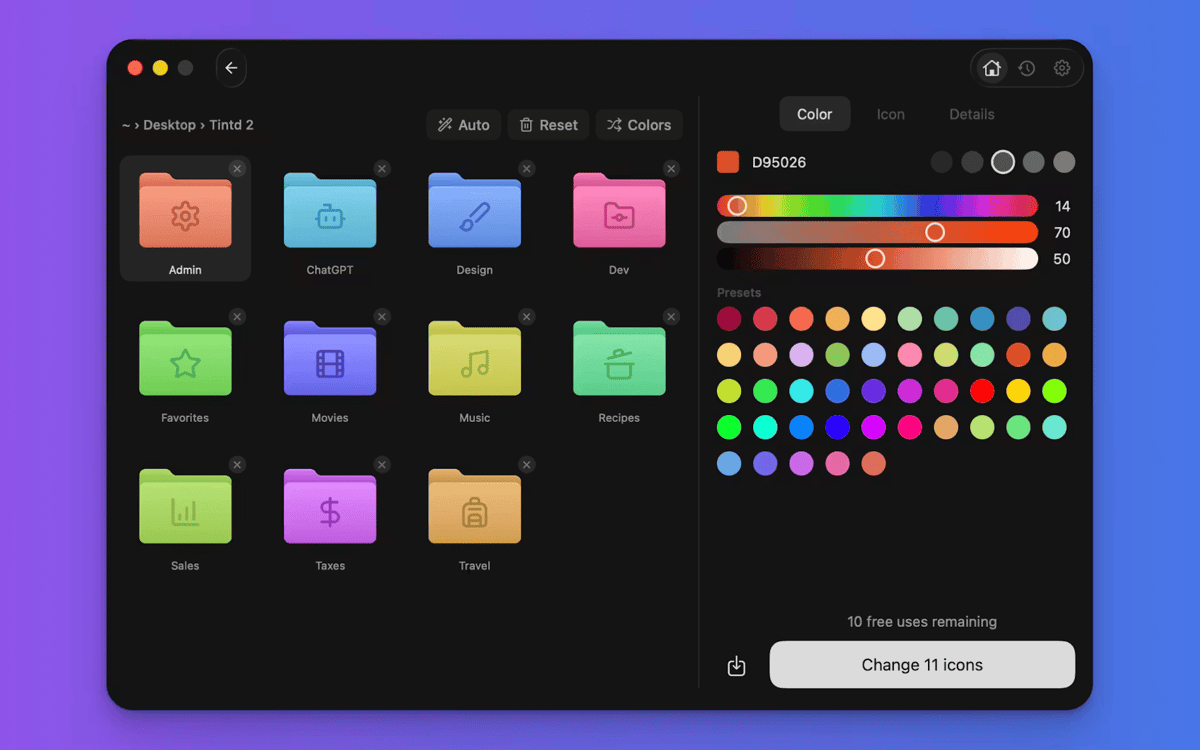
Codes couleur des dossiers en un clic
Stylisez des dizaines de dossiers par lot
Fonctionnalités de Tintd
Des icônes qui se configurent automatiquement
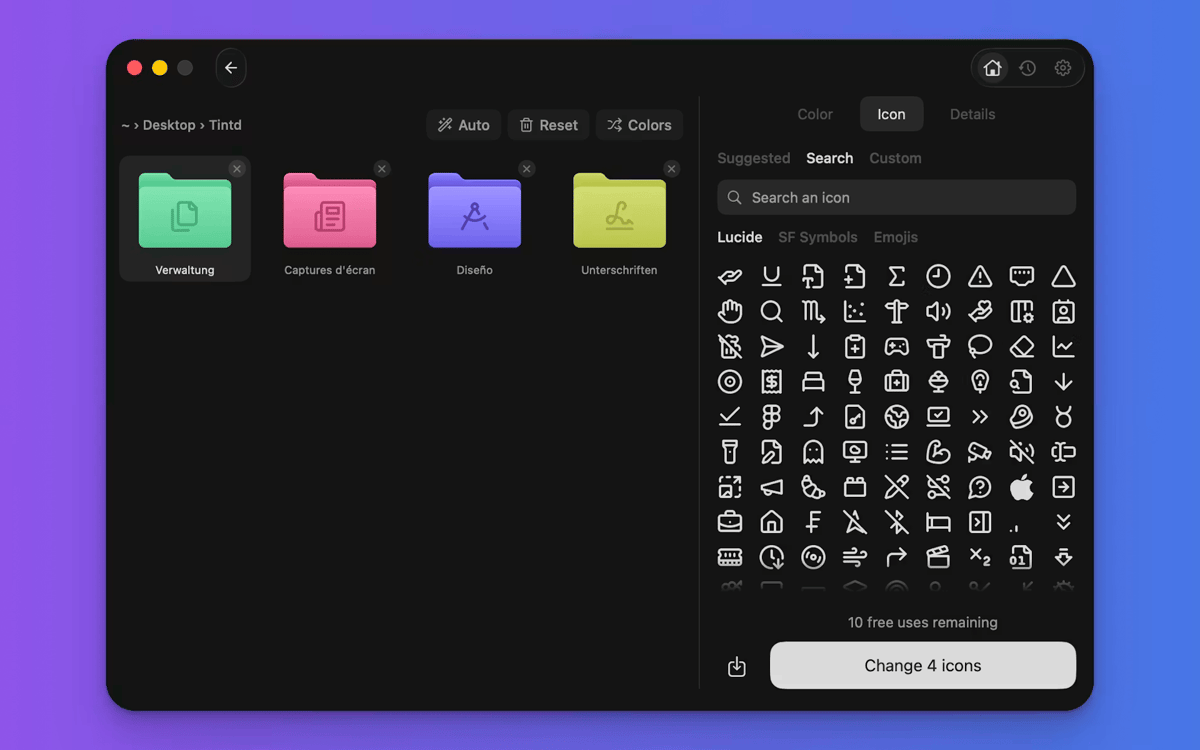
Voici ce qui rend Tintd unique. Il lit le nom de votre dossier, le compare à plus de 11 000 icônes et en choisit une adaptée — instantanément et hors ligne. « Captures d'écran » se dote d'une caméra. « Musique » reçoit une note. Vous ne naviguez pas, vous ne glissez pas, vous n'y pensez pas. Fonctionne parfaitement avec 11 langues, même mélangées dans le même dossier.
Nouveaux dossiers, stylisés à la volée
Activez Folder Watcher et Tintd fonctionne en arrière-plan. Chaque nouveau dossier que vous créez obtient automatiquement une icône et une couleur adaptées dès qu'il apparaît dans le Finder. Vos dossiers restent organisés à mesure que votre système de fichiers se développe — sans que vous ayez à lever le petit doigt.
Cliquez droit sur n'importe quel dossier
Vous avez déjà des dossiers à rafraîchir ? Faites un clic droit sur un fichier dans le Finder et Tintd lui attribue une icône intelligente en un clic. Pas besoin d'ouvrir l'application ni d'interrompre votre flux de travail.
Personnalisez entièrement selon vos envies
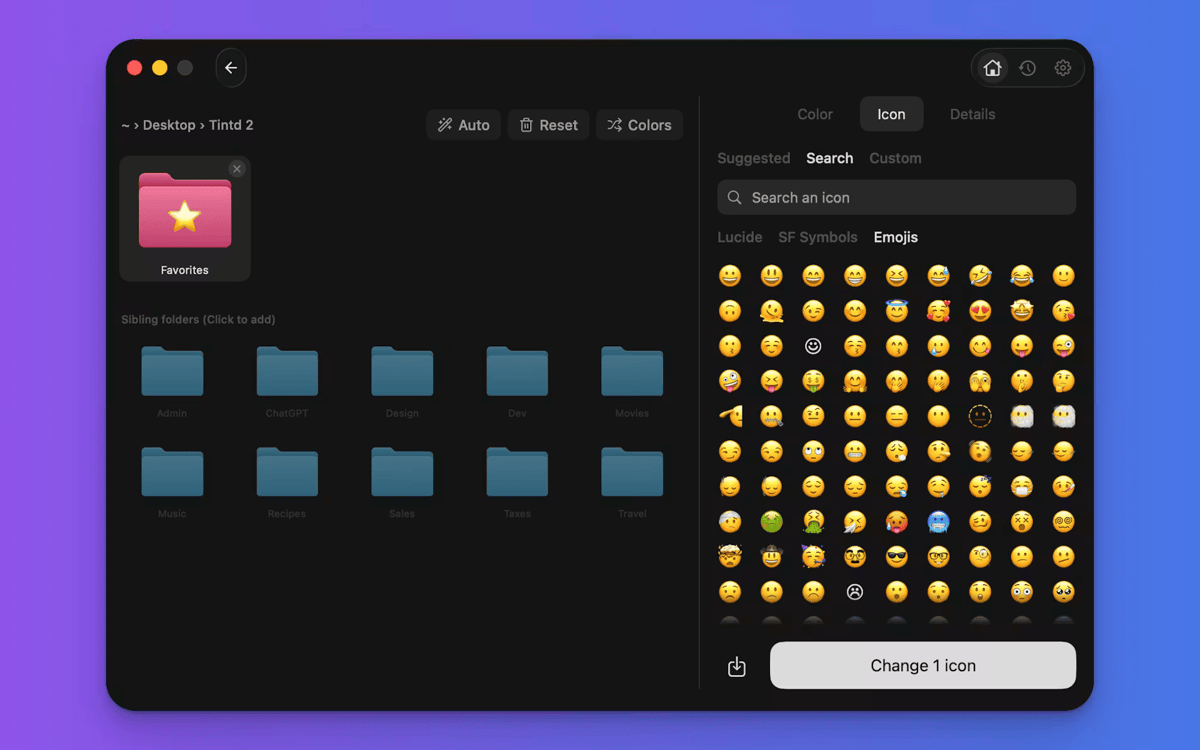
Tintd ne vous enferme pas dans le mode automatique. Ouvrez n'importe quel dossier dans l'éditeur pour choisir votre propre couleur, sélectionner parmi plus de 11 000 icônes et emojis, importer des images personnalisées ou redimensionner et recolorer les superpositions. Chaque icône que vous créez est sauvegardée dans votre historique pour être réutilisée rapidement.
Modifiez plusieurs dossiers rapidement
Sélectionnez plusieurs dossiers et personnalisez-les tous en une fois. Alternez les couleurs, appliquez une icône unique à tous les dossiers, ou laissez Smart Icon attribuer automatiquement une icône à chaque dossier. Idéal pour configurer un dossier de projet ou nettoyer votre Bureau en une seule fois.
Des couleurs intelligentes qui restent cohérentes
La fonction Smart Color de Tintd analyse les dossiers environnants et choisit une couleur qui comble un vide sur le cercle chromatique. Le résultat paraît intentionnel et cohérent — même si vous ne l'aviez pas planifié.
Profitez de centaines d'applications avec Membership
Devenez membre Setapp et utilisez des centaines d'applications incroyables grâce à un seul abonnement.
Forfait tout compris, après 7 jours d'essai gratuit
Installez Setapp sur votre Mac
Explorez des applications pour Mac, iOS et le Web. Découvrez comment accomplir facilement les tâches du quotidien.

Téléchargez l'application qui vous intéresse
Cette application vous attend dans Setapp. Installez-la d'un seul clic.

Tintd
Choisissez votre abonnement
Une seule application ou bien plus avec un abonnement Setapp. Accédez aux applications comme vous le souhaitez.

Profitez de centaines d'applications avec Membership
Devenez membre Setapp et utilisez des centaines d'applications incroyables grâce à un seul abonnement.
Forfait tout compris, après 7 jours d'essai gratuit
1
Installez Setapp sur votre Mac
Explorez des applications pour Mac, iOS et le Web. Découvrez comment accomplir facilement les tâches du quotidien.
2
Téléchargez l'application qui vous intéresse
Cette application vous attend dans Setapp. Installez-la d'un seul clic.
Tintd
3
Choisissez votre abonnement
Une seule application ou bien plus avec un abonnement Setapp. Accédez aux applications comme vous le souhaitez.
Des applications de qualité
Pour gérer des plannings, accomplir des tâches de routine, créer des contenus, coder et bien plus encore, optez pour Setapp.

TypingMind
IA conversationnelle avec interface alternative
générez ou résumez du texte
utilisez une bibliothèque de requêtes
IA

Spark Mail
Gérez vos e-mails
IA

CleanMyMac
Supprimez les fichiers inutiles

Bartender
Personnalisez la barre des menus

CleanShot X
Profitez de plus de possibilités pour les captures d'écran

Luminar Neo
Retouchez vos photos
IA

ClearVPN
Sécurisez votre connexion Internet

Craft
Travaillez sur vos documents
IA
Tintd
Icônes de dossiers automatiques pour votre Mac