
TranscribeX
Convertissez votre audio et vidéo en texte
Mac
Version 10.3
macOS 14.6 ou version supérieure
267.9 MB
1 langues
Les fichiers audio et vidéo peuvent contenir de précieuses informations, mais les extraire manuellement peut prendre du temps et perturber votre flux de travail. En quelques secondes, TranscribeX peut transformer vos enregistrements en textes clairs et modifiables, pour que vous puissiez vous concentrer sur la réflexion, la rédaction et la création. Tout se passe sur votre Mac pour aller plus vite et mieux protéger vos données.
Convertissez vos enregistrements en texte
Transcrivez du contenu dans plus de 100 langues
Résumez vos contenus avec des outils d'IA avancés
Vos fichiers restent en sécurité sur votre Mac
Fonctionnalités de TranscribeX
Transcrivez des contenus audio et vidéo
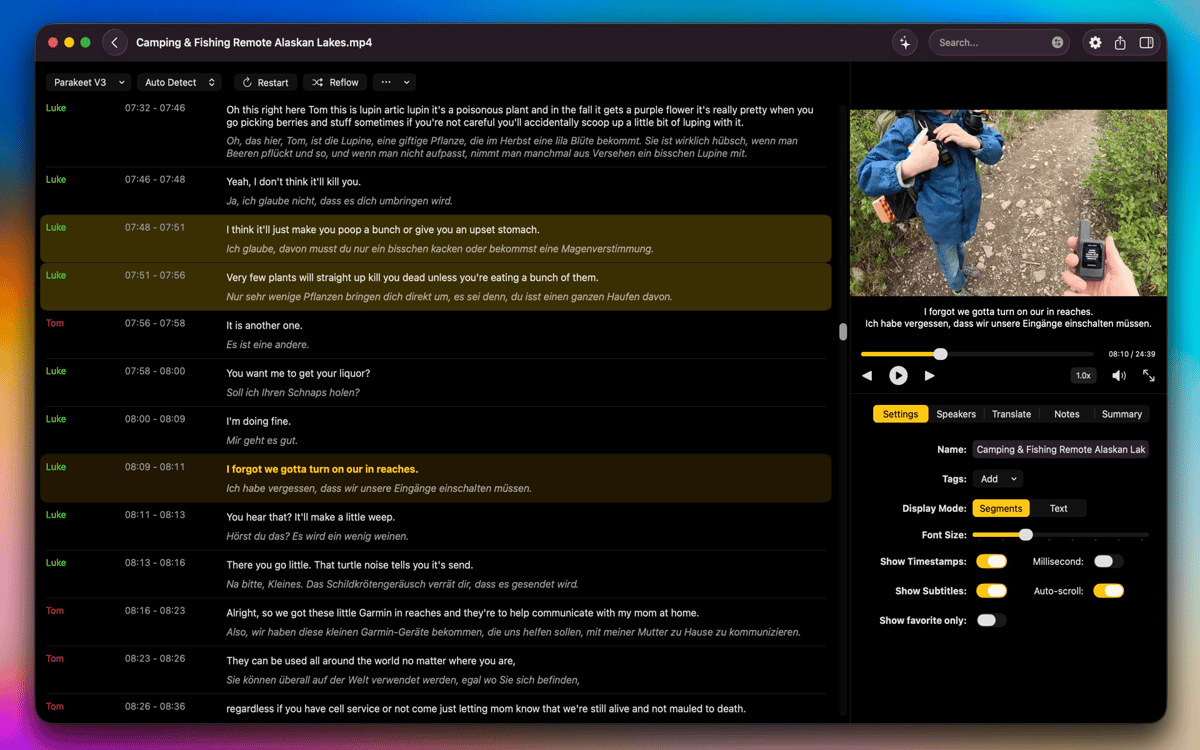
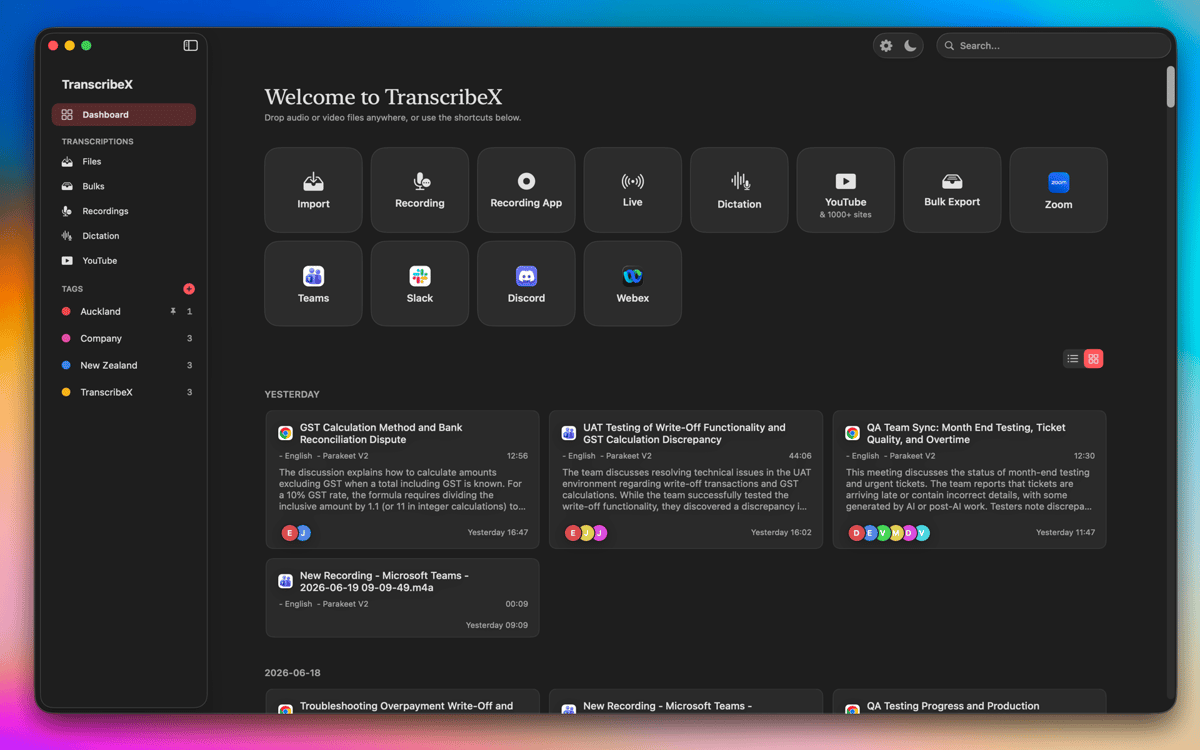
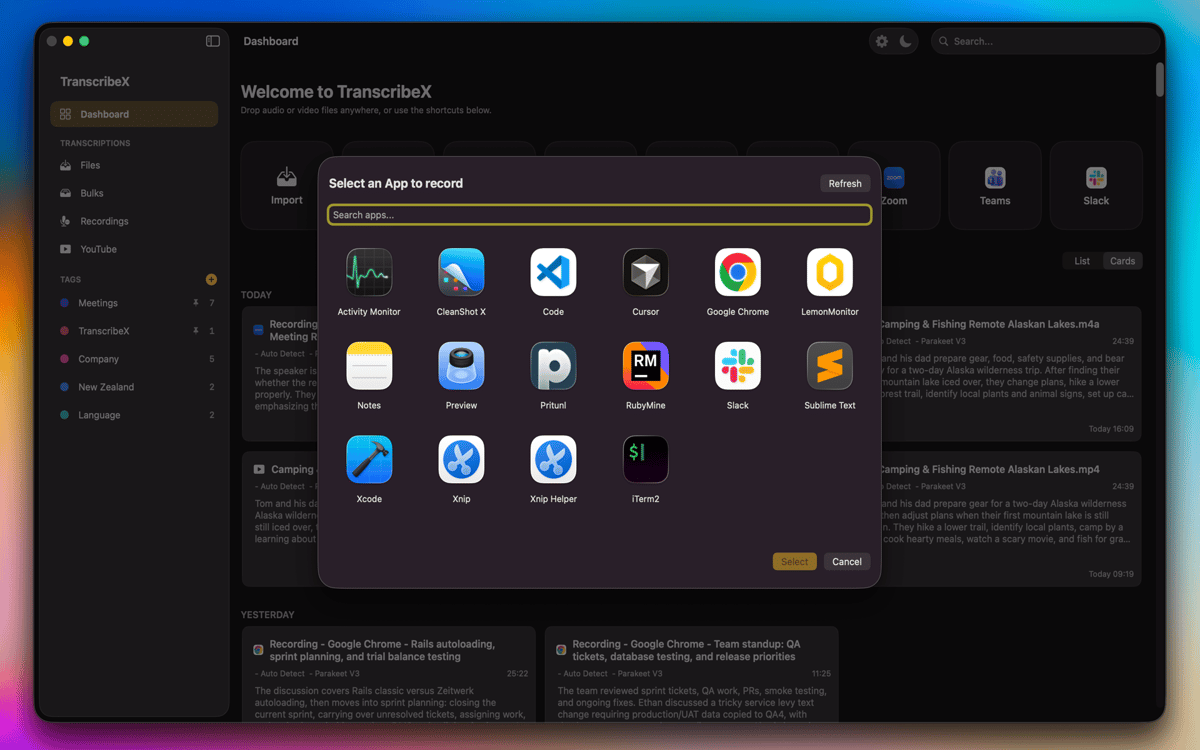
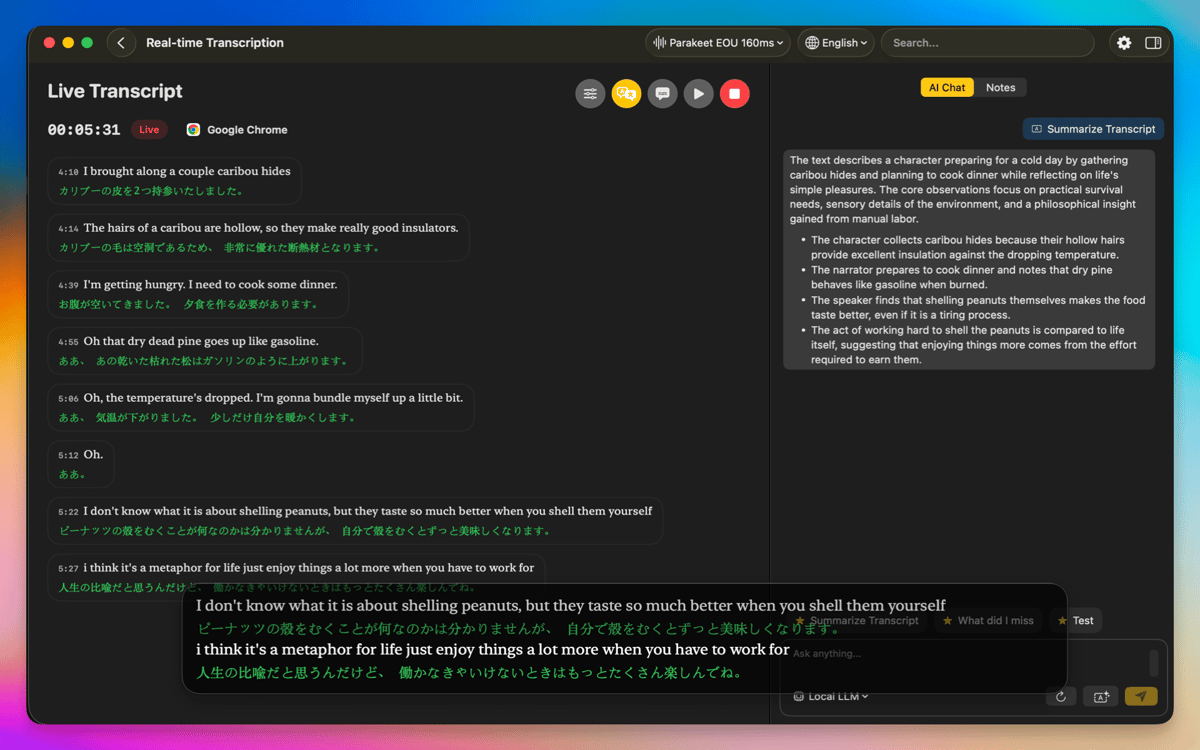
Avec TranscribeX, il est facile de transformer vos enregistrements en transcriptions précises, à l'aide d'Open AI Whisper, Parakeet et Apple Intelligence. Importez simplement vos fichiers audio ou vidéo depuis votre Mac, faites-les glisser dans l'application, ou enregistrez directement votre contenu depuis votre micro. Vous pouvez même utiliser l'audio d'autres applications, comme Zoom ou Google Meet. Quand vous avez affaire à des projets plus conséquents, vous pouvez transcrire plusieurs fichiers à la fois, pour gagner du temps et travailler de façon fluide et simplifiée.
Traductions, résumés et fluidification des tâches
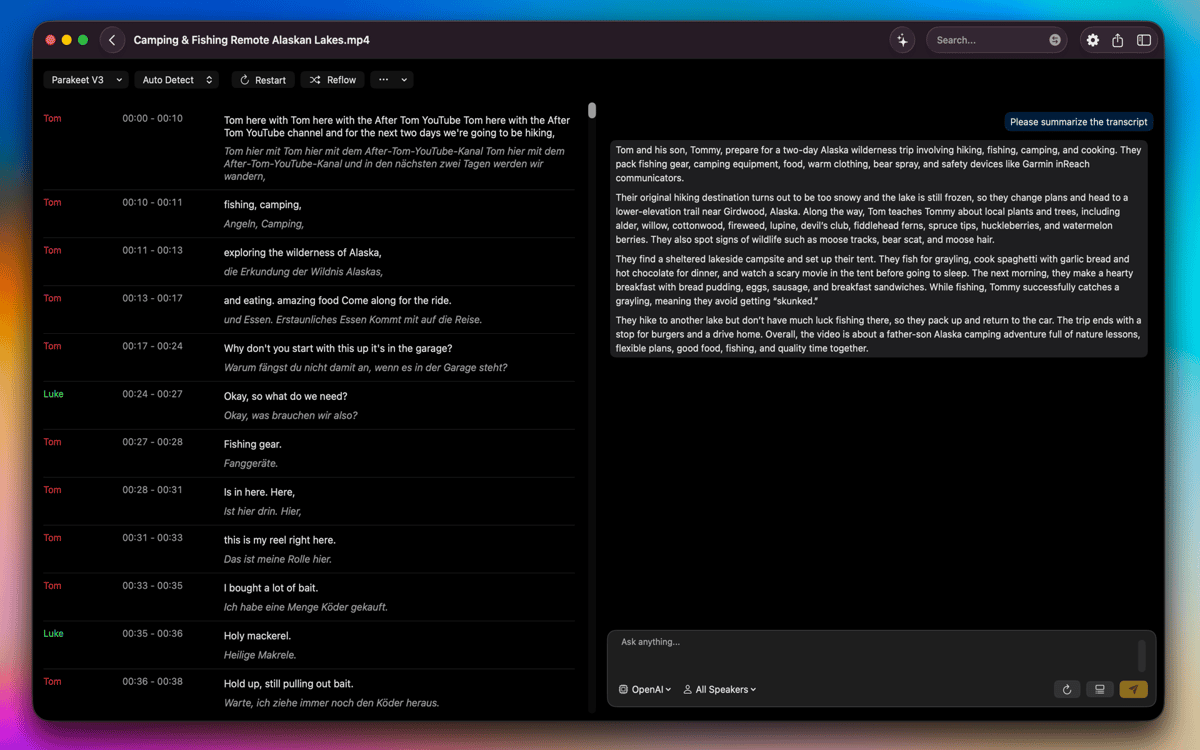
Les outils de traduction intégrés à l'application (Apple Translate et DeepL) vous permettent de traduire vos transcriptions dans de nombreuses langues. Besoin d'une vue d'ensemble des contenus de vos enregistrements les plus longs ? Utilisez ChatGPT, Gemini et d'autres modèles d'IA pour générer des résumés. TranscribeX inclut également des requêtes prédéfinies pour vous aider à accélérer votre flux de travail.
Éditez et peaufinez vos transcriptions
Une fois vos transcriptions générées, vous pouvez fusionner ou scinder des parties, changer les noms des intervenants, éditer les différentes sections en fonction du nombre de mots ou de caractères, ou ajuster manuellement l'horodatage pour un résultat impeccable. Pendant la lecture du fichier audio ou vidéo, vous pouvez suivre la transcription sans perdre le fil, d'autant que l'application identifie et qualifie automatiquement les différents intervenants selon leurs voix.
Travaillez en local pour protéger vos fichiers
Tous les processus de transcription et de traduction sont effectués sur votre Mac, vous permettant d'assurer la confidentialité de vos fichiers en veillant à ce que vos données ne quittent pas votre appareil. L'accélération de la carte graphique garantit des performances rapides, même avec des enregistrements longs ou complexes. TranscribeX prend en charge de nombreux formats, vous permet de passer d'une vue compacte à une vue segmentée, et inclut des options permettant de révéler ou de supprimer les fichiers d'origine directement depuis le Finder. Tout est conçu pour vous aider à travailler de manière fluide, sécurisée et efficace.
Avis et commentaires
TranscribeX
•
110 classements
Tobias
7 oct. 2026
Version de l'application : 10.3
Crashed on first use
Réponse du développeur
7 oct. 2026
Hey, could you send us the crash report please? [email protected]
Angela
21 sept. 2026
Version de l'application : 10.2
Works as described! I just use it for transcribing a video every week for YouTube captioning and it has worked great!
Michael
31 août 2026
Version de l'application : 9.3
Praktische Diktierhilfe. Funktioniert besser als die Diktierfunktion von Apple.
Profitez de centaines d'applications avec Membership
Devenez membre Setapp et utilisez des centaines d'applications incroyables grâce à un seul abonnement.
Forfait tout compris, après 7 jours d'essai gratuit
Installez Setapp sur votre Mac
Explorez des applications pour Mac, iOS et le Web. Découvrez comment accomplir facilement les tâches du quotidien.

Téléchargez l'application qui vous intéresse
Cette application vous attend dans Setapp. Installez-la d'un seul clic.

TranscribeX
Choisissez votre abonnement
Une seule application ou bien plus avec un abonnement Setapp. Accédez aux applications comme vous le souhaitez.

Profitez de centaines d'applications avec Membership
Devenez membre Setapp et utilisez des centaines d'applications incroyables grâce à un seul abonnement.
Forfait tout compris, après 7 jours d'essai gratuit
1
Installez Setapp sur votre Mac
Explorez des applications pour Mac, iOS et le Web. Découvrez comment accomplir facilement les tâches du quotidien.
2
Téléchargez l'application qui vous intéresse
Cette application vous attend dans Setapp. Installez-la d'un seul clic.
TranscribeX
3
Choisissez votre abonnement
Une seule application ou bien plus avec un abonnement Setapp. Accédez aux applications comme vous le souhaitez.
Des applications de qualité
Pour gérer des plannings, accomplir des tâches de routine, créer des contenus, coder et bien plus encore, optez pour Setapp.

TypingMind
IA conversationnelle avec interface alternative
générez ou résumez du texte
utilisez une bibliothèque de requêtes
IA

Spark Mail
Gérez vos e-mails
IA

CleanMyMac
Supprimez les fichiers inutiles

Bartender
Personnalisez la barre des menus

CleanShot X
Profitez de plus de possibilités pour les captures d'écran

Luminar Neo
Retouchez vos photos
IA

ClearVPN
Sécurisez votre connexion Internet

Craft
Travaillez sur vos documents
IA
TranscribeX
Convertissez votre audio et vidéo en texte