
Typedesk
Écrivez moins, dites plus
Mac
Version 3.3.4
macOS 12.0 ou version supérieure
636.1 MB
1 langues
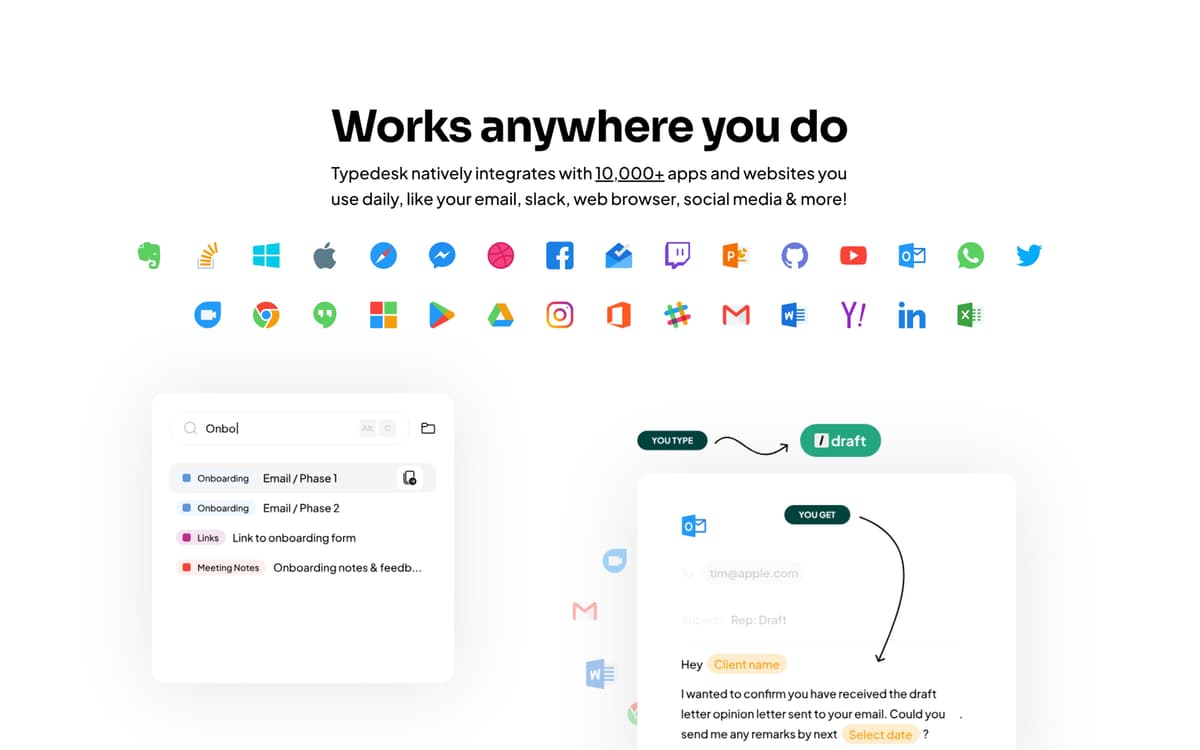
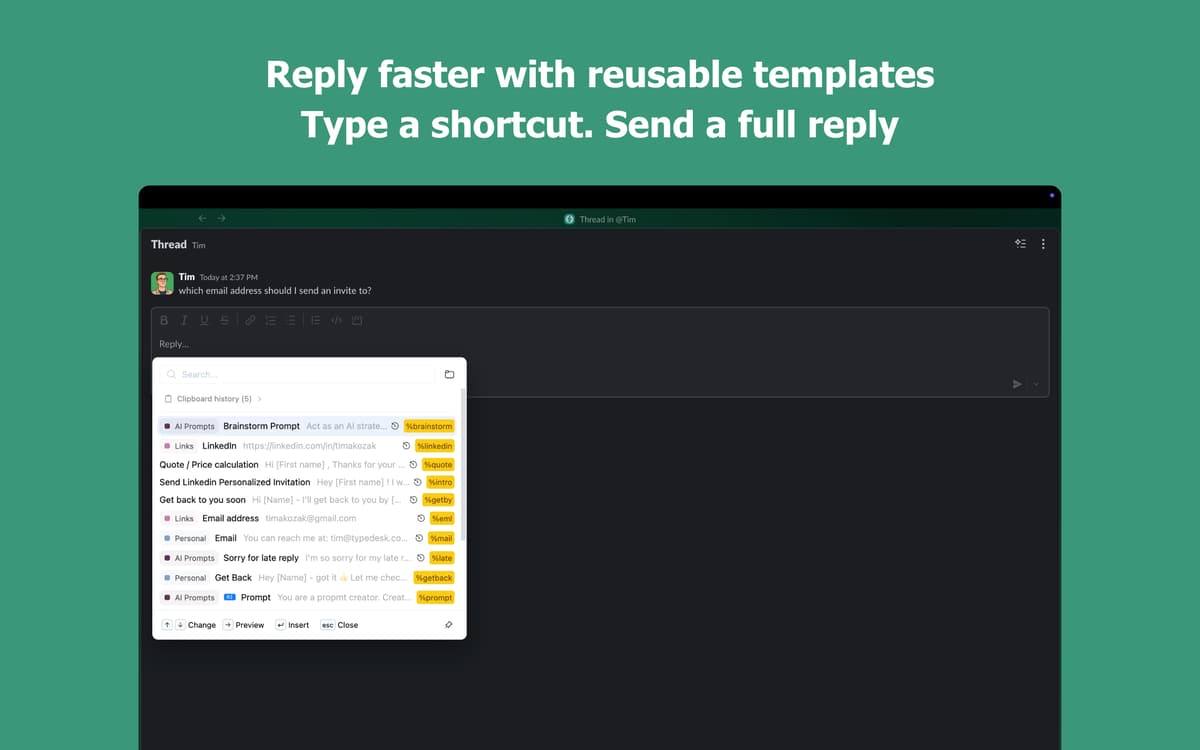
Vous en avez assez de taper toujours la même chose ? Typedesk vous permet de créer des raccourcis simples pour tout ce que vous tapez de manière répétitive : réponses d'e-mails, signatures, extraits de code, etc. Fonctionne parfaitement avec toutes vos applications Mac, vous faisant gagner du temps où que vous travailliez.
Créez des raccourcis pour des extraits de texte
Insérez des modèles en quelques frappes
Fonctionne dans toutes les applications Mac
Synchronisez vos raccourcis sur tous vos appareils
Fonctionnalités de Typedesk
Accélérez votre saisie
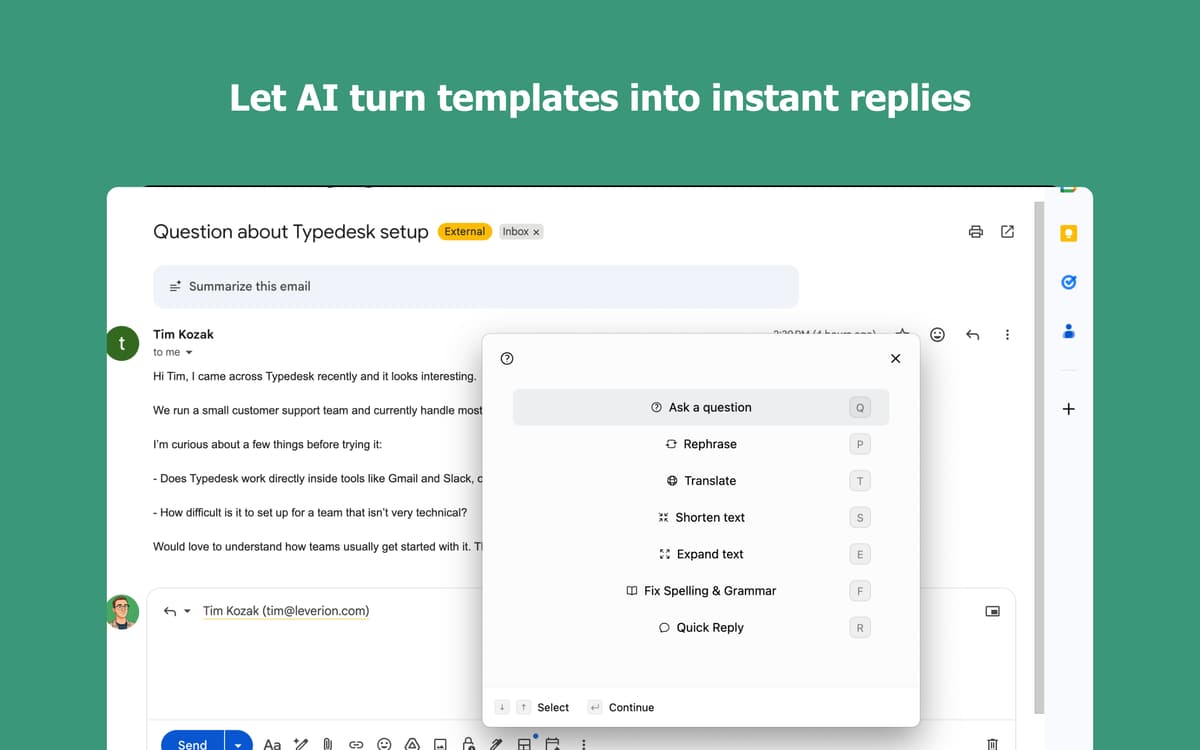
Tapez une abréviation courte et regardez-la se développer instantanément en texte complet. Tapez « adr » et votre adresse complète apparaît — tout simplement. Fonctionne dans toutes les applications que vous utilisez déjà, des e-mails aux messages en passant par les documents. Vos doigts vous remercieront.
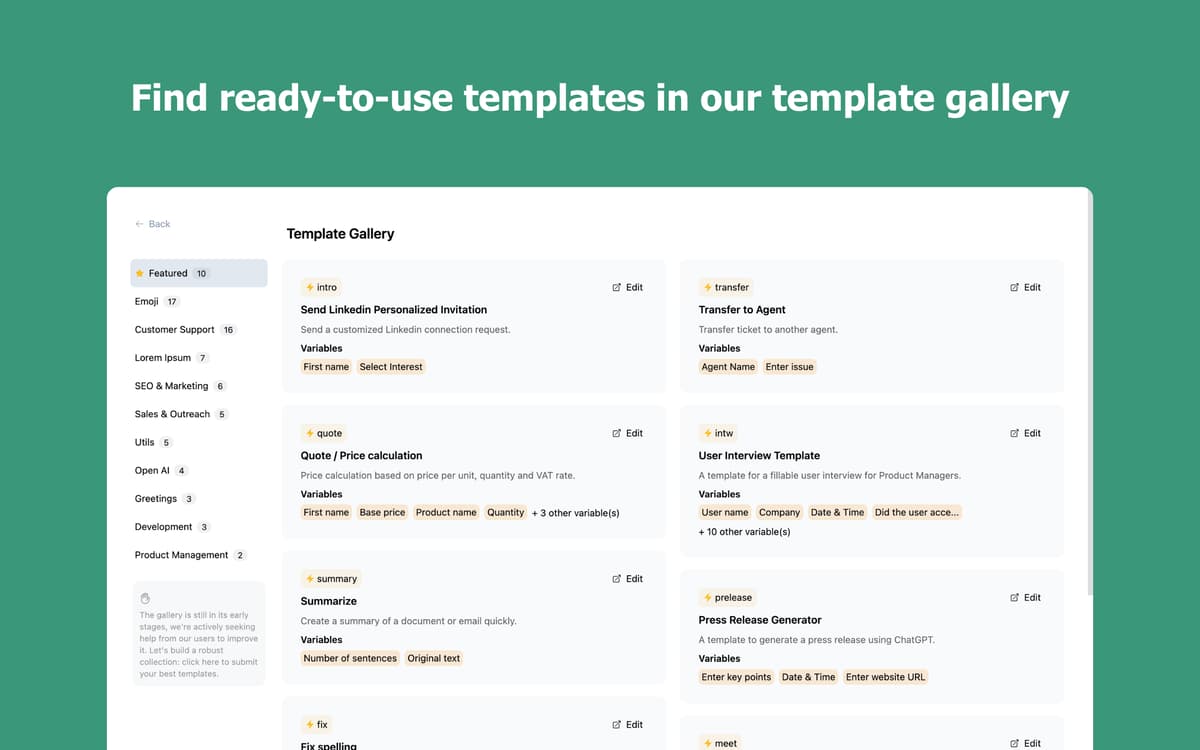
Créez une bibliothèque d'extraits qui vous appartient
Enregistrez les e-mails, formules de politesse et phrases que vous tapez chaque jour. Organisez-les dans des dossiers, trouvez ce dont vous avez besoin en quelques secondes et insérez-le sans interrompre votre flux de travail. Plus vous l'utilisez, plus il travaille pour vous.
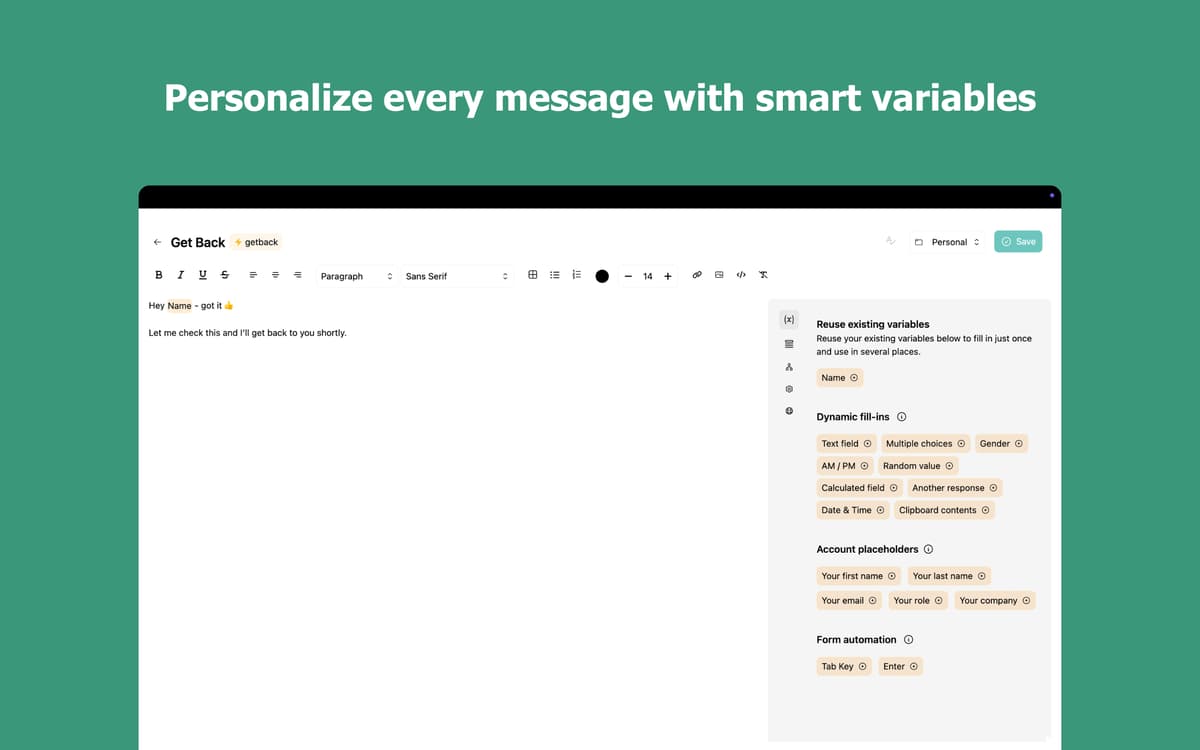
Rendez chaque extrait plus intelligent avec les variables
Ajoutez des détails personnalisés comme des noms, dates ou champs personnalisés directement dans vos extraits. Choisissez parmi plusieurs options à la volée avec les variables à sélection multiple. Arrêtez de réécrire le même message juste pour changer quelques mots.
Tapez dans n'importe quelle application, sur n'importe quel appareil
Typedesk fonctionne partout sur votre Mac : clients e-mail, navigateurs, applications de chat et éditeurs de code. Vos raccourcis se synchronisent sur tous vos appareils pour que vous restiez toujours productif, où que vous soyez.
Avis et commentaires
Typedesk
•
46 classements
Nadir Palacios
11 sept. 2026
Version de l'application : 3.3.4
Works amazing
Mark van Silfhout
20 août 2026
Version de l'application : 3.3.3
This is the app I have been waiting for for a long time. Default substitution on a Mac works, however this is easier and works on any app/browset! I can’t wait to see them develop an iPhone/iPad version :-D Unfortunately it stopped working?: can not log you in with Setapp :-(
Christian Saborio
6 août 2026
Version de l'application : 3.3.3
Wonderful app - in less than 5 minutes it has already replaced Atext (which I have been using for years but interface is a bit meh). Nice to have a fresh UI with an app that works really well - love the \ * 2 feature!
Profitez de centaines d'applications avec Membership
Devenez membre Setapp et utilisez des centaines d'applications incroyables grâce à un seul abonnement.
Forfait tout compris, après 7 jours d'essai gratuit
Installez Setapp sur votre Mac
Explorez des applications pour Mac, iOS et le Web. Découvrez comment accomplir facilement les tâches du quotidien.

Téléchargez l'application qui vous intéresse
Cette application vous attend dans Setapp. Installez-la d'un seul clic.

Typedesk
Choisissez votre abonnement
Une seule application ou bien plus avec un abonnement Setapp. Accédez aux applications comme vous le souhaitez.

Profitez de centaines d'applications avec Membership
Devenez membre Setapp et utilisez des centaines d'applications incroyables grâce à un seul abonnement.
Forfait tout compris, après 7 jours d'essai gratuit
1
Installez Setapp sur votre Mac
Explorez des applications pour Mac, iOS et le Web. Découvrez comment accomplir facilement les tâches du quotidien.
2
Téléchargez l'application qui vous intéresse
Cette application vous attend dans Setapp. Installez-la d'un seul clic.
Typedesk
3
Choisissez votre abonnement
Une seule application ou bien plus avec un abonnement Setapp. Accédez aux applications comme vous le souhaitez.
Des applications de qualité
Pour gérer des plannings, accomplir des tâches de routine, créer des contenus, coder et bien plus encore, optez pour Setapp.

TypingMind
IA conversationnelle avec interface alternative
générez ou résumez du texte
utilisez une bibliothèque de requêtes
IA

Spark Mail
Gérez vos e-mails
IA

CleanMyMac
Supprimez les fichiers inutiles

Bartender
Personnalisez la barre des menus

CleanShot X
Profitez de plus de possibilités pour les captures d'écran

Luminar Neo
Retouchez vos photos
IA

ClearVPN
Sécurisez votre connexion Internet

Craft
Travaillez sur vos documents
IA
Typedesk
Écrivez moins, dites plus