USB Connection Information
Arrêtez de deviner. Commencez à savoir.

Mac
Version 26.41
macOS 14.0 ou version supérieure
17.9 MB
22 langues
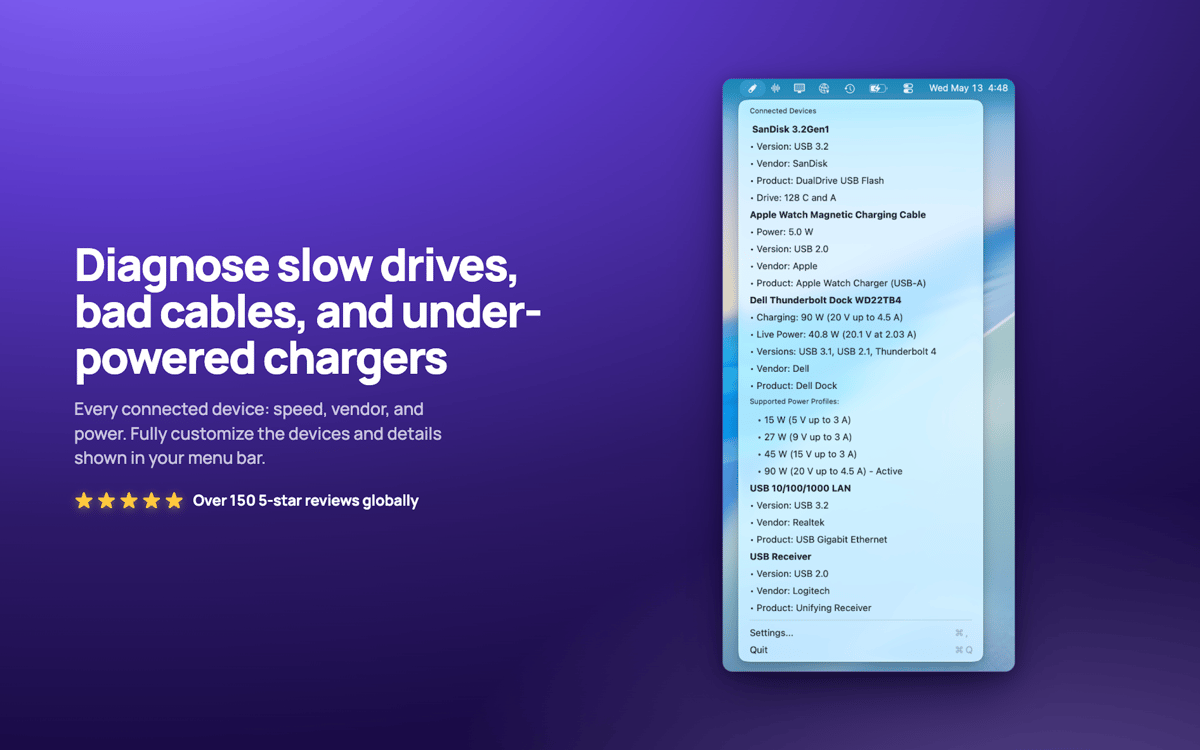
USB Connection Information — Moniteur USB et Thunderbolt pour Mac. Elle se trouve dans votre barre de menus et affiche la vitesse négociée réelle de chaque périphérique connecté, vous permettant ainsi de savoir instantanément quand un câble « 10 Gbit/s » fonctionne en réalité à la vitesse USB 2.0. Vérifiez la puissance du chargeur en temps réel, la consommation d'alimentation de l'appareil et les lecteurs connectés à chaque appareil. Fini les devinettes pour savoir si votre station d'accueil est bridée ou si votre câble est le maillon faible.
Vérifiez en un coup d'œil les vitesses USB réelles
Puissance et consommation en temps réel
Identifiez instantanément les câbles bridés
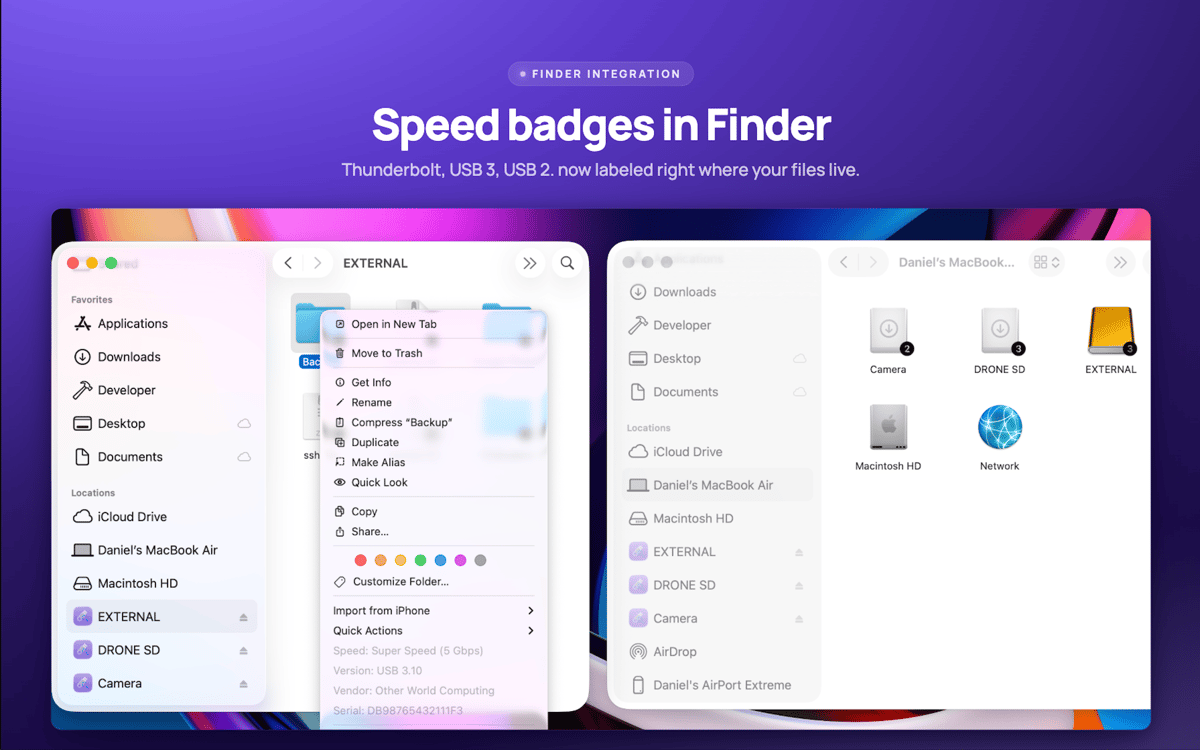
Associer les disques aux appareils dans le Finder
Fonctionnalités de USB Connection Information
Vérification de vitesse réelle
Consultez la vitesse négociée réelle de chaque connexion, de l'USB 1.0 à l'USB 3.2 et au Thunderbolt 1 à 3. Les spécifications mentent. Votre Mac ne le fait pas.
Une barre de menus qui vous convient
Répondez rapidement à vos questions USB. Afficher uniquement l'icône, le nombre d'appareils, la puissance du chargeur ou la vitesse. Tout ce qui convient à votre façon de travailler.
Informations sur les chargeurs en temps réel
Surveillez en temps réel la puissance, la tension, la version PD et les profils d'alimentation pris en charge de votre chargeur MacBook.
Badges de lecteur Finder
La vitesse de connexion s'affiche directement sur les icônes de vos disques dans le Finder. Clic droit sur n'importe quel lecteur pour les détails instantanés du périphérique.
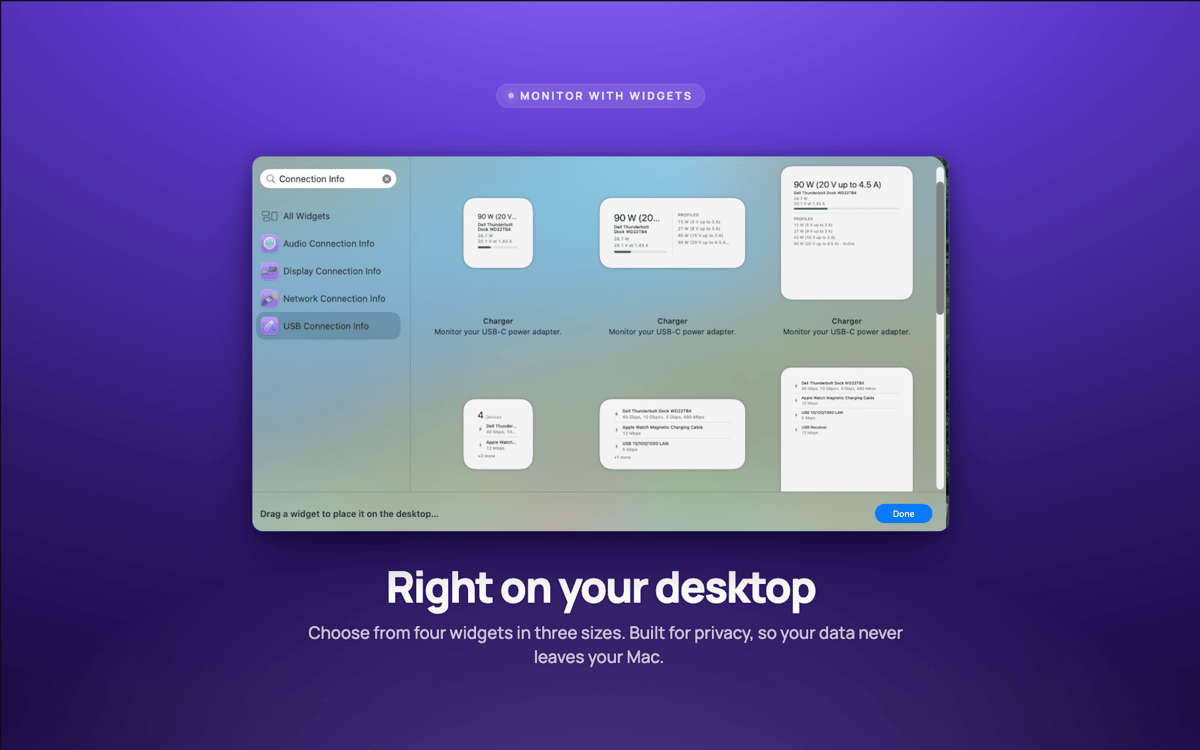
Widgets de bureau
Les widgets petit, moyen et grand format surveillent vos connexions sans rien avoir à ouvrir.
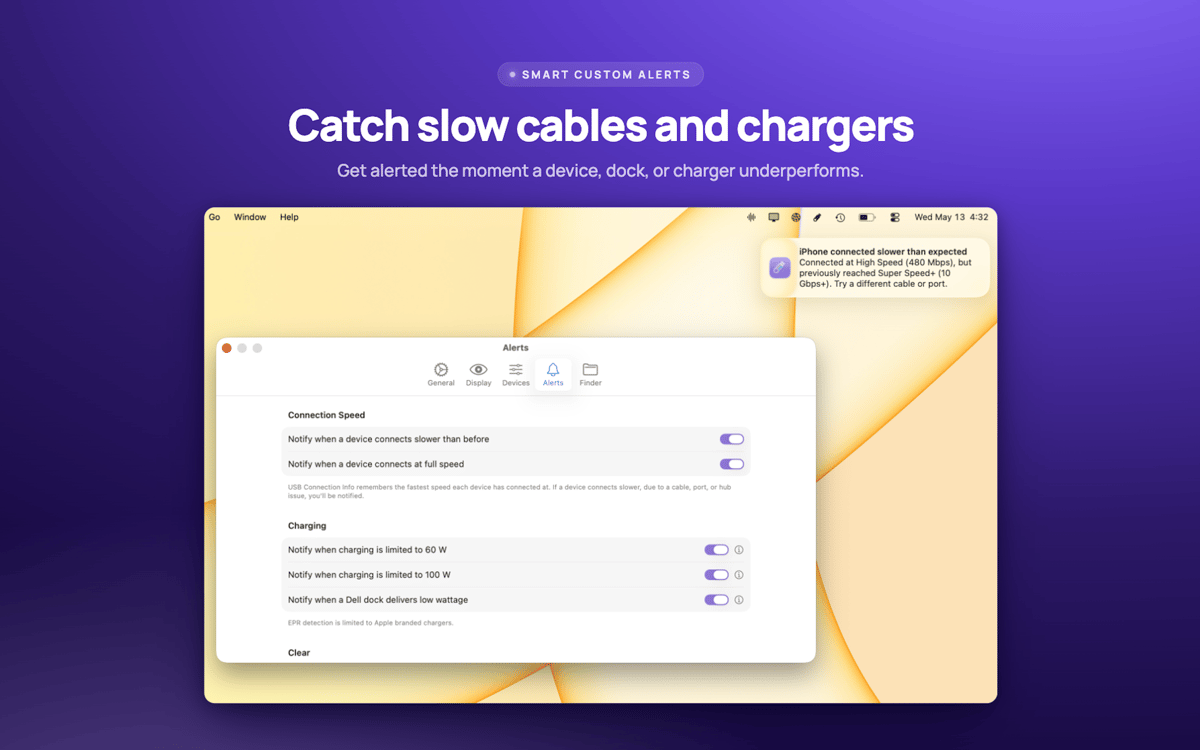
Alertes de vitesse
Soyez averti dès qu'un appareil négocie plus lentement que prévu — c'est généralement le signe que le câble est en cause.
Avis et commentaires
USB Connection Information
•
3 classements
Pelle Wessman
5 juin 2026
Version de l'application : 26.33
Excellent app that surfaces real useful information and has a really responsive and enthusiastic creator who replies real quick to feature requests and feedback!
Profitez de centaines d'applications avec Membership
Devenez membre Setapp et utilisez des centaines d'applications incroyables grâce à un seul abonnement.
Forfait tout compris, après 7 jours d'essai gratuit
Installez Setapp sur votre Mac
Explorez des applications pour Mac, iOS et le Web. Découvrez comment accomplir facilement les tâches du quotidien.

Téléchargez l'application qui vous intéresse
Cette application vous attend dans Setapp. Installez-la d'un seul clic.

USB Connection Information
Choisissez votre abonnement
Une seule application ou bien plus avec un abonnement Setapp. Accédez aux applications comme vous le souhaitez.

Profitez de centaines d'applications avec Membership
Devenez membre Setapp et utilisez des centaines d'applications incroyables grâce à un seul abonnement.
Forfait tout compris, après 7 jours d'essai gratuit
1
Installez Setapp sur votre Mac
Explorez des applications pour Mac, iOS et le Web. Découvrez comment accomplir facilement les tâches du quotidien.
2
Téléchargez l'application qui vous intéresse
Cette application vous attend dans Setapp. Installez-la d'un seul clic.
USB Connection Information
3
Choisissez votre abonnement
Une seule application ou bien plus avec un abonnement Setapp. Accédez aux applications comme vous le souhaitez.
Des applications de qualité
Pour gérer des plannings, accomplir des tâches de routine, créer des contenus, coder et bien plus encore, optez pour Setapp.

TypingMind
IA conversationnelle avec interface alternative
générez ou résumez du texte
utilisez une bibliothèque de requêtes
IA

Spark Mail
Gérez vos e-mails
IA

CleanMyMac
Supprimez les fichiers inutiles

Bartender
Personnalisez la barre des menus

CleanShot X
Profitez de plus de possibilités pour les captures d'écran

Luminar Neo
Retouchez vos photos
IA

ClearVPN
Sécurisez votre connexion Internet

Craft
Travaillez sur vos documents
IA
USB Connection Information
Arrêtez de deviner. Commencez à savoir.