
Antinote
Take notes and do calculations
Mac
Версія 2.1.2
macOS 14.0 чи новіша
30.1 MB
10 мов(и)
Antinote is the perfect blend of temporary notes, quick calculations, and light text manipulation. Need to capture a quick note while listening to a webinar? No problem. Want to set a Pomodoro timer? Done. Need a quick currency conversion? Antinote handles it all.
Jot down quick notes
Calculate with context
Extract text from images
Set a timer anywhere
Можливості Antinote
Write quick notes, instantly
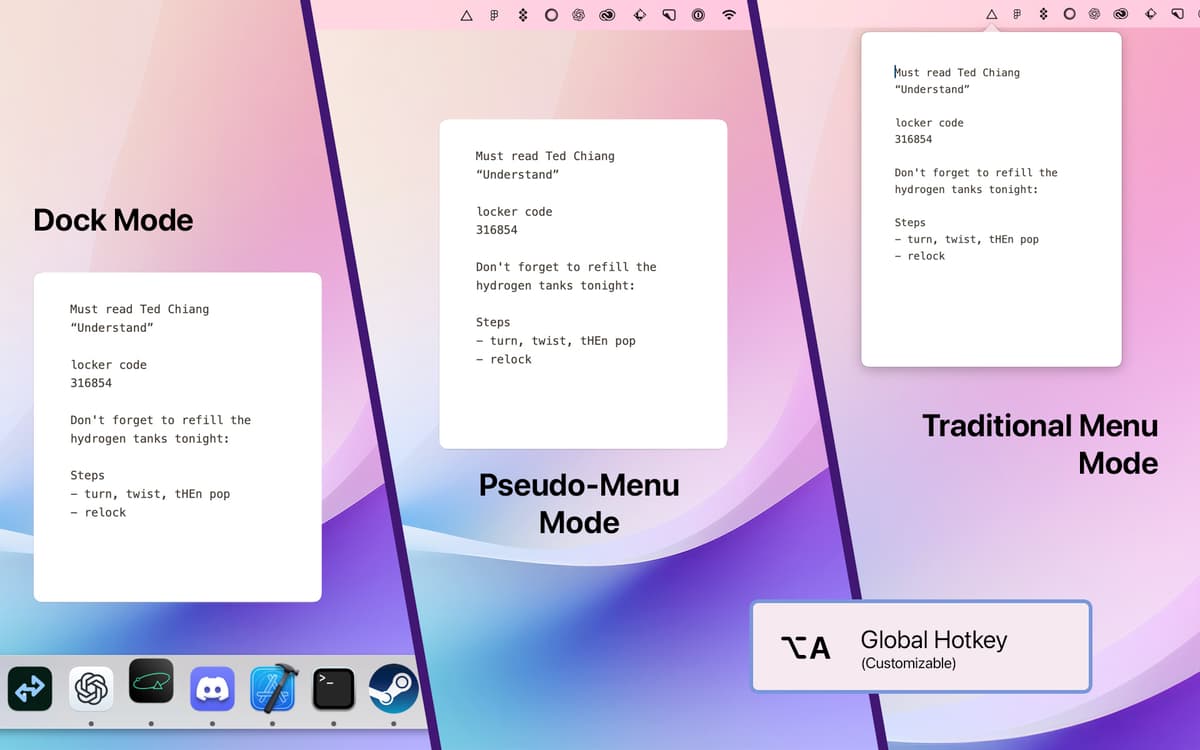
Summon Antinote from anywhere using Option + A. You can use it in the mode you prefer — whether from the Dock, menu bar, or as a dropdown. Enjoy beautifully plain text as formatting and indents are stripped on paste, leaving out distractions. Key features include AutoPaste for instant pasting, Swipe Navigation for quickly switching notes, and Link Shrink for auto-shortened links.
Calculate with context and convert anything
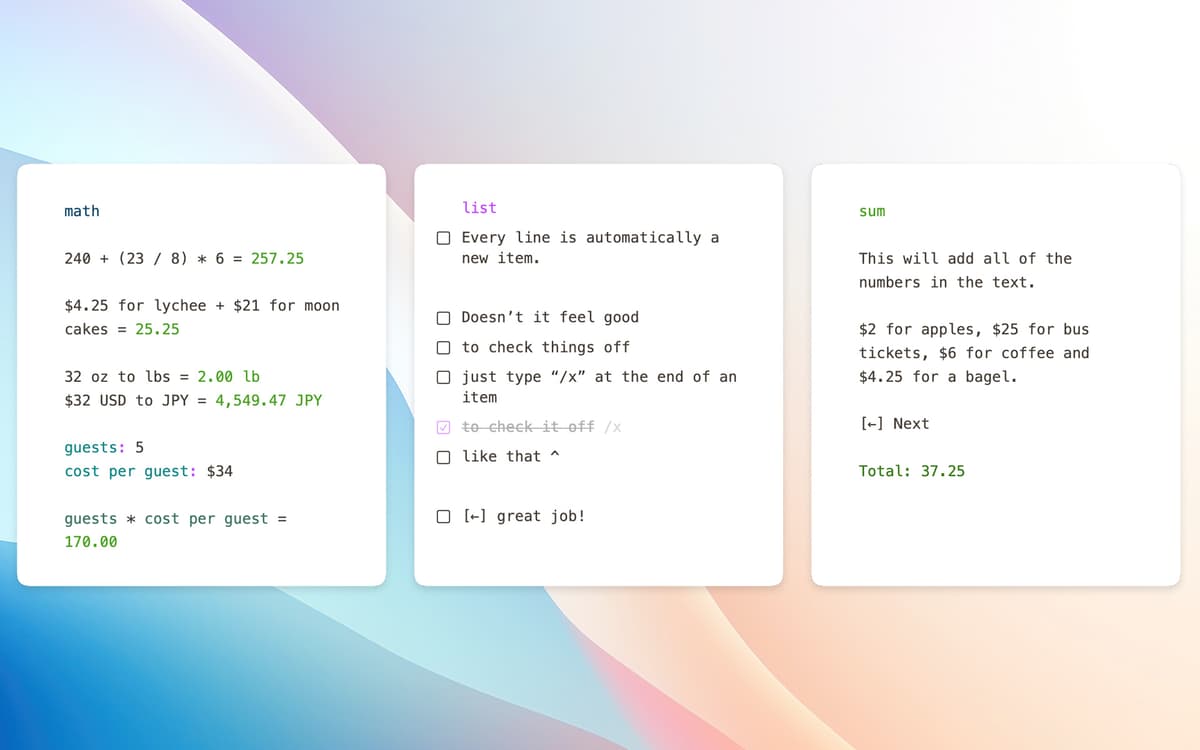
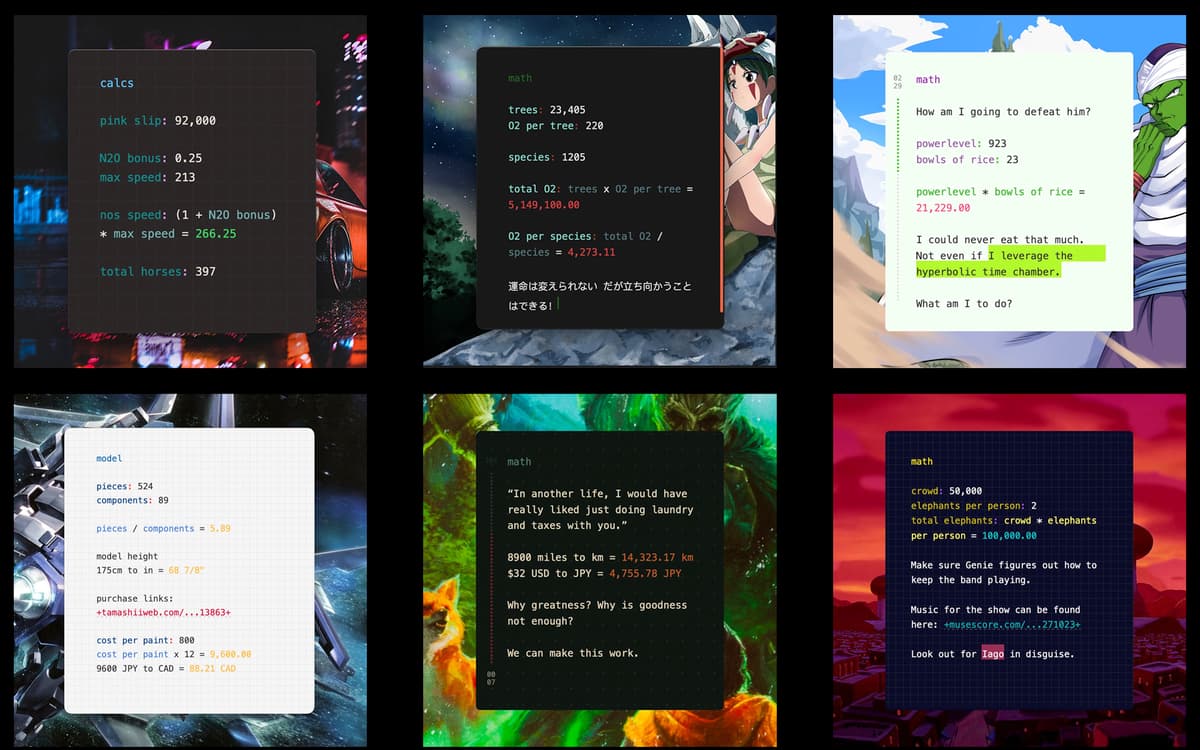
Antinote lets you perform calculations naturally, making it easy to keep up, even if math isn’t your strong suit. Calculating those expenses before your next trip has never been easier! Plus, you can instantly convert distances, weights, and currencies — including cryptocurrencies — right as you type.
Extract text from images
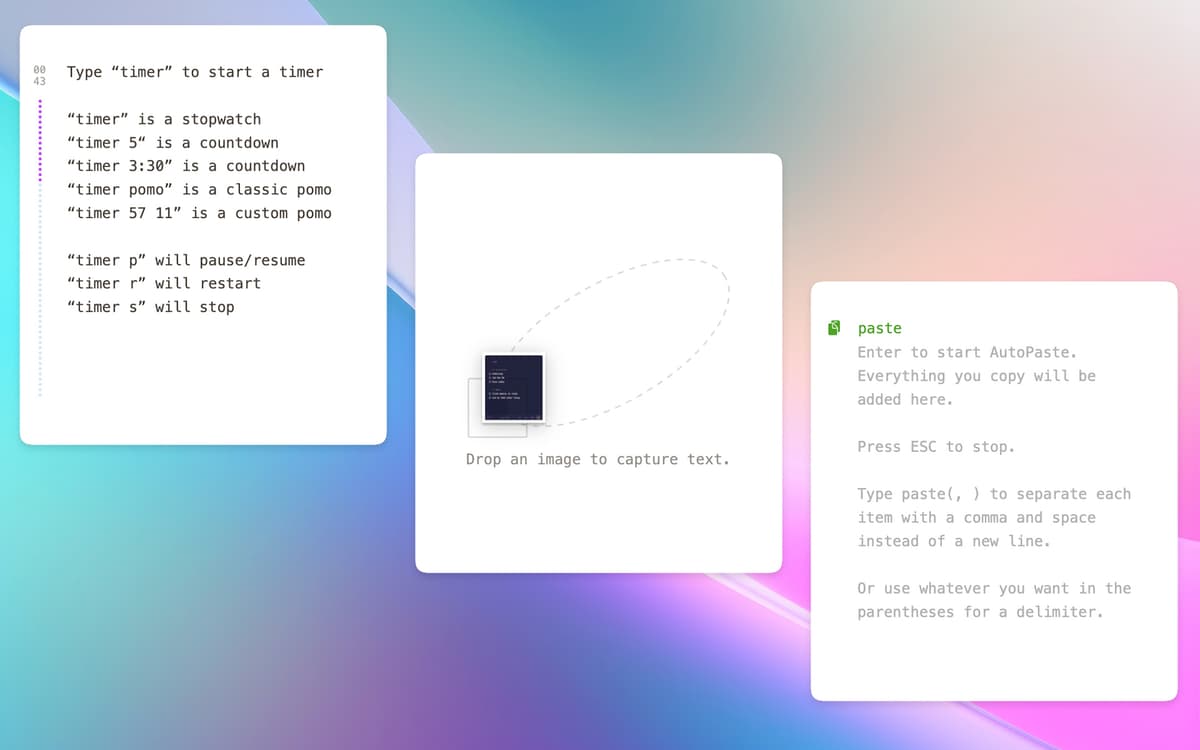
Got a screenshot with some text you want to copy? No need for a separate OCR tool! Just drag and drop the image into Antinote to extract the text quickly and effortlessly. Great for things that are hard to copy and paste, such as the Terminal or the Finder, or a Zoom screen share.
Manage time and tasks
Antinote features a built-in timer that offers stopwatch, countdown, and Pomodoro support, perfectly fitting a minimalist approach. Just type “timer,” “timer 10,” “timer pomo,” or “timer 30 10” on any new line. It’s interesting to note that while the default macOS Clock stopwatch uses up about 14% CPU, Antinote’s timer only takes up 1%.
Оцінки та відгуки
Antinote
•
Оцінок: 270
DJARI
8 жовт. 2026 р.
Версія: 2.1.2
the scratch note application i’ve always looked for!
Jacob
6 жовт. 2026 р.
Версія: 2.1.2
My go-to app for quick notes to capture thoughts before they leave my brain. Small, unobtrusive, swipe for a new note, Markdown-friendly. Makes my technical and ADHD brain happy.
Jeremy Brown
26 вер. 2026 р.
Версія: 2.1.2
Barely touched it, but the well-executed first screen shows a global shortcut, with explainer text for disabling it right there. This dev gets it 🙏
Отримайте сотні програм з Membership
Підпишіться на Setapp і користуйтесь сотнями чудових програм.
Перші 7 днів безплатно, а далі – в єдиному простому плані.
Завантажити Setapp на Mac
Знайдіть в Setapp застосунок для macOS, iOS або web, що допоможе вирішити ваше завдання.

Установіть знайдену програму
Виконайте завдання за допомогою новенької програми зі Setapp.

Antinote
Виберіть план підписки
Один застосунок або всі разом в підписці Setapp. Користуйтеся застосунками на своїх умовах.

Отримайте сотні програм з Membership
Підпишіться на Setapp і користуйтесь сотнями чудових програм.
Перші 7 днів безплатно, а далі – в єдиному простому плані.
1
Завантажити Setapp на Mac
Знайдіть в Setapp застосунок для macOS, iOS або web, що допоможе вирішити ваше завдання.
2
Установіть знайдену програму
Виконайте завдання за допомогою новенької програми зі Setapp.
Antinote
3
Виберіть план підписки
Один застосунок або всі разом в підписці Setapp. Користуйтеся застосунками на своїх умовах.
Нагору
Від планування та рутинних завдань до програмування і творчості – працюйте ефективніше зі Setapp.

TypingMind
ШІ зі зручним інтерфейсом
генеруйте й обробляйте текст
користуйтеся бібліотекою
ШІ

Spark Mail
Упорядкуйте імейли
ШІ

CleanMyMac
Видаляйте тільки непотрібне

Bartender
Налаштуйте меню під себе

CleanShot X
Робіть будь-які скриншоти

Luminar Neo
Редагуйте фото
ШІ

ClearVPN
Безпечний звʼязок

Craft
Робота з документами
ШІ
Antinote
Take notes and do calculations