
BeautyShot
Promo screenshots, made easy
Mac
Версія 1.5.3
macOS 13.0 чи новіша
21.5 MB
10 мов(и)
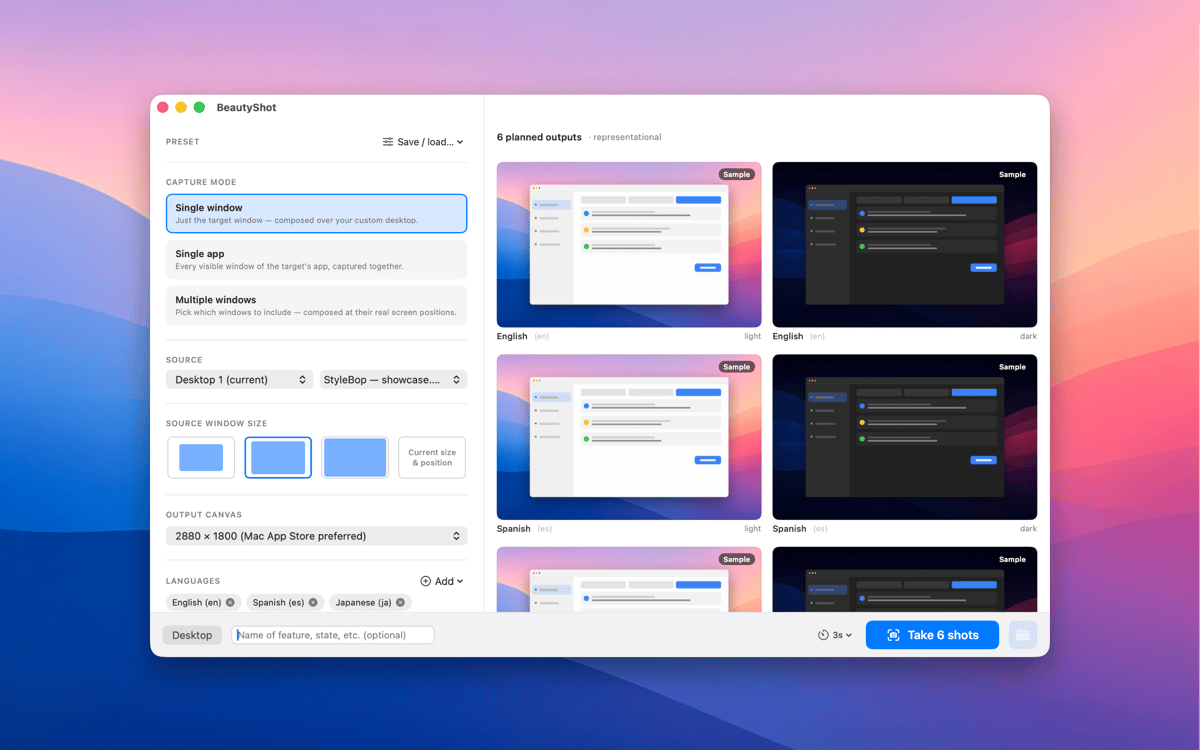
BeautyShot makes App-Store-quality promo screenshots the easy way. Pick a running window — or stack a composite of several — drop it onto a custom background, and render pixel-perfect light and dark versions in one pass. Switch the captured app through every language you ship in, in one run, and export to every standard Mac App Store canvas size.
Create App Store screenshot sets fast
Composite windows onto custom scenes
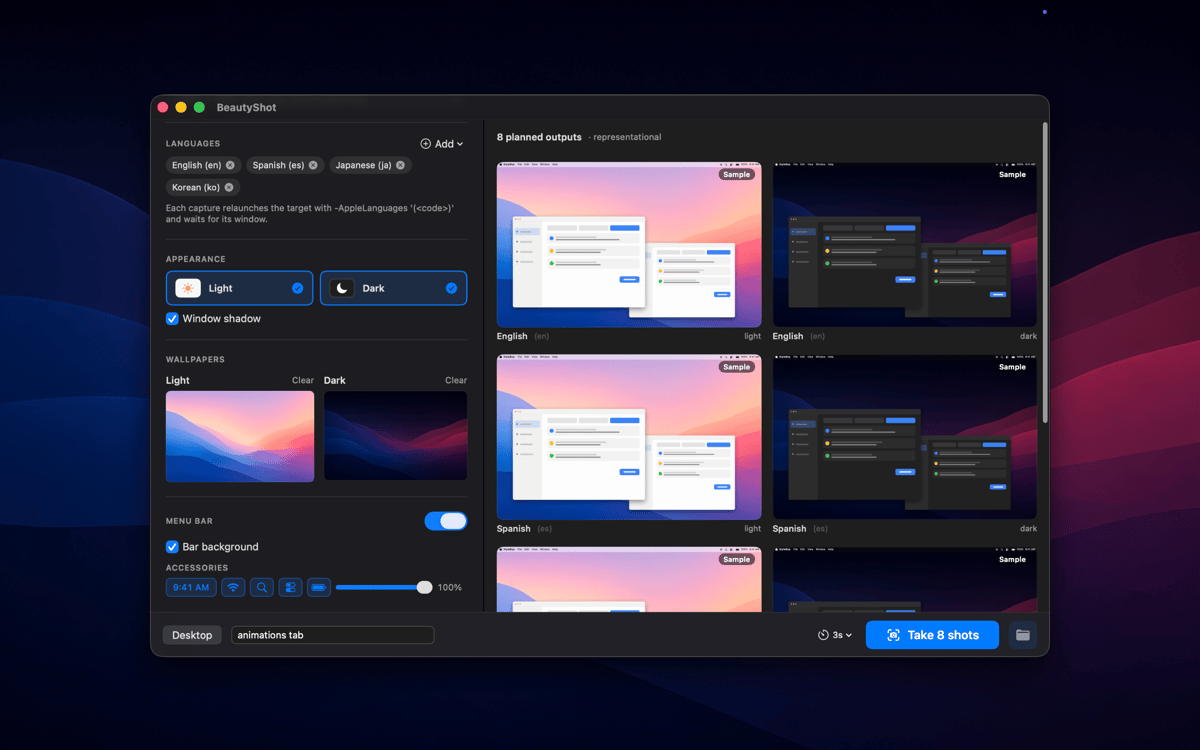
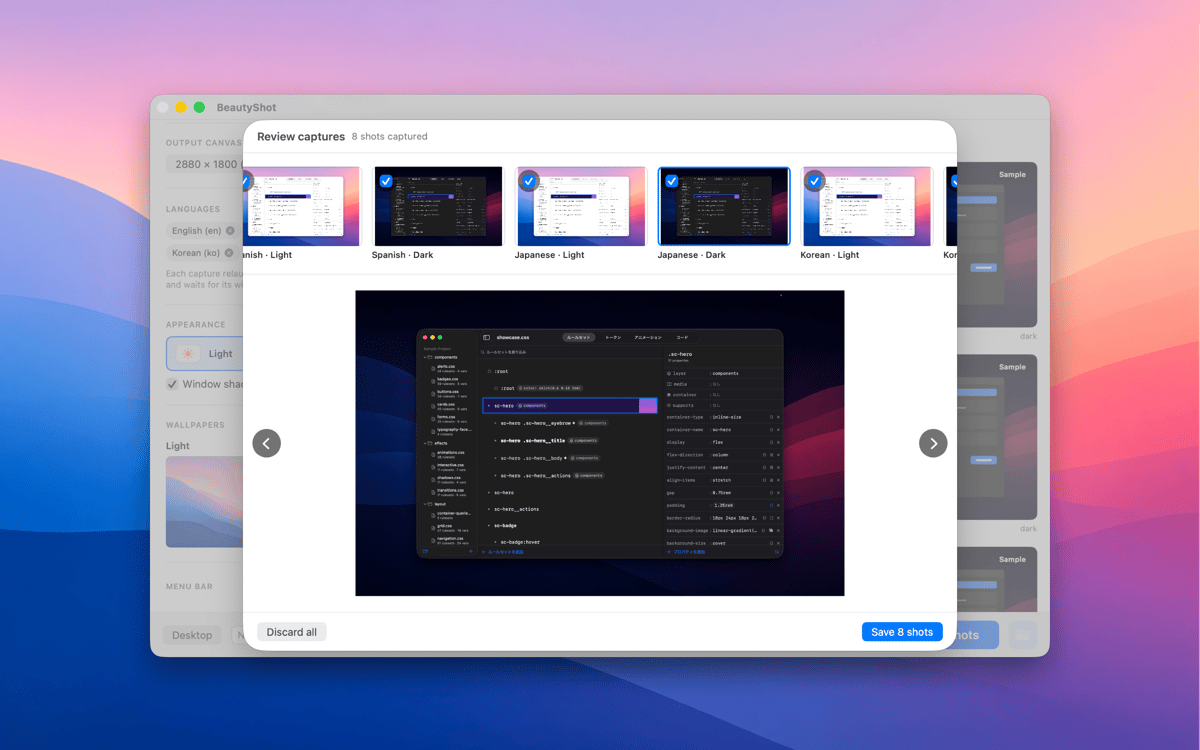
Localize screenshots for every language
Render light & dark screenshots at once
Можливості BeautyShot
Single window or composite
Sometimes a single window is all you need. Other times, your app's story takes more than one view to tell. BeautyShot handles both: capture a solo window in seconds, or layer multiple app windows into one cohesive composite shot. You're in control of what the screenshot shows — and how much of it.
Every language in one run
Localizing screenshots used to mean repeating the same setup over and over for each market. BeautyShot removes that loop. Point it at your app, pick your languages, and it switches the locale and re-captures automatically — one run, every market, no manual repetition. Whether you ship to three countries or thirty, the time it takes is the same.
Pixel-perfect canvases
The Mac App Store has specific size requirements, and getting them wrong wastes review time. BeautyShot exports every standard canvas size right out of the box, so you're never guessing what resolution to export at. Need something non-standard? Custom dimensions are there when you need them, too.
Light + dark in one pass
Your app supports dark mode, so your screenshots should too. BeautyShot renders light and dark versions simultaneously in a single pass — no toggling System Settings back and forth, no re-running the whole setup. Both appearances come out together, ready to upload.
Custom backgrounds
A plain white background rarely does an app justice. With BeautyShot, you can place your captured window onto any desktop scene, gradient, or image you choose — giving every screenshot a finished, intentional look that matches your app's visual style. What's behind the window is part of the story too.
Fake menu bar overlay
Real menu bars carry clutter: the wrong time, unwanted icons, notification badges you'd rather not show. BeautyShot's fake menu bar overlay replaces all of that with a clean, customizable stand-in — so every screenshot looks deliberate and presentation-ready, right down to the last pixel.
Отримайте сотні програм з Membership
Підпишіться на Setapp і користуйтесь сотнями чудових програм.
Перші 7 днів безплатно, а далі – в єдиному простому плані.
Завантажити Setapp на Mac
Знайдіть в Setapp застосунок для macOS, iOS або web, що допоможе вирішити ваше завдання.

Установіть знайдену програму
Виконайте завдання за допомогою новенької програми зі Setapp.

BeautyShot
Виберіть план підписки
Один застосунок або всі разом в підписці Setapp. Користуйтеся застосунками на своїх умовах.

Отримайте сотні програм з Membership
Підпишіться на Setapp і користуйтесь сотнями чудових програм.
Перші 7 днів безплатно, а далі – в єдиному простому плані.
1
Завантажити Setapp на Mac
Знайдіть в Setapp застосунок для macOS, iOS або web, що допоможе вирішити ваше завдання.
2
Установіть знайдену програму
Виконайте завдання за допомогою новенької програми зі Setapp.
BeautyShot
3
Виберіть план підписки
Один застосунок або всі разом в підписці Setapp. Користуйтеся застосунками на своїх умовах.
Нагору
Від планування та рутинних завдань до програмування і творчості – працюйте ефективніше зі Setapp.

TypingMind
ШІ зі зручним інтерфейсом
генеруйте й обробляйте текст
користуйтеся бібліотекою
ШІ

Spark Mail
Упорядкуйте імейли
ШІ

CleanMyMac
Видаляйте тільки непотрібне

Bartender
Налаштуйте меню під себе

CleanShot X
Робіть будь-які скриншоти

Luminar Neo
Редагуйте фото
ШІ

ClearVPN
Безпечний звʼязок

Craft
Робота з документами
ШІ
BeautyShot
Promo screenshots, made easy