
ByteMail
Private email, one tidy inbox
Mac
Версія 1.5.5
macOS 14.0 чи новіша
55.2 MB
1 мов(и)
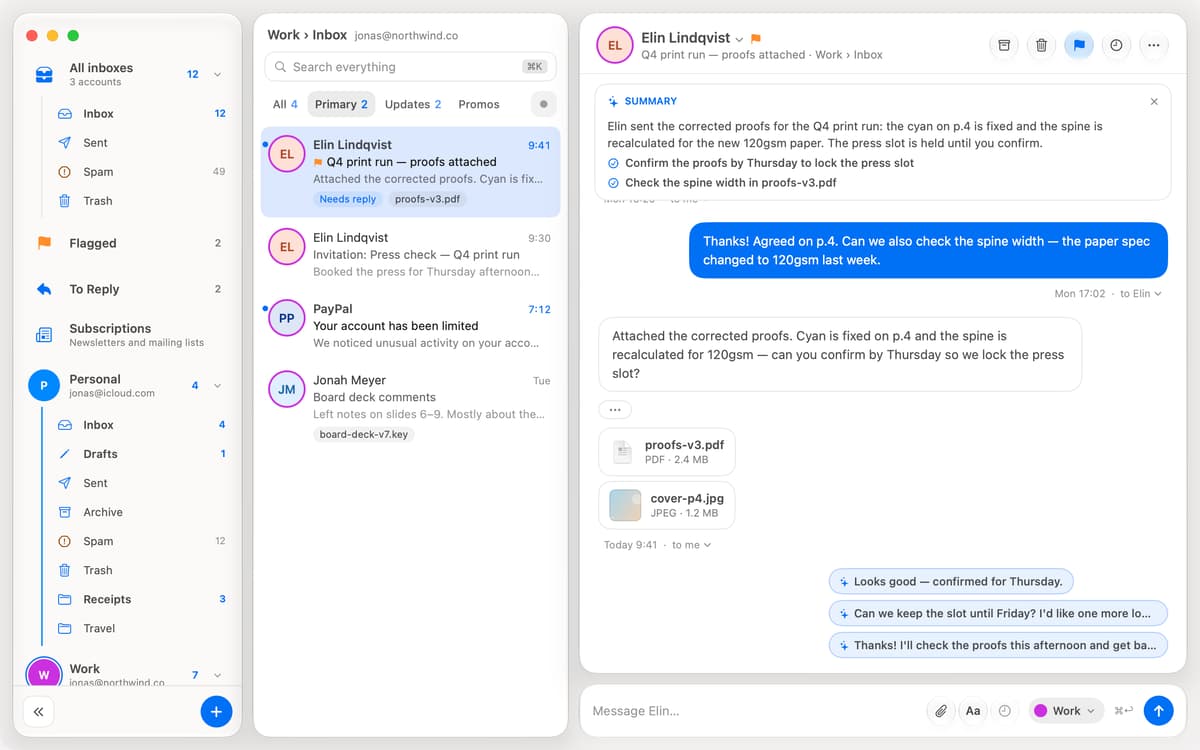
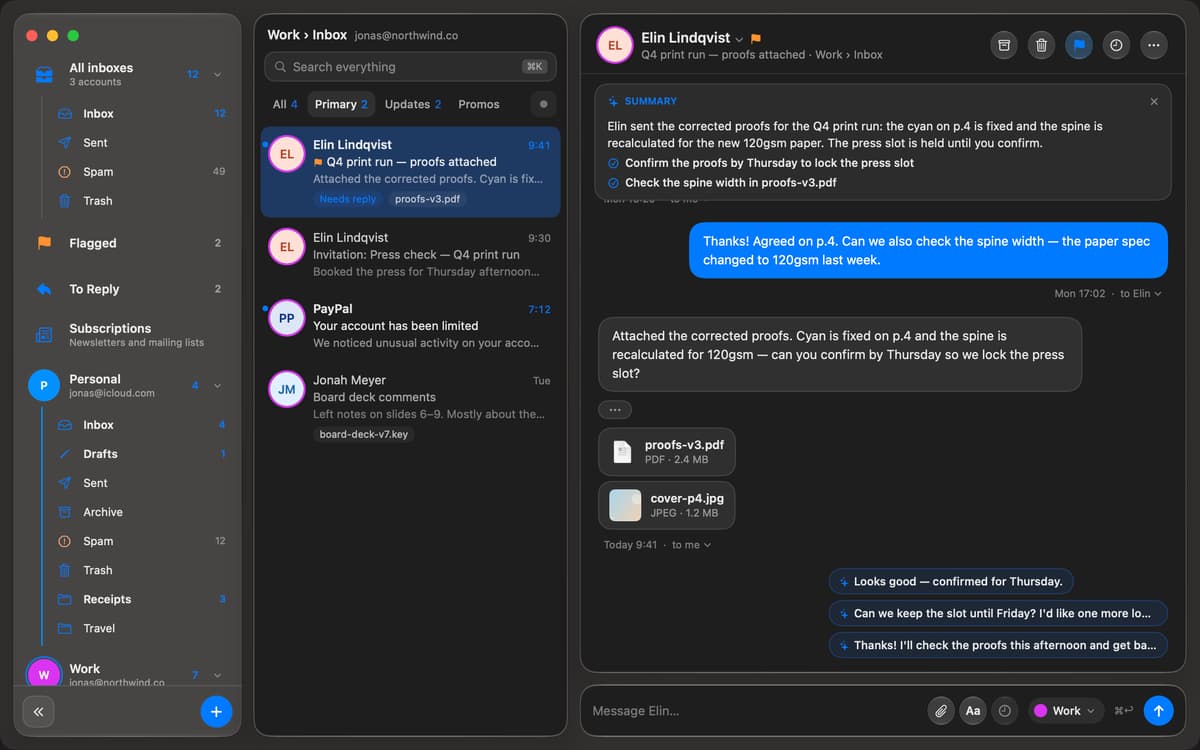
ByteMail is a native email app for Mac. It puts Gmail, iCloud, Outlook, Yahoo and any IMAP account in one fast, tidy inbox. New mail shows up the moment it lands. Trackers are stripped out before you read, and anything you're not ready for can be snoozed until later. Your mail goes straight from your provider to your Mac. There's no ByteMail account, and nothing is stored on our servers.
Check every email account in one place
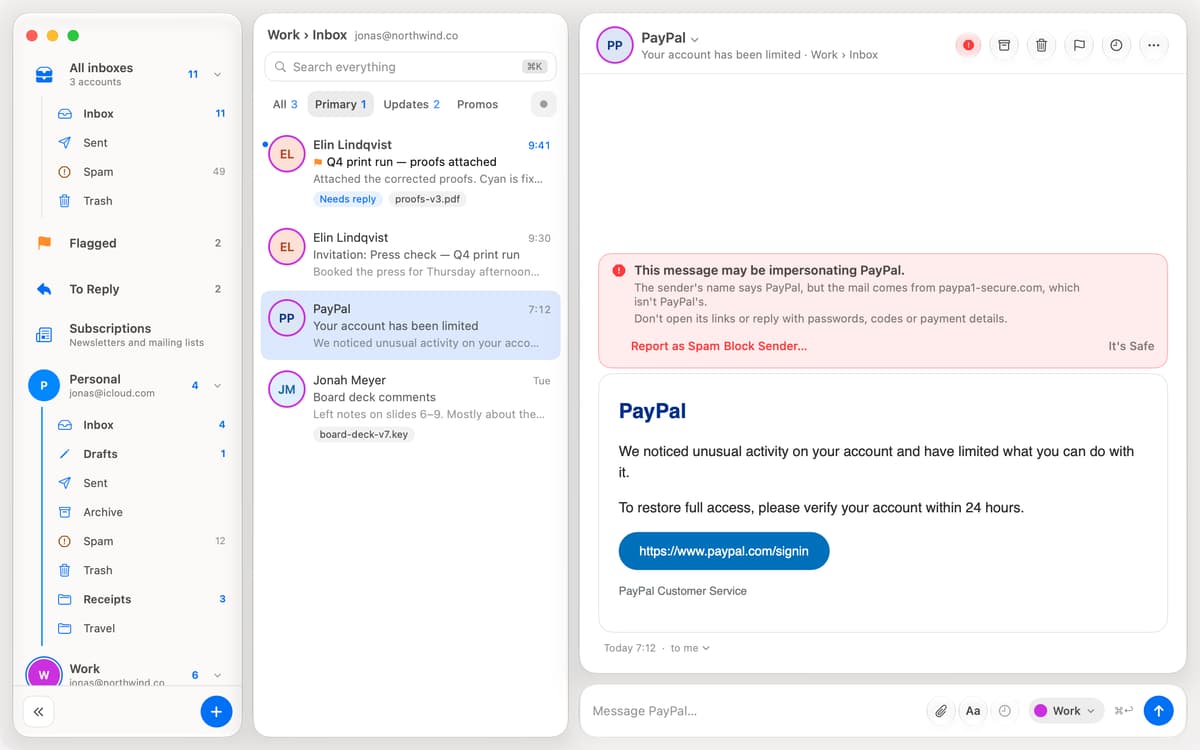
Block email trackers before you read
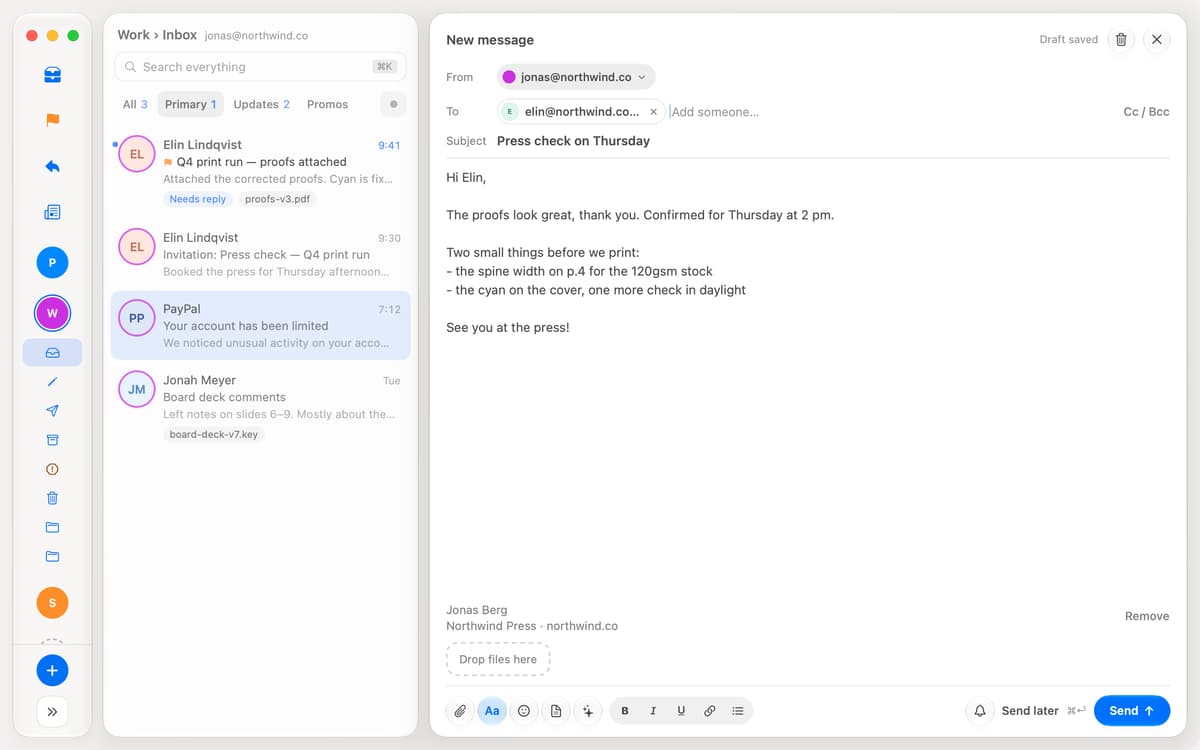
Schedule emails and undo send slips
Snooze mail until you’re ready for it
Можливості ByteMail
All your inboxes, one app
Add Gmail, iCloud, Outlook, Microsoft 365, Yahoo or any IMAP server and see them together or one at a time. Mail is pushed the instant it arrives, with native notifications and a Dock badge. Smart tabs sort the inbox into Primary, Updates and Promos on your Mac.
Private without trying
Tracking pixels are removed before a message is shown, and tracking codes are cleaned from links. ByteMail checks who really sent a message, flags look-alike domains, and asks before opening a link that goes somewhere other than it says. Passwords live in your Mac's Keychain.
Send it when it counts
Write now and schedule it for later. Undo Send gives you a few seconds to take it back. Pick "remind me if no reply" and the conversation returns to the top if nobody answers. Templates, a signature per account and Markdown cover the rest.
An inbox that tidies itself
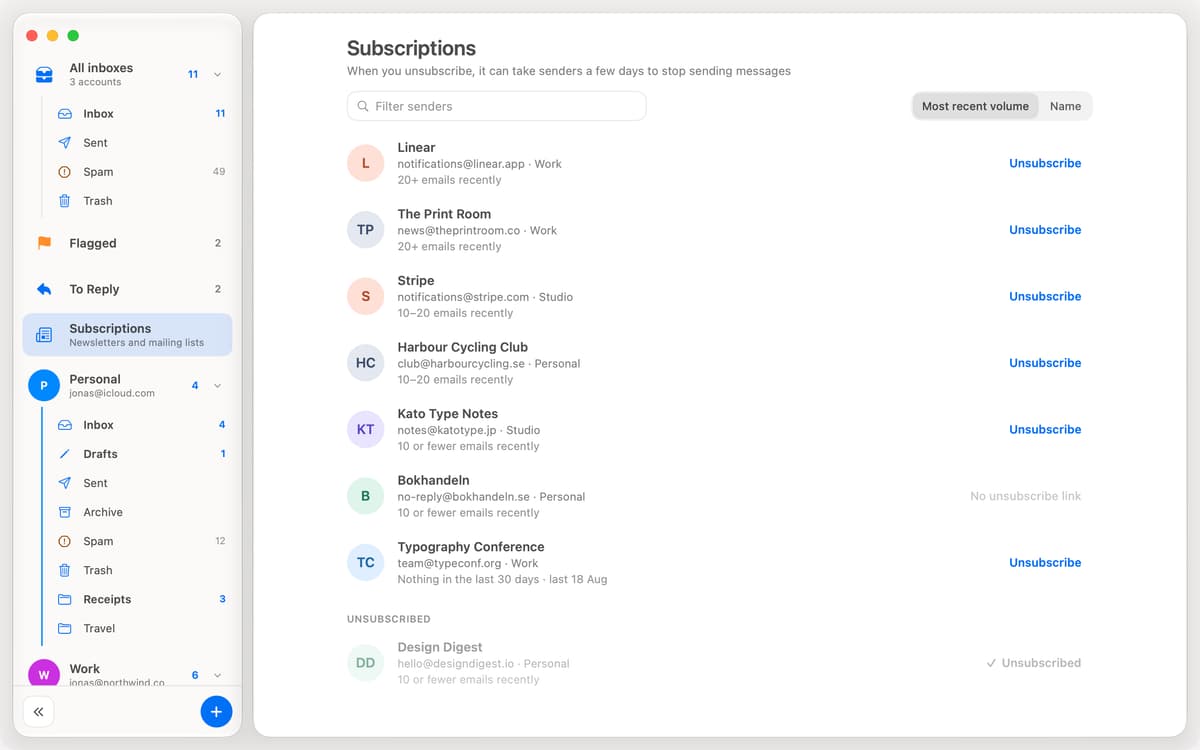
Rules file new mail as it arrives. Unsubscribe from a list in one click. Snooze a conversation until tonight or Friday. To Reply collects the conversations where someone is waiting on you.
Read it your way
Show each account's conversations as a chat or as classic email, one message under another. Resize the panes and keep only the sidebar sections you use.
A little help, on your Mac
On macOS 26 with Apple Intelligence, long threads get a short summary, a few suggested replies, and Rewrite to shorten or soften what you wrote. It all runs on your Mac, not in the cloud.
Отримайте сотні програм з Membership
Підпишіться на Setapp і користуйтесь сотнями чудових програм.
Перші 7 днів безплатно, а далі – в єдиному простому плані.
Завантажити Setapp на Mac
Знайдіть в Setapp застосунок для macOS, iOS або web, що допоможе вирішити ваше завдання.

Установіть знайдену програму
Виконайте завдання за допомогою новенької програми зі Setapp.

ByteMail
Виберіть план підписки
Один застосунок або всі разом в підписці Setapp. Користуйтеся застосунками на своїх умовах.

Отримайте сотні програм з Membership
Підпишіться на Setapp і користуйтесь сотнями чудових програм.
Перші 7 днів безплатно, а далі – в єдиному простому плані.
1
Завантажити Setapp на Mac
Знайдіть в Setapp застосунок для macOS, iOS або web, що допоможе вирішити ваше завдання.
2
Установіть знайдену програму
Виконайте завдання за допомогою новенької програми зі Setapp.
ByteMail
3
Виберіть план підписки
Один застосунок або всі разом в підписці Setapp. Користуйтеся застосунками на своїх умовах.
Нагору
Від планування та рутинних завдань до програмування і творчості – працюйте ефективніше зі Setapp.

TypingMind
ШІ зі зручним інтерфейсом
генеруйте й обробляйте текст
користуйтеся бібліотекою
ШІ

Spark Mail
Упорядкуйте імейли
ШІ

CleanMyMac
Видаляйте тільки непотрібне

Bartender
Налаштуйте меню під себе

CleanShot X
Робіть будь-які скриншоти

Luminar Neo
Редагуйте фото
ШІ

ClearVPN
Безпечний звʼязок

Craft
Робота з документами
ШІ
ByteMail
Private email, one tidy inbox