CrossHair
Measure pixels. Stay precise
Mac
Версія 1.7
macOS 14.0 чи новіша
13.6 MB
11 мов(и)
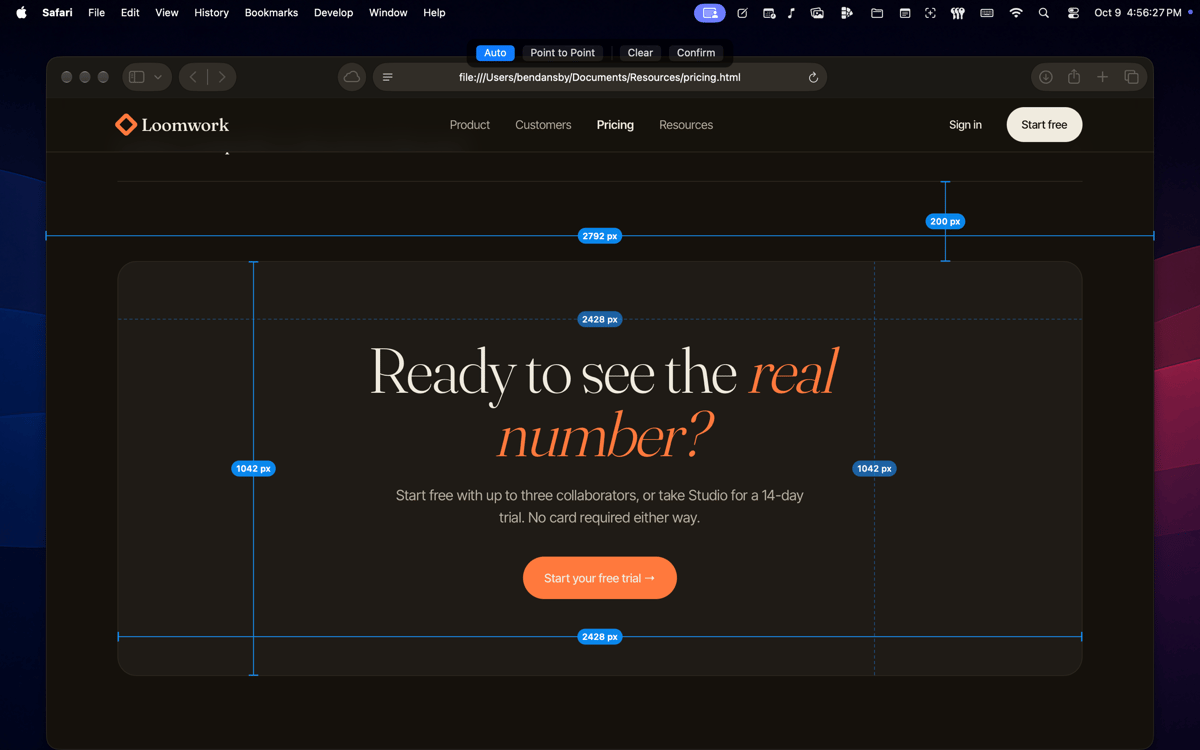
CrossHair — pixel-precision toolkit for Mac designers and developers. It lives in your menu bar — or hides entirely and runs on hotkeys alone. Summon a fullscreen crosshair, zoom into individual pixels, drop persistent alignment guides, and measure any element on screen. Four overlays, each a keystroke away, gone the moment you're done. No background services, no Electron, no browser — just a tiny native binary that launches instantly.
Zoom into any pixel with the loupe
Drop alignment guides anywhere on screen
Measure UI elements without leaving apps
Overlay a fullscreen crosshair instantly
Можливості CrossHair
Fullscreen crosshair
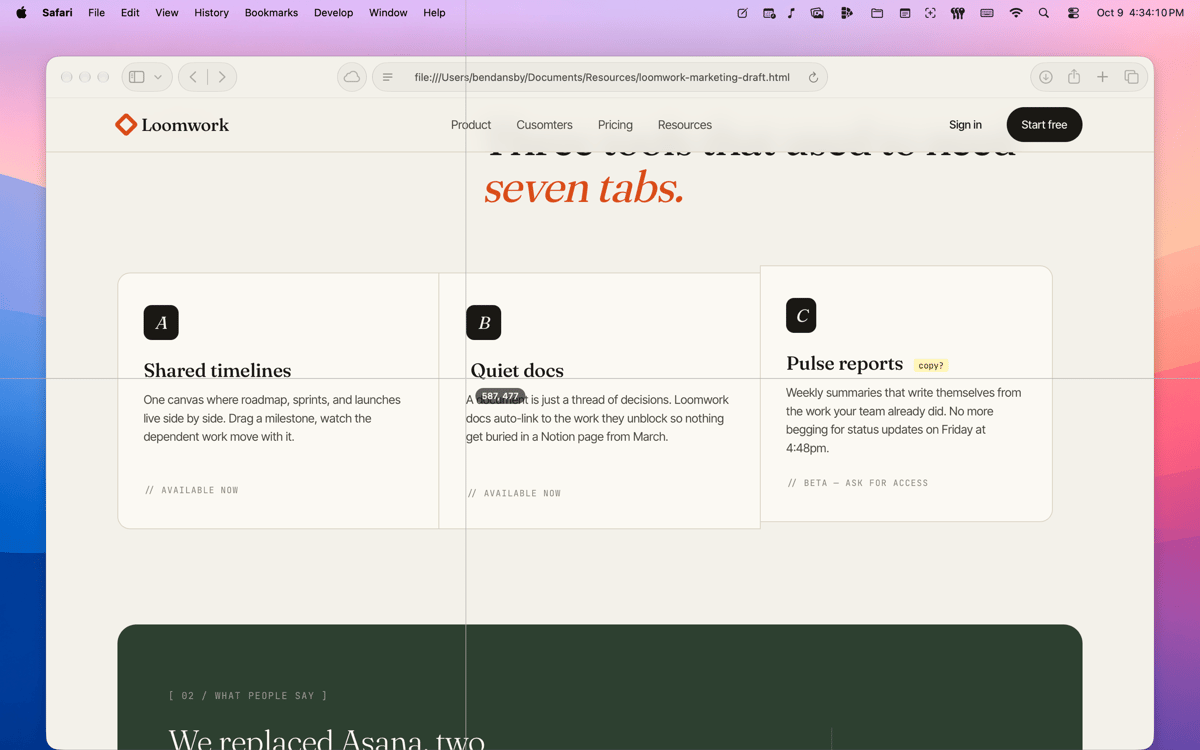
A pair of 1-pixel lines follows your cursor across every window and app. It stays razor-thin regardless of display size — surgical accuracy, not decoration. One keystroke to summon (⌘⌥X), Esc to dismiss.
Pixel loupe
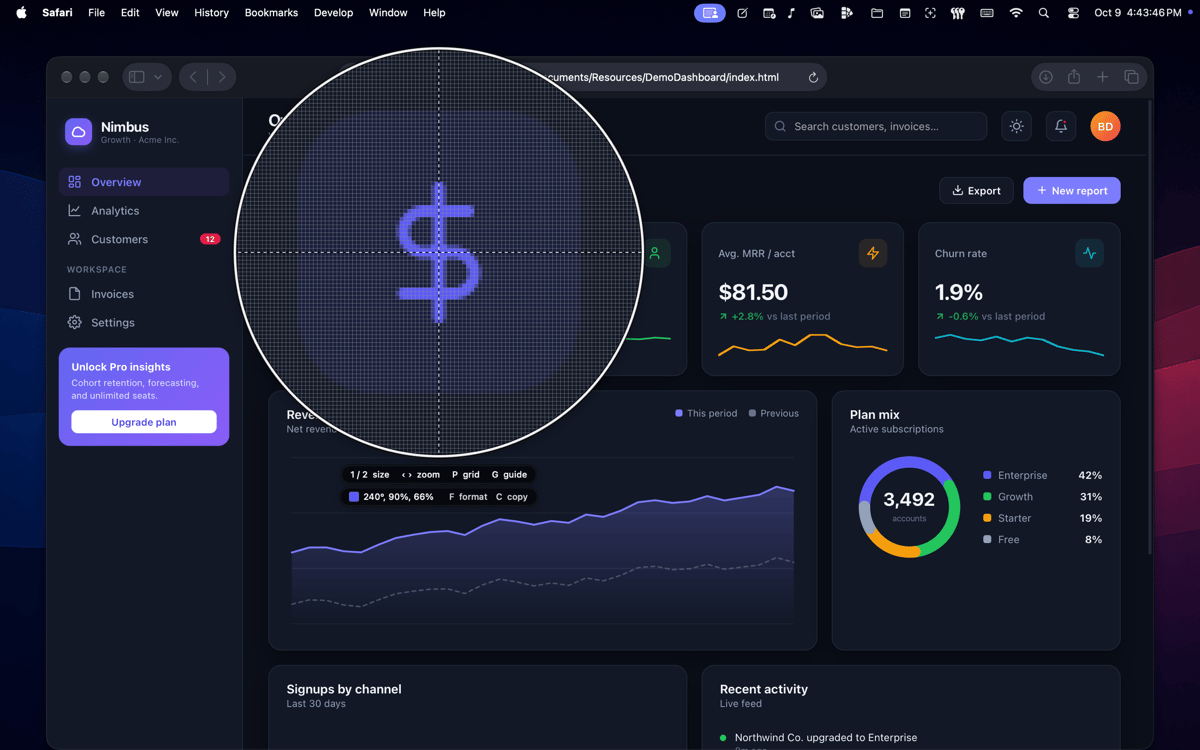
A circular magnified view centered on your cursor, with an optional pixel-accurate grid. Size the glass, adjust zoom, and walk the reticle one source pixel at a time — independent of the system cursor. Land on the exact pixel you need and read its neighbours without disturbing anything else.
On-screen guides
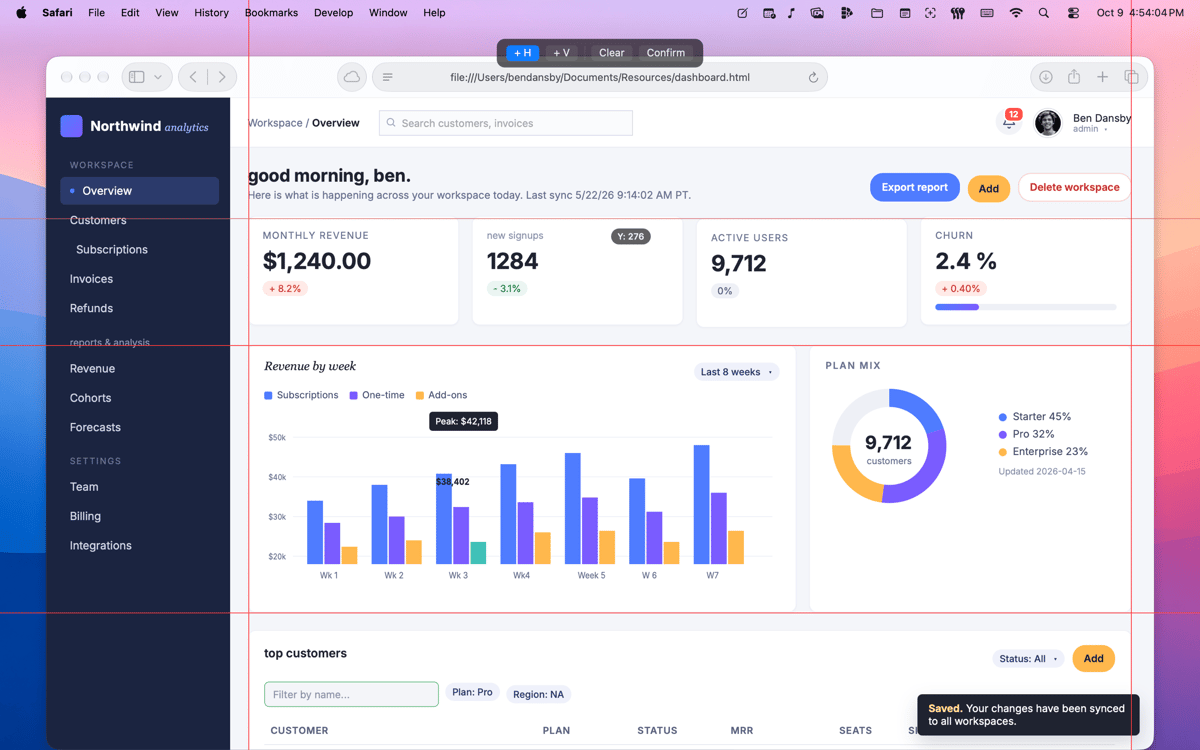
Drop laser-thin alignment lines anywhere on screen and leave them there. Drag to reposition, nudge by the pixel with arrow keys, undo with ⌘Z. Lock them and every click and keystroke passes straight through to the app underneath — the guides stay visible while you keep working.
Screen ruler
Drag out a line and read the length in points; hover to flip the readout to pixels. Click once inside a flat-colour region and the ruler auto-fits a cross to the full width and height of that area — size a button, a margin, a sidebar, or a padding gap in one click. Confirm to lock the overlay click-through so measurements stay on screen while you continue.
Quiet by default
Menu-bar icon, or hide it entirely and run on hotkeys alone. Every shortcut is rebindable in Preferences. Built in SwiftUI and AppKit as a universal binary — light and dark modes out of the box, instant launch, nothing running in the background.
Privacy by design
CrossHair needs Screen Recording permission to read the pixels under your cursor — that's what powers the loupe and colour reads. macOS asks the first time a feature needs it. CrossHair also shows its own explainer first, so you always know exactly why.
Отримайте сотні програм з Membership
Підпишіться на Setapp і користуйтесь сотнями чудових програм.
Перші 7 днів безплатно, а далі – в єдиному простому плані.
Завантажити Setapp на Mac
Знайдіть в Setapp застосунок для macOS, iOS або web, що допоможе вирішити ваше завдання.

Установіть знайдену програму
Виконайте завдання за допомогою новенької програми зі Setapp.

CrossHair
Виберіть план підписки
Один застосунок або всі разом в підписці Setapp. Користуйтеся застосунками на своїх умовах.

Отримайте сотні програм з Membership
Підпишіться на Setapp і користуйтесь сотнями чудових програм.
Перші 7 днів безплатно, а далі – в єдиному простому плані.
1
Завантажити Setapp на Mac
Знайдіть в Setapp застосунок для macOS, iOS або web, що допоможе вирішити ваше завдання.
2
Установіть знайдену програму
Виконайте завдання за допомогою новенької програми зі Setapp.
CrossHair
3
Виберіть план підписки
Один застосунок або всі разом в підписці Setapp. Користуйтеся застосунками на своїх умовах.
Нагору
Від планування та рутинних завдань до програмування і творчості – працюйте ефективніше зі Setapp.

TypingMind
ШІ зі зручним інтерфейсом
генеруйте й обробляйте текст
користуйтеся бібліотекою
ШІ

Spark Mail
Упорядкуйте імейли
ШІ

CleanMyMac
Видаляйте тільки непотрібне

Bartender
Налаштуйте меню під себе

CleanShot X
Робіть будь-які скриншоти

Luminar Neo
Редагуйте фото
ШІ

ClearVPN
Безпечний звʼязок

Craft
Робота з документами
ШІ
CrossHair
Measure pixels. Stay precise