
DiskMap
Дивись, куди поділося місце на диску
Mac
Версія 5.0
macOS 13.0 чи новіша
13.7 MB
7 мов(и)
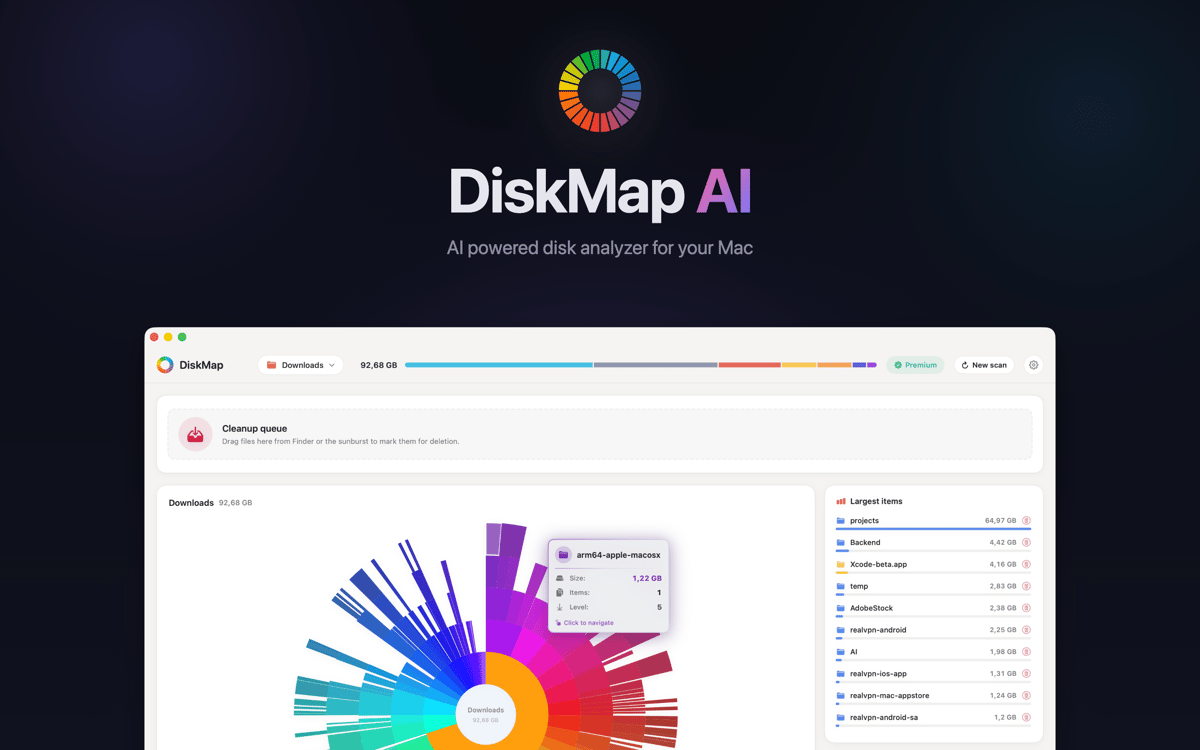
DiskMap — це аналізатор дискового простору для Mac. Він сканує будь-який диск і створює інтерактивну візуальну карту всіх файлів та папок — відсортовану за розміром, тому найбільші поглиначі місця одразу впадають в око. Вибери диск, натисни «Сканувати», і за лічені секунди точно дізнаєшся, куди поділися твої гігабайти. Знайшов щось, що тобі не потрібно? Переглядай і видаляй одразу.
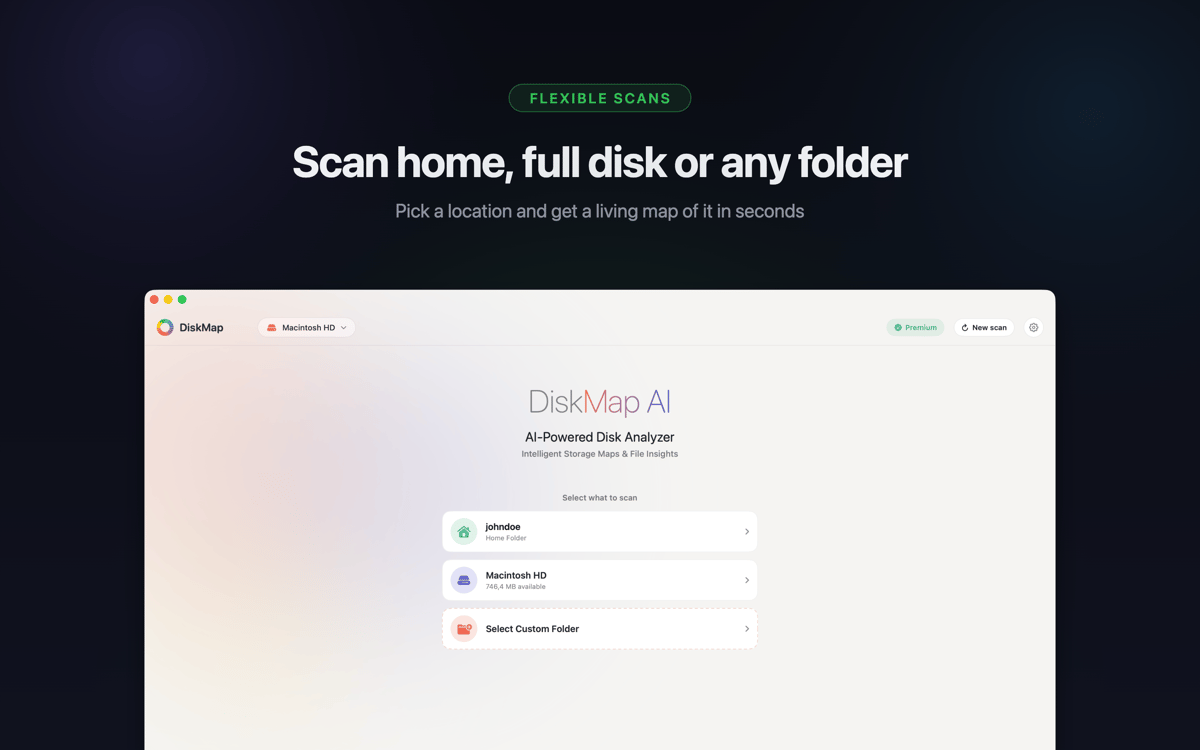
Скануй будь-який диск і миттєво переглядай розміри
Швидко знаходь великі файли та старі завантаження
Виявляй дублікати папок, про які ти забув
Переглядай та видаляй файли без Finder
Можливості DiskMap
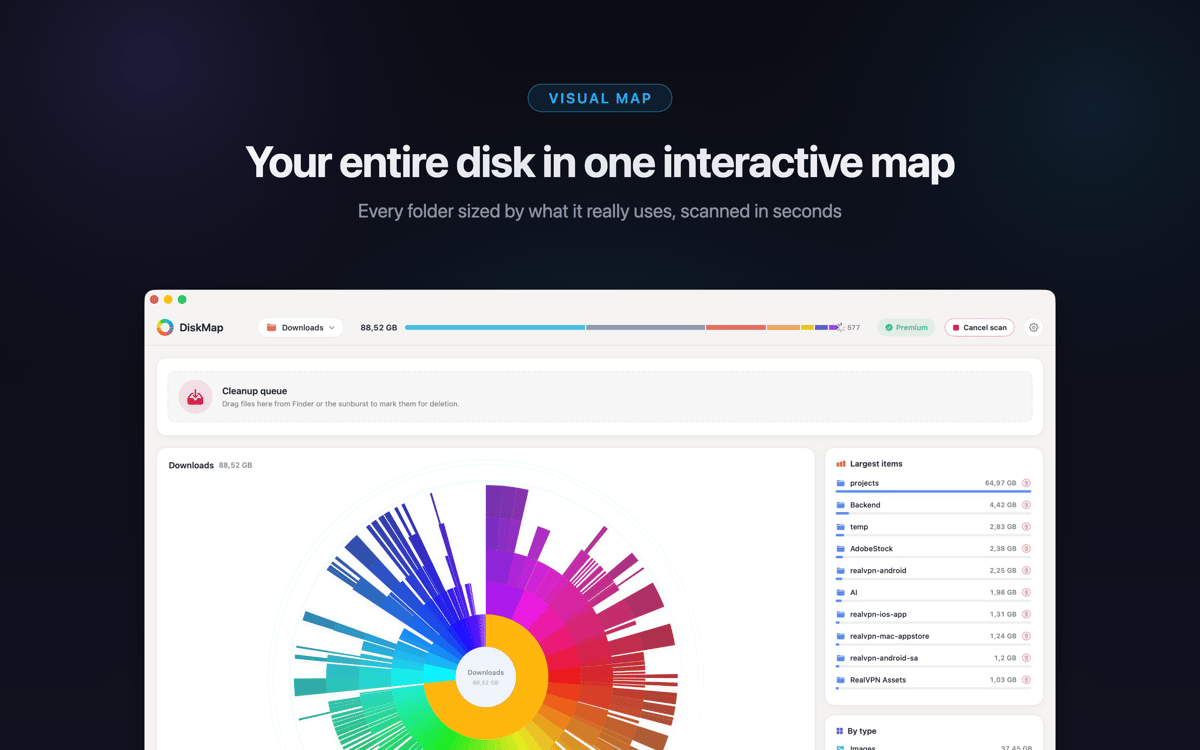
Переглянь весь диск за лічені секунди
DiskMap сканує твій диск і візуалізує кожен файл та папку за розміром — без очікування, без здогадок. Більшість сканувань завершується менш ніж за 30 секунд, навіть на дисках із мільйонами файлів. Візуальне подання робить проблему очевидною: найбільші папки одразу впадають в око.
Детальний огляд будь-якої папки
Натисни на будь-яку папку, щоб перейти глибше. Досліджуй весь диск шар за шаром із відображенням розмірів на кожному рівні. Ти завжди контролюєш, де дивитися — не потрібно заздалегідь знати шляхи до файлів.
Знайди та видали те, що марно займає місце
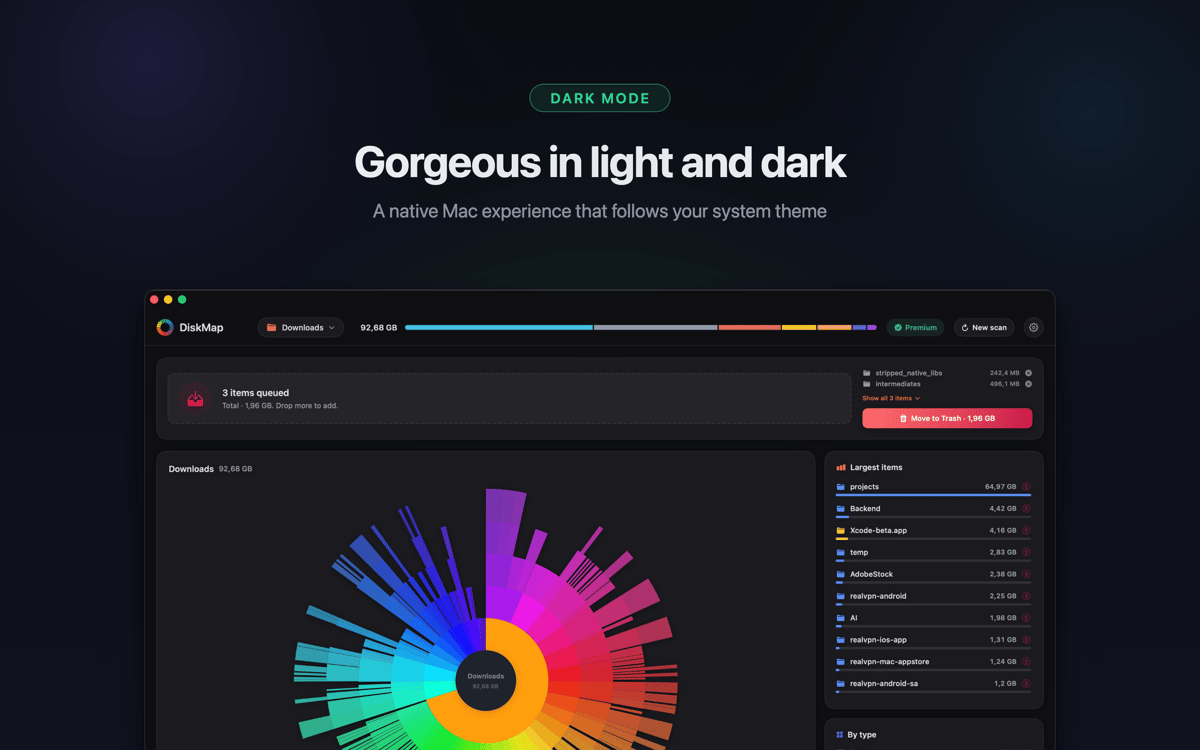
Знаходь старі завантаження, забуті архіви, роздуті кеші застосунків і дублікати папок, про які ти не знав. Переглядай будь-що за допомогою Quick Look перед видаленням. Нічого не видаляється без твоєї згоди.
Працює з усіма твоїми накопичувачами
Сканує твій завантажувальний диск, зовнішні USB та Thunderbolt накопичувачі, SD-карти, флеш-накопичувачі, мережеві томи, підключені образи DMG та диски Time Machine. Підтримує APFS, HFS+, ExFAT та FAT32 — якщо диск монтується на твоєму Mac, DiskMap може його проаналізувати.
Системні файли залишаються захищеними
Системні файли чітко позначені й захищені. DiskMap ніколи не видаляє нічого автоматично або без твоєї чіткої команди. Ти залишаєшся в повному контролі весь час.
Легкий дизайн
Жодних фонових процесів, жодної телеметрії, жодних даних, що передаються кудись. DiskMap працює тихо, завершує роботу швидко і не заважає тобі. Твої файли залишаються на твоєму Mac — і крапка.
Отримайте сотні програм з Membership
Підпишіться на Setapp і користуйтесь сотнями чудових програм.
Перші 7 днів безплатно, а далі – в єдиному простому плані.
Завантажити Setapp на Mac
Знайдіть в Setapp застосунок для macOS, iOS або web, що допоможе вирішити ваше завдання.

Установіть знайдену програму
Виконайте завдання за допомогою новенької програми зі Setapp.

DiskMap
Виберіть план підписки
Один застосунок або всі разом в підписці Setapp. Користуйтеся застосунками на своїх умовах.

Отримайте сотні програм з Membership
Підпишіться на Setapp і користуйтесь сотнями чудових програм.
Перші 7 днів безплатно, а далі – в єдиному простому плані.
1
Завантажити Setapp на Mac
Знайдіть в Setapp застосунок для macOS, iOS або web, що допоможе вирішити ваше завдання.
2
Установіть знайдену програму
Виконайте завдання за допомогою новенької програми зі Setapp.
DiskMap
3
Виберіть план підписки
Один застосунок або всі разом в підписці Setapp. Користуйтеся застосунками на своїх умовах.
Нагору
Від планування та рутинних завдань до програмування і творчості – працюйте ефективніше зі Setapp.

TypingMind
ШІ зі зручним інтерфейсом
генеруйте й обробляйте текст
користуйтеся бібліотекою
ШІ

Spark Mail
Упорядкуйте імейли
ШІ

CleanMyMac
Видаляйте тільки непотрібне

Bartender
Налаштуйте меню під себе

CleanShot X
Робіть будь-які скриншоти

Luminar Neo
Редагуйте фото
ШІ

ClearVPN
Безпечний звʼязок

Craft
Робота з документами
ШІ
DiskMap
Дивись, куди поділося місце на диску