
EasyHomebrew
Homebrew, minus the Terminal
Mac
Версія 3.5.0
macOS 14.0 чи новіша
13.7 MB
6 мов(и)
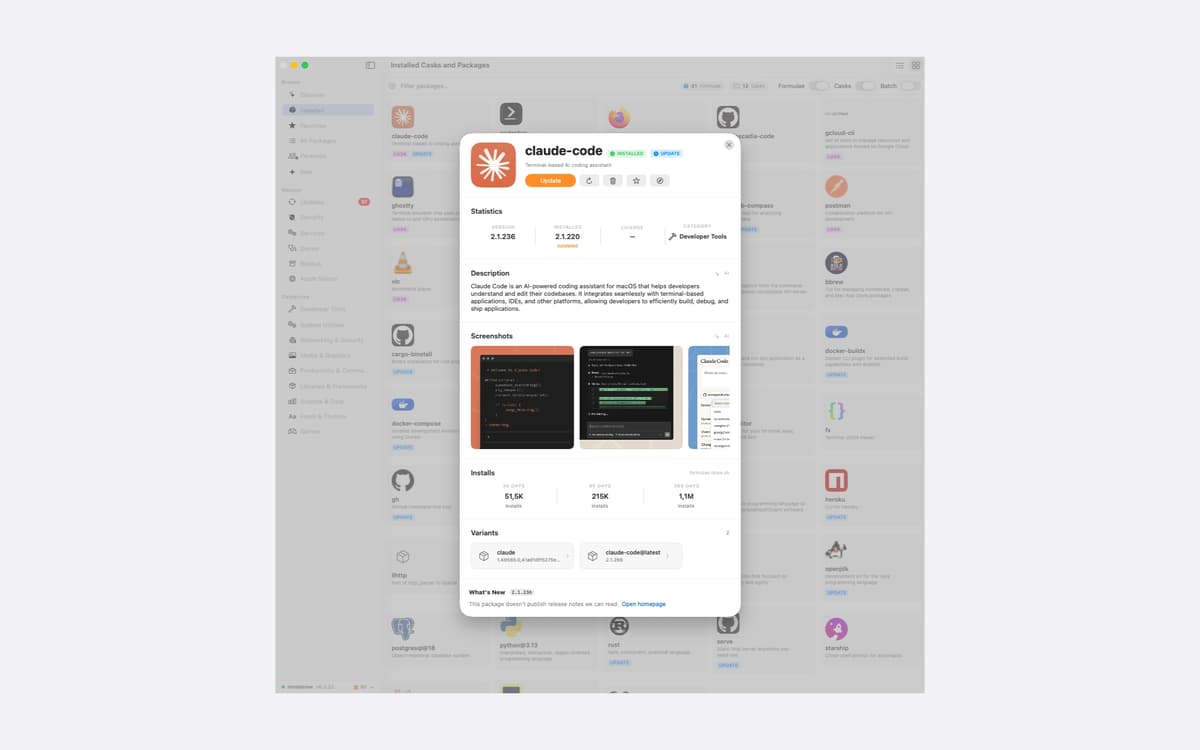
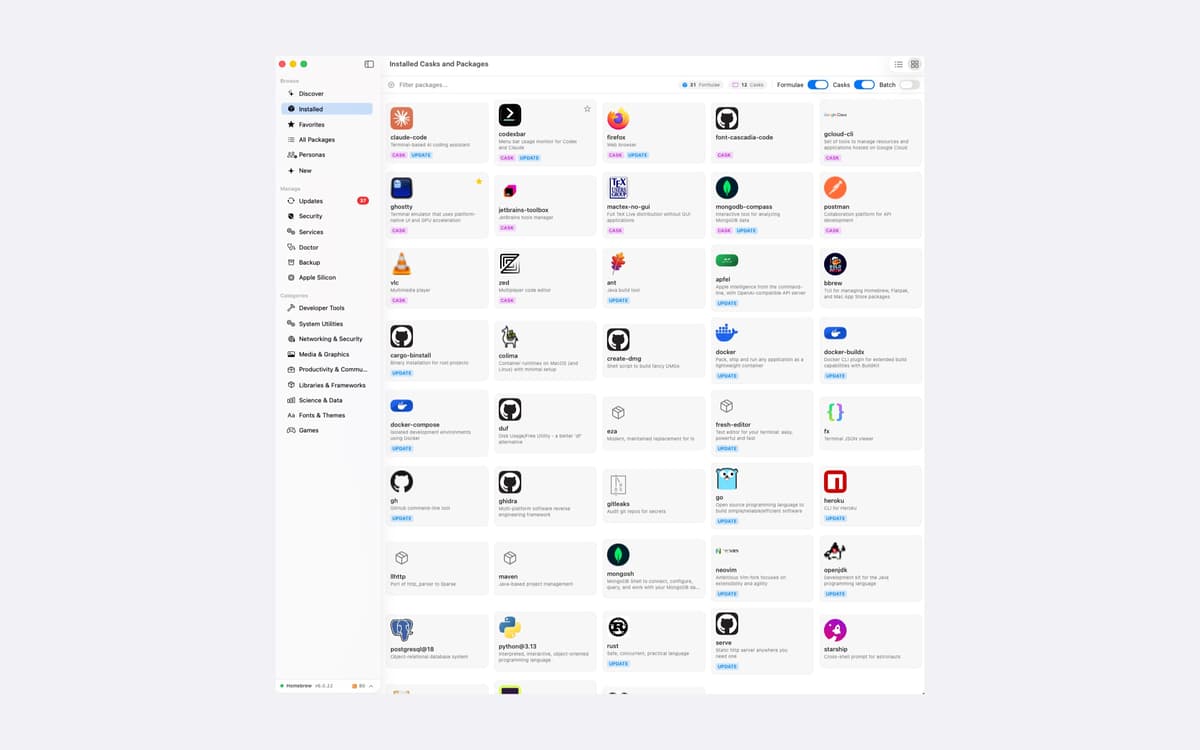
EasyHomebrew is a Homebrew manager for Mac that gives brew a proper interface. Browse, install, update, and remove packages without typing a command. It also checks everything you've installed against a live vulnerability database and lets you know when something needs attention. No account, no analytics, no tracking.
Check packages for known vulnerabilities
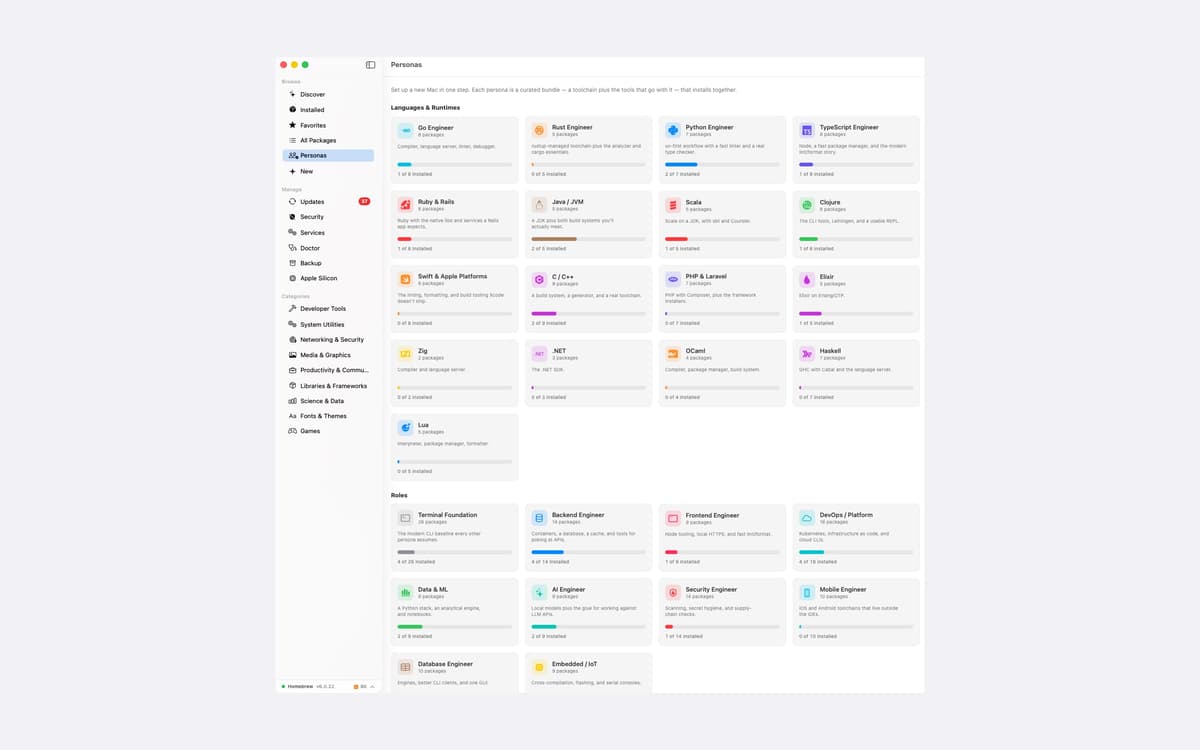
Set up a new Mac in one step
Update packages with release notes
Move your setup to another Mac
Можливості EasyHomebrew
Know what's vulnerable
Every formula and cask on your Mac is matched against a live vulnerability database. You see severity at a glance and can open the official advisory in one click. A small menu-bar agent rechecks on your schedule, so you hear about new advisories the same day. One health score sums up your machine, and vulnerable packages weigh the most.
Update on your terms
See every outdated package in one place, with the upstream release notes right on the page. Read first, then decide. You can pin a package to hold its version, or snooze an update for a day, a week, or a month.
Services and Doctor, without the Terminal
Start, stop, and restart databases and web servers. Follow their logs live, with levels color-coded. Doctor runs a full brew health check, and wherever brew offers a fix, you get a "Run fix" button instead of a command to copy and paste.
Set up or move a Mac fast
Personas are 27 curated bundles that install together. There are 17 for languages and runtimes, plus 10 for roles like DevOps, Security, and Data & ML. Each one brings a whole toolchain, not just a bare compiler. Moving to a new Mac? Export all your formulae, casks, and taps to one file and restore it there. A restore only adds what's missing and leaves what you already have alone.
Search the way you think
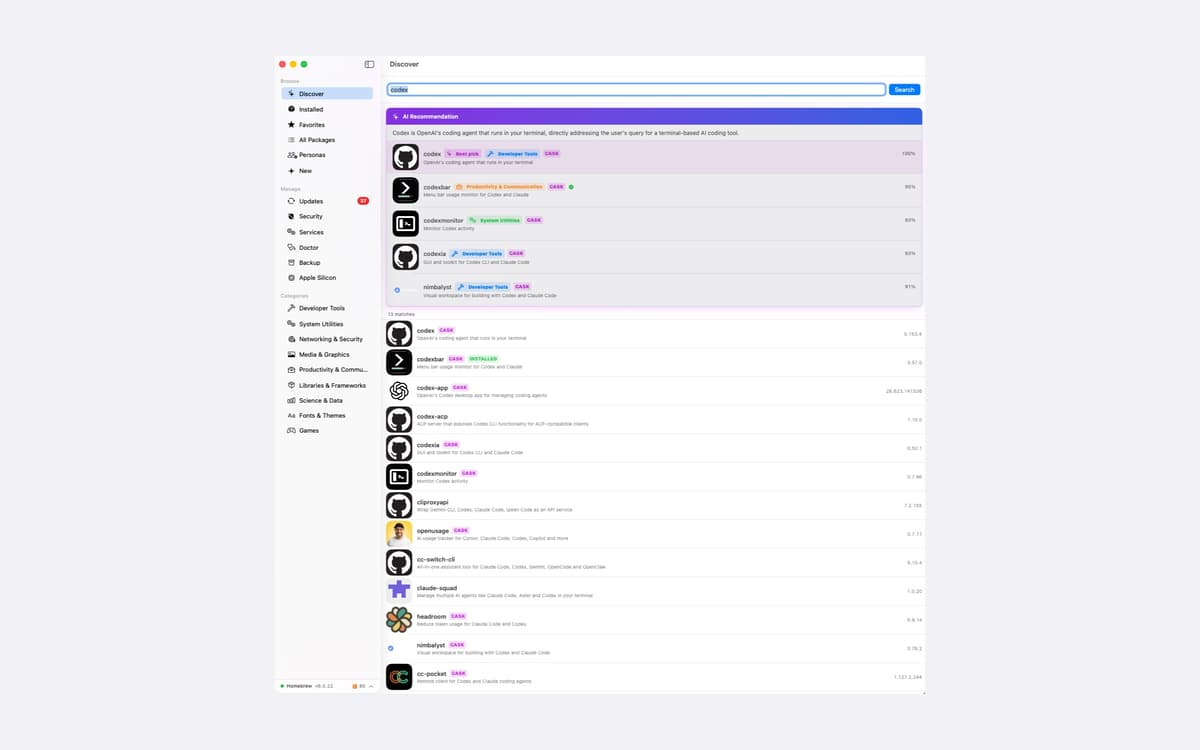
Type what you want, like "fast SQL client with autocomplete," and EasyHomebrew finds the package that fits. It knows Homebrew's alternate names too, so "java" finds the JDK and "postgres" finds PostgreSQL. On macOS 26 and later, Apple Intelligence writes plain-English summaries of packages and taps. It runs on your Mac, and nothing leaves it.
Private by design
No analytics, no telemetry, no crash reports, and no install identifier. There's no account to sign into. The servers EasyHomebrew talks to are asked about a package or a vulnerability, never about you. It's a universal app for Apple Silicon and Intel, in English, French, German, Greek, Italian, and Spanish.
Отримайте сотні програм з Membership
Підпишіться на Setapp і користуйтесь сотнями чудових програм.
Перші 7 днів безплатно, а далі – в єдиному простому плані.
Завантажити Setapp на Mac
Знайдіть в Setapp застосунок для macOS, iOS або web, що допоможе вирішити ваше завдання.

Установіть знайдену програму
Виконайте завдання за допомогою новенької програми зі Setapp.

EasyHomebrew
Виберіть план підписки
Один застосунок або всі разом в підписці Setapp. Користуйтеся застосунками на своїх умовах.

Отримайте сотні програм з Membership
Підпишіться на Setapp і користуйтесь сотнями чудових програм.
Перші 7 днів безплатно, а далі – в єдиному простому плані.
1
Завантажити Setapp на Mac
Знайдіть в Setapp застосунок для macOS, iOS або web, що допоможе вирішити ваше завдання.
2
Установіть знайдену програму
Виконайте завдання за допомогою новенької програми зі Setapp.
EasyHomebrew
3
Виберіть план підписки
Один застосунок або всі разом в підписці Setapp. Користуйтеся застосунками на своїх умовах.
Нагору
Від планування та рутинних завдань до програмування і творчості – працюйте ефективніше зі Setapp.

TypingMind
ШІ зі зручним інтерфейсом
генеруйте й обробляйте текст
користуйтеся бібліотекою
ШІ

Spark Mail
Упорядкуйте імейли
ШІ

CleanMyMac
Видаляйте тільки непотрібне

Bartender
Налаштуйте меню під себе

CleanShot X
Робіть будь-які скриншоти

Luminar Neo
Редагуйте фото
ШІ

ClearVPN
Безпечний звʼязок

Craft
Робота з документами
ШІ
EasyHomebrew
Homebrew, minus the Terminal