
Echo
Resume where you left off


Mac
Версія 1.0.29
macOS 13.0 чи новіша
22.1 MB
1 мов(и)
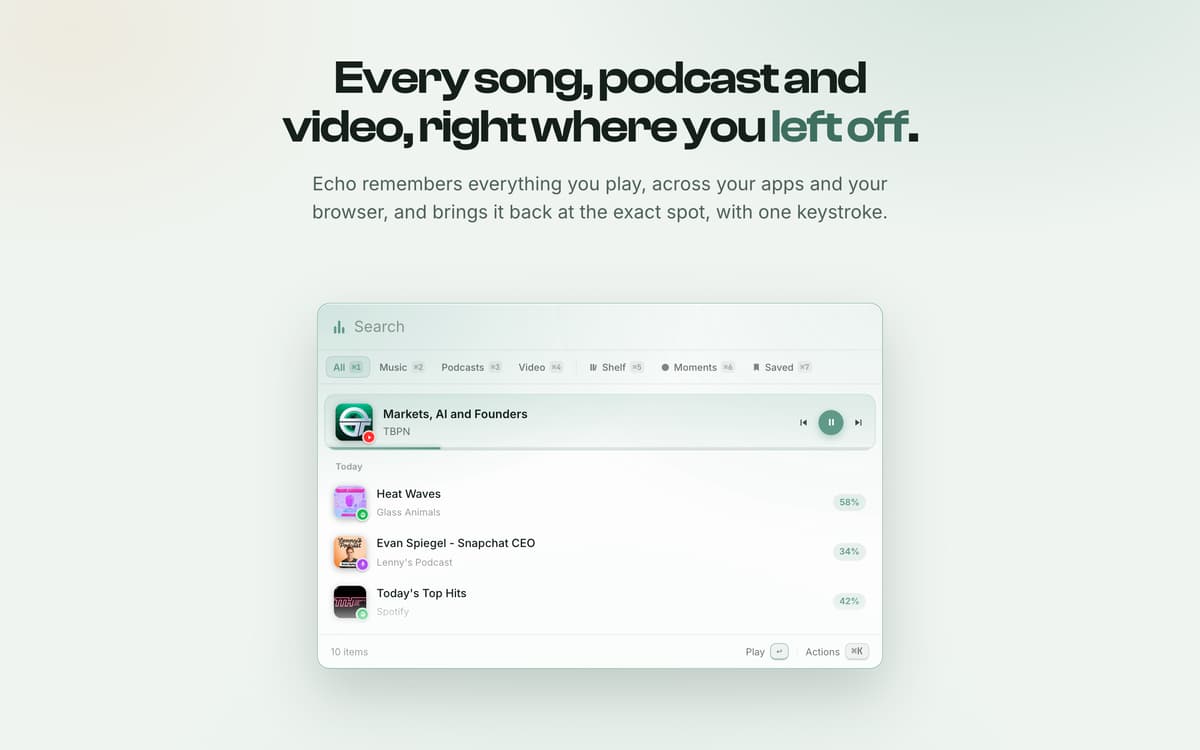
Echo is a menu-bar app for Mac that remembers every song, podcast and video you play, across your apps and the browser. Press the shortcut and a fast, keyboard-first overlay lets you resume any of it at the exact spot you left off.
Back at the exact second
Float any video
Bookmark the bit that hit
Pick it up on your phone
Можливості Echo
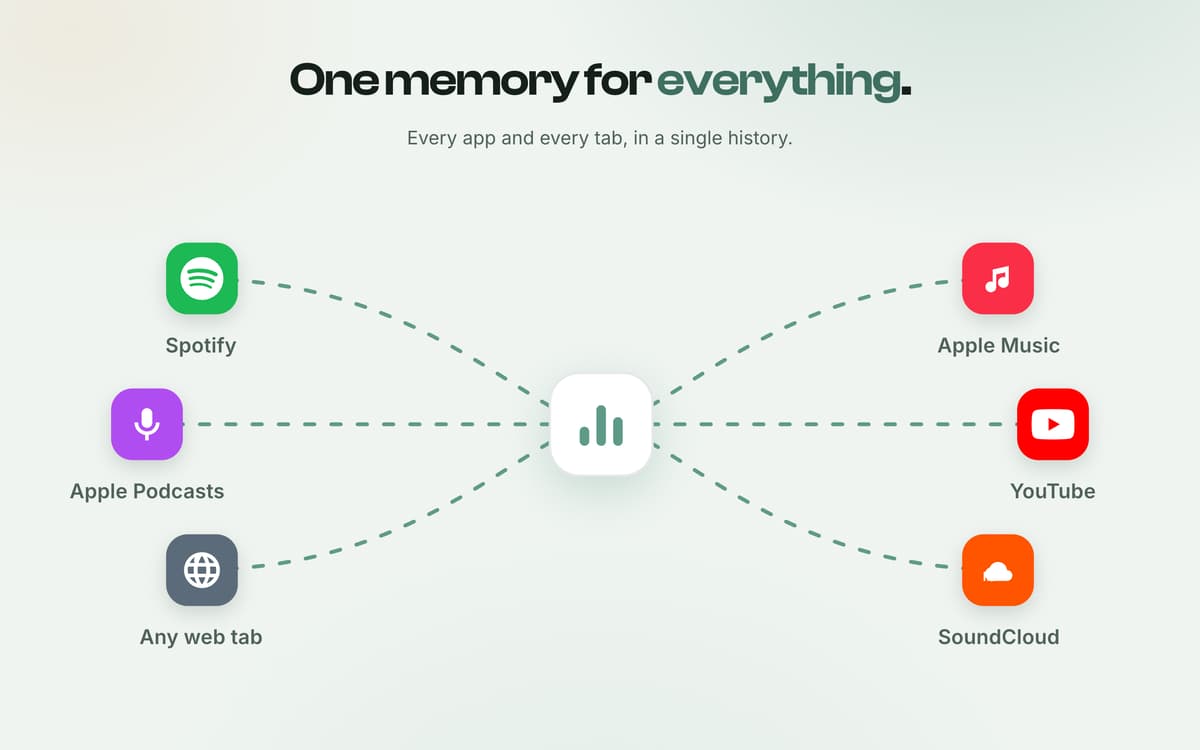
One memory for everything
Every app and every tab, in a single history. Native apps that publish to macOS Now Playing (Spotify, Apple Music, Apple Podcasts and more), plus anything you play in your browser through the companion extension: YouTube, Spotify Web, SoundCloud, podcasts, and any tab with audio or video.
Back at the exact second
Not just what you played, but where. Echo lands on the moment and hands you the controls: scrub, speed, skip. Press the global shortcut from anywhere, even over another app, and Echo's overlay appears with your recent media.
Float any video
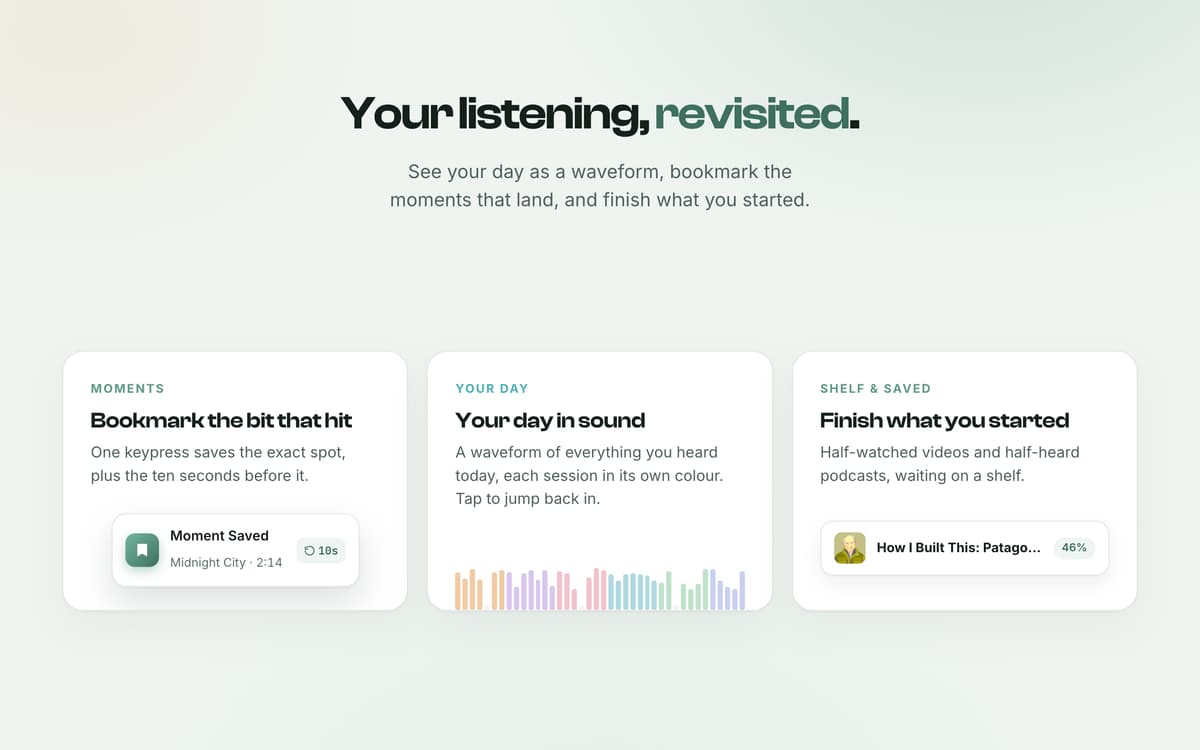
It hovers over your work, then turns to glass so you can click straight through. Half-watched videos and half-heard podcasts, waiting on a shelf.
Your day in sound
A waveform of everything you heard today, each session in its own colour. Tap to jump back in. One keypress saves the exact spot, plus the ten seconds before it.
Pick it up on your phone
Scan the code and keep going, at the exact second, on your phone. Hit Cmd-K on anything: pin, rename, recategorise, copy a timestamped link.
Отримайте сотні програм з Membership
Підпишіться на Setapp і користуйтесь сотнями чудових програм.
Перші 7 днів безплатно, а далі – в єдиному простому плані.
Завантажити Setapp на Mac
Знайдіть в Setapp застосунок для macOS, iOS або web, що допоможе вирішити ваше завдання.

Установіть знайдену програму
Виконайте завдання за допомогою новенької програми зі Setapp.

Echo
Виберіть план підписки
Один застосунок або всі разом в підписці Setapp. Користуйтеся застосунками на своїх умовах.

Отримайте сотні програм з Membership
Підпишіться на Setapp і користуйтесь сотнями чудових програм.
Перші 7 днів безплатно, а далі – в єдиному простому плані.
1
Завантажити Setapp на Mac
Знайдіть в Setapp застосунок для macOS, iOS або web, що допоможе вирішити ваше завдання.
2
Установіть знайдену програму
Виконайте завдання за допомогою новенької програми зі Setapp.
Echo
3
Виберіть план підписки
Один застосунок або всі разом в підписці Setapp. Користуйтеся застосунками на своїх умовах.
Нагору
Від планування та рутинних завдань до програмування і творчості – працюйте ефективніше зі Setapp.

TypingMind
ШІ зі зручним інтерфейсом
генеруйте й обробляйте текст
користуйтеся бібліотекою
ШІ

Spark Mail
Упорядкуйте імейли
ШІ

CleanMyMac
Видаляйте тільки непотрібне

Bartender
Налаштуйте меню під себе

CleanShot X
Робіть будь-які скриншоти

Luminar Neo
Редагуйте фото
ШІ

ClearVPN
Безпечний звʼязок

Craft
Робота з документами
ШІ
Echo
Resume where you left off