
Evenlight
Керуйте яскравістю додатків
Mac
Версія 1.2.12
macOS 14 чи новіша
41.4 MB
1 мов(и)
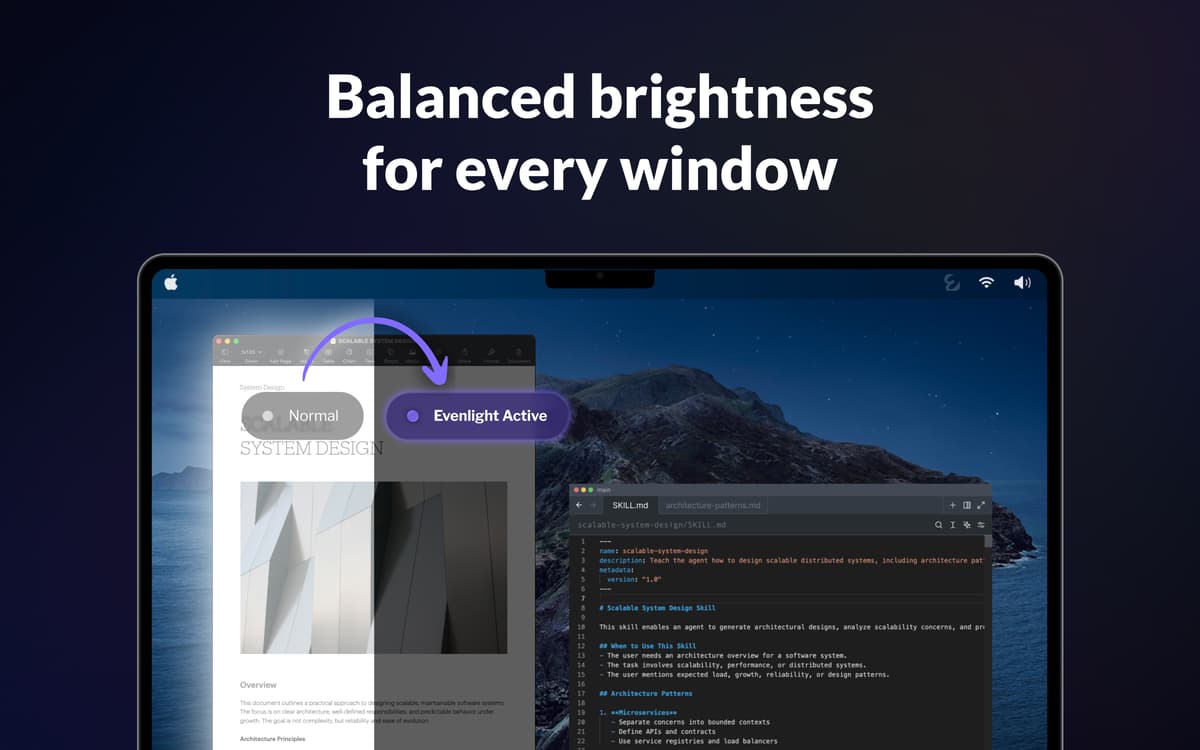
Відкриваєте Slack — сліпучо білий екран. Перемикаєтесь на редактор коду — раптово темно. Повертаєтесь до Google Doc — знову білий. Якщо робити це сотню разів на день, до 3-ї години дня ваші очі вже виснажені. Evenlight непомітно працює у фоновому режимі, вирівнює яскравість між вікнами, щоб кожне перемикання відчувалося природно, а не різко.
Збалансуйте яскравість для всіх вікон
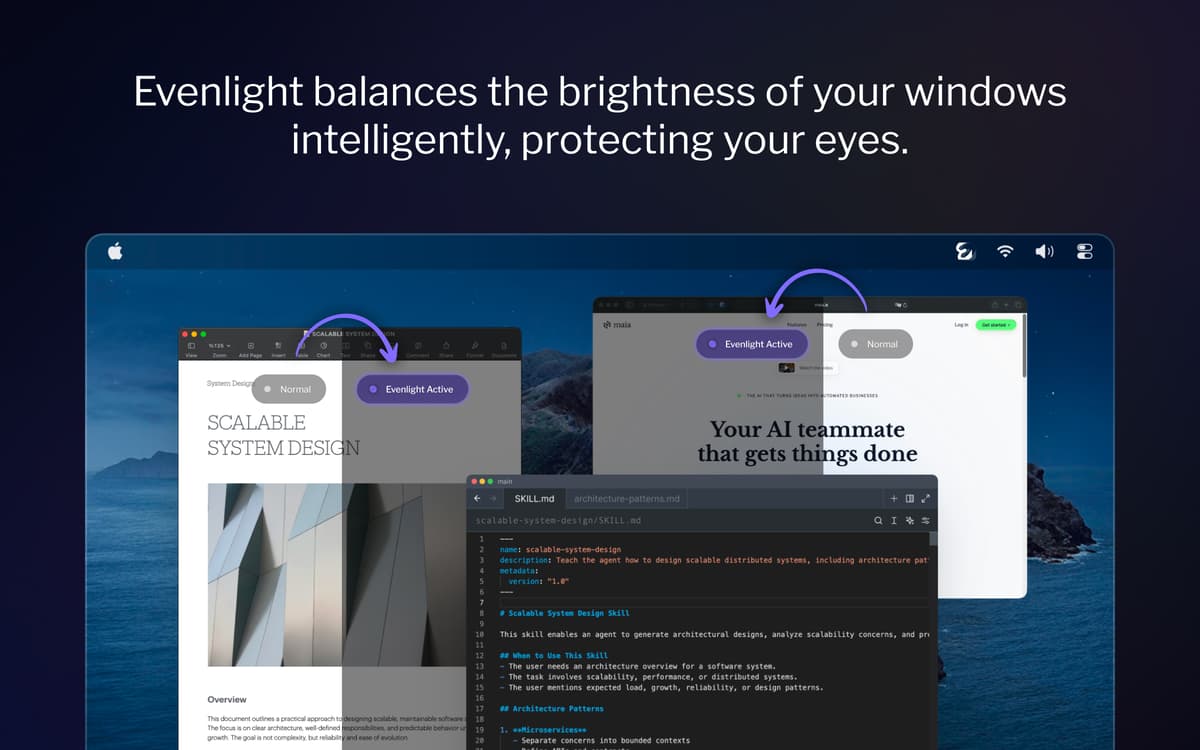
Знизьте навантаження на очі за екраном
Підвищуйте продуктивність і ясність розуму
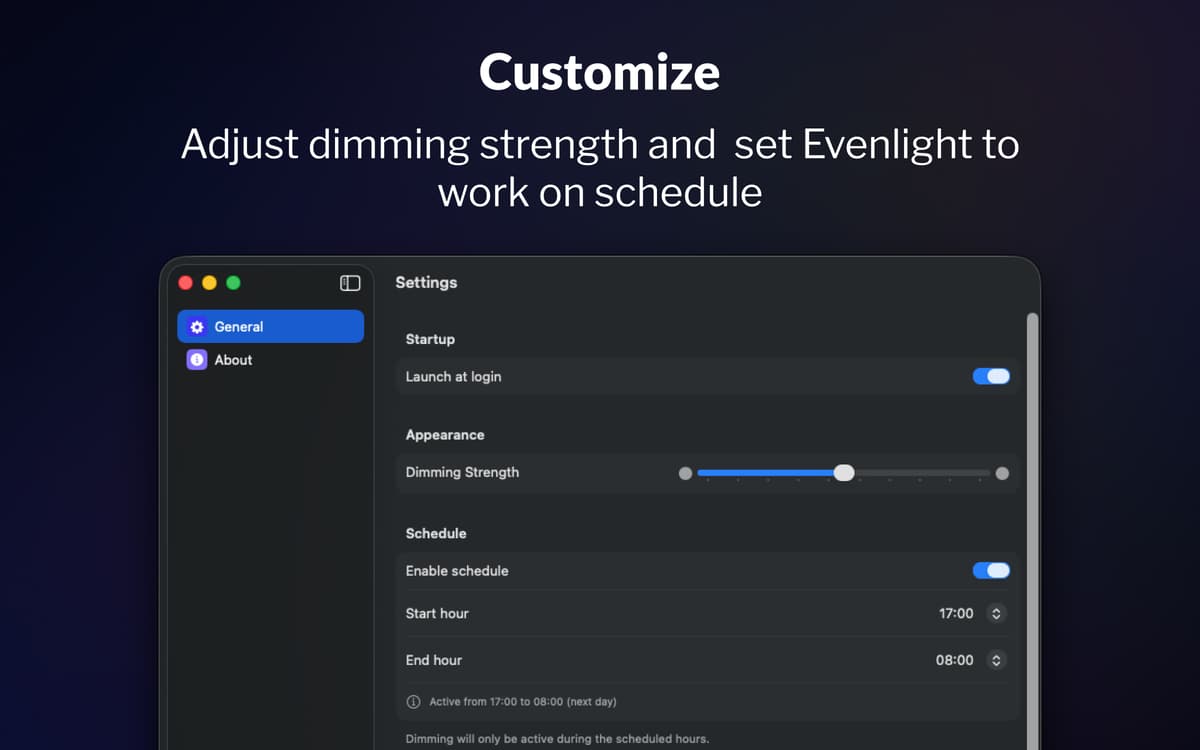
Встановіть розклад затемнення на свій робочий день
Можливості Evenlight
Баланс яскравості між усіма відкритими вікнами
Кожного разу, коли ви переходите між темним і світлим додатком, вашим очам доводиться пристосовуватись. Evenlight розумно згладжує такі переходи — на всіх ваших моніторах — тож контраст більше не привертає увагу.
Заплануйте затемнення відповідно до свого дня
Більшість людей забувають підлаштувати яскравість екрана, поки очі не стомляться. Завдяки розкладу в Evenlight ви точно визначаєте, коли автоматично вмикається та вимикається затемнення. Встановіть час початку, час завершення — і програма слідує вашому розпорядку.
Миттєво регулюйте та керуйте яскравістю з меню
Evenlight дозволяє точно налаштовувати силу затемнення у будь-який момент за допомогою простого повзунка, щоб ви могли збільшувати чи зменшувати інтенсивність відповідно до того, як почуваються ваші очі. Якщо вам потрібна повна яскравість на деякий час, ви можете миттєво призупинити затемнення або встановити тимчасову перерву на певний період. Завжди доступно з меню, зміни займають лише декілька секунд і ніколи не переривають ваш робочий процес.
Оцінки та відгуки
Evenlight
•
Оцінок: 33
Shrikant Meena
17 трав. 2026 р.
Версія: 1.2.0
Not a quality app, the dimming mask keeps slipping with bright window visible when moved across screen
Відповідь розробника
17 трав. 2026 р.
Hi Shrikant, thank you for your feedback. It is the best macOS allows, so the quality is on Apple's part, but thank you for the comment.
Randy
2 квіт. 2026 р.
Версія: 1.1.5
This is a very useful utility! I would like to have an option to either disable it for blacklisted apps, or enable it only for whitelisted apps. I want to be able to manage this so that it does not affect watching movies or gaming.
Jeremy Weathers
2 квіт. 2026 р.
Версія: 1.1.5
This doesn’t work at all, and in fact is worse, with the menu bar and dock in light mode. The developer acknowledged that they are unable to modify the menu bar or dock brightness at least with macOS Tahoe.
Отримайте сотні програм з Membership
Підпишіться на Setapp і користуйтесь сотнями чудових програм.
Перші 7 днів безплатно, а далі – в єдиному простому плані.
Завантажити Setapp на Mac
Знайдіть в Setapp застосунок для macOS, iOS або web, що допоможе вирішити ваше завдання.

Установіть знайдену програму
Виконайте завдання за допомогою новенької програми зі Setapp.

Evenlight
Виберіть план підписки
Один застосунок або всі разом в підписці Setapp. Користуйтеся застосунками на своїх умовах.

Отримайте сотні програм з Membership
Підпишіться на Setapp і користуйтесь сотнями чудових програм.
Перші 7 днів безплатно, а далі – в єдиному простому плані.
1
Завантажити Setapp на Mac
Знайдіть в Setapp застосунок для macOS, iOS або web, що допоможе вирішити ваше завдання.
2
Установіть знайдену програму
Виконайте завдання за допомогою новенької програми зі Setapp.
Evenlight
3
Виберіть план підписки
Один застосунок або всі разом в підписці Setapp. Користуйтеся застосунками на своїх умовах.
Нагору
Від планування та рутинних завдань до програмування і творчості – працюйте ефективніше зі Setapp.

TypingMind
ШІ зі зручним інтерфейсом
генеруйте й обробляйте текст
користуйтеся бібліотекою
ШІ

Spark Mail
Упорядкуйте імейли
ШІ

CleanMyMac
Видаляйте тільки непотрібне

Bartender
Налаштуйте меню під себе

CleanShot X
Робіть будь-які скриншоти

Luminar Neo
Редагуйте фото
ШІ

ClearVPN
Безпечний звʼязок

Craft
Робота з документами
ШІ
Evenlight
Керуйте яскравістю додатків