File Architect
Конструктор структури файлів для Mac
Mac
Версія 0.11.25
macOS 11.5 чи новіша
45 MB
1 мов(и)
File Architect — це конструктор файлової структури для Mac, який перетворює звичайний текст на організовані папки й файли. Замість кліків по папках у Finder одна за одною просто опиши структуру, використай табуляцію для вкладення, натисни «Створити» та продовжуй роботу. Це особливо зручно для розробників, дизайнерів, контент-команд та всіх, хто часто створює нові проекти. Зберігай шаблони для повторного використання, генеруй структури за допомогою ШІ та створюй робочі файли для десятків форматів — від .docx до .psd. Уявляй це як каркас для своїх файлів. Без команд терміналу та дрібних помилок.
Створюй вкладені структури файлів
Створюй робочі порожні файли, які відкриваються
Спеціальний синтаксис для копіювання та імпорту
Збереження шаблонів структур
Можливості File Architect
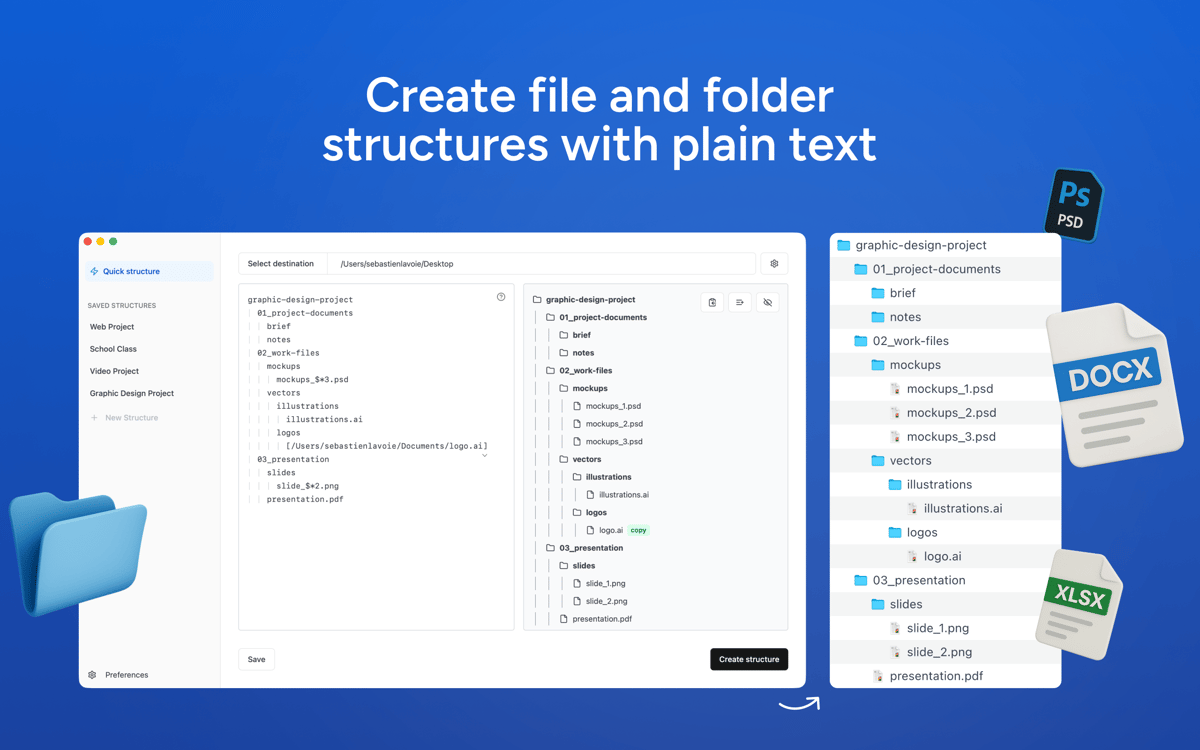
Створюй структури папок з тексту
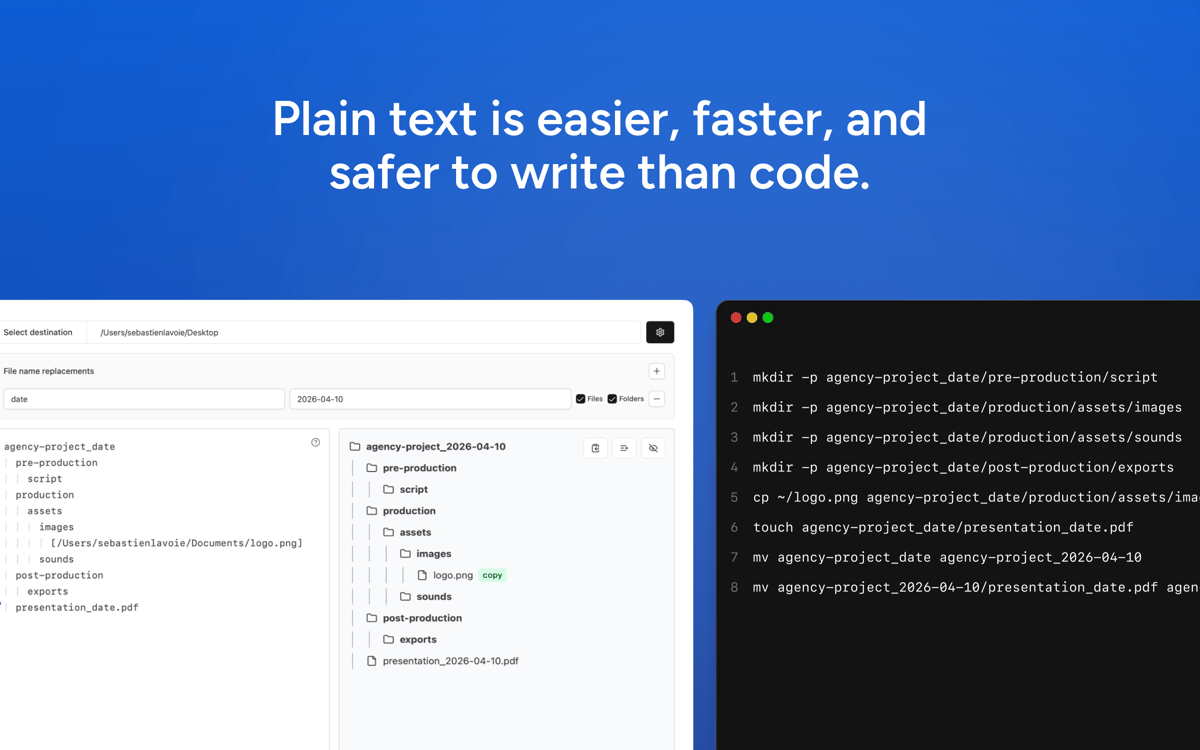
Записуй файли та папки у простому текстовому вигляді. Використовуй вкладки для вкладеності та створюй чисті структури проектів за секунди.
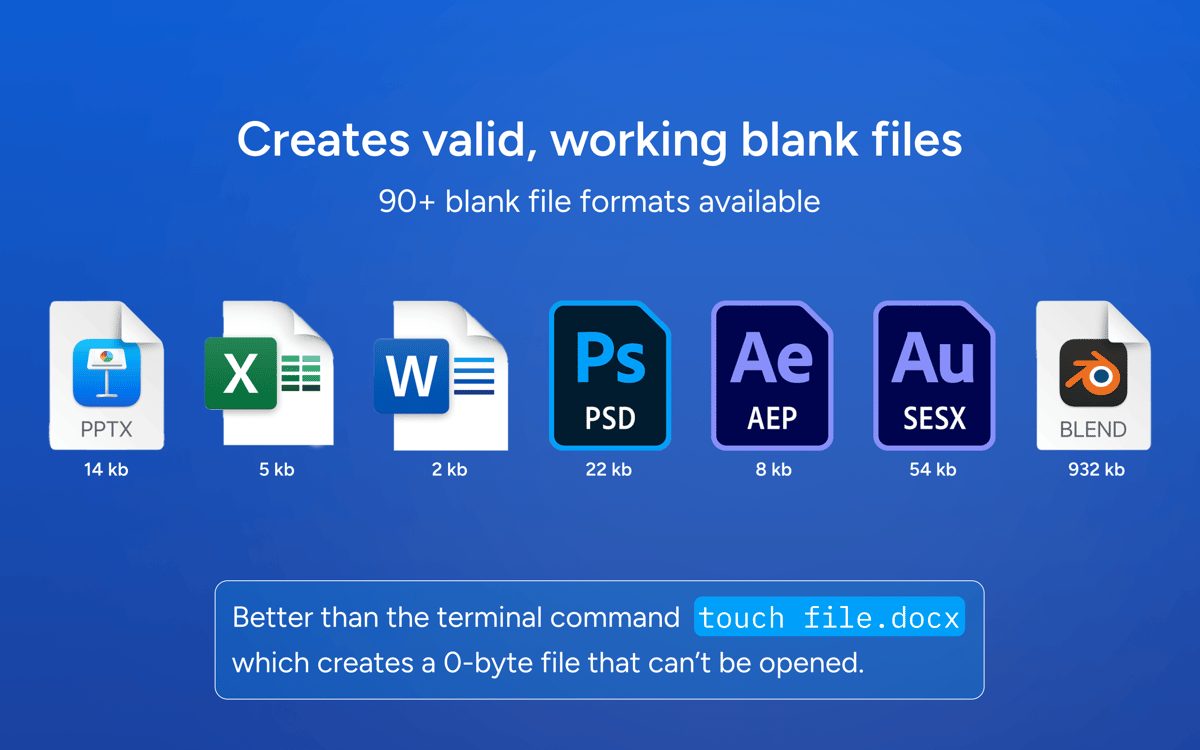
Створення порожніх файлів для миттєвого відкриття
Створюй дійсні порожні файли, які відкриваються у відповідних програмах — включно з форматами PSD, DOCX, XLSX та понад 100 іншими.
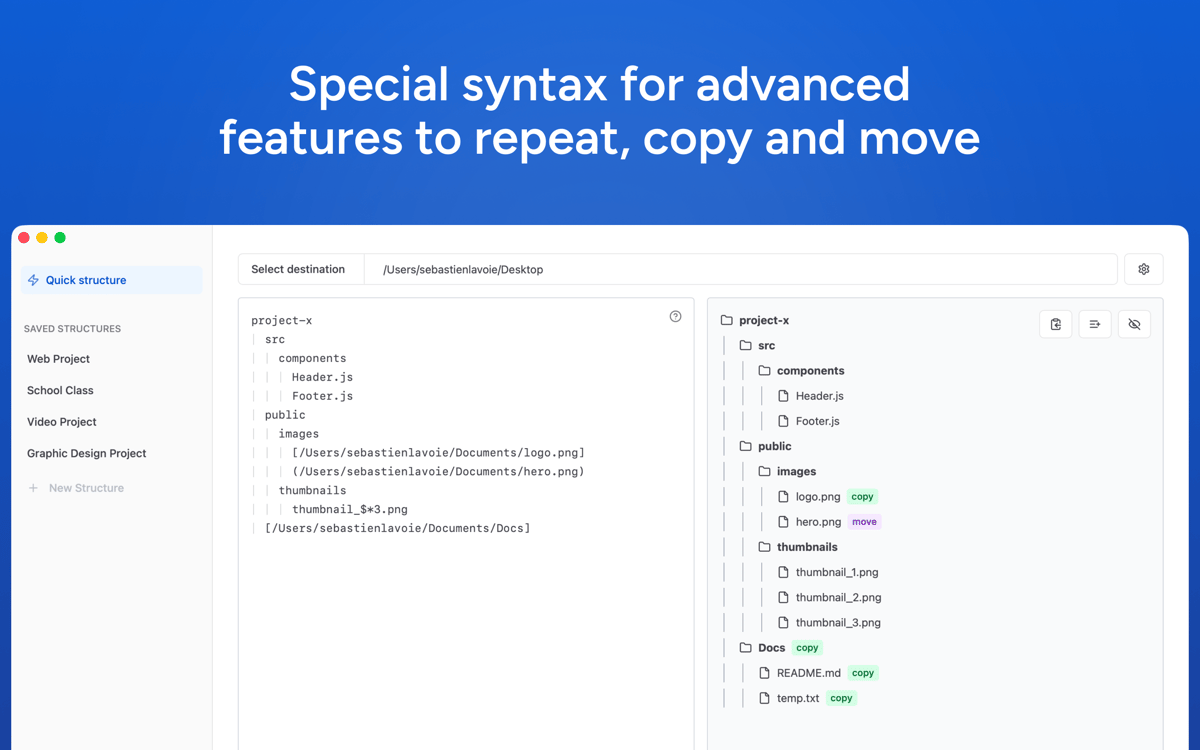
Розширені операції
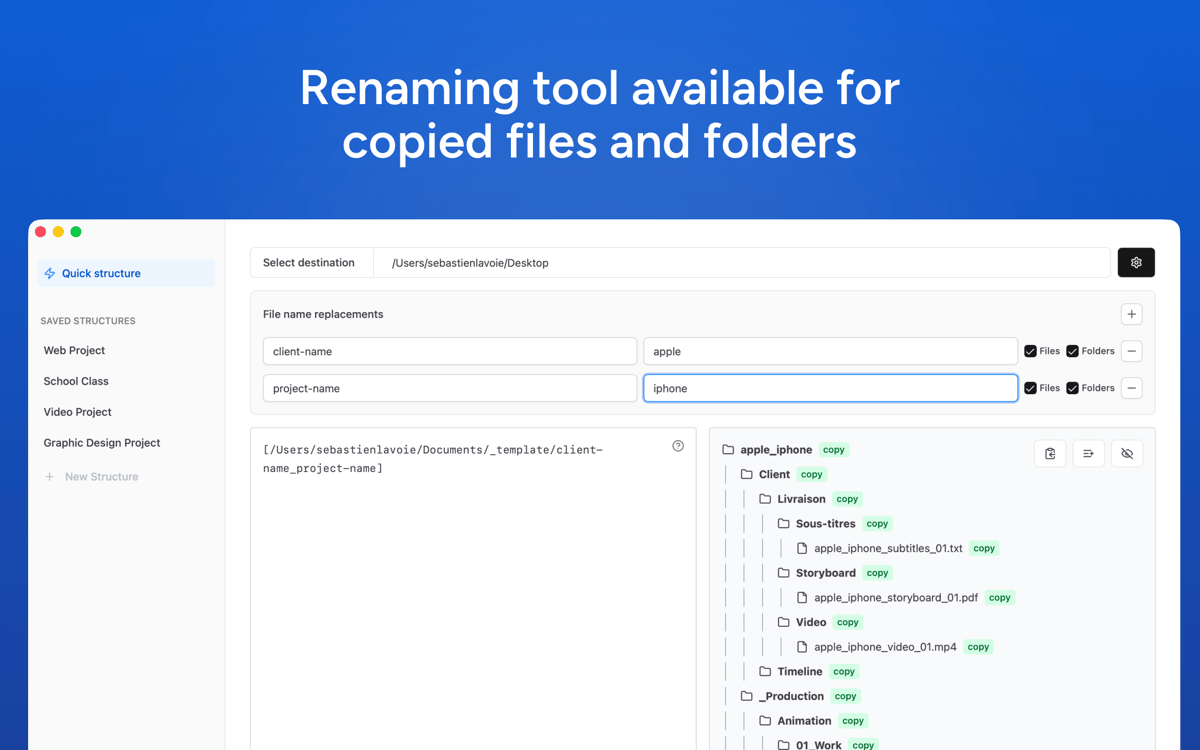
Копіюй, переміщуй, перейменовуй або дублюй файли та папки безпосередньо з текстового вводу за допомогою спеціального синтаксису.
Збережені структури
Зберігай структури як готові шаблони і використовуй їх будь-коли одним кліком.
Швидкий, приватний і легкий
File Architect підтримує порядок файлів і структур на твоєму Mac. Додаток швидкий, приватний, мінімалістичний і простий у використанні.
Отримайте сотні програм з Membership
Підпишіться на Setapp і користуйтесь сотнями чудових програм.
Перші 7 днів безплатно, а далі – в єдиному простому плані.
Завантажити Setapp на Mac
Знайдіть в Setapp застосунок для macOS, iOS або web, що допоможе вирішити ваше завдання.

Установіть знайдену програму
Виконайте завдання за допомогою новенької програми зі Setapp.

File Architect
Виберіть план підписки
Один застосунок або всі разом в підписці Setapp. Користуйтеся застосунками на своїх умовах.

Отримайте сотні програм з Membership
Підпишіться на Setapp і користуйтесь сотнями чудових програм.
Перші 7 днів безплатно, а далі – в єдиному простому плані.
1
Завантажити Setapp на Mac
Знайдіть в Setapp застосунок для macOS, iOS або web, що допоможе вирішити ваше завдання.
2
Установіть знайдену програму
Виконайте завдання за допомогою новенької програми зі Setapp.
File Architect
3
Виберіть план підписки
Один застосунок або всі разом в підписці Setapp. Користуйтеся застосунками на своїх умовах.
Нагору
Від планування та рутинних завдань до програмування і творчості – працюйте ефективніше зі Setapp.

TypingMind
ШІ зі зручним інтерфейсом
генеруйте й обробляйте текст
користуйтеся бібліотекою
ШІ

Spark Mail
Упорядкуйте імейли
ШІ

CleanMyMac
Видаляйте тільки непотрібне

Bartender
Налаштуйте меню під себе

CleanShot X
Робіть будь-які скриншоти

Luminar Neo
Редагуйте фото
ШІ

ClearVPN
Безпечний звʼязок

Craft
Робота з документами
ШІ
File Architect
Конструктор структури файлів для Mac