
GlassNudge
The reminder you can't ignore
Mac
Версія 1.0.12
macOS 13.0 чи новіша
37.8 MB
1 мов(и)
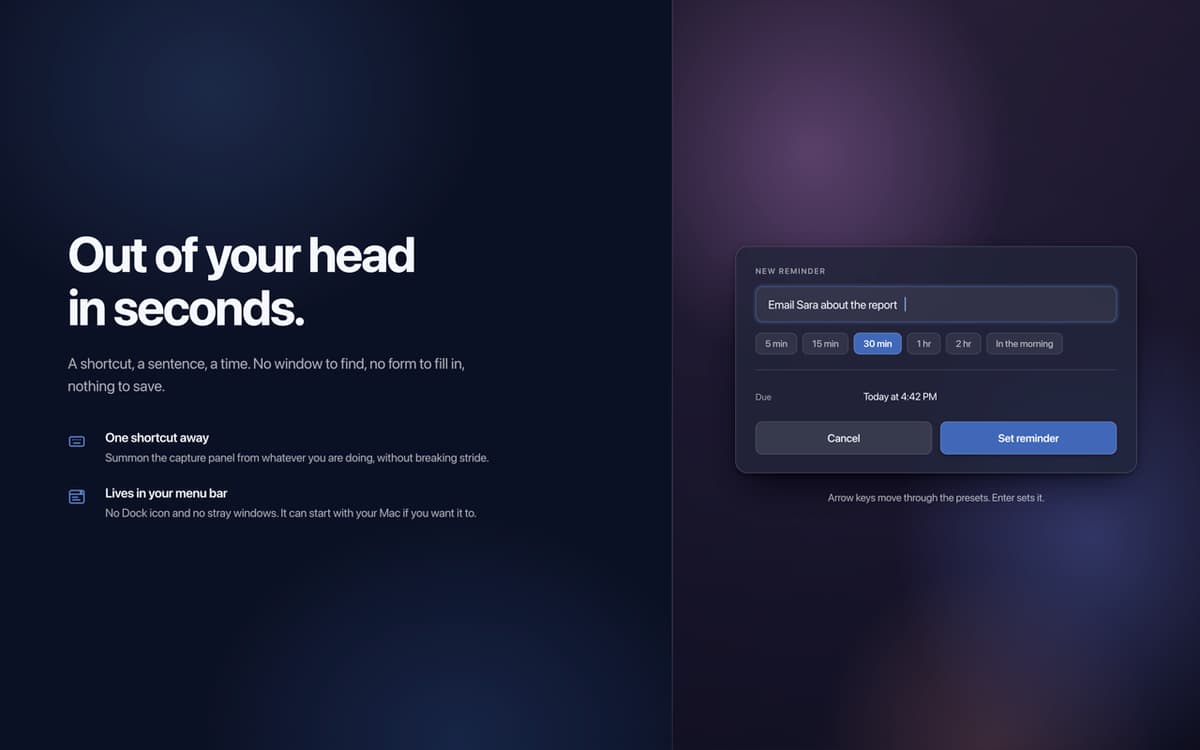
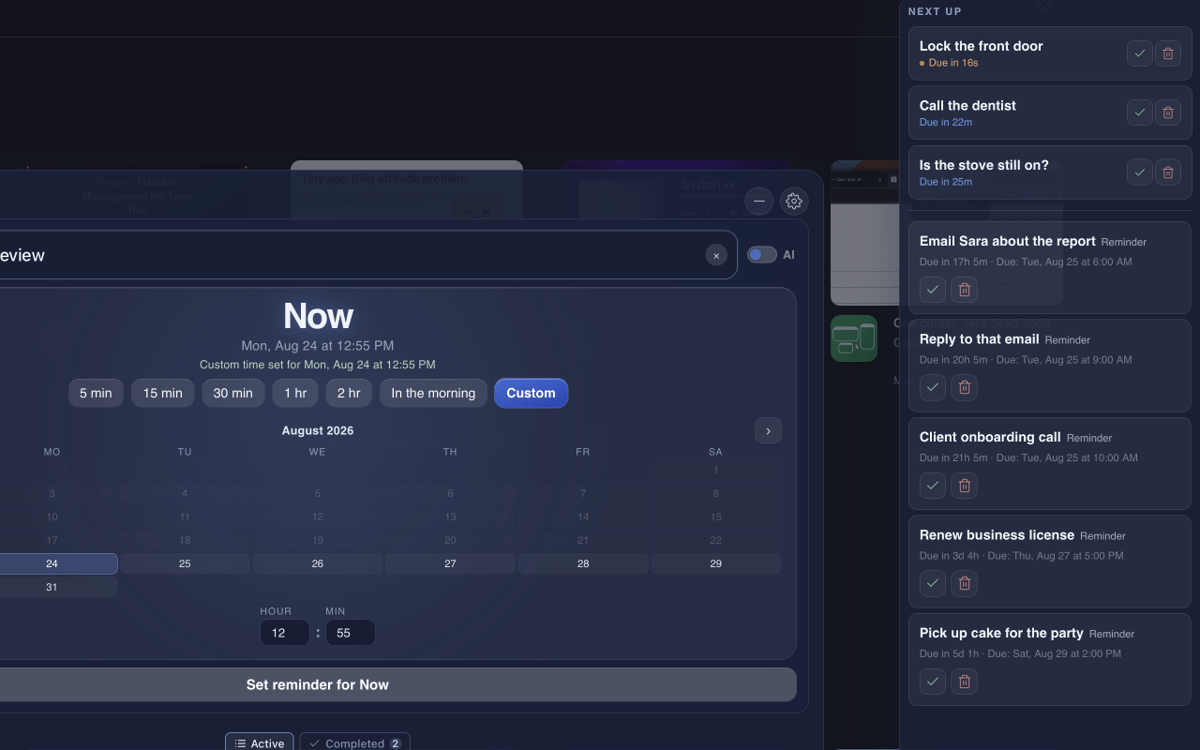
GlassNudge is a full-screen reminder app for macOS. Type a reminder, pick a time, and GlassNudge handles the rest: when it's due, it takes over your screen and stays there until you deal with it. It lives quietly in your menu bar, so you can capture a reminder from anywhere with one keyboard shortcut. Type a full sentence, like "Email Sara tomorrow at 10am", and connect your own AI provider to have the task, date, and time sorted for you. Private by default: reminders are stored on your Mac, and AI capture sends only what you type to your provider.
Remember the small stuff you'd forget
Reply to texts you keep meaning to send
Take your meds on time, every time
Never walk into a meeting blind again
Можливості GlassNudge
Reminders you can't miss
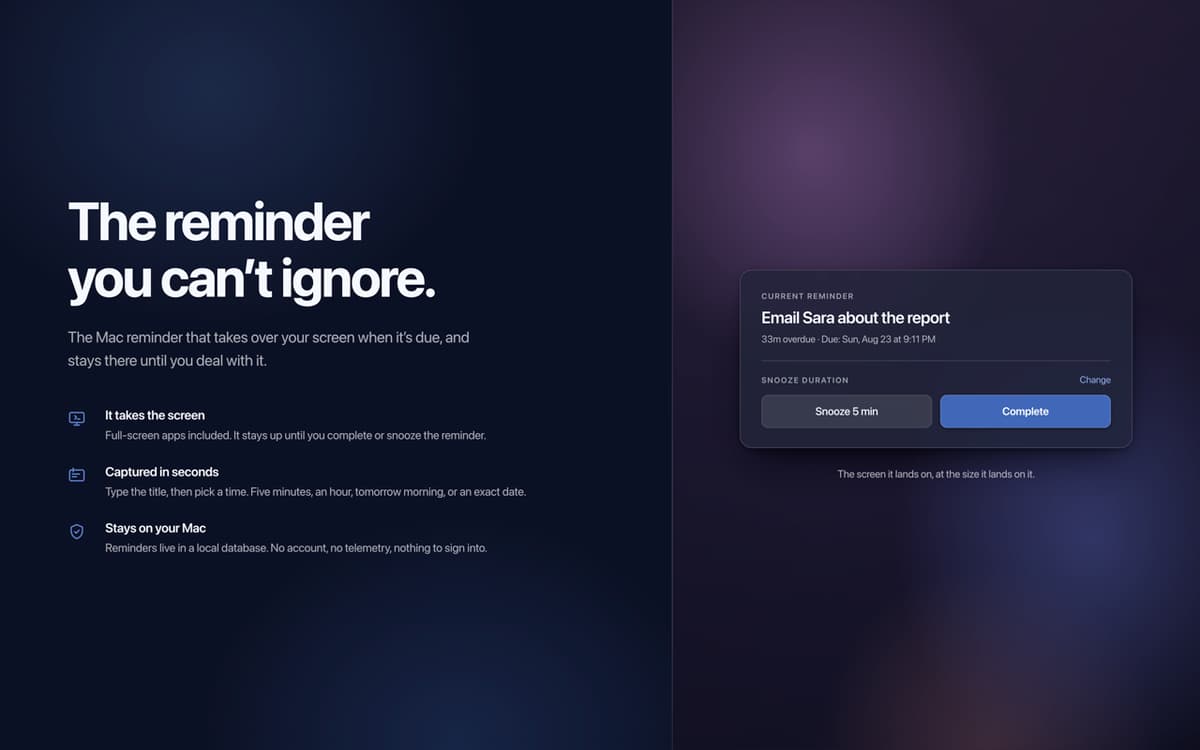
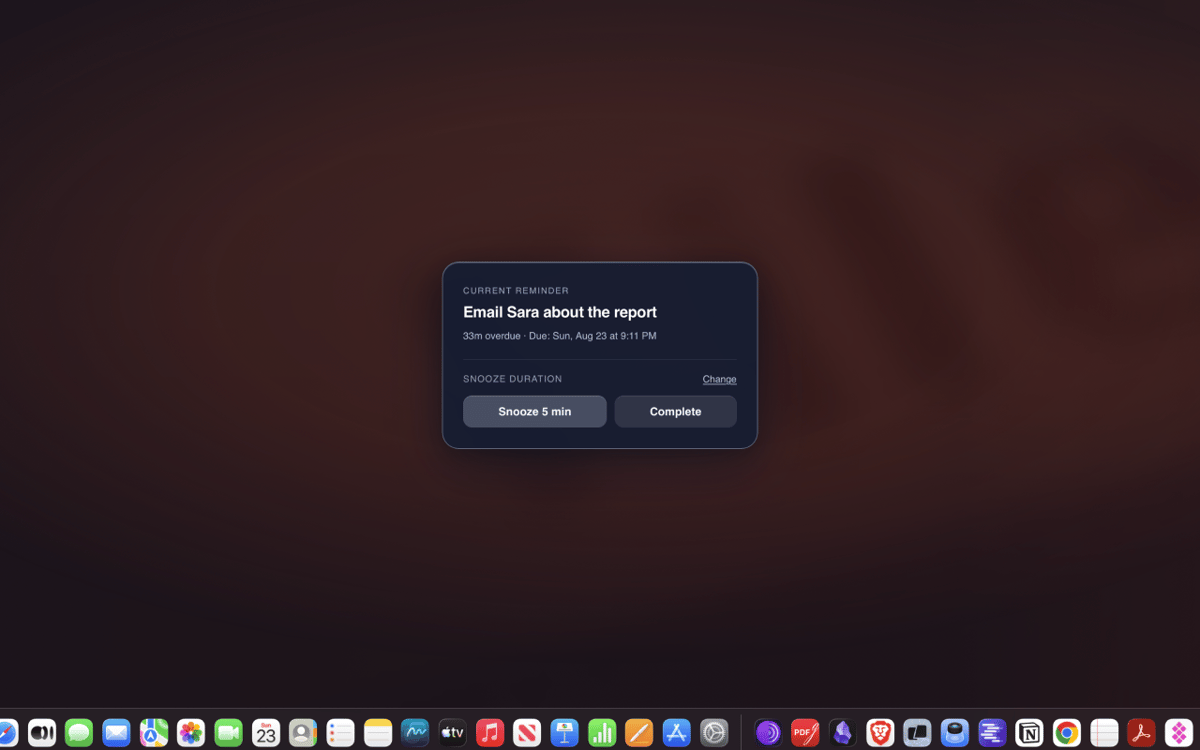
A banner you can swipe away is easy to ignore. When a reminder is due, GlassNudge puts it on your whole screen and keeps it there until you've actually dealt with it. The things that matter stop slipping through.
Type it in plain English
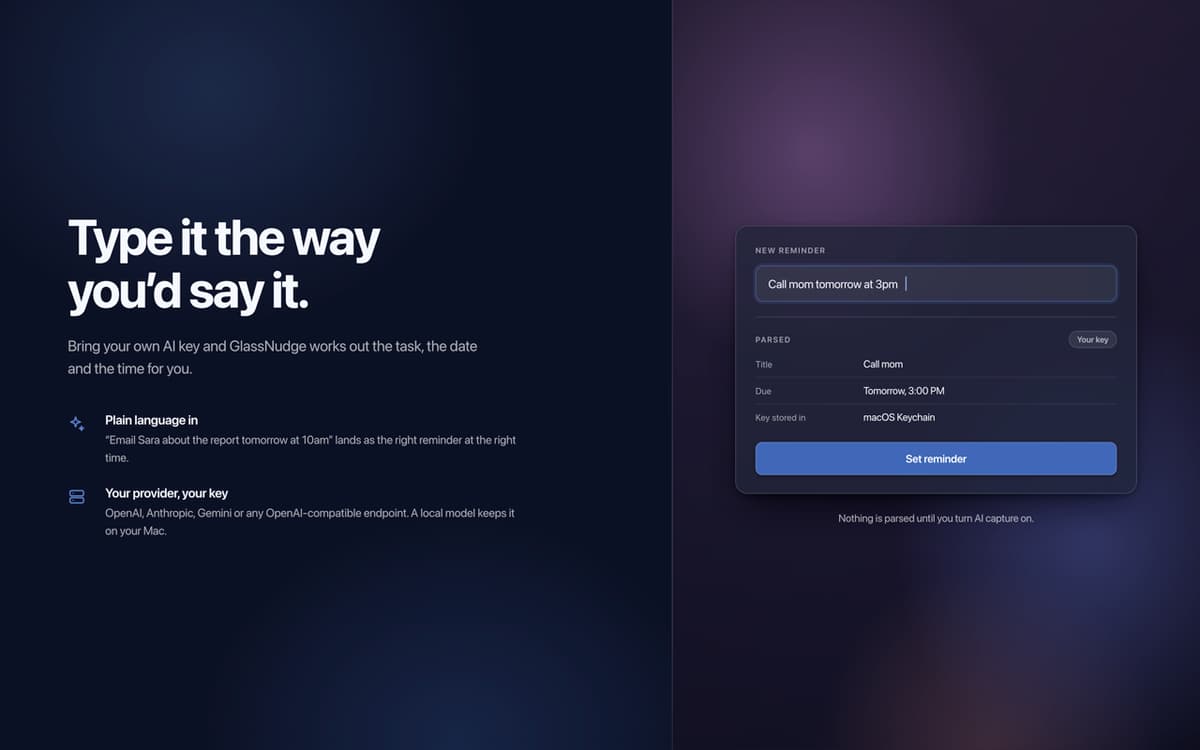
Typing out a time is fiddly. Just write a full sentence instead: "Email Sara tomorrow at 10am." Connect your own AI provider with your own key, from OpenAI or Gemini to any OpenAI-compatible API, and GlassNudge works out the task, date, and time for you.
Quiet hours for focus
Not every hour should ping you. Set quiet hours for meetings, sleep, or deep focus, and GlassNudge holds your reminders until you're free to see them.
Snooze that keeps you honest
Busy when a reminder fires? Snooze it for five minutes or until tomorrow, or mark it done. If it goes overdue, the overlay stays on screen until you deal with it.
Private by default
Reminders are stored locally on your Mac. There is no account and no telemetry. AI capture sends only what you type to the provider you connect, or stays on your Mac with a local one like Ollama or LM Studio.
Отримайте сотні програм з Membership
Підпишіться на Setapp і користуйтесь сотнями чудових програм.
Перші 7 днів безплатно, а далі – в єдиному простому плані.
Завантажити Setapp на Mac
Знайдіть в Setapp застосунок для macOS, iOS або web, що допоможе вирішити ваше завдання.

Установіть знайдену програму
Виконайте завдання за допомогою новенької програми зі Setapp.

GlassNudge
Виберіть план підписки
Один застосунок або всі разом в підписці Setapp. Користуйтеся застосунками на своїх умовах.

Отримайте сотні програм з Membership
Підпишіться на Setapp і користуйтесь сотнями чудових програм.
Перші 7 днів безплатно, а далі – в єдиному простому плані.
1
Завантажити Setapp на Mac
Знайдіть в Setapp застосунок для macOS, iOS або web, що допоможе вирішити ваше завдання.
2
Установіть знайдену програму
Виконайте завдання за допомогою новенької програми зі Setapp.
GlassNudge
3
Виберіть план підписки
Один застосунок або всі разом в підписці Setapp. Користуйтеся застосунками на своїх умовах.
Нагору
Від планування та рутинних завдань до програмування і творчості – працюйте ефективніше зі Setapp.

TypingMind
ШІ зі зручним інтерфейсом
генеруйте й обробляйте текст
користуйтеся бібліотекою
ШІ

Spark Mail
Упорядкуйте імейли
ШІ

CleanMyMac
Видаляйте тільки непотрібне

Bartender
Налаштуйте меню під себе

CleanShot X
Робіть будь-які скриншоти

Luminar Neo
Редагуйте фото
ШІ

ClearVPN
Безпечний звʼязок

Craft
Робота з документами
ШІ
GlassNudge
The reminder you can't ignore