
ImageWiz
Будь-яке фото з одного запиту
Web
Версія 1.0
ImageWiz — це генератор зображень на основі штучного інтелекту, який за лічені секунди перетворює текстовий запит на готове зображення. Оберіть один із десятків стилів — від фотореалістичного до піксель-арту — або опишіть власний. Крім того, застосунок створює іконки для застосунків із ретельно підібраним стилем, який завжди виглядає доречно. Щоб щось відредагувати, завантажте зображення та вкажіть ImageWiz, що потрібно змінити. Застосунок працює у браузері, а ваш план Setapp вже включає кредити для штучного інтелекту.
Зображення в будь-якому стилі
Іконки для застосунків зі стилем
Редагування зображень текстом
Видаляйте фон і покращуйте якість
Можливості ImageWiz
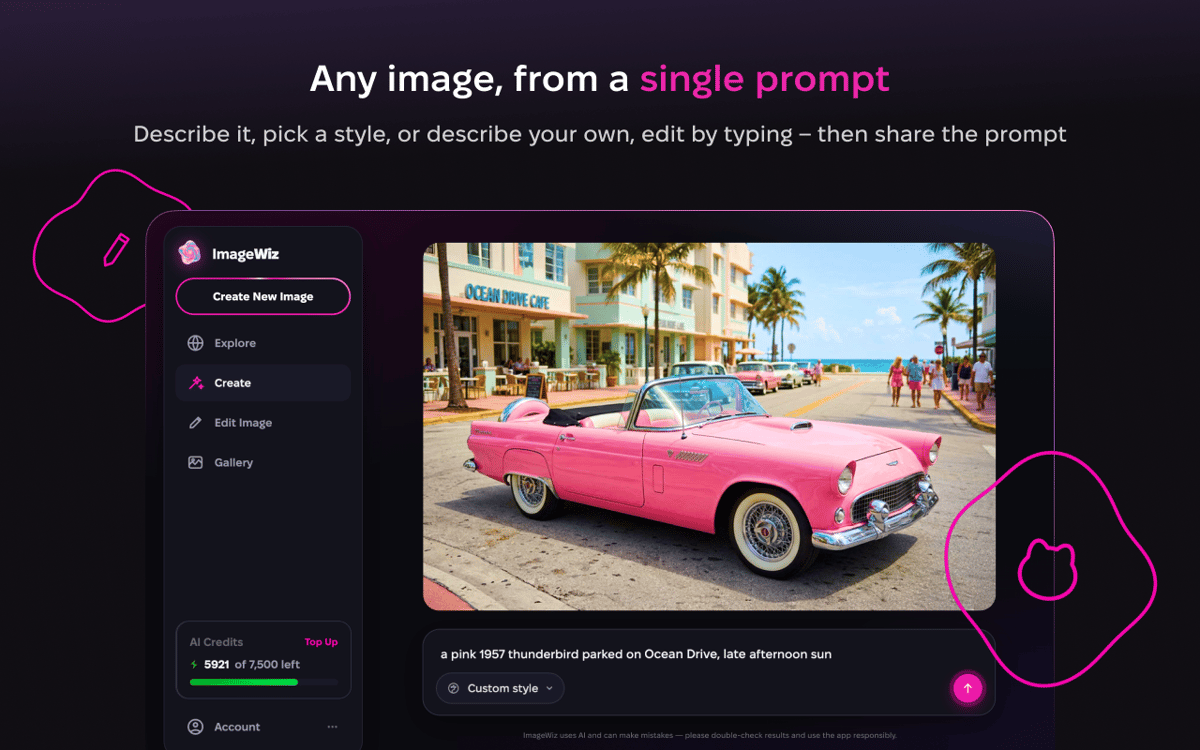
Опишіть словами — отримайте результат
Жодних налаштувань для вивчення, жодних хитрощів для запам'ятовування. Опишіть, що вам потрібно, наприклад «компас для застосунку для походів», і ImageWiz одразу покаже результат. Щось не так? Попросіть нові варіанти, змініть стиль або вдоскональте результат коротким коментарем. Більшість зображень створює GPT Image 2.0, а кожен запит обробляє модель, яка найкраще відповідає вашому запиту.
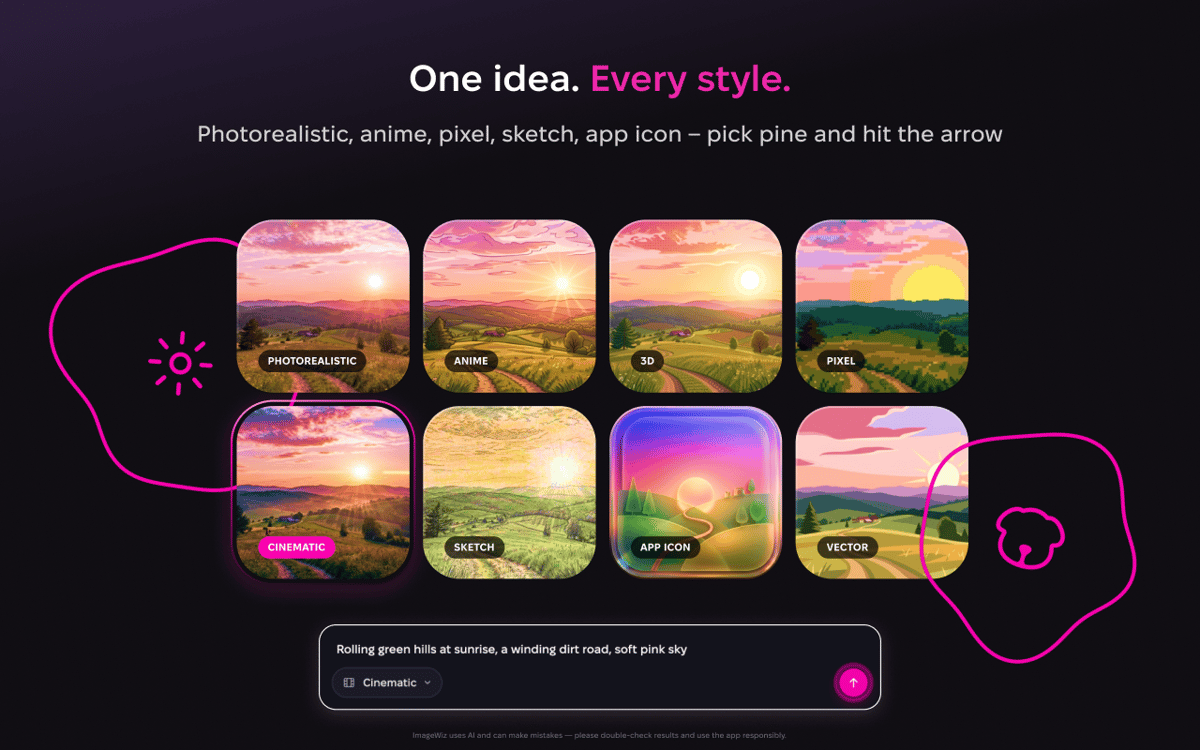
Один запит — безліч варіантів
Та сама ідея може стати акварельним малюнком, 3D-рендером, плоскою ілюстрацією або піксель-арт спрайтом. Перебирайте вбудовані стилі, доки не знайдете той, що вам підходить. Хочете стиль, якому ще ніхто не дав назву? Почніть із Custom і опишіть стиль самостійно.
Іконки застосунків, які виглядають органічно
Іконки підкоряються власним правилам, тому ImageWiz пропонує для них окремі стилі. Кожен із них — це ретельно підібраний рецепт освітлення, матеріалу й кольору. Опишіть ідею один раз, погляньте на кілька варіантів і експортуйте чистий файл, готовий до використання.
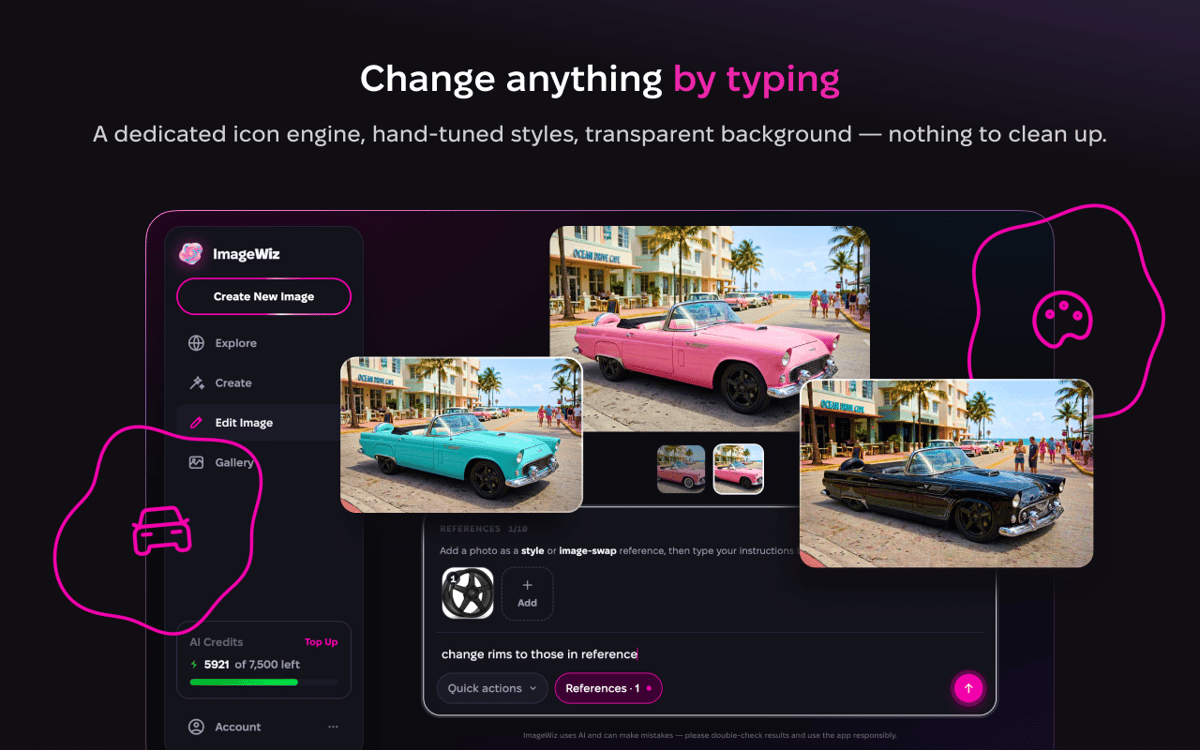
Редагування текстом
Завантажте будь-яке зображення або почніть з того, яке ви щойно створили, і опишіть, що потрібно змінити. Замініть фон, змініть настрій, виправте те, що вас дратує. Інструменти в один дотик — видалення фону, збільшення масштабу, розширення, покращення, ретро та чорно-білий режим — охоплюють повсякденні завдання. Нові інструменти з'являються регулярно.
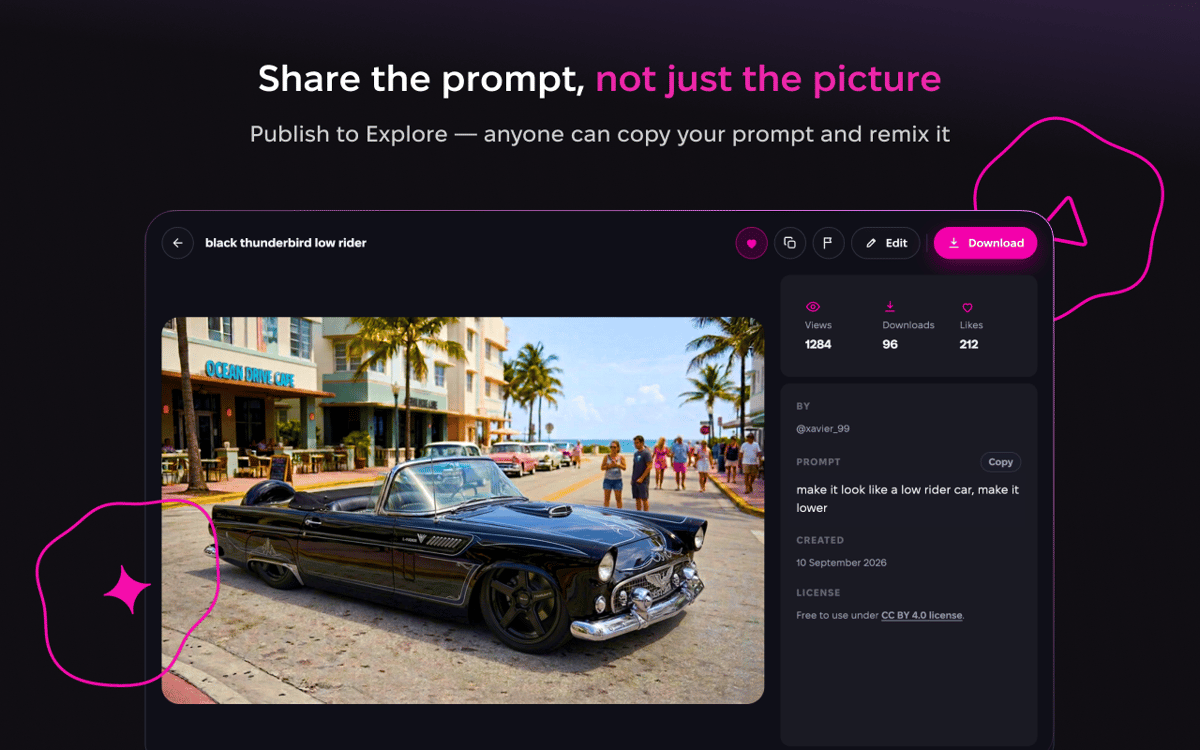
Публікуйте й досліджуйте
Створили щось круте? Опублікуйте його в розділі «Explore», де ви зможете переглядати зображення та промпти інших користувачів, а також ділитися ідеями, що стоять за вашими власними роботами. Це найшвидший спосіб знайти ідеї для промптів і побачити, на що здатний той чи інший стиль, перш ніж спробувати його.
Нічого встановлювати не потрібно
ImageWiz працює у вашому браузері, тому не потрібно нічого завантажувати чи додатково реєструватися. Увійдіть за допомогою Setapp і починайте творити. Кожен план включає щомісячну квоту кредитів ШІ, тож ви можете вільно генерувати зображення.
Отримайте сотні програм з Membership
Підпишіться на Setapp і користуйтесь сотнями чудових програм.
Перші 7 днів безплатно, а далі – в єдиному простому плані.
Завантажити Setapp на Mac
Знайдіть в Setapp застосунок для macOS, iOS або web, що допоможе вирішити ваше завдання.

Установіть знайдену програму
Виконайте завдання за допомогою новенької програми зі Setapp.

ImageWiz
Виберіть план підписки
Один застосунок або всі разом в підписці Setapp. Користуйтеся застосунками на своїх умовах.

Отримайте сотні програм з Membership
Підпишіться на Setapp і користуйтесь сотнями чудових програм.
Перші 7 днів безплатно, а далі – в єдиному простому плані.
1
Завантажити Setapp на Mac
Знайдіть в Setapp застосунок для macOS, iOS або web, що допоможе вирішити ваше завдання.
2
Установіть знайдену програму
Виконайте завдання за допомогою новенької програми зі Setapp.
ImageWiz
3
Виберіть план підписки
Один застосунок або всі разом в підписці Setapp. Користуйтеся застосунками на своїх умовах.
Нагору
Від планування та рутинних завдань до програмування і творчості – працюйте ефективніше зі Setapp.

TypingMind
ШІ зі зручним інтерфейсом
генеруйте й обробляйте текст
користуйтеся бібліотекою
ШІ

Spark Mail
Упорядкуйте імейли
ШІ

CleanMyMac
Видаляйте тільки непотрібне

Bartender
Налаштуйте меню під себе

CleanShot X
Робіть будь-які скриншоти

Luminar Neo
Редагуйте фото
ШІ

ClearVPN
Безпечний звʼязок

Craft
Робота з документами
ШІ
ImageWiz
Будь-яке фото з одного запиту