
InSpec
The inspector that remembers
Mac
Версія 1.8
macOS 14.0 чи новіша
31.9 MB
13 мов(и)
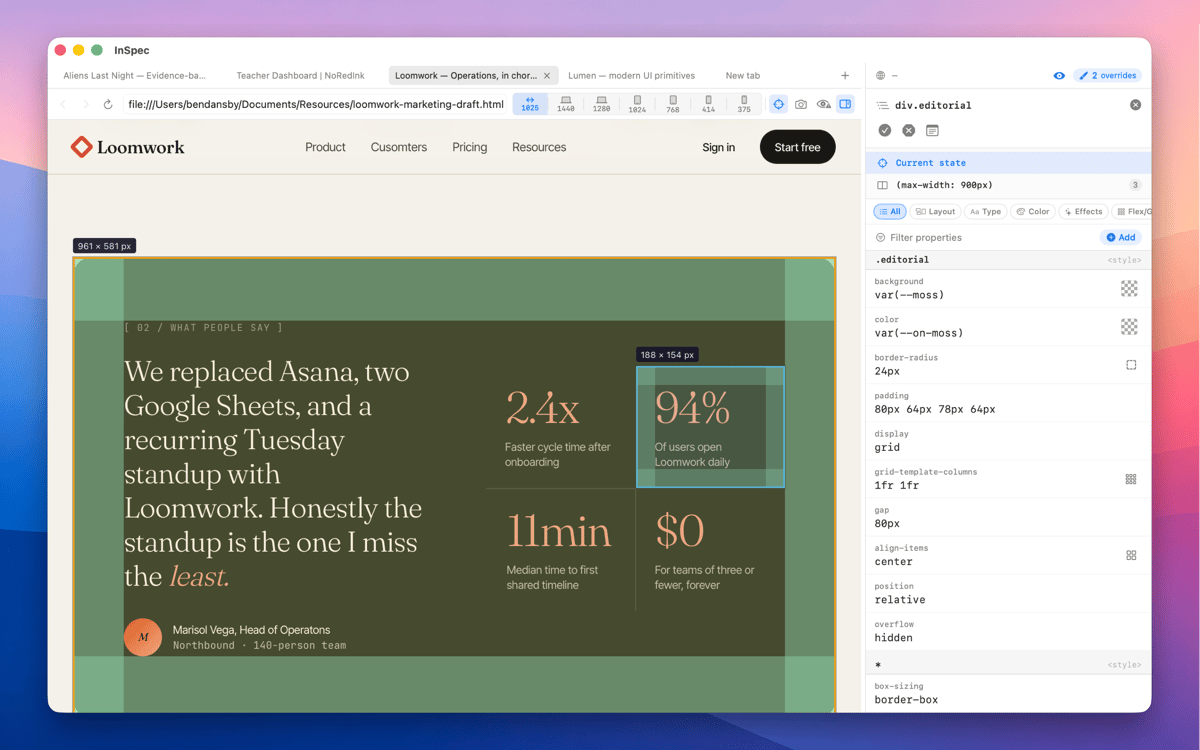
InSpec is a standalone Mac CSS editor for live web pages. Click any element to see every matching ruleset, edit declarations with real visual controls, and save your changes straight back to the right stylesheet — or into the HTML itself. Unlike browser DevTools, InSpec's edits survive reloads, tab closes, even a quit and relaunch.
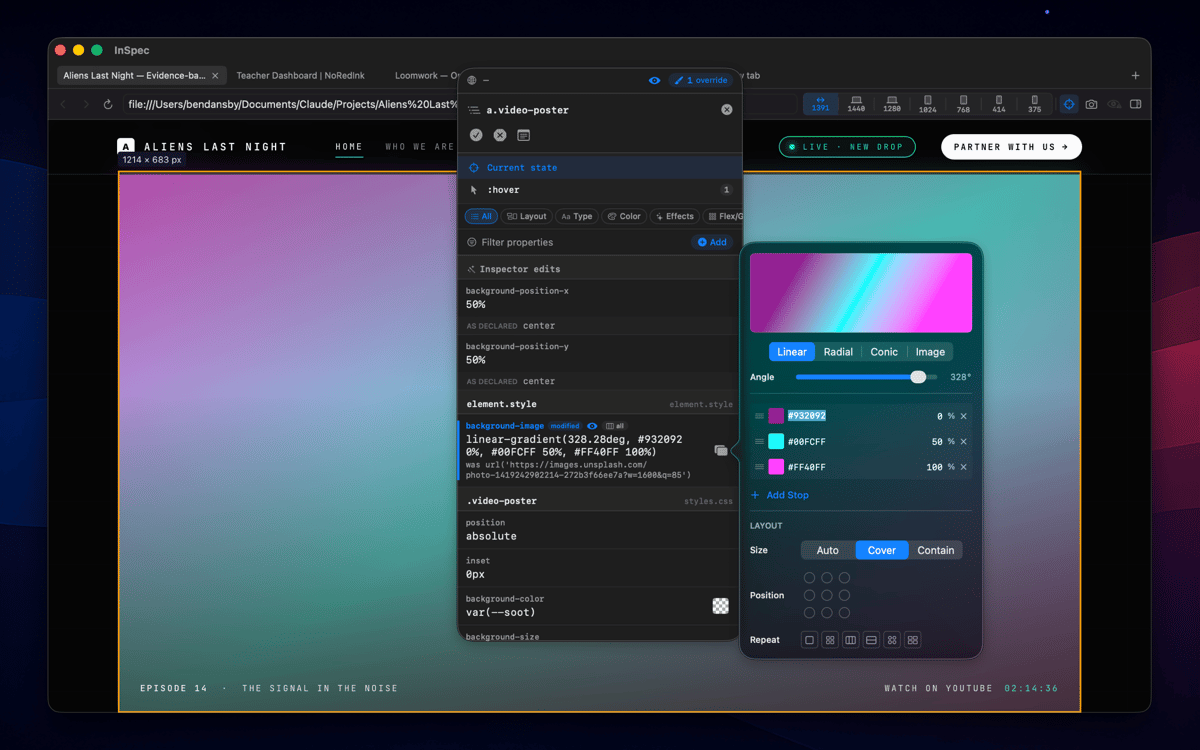
Edit live CSS without losing changes
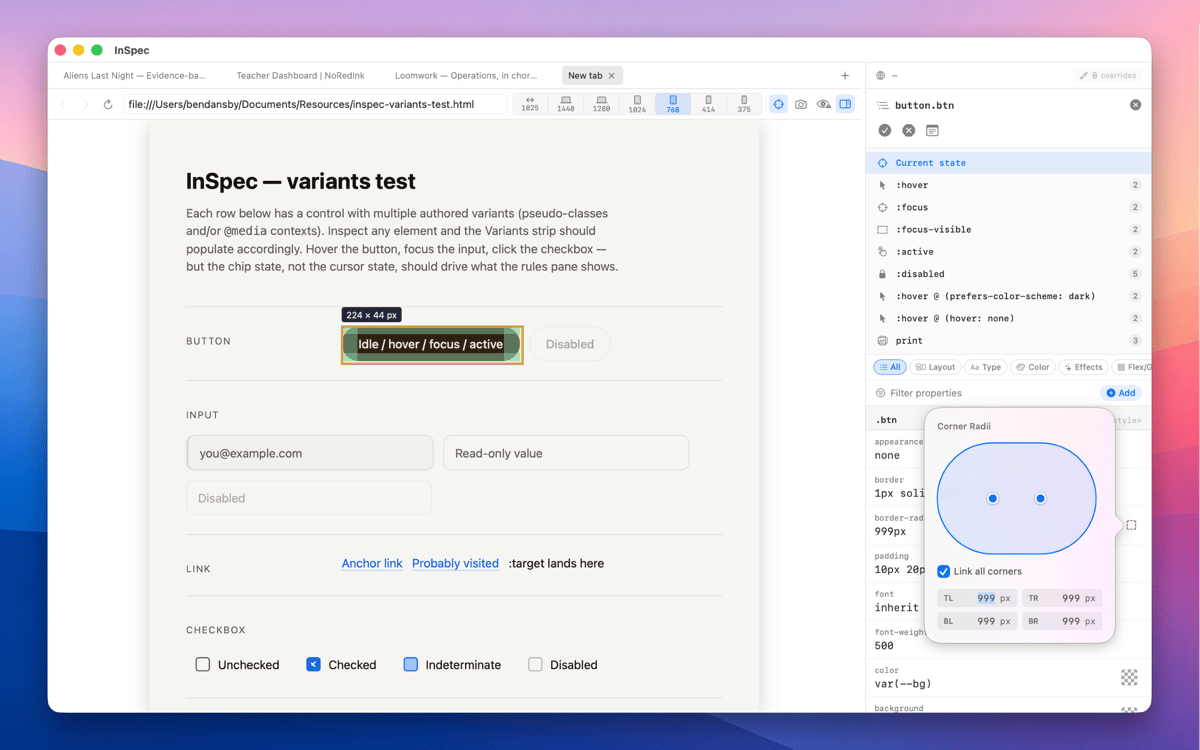
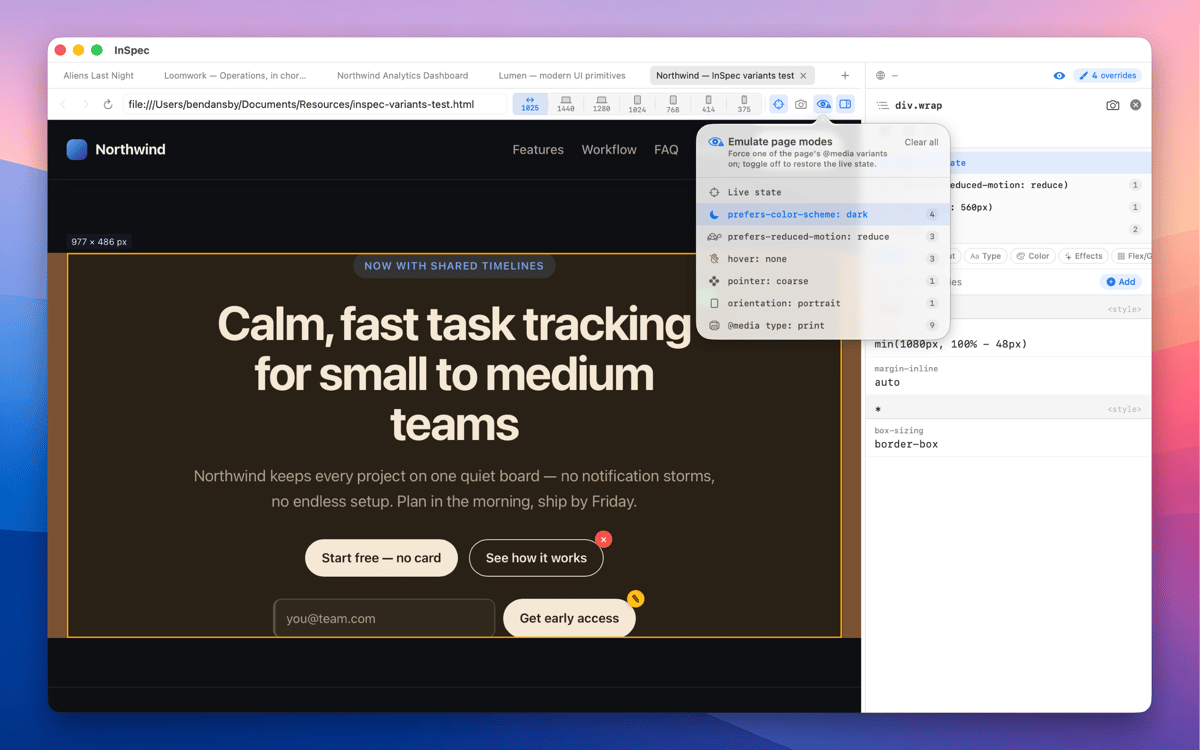
Inspect hover & dark mode states
Save style edits straight to source
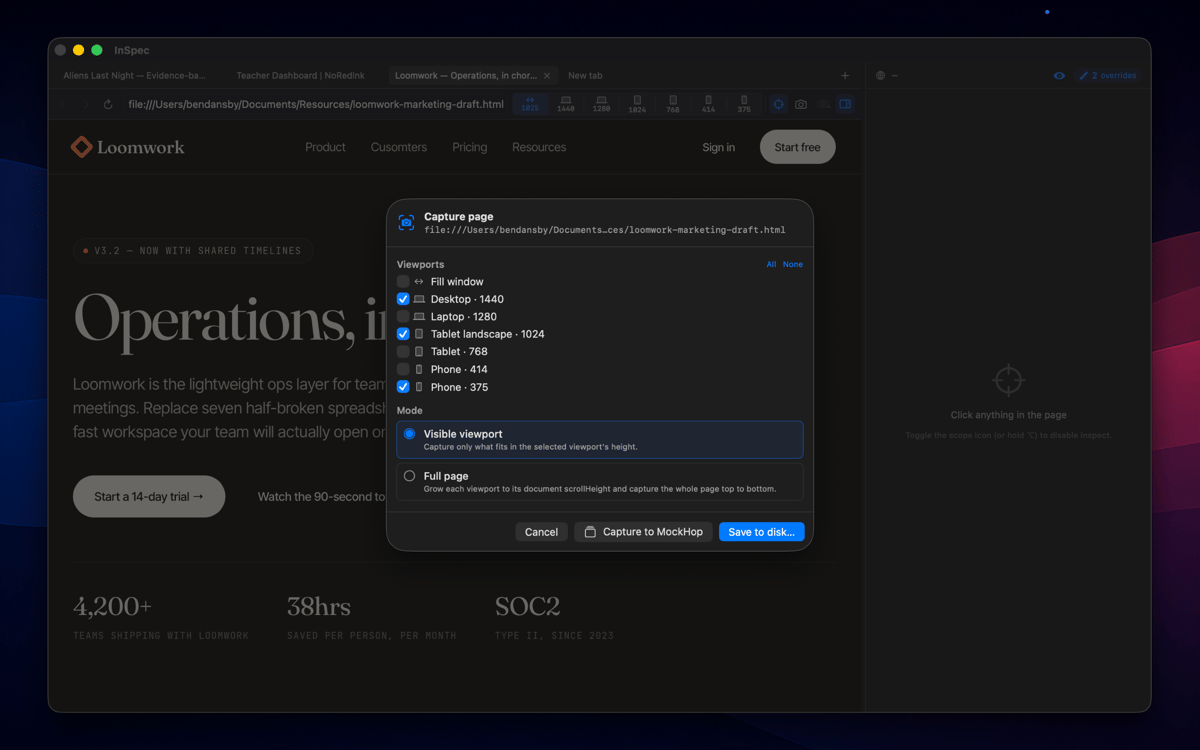
Capture styled pages at any viewport
Можливості InSpec
Every variant, one click away
Switch into :hover, :focus-visible, dark mode, and other states without holding a key or freezing the DOM. InSpec just shows you the element as it actually behaves — so you can edit the styles that matter, not just the ones that are easy to reach.
Edits that survive a reload
Close the tab, reload the page, quit and relaunch — InSpec's overrides are still there. Browser DevTools forgets everything the moment the page moves. InSpec doesn't, which means you can work iteratively without starting from scratch every time.
Built for the handoff
Done tweaking? Copy your edits as clean, ready-to-paste CSS, or save them straight back to the right stylesheet or HTML file. No manual transcription, no diffing what changed. InSpec gets your edits where they need to go.
Visual editing, not just reading
Every CSS property gets the control it deserves — sliders for spacing and sizing, a color picker for anything color-related, shorthand builders for properties like border or transition. You're editing visually, not typing values blind and hoping for the best.
A spacious dedicated window
InSpec lives in its own Mac window, not squeezed into a browser sidebar you have to keep resizing. More room to see your ruleset, more room to edit, and it stays exactly where you left it.
Capture as image
Screenshot any page at any viewport size — mobile, tablet, desktop — and bake your annotations straight into the image. Useful for documentation, async feedback, or handing off exactly what you saw to a developer or client.
Отримайте сотні програм з Membership
Підпишіться на Setapp і користуйтесь сотнями чудових програм.
Перші 7 днів безплатно, а далі – в єдиному простому плані.
Завантажити Setapp на Mac
Знайдіть в Setapp застосунок для macOS, iOS або web, що допоможе вирішити ваше завдання.

Установіть знайдену програму
Виконайте завдання за допомогою новенької програми зі Setapp.

InSpec
Виберіть план підписки
Один застосунок або всі разом в підписці Setapp. Користуйтеся застосунками на своїх умовах.

Отримайте сотні програм з Membership
Підпишіться на Setapp і користуйтесь сотнями чудових програм.
Перші 7 днів безплатно, а далі – в єдиному простому плані.
1
Завантажити Setapp на Mac
Знайдіть в Setapp застосунок для macOS, iOS або web, що допоможе вирішити ваше завдання.
2
Установіть знайдену програму
Виконайте завдання за допомогою новенької програми зі Setapp.
InSpec
3
Виберіть план підписки
Один застосунок або всі разом в підписці Setapp. Користуйтеся застосунками на своїх умовах.
Нагору
Від планування та рутинних завдань до програмування і творчості – працюйте ефективніше зі Setapp.

TypingMind
ШІ зі зручним інтерфейсом
генеруйте й обробляйте текст
користуйтеся бібліотекою
ШІ

Spark Mail
Упорядкуйте імейли
ШІ

CleanMyMac
Видаляйте тільки непотрібне

Bartender
Налаштуйте меню під себе

CleanShot X
Робіть будь-які скриншоти

Luminar Neo
Редагуйте фото
ШІ

ClearVPN
Безпечний звʼязок

Craft
Робота з документами
ШІ
InSpec
The inspector that remembers