Isle
Your notch, put to work

Mac
Версія 1.1.10
macOS 26.0 чи новіша
27.9 MB
2 мов(и)
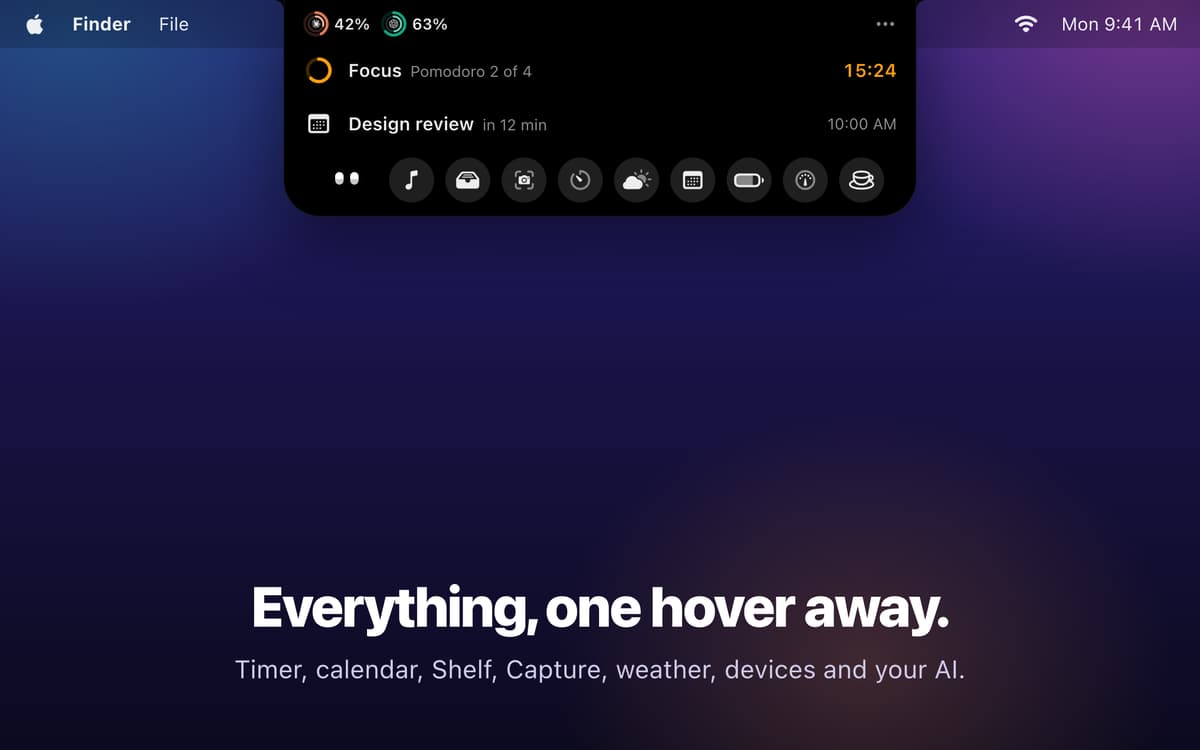
Isle is a notch app for Mac that turns the MacBook notch into a living island, like the Dynamic Island on iPhone. Hover and it stretches, click and it opens, so music, calls, timers, and AI sessions are always in view. Keep an eye on usage limits for Claude Code, Codex, Cursor, and 20+ other AI services, and answer permission prompts right from the island. There's no account and no analytics, and your data stays on your Mac.
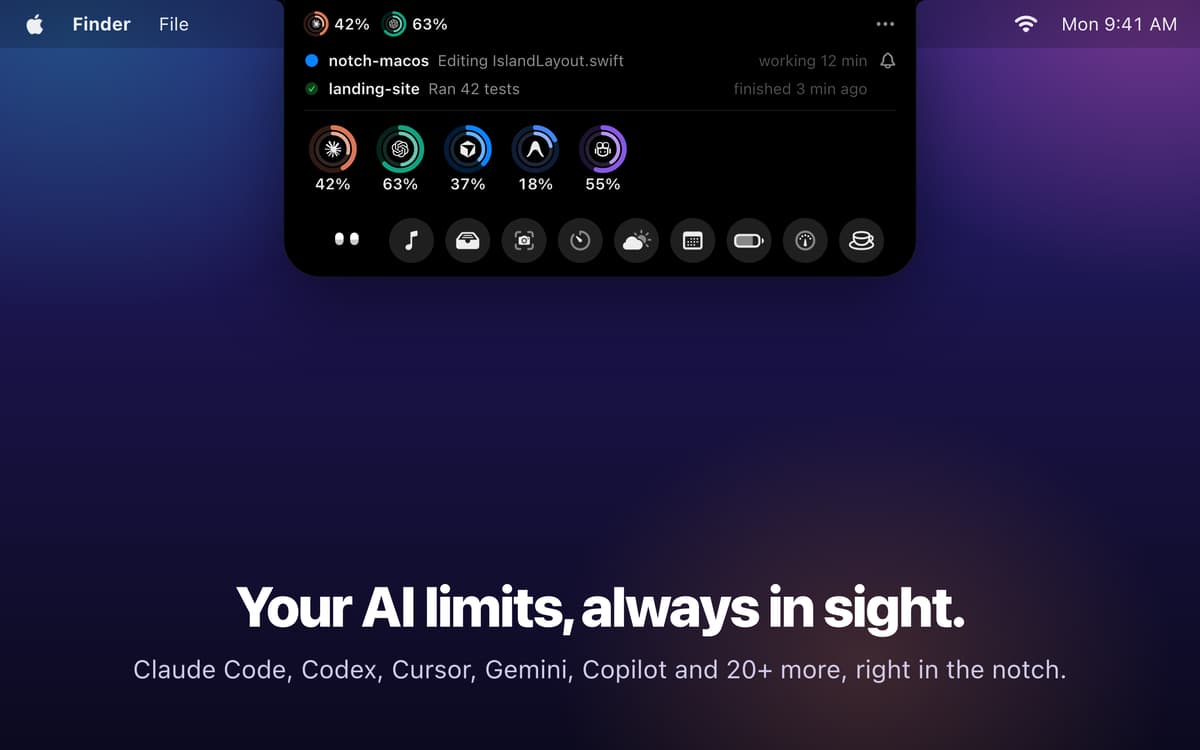
Track AI usage limits at a glance
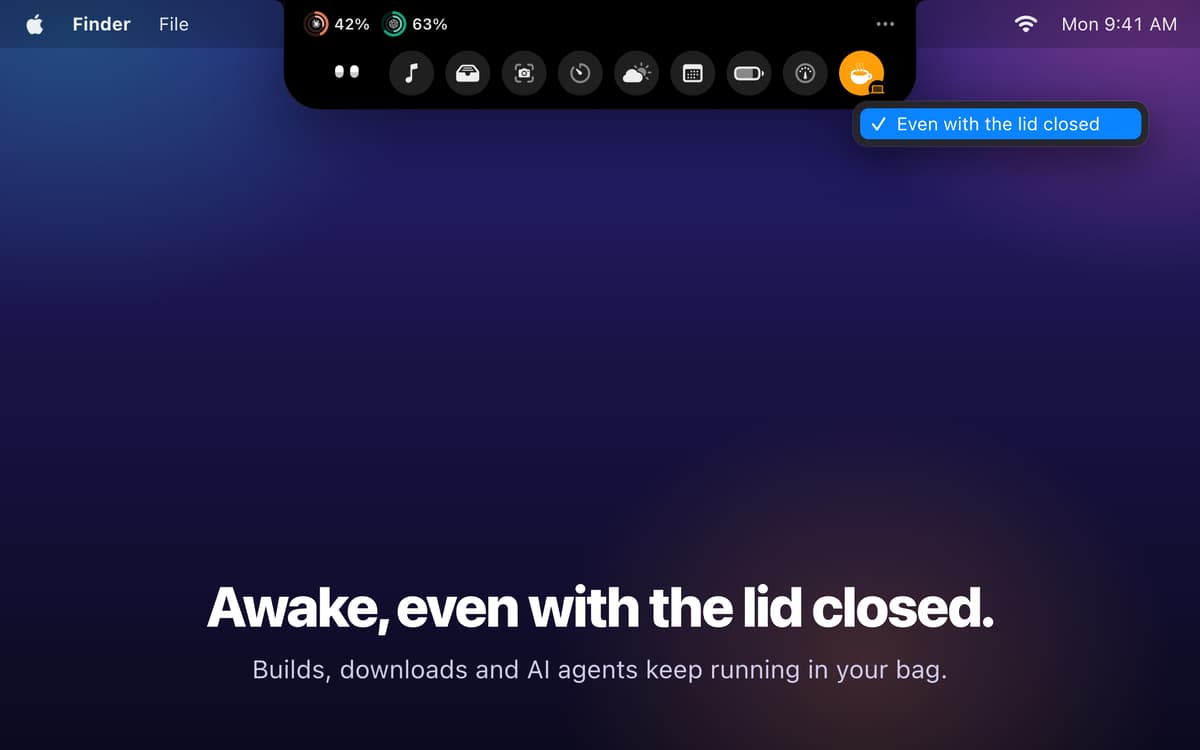
Keep your Mac awake with the lid closed
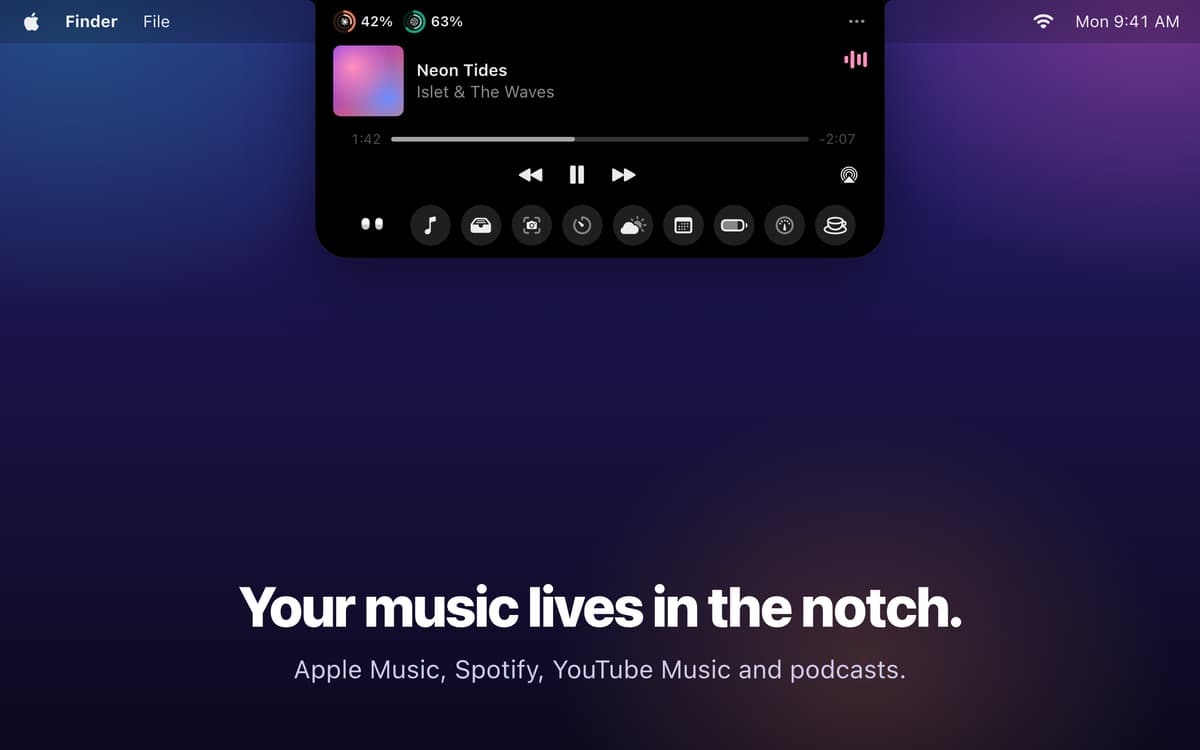
Control music without opening the app
Annotate screenshots and share fast
Можливості Isle
AI usage limits, always in sight
Rings in the notch show how much of each limit you have left, from 5-hour and weekly windows to monthly pools. Isle also tells you when an AI session finishes, when it's waiting for you, or when a limit passes 80%. Using Terminal or iTerm? Allow or deny Claude Code permissions without leaving what you're doing.
Stay awake, even with the lid closed
Click the coffee cup and your Mac won't sleep. Turn on "Even with the lid closed" and downloads, renders, builds, and AI agents finish while the Mac sits in your bag. To keep things cool, the fans run at full speed. Isle switches itself off if the battery drops below 15%, the Mac gets too hot, or you quit the app.
Music at your fingertips
See artwork, scrub through tracks, control playback, and read lyrics for Apple Music, Spotify, YouTube Music, and podcasts. A small wave dances next to the notch while the music plays.
Shelf and AirDrop
Drag a file to the top of the screen and the Shelf holds it for seven days. Need to send it? Drop it on AirDrop.
Screenshots with annotation
Press Option+Shift+4, pick an area, and mark it up with a pen, arrows, shapes, text, counters, or a secure pixelate. Then copy it, save it, pin it on screen, or send it to the Shelf.
All the small stuff, in one place
Timers, Pomodoro, and a mic mute button for calls live in the island. So do AirPods and accessory battery levels, clipboard history (passwords left out), calendar, weather, and quick notes. You also get a system monitor, plus a one-click way to hide and reveal menu bar icons.
Отримайте сотні програм з Membership
Підпишіться на Setapp і користуйтесь сотнями чудових програм.
Перші 7 днів безплатно, а далі – в єдиному простому плані.
Завантажити Setapp на Mac
Знайдіть в Setapp застосунок для macOS, iOS або web, що допоможе вирішити ваше завдання.

Установіть знайдену програму
Виконайте завдання за допомогою новенької програми зі Setapp.

Isle
Виберіть план підписки
Один застосунок або всі разом в підписці Setapp. Користуйтеся застосунками на своїх умовах.

Отримайте сотні програм з Membership
Підпишіться на Setapp і користуйтесь сотнями чудових програм.
Перші 7 днів безплатно, а далі – в єдиному простому плані.
1
Завантажити Setapp на Mac
Знайдіть в Setapp застосунок для macOS, iOS або web, що допоможе вирішити ваше завдання.
2
Установіть знайдену програму
Виконайте завдання за допомогою новенької програми зі Setapp.
Isle
3
Виберіть план підписки
Один застосунок або всі разом в підписці Setapp. Користуйтеся застосунками на своїх умовах.
Нагору
Від планування та рутинних завдань до програмування і творчості – працюйте ефективніше зі Setapp.

TypingMind
ШІ зі зручним інтерфейсом
генеруйте й обробляйте текст
користуйтеся бібліотекою
ШІ

Spark Mail
Упорядкуйте імейли
ШІ

CleanMyMac
Видаляйте тільки непотрібне

Bartender
Налаштуйте меню під себе

CleanShot X
Робіть будь-які скриншоти

Luminar Neo
Редагуйте фото
ШІ

ClearVPN
Безпечний звʼязок

Craft
Робота з документами
ШІ
Isle
Your notch, put to work