
JoyMix
Звуковий мікшер для macOS, якого так не вистачало
Mac
Версія 26.5.13.0
macOS 15.0 чи новіша
5.1 MB
1 мов(и)
JoyMix — це звуковий мікшер для Mac, який дозволяє налаштовувати звук окремо для кожної програми. Розташований у рядку меню. Налаштовуй гучність, вимкнення звуку та маршрутизацію аудіо для кожної програми окремо — направляй YouTube на динаміки, поки Zoom лишається на AirPods, вимикай Slack, не припиняючи музику, та підсилюй тихий подкаст понад системний максимум. Перемикай мікрофони або виходи з того самого спливаючого вікна, без переходу через Налаштування звуку. Один клік у рядку меню — і знову до роботи.
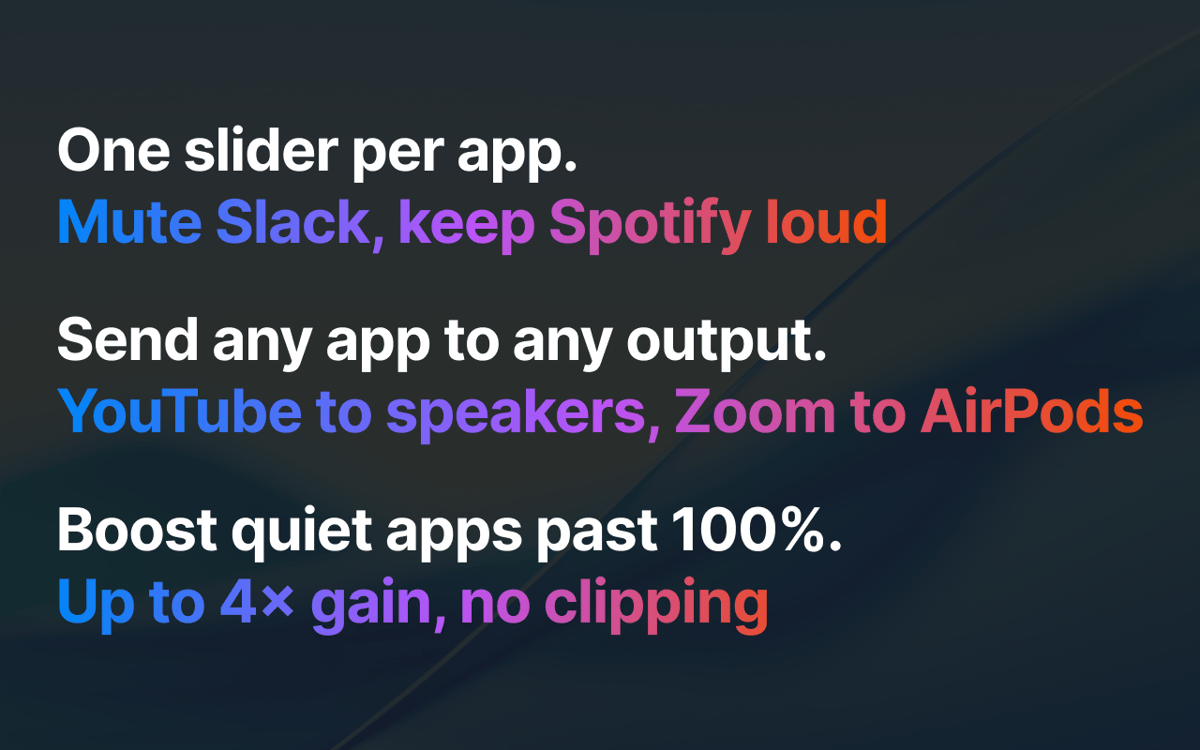
Вимкни звук Slack, поки Spotify продовжує грати
Передавай YouTube на динаміки, Zoom на AirPods
Перемикай мікрофон або динаміки з рядка меню
Підсили тихий подкаст понад 100%
Можливості JoyMix
Змішуйте кожну програму незалежно
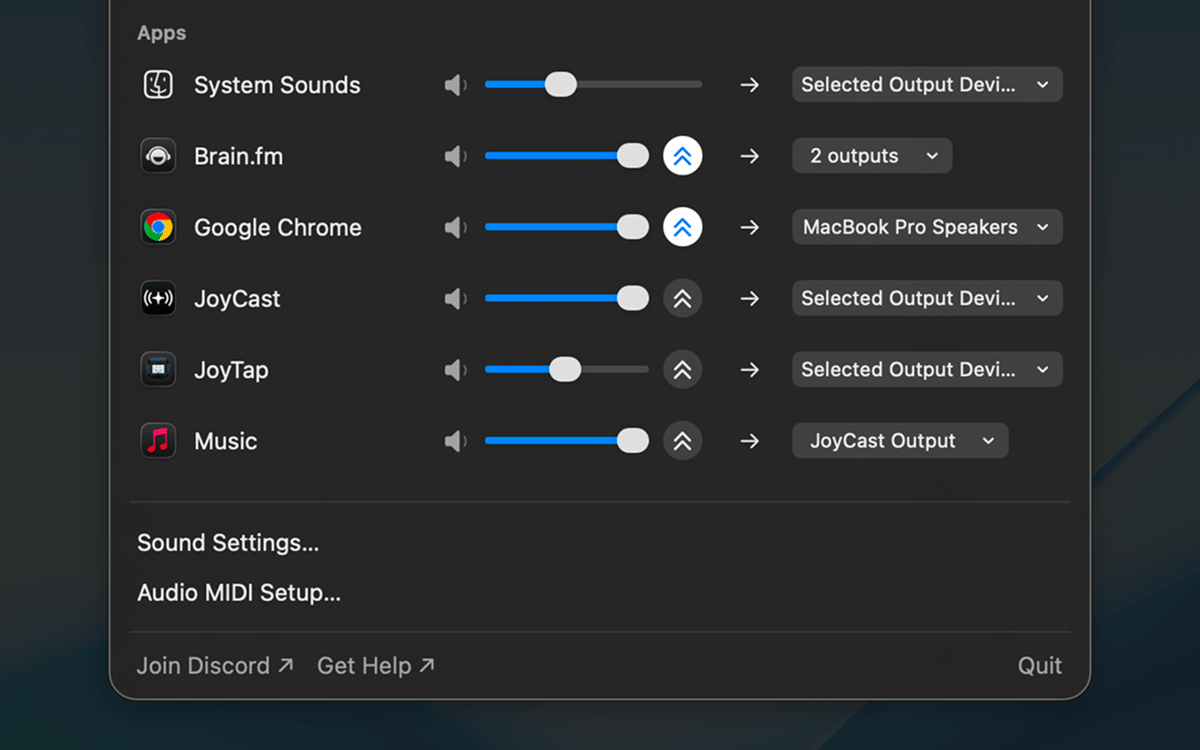
Кожна програма отримує власний повзунок гучності та кнопку вимкнення звуку. Slack тихіший за Spotify, Zoom заглушено під час відтворення подкасту, системні звуки приховано на тихий фон — налаштуй один раз, і JoyMix запам'ятає це при наступному запуску програми.
Відправляй кожну програму на окремий вихід
Перенаправляй звук будь-якої програми на будь-який динамік, навушники чи віртуальний пристрій. YouTube на настільних колонках, а Zoom — в AirPods. Програми, які ти не перенаправив, як і раніше працюють із системним браузером за замовчуванням.
Переключай джерело вводу й виводу з рядка меню
Обери активний мікрофон, системний вихід і пристрій для системних звуків — без занурення в Системні налаштування. Кожна з них доступна одним кліком у тому самому спливному вікні.
Посили звук тихих програм понад 100%
Коли звук програми надто тихий, незалежно від того, наскільки сильно ти підкручуєш системну гучність, JoyMix піднімає його вище максимуму за допомогою вбудованого захисту, щоб звук не тріщав і не спотворювався. До 4-кратного посилення гучності для кожного додатка.
Не торкається того, що ти не змінював
Програми, які ти не налаштував, працюють через macOS без змін. JoyMix втручається лише в роботу тих програм, які ти дійсно налаштував — поверни гучність до 100%, переключи на стандартний вивід, і програма поводитиметься точно так само, як без встановленого JoyMix. Без несподіваних звуків і додаткового навантаження на батарею.
Оцінки та відгуки
JoyMix
•
Оцінок: 70
Nadir Palacios
30 вер. 2026 р.
Версія: 26.5.13.0
Works great
Lee
24 вер. 2026 р.
Версія: 26.5.13.0
Loads and works straightaway for me on MacOS 27.
Mohamed Kawsara
29 серп. 2026 р.
Версія: 26.5.13.0
It doesn't work. The app doesn't even open at all
Отримайте сотні програм з Membership
Підпишіться на Setapp і користуйтесь сотнями чудових програм.
Перші 7 днів безплатно, а далі – в єдиному простому плані.
Завантажити Setapp на Mac
Знайдіть в Setapp застосунок для macOS, iOS або web, що допоможе вирішити ваше завдання.

Установіть знайдену програму
Виконайте завдання за допомогою новенької програми зі Setapp.

JoyMix
Виберіть план підписки
Один застосунок або всі разом в підписці Setapp. Користуйтеся застосунками на своїх умовах.

Отримайте сотні програм з Membership
Підпишіться на Setapp і користуйтесь сотнями чудових програм.
Перші 7 днів безплатно, а далі – в єдиному простому плані.
1
Завантажити Setapp на Mac
Знайдіть в Setapp застосунок для macOS, iOS або web, що допоможе вирішити ваше завдання.
2
Установіть знайдену програму
Виконайте завдання за допомогою новенької програми зі Setapp.
JoyMix
3
Виберіть план підписки
Один застосунок або всі разом в підписці Setapp. Користуйтеся застосунками на своїх умовах.
Нагору
Від планування та рутинних завдань до програмування і творчості – працюйте ефективніше зі Setapp.

TypingMind
ШІ зі зручним інтерфейсом
генеруйте й обробляйте текст
користуйтеся бібліотекою
ШІ

Spark Mail
Упорядкуйте імейли
ШІ

CleanMyMac
Видаляйте тільки непотрібне

Bartender
Налаштуйте меню під себе

CleanShot X
Робіть будь-які скриншоти

Luminar Neo
Редагуйте фото
ШІ

ClearVPN
Безпечний звʼязок

Craft
Робота з документами
ШІ
JoyMix
Звуковий мікшер для macOS, якого так не вистачало