
Kepter
Find files by sight, not name
Mac
Версія 1.3.8
macOS 26.0 чи новіша
12.4 MB
1 мов(и)
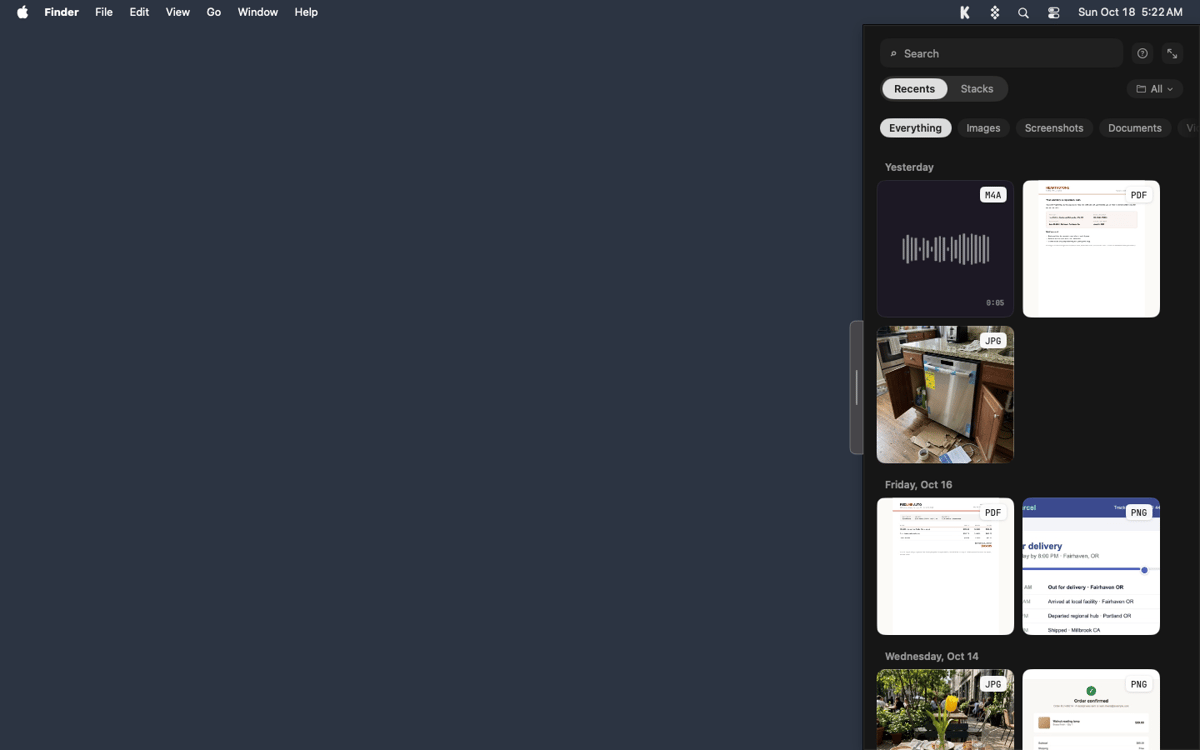
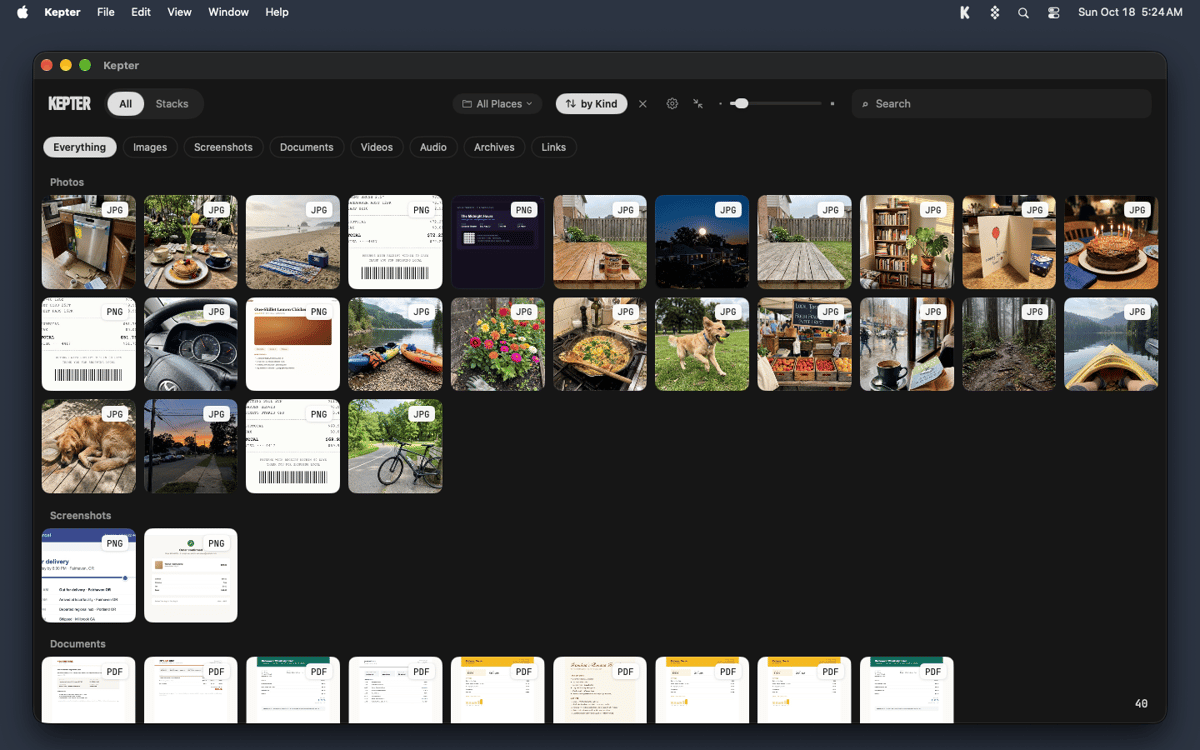
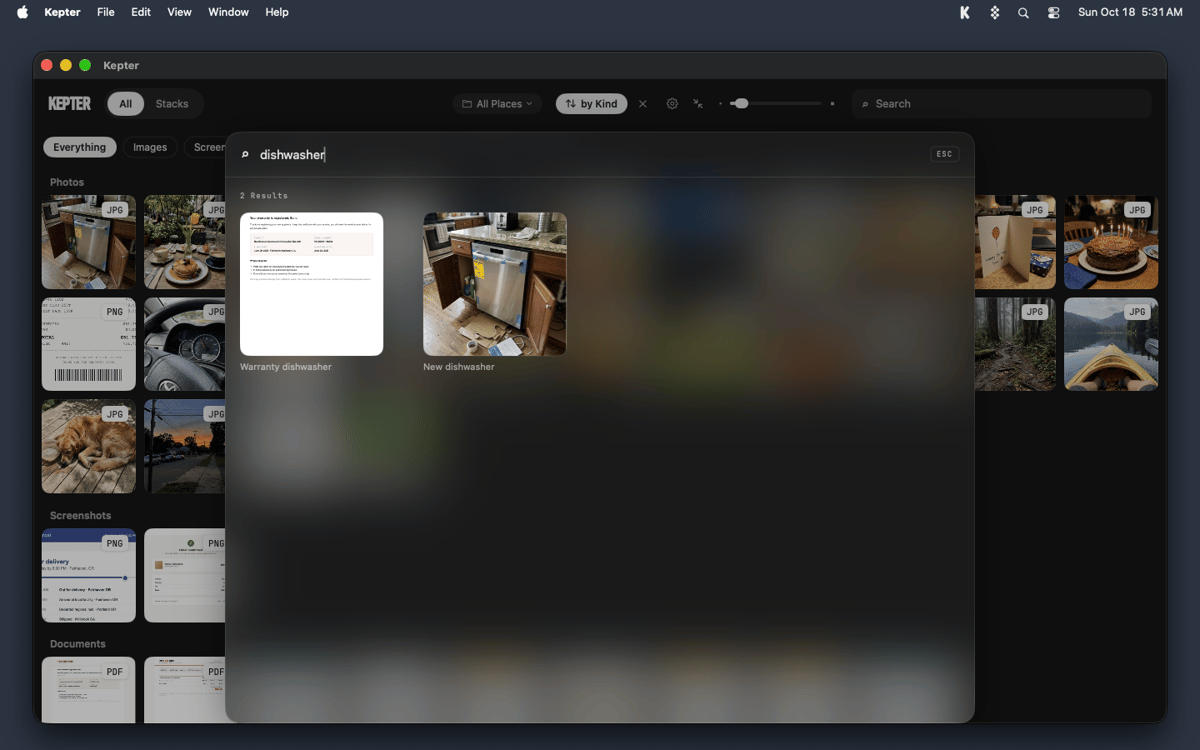
Kepter is a visual file finder for Mac that shows what you’ve saved, so you don’t have to remember it. It watches the folders you choose and lays your files out as tiles in a drawer at the edge of your screen. You recognize your own stuff on sight, with no file name or folder needed. Find also looks inside files, so scans and recordings turn up by what’s in them.
Find a file you saved last week
Spot a screenshot without its name
Search inside scans and recordings
Keep related files together in stacks
Можливості Kepter
A drawer for everything you save
Pick Desktop, Documents, Downloads, or any folder, and Kepter shows what lands there as tiles in a drawer at the edge of your screen. Setup takes 2 screens, and tiles start arriving while you watch. A week later, you’ll still know your file when you see it.
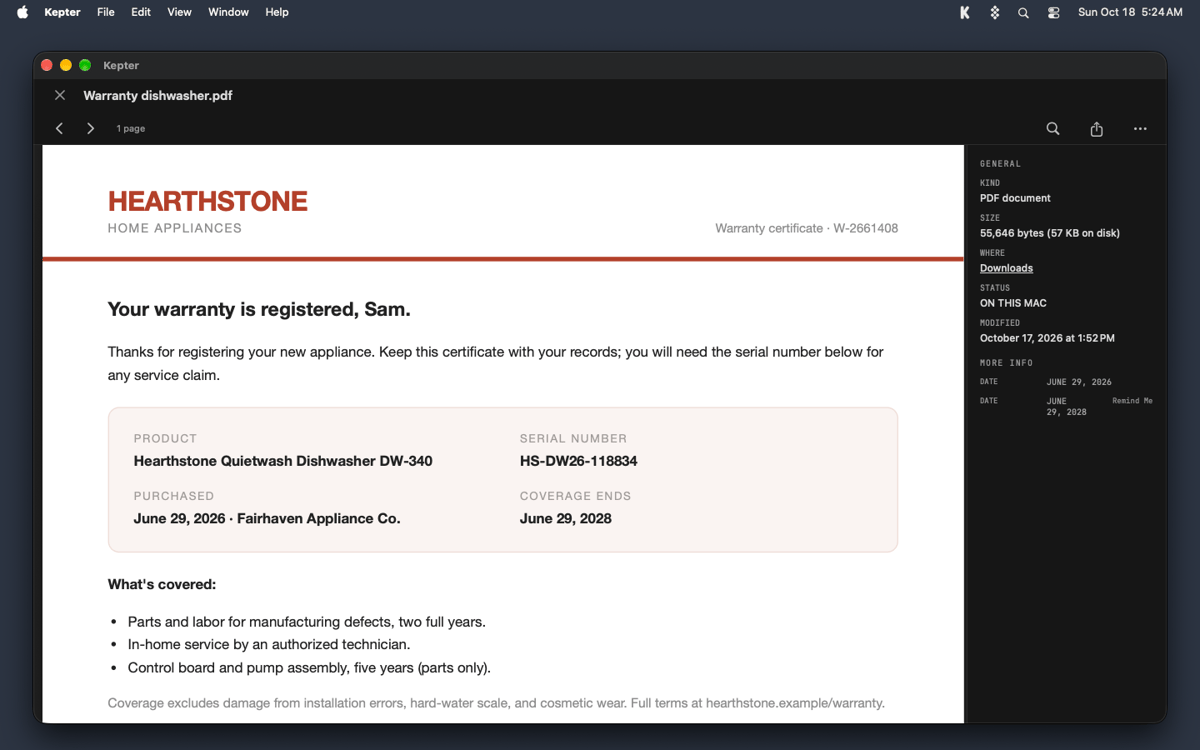
Open and manage files without leaving the drawer
Double-click a tile to open the file right in Kepter. Right-click for Get Info, Rename, or Move to Trash. Rename and Move to Trash act on the real file, just like in Finder, and Command-Z undoes either one.
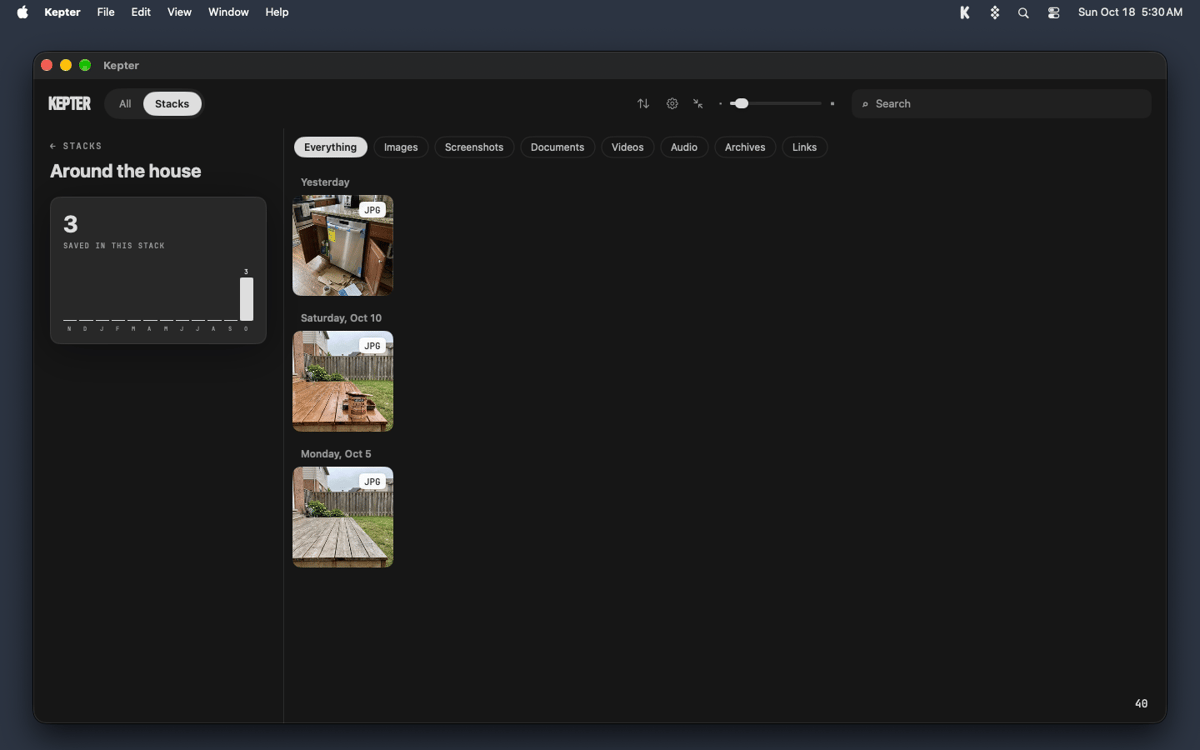
Stacks for files that belong together
Right-click a tile and choose Add to Stack to start your own. Contracts, trip photos, and that one recipe PDF can all hang out in one place.
Find that looks inside your files
Press Option-Space to search by what’s inside a file, not only by its name. Kepter reads the words in scans and recordings too, so you can find a recording by what was said. The slower reading waits until you step away from your Mac. Open a recording and macOS asks once whether Kepter can use Speech Recognition. Kepter never opens your microphone.
Your files stay put
Kepter never copies your files and never moves one on its own. Move to Trash puts a file in your Trash, nowhere else. Everything stays on your Mac. Kepter reads files where they sit, so if you delete the original, Kepter loses it too.
Отримайте сотні програм з Membership
Підпишіться на Setapp і користуйтесь сотнями чудових програм.
Перші 7 днів безплатно, а далі – в єдиному простому плані.
Завантажити Setapp на Mac
Знайдіть в Setapp застосунок для macOS, iOS або web, що допоможе вирішити ваше завдання.

Установіть знайдену програму
Виконайте завдання за допомогою новенької програми зі Setapp.

Kepter
Виберіть план підписки
Один застосунок або всі разом в підписці Setapp. Користуйтеся застосунками на своїх умовах.

Отримайте сотні програм з Membership
Підпишіться на Setapp і користуйтесь сотнями чудових програм.
Перші 7 днів безплатно, а далі – в єдиному простому плані.
1
Завантажити Setapp на Mac
Знайдіть в Setapp застосунок для macOS, iOS або web, що допоможе вирішити ваше завдання.
2
Установіть знайдену програму
Виконайте завдання за допомогою новенької програми зі Setapp.
Kepter
3
Виберіть план підписки
Один застосунок або всі разом в підписці Setapp. Користуйтеся застосунками на своїх умовах.
Нагору
Від планування та рутинних завдань до програмування і творчості – працюйте ефективніше зі Setapp.

TypingMind
ШІ зі зручним інтерфейсом
генеруйте й обробляйте текст
користуйтеся бібліотекою
ШІ

Spark Mail
Упорядкуйте імейли
ШІ

CleanMyMac
Видаляйте тільки непотрібне

Bartender
Налаштуйте меню під себе

CleanShot X
Робіть будь-які скриншоти

Luminar Neo
Редагуйте фото
ШІ

ClearVPN
Безпечний звʼязок

Craft
Робота з документами
ШІ
Kepter
Find files by sight, not name