
KeyComposer
Від запиту до бездоганної презентації
Mac
Версія 1.3.0
macOS 15.0 чи новіша
20.6 MB
6 мов(и)
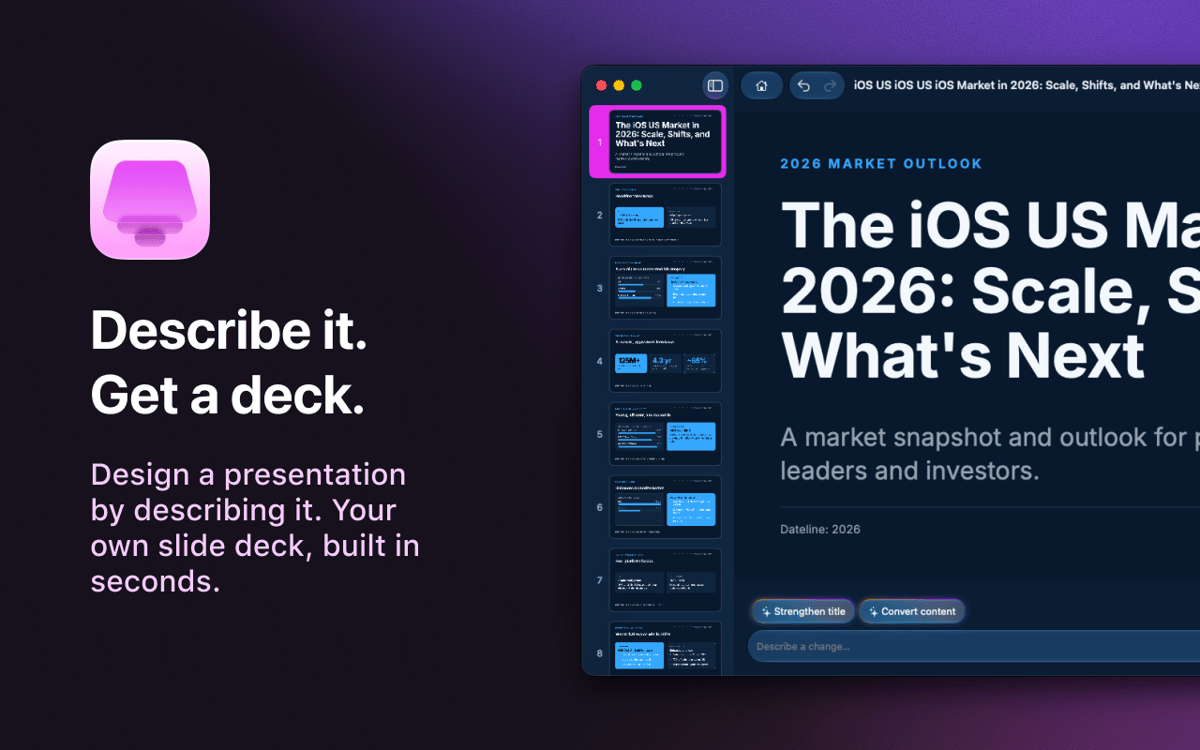
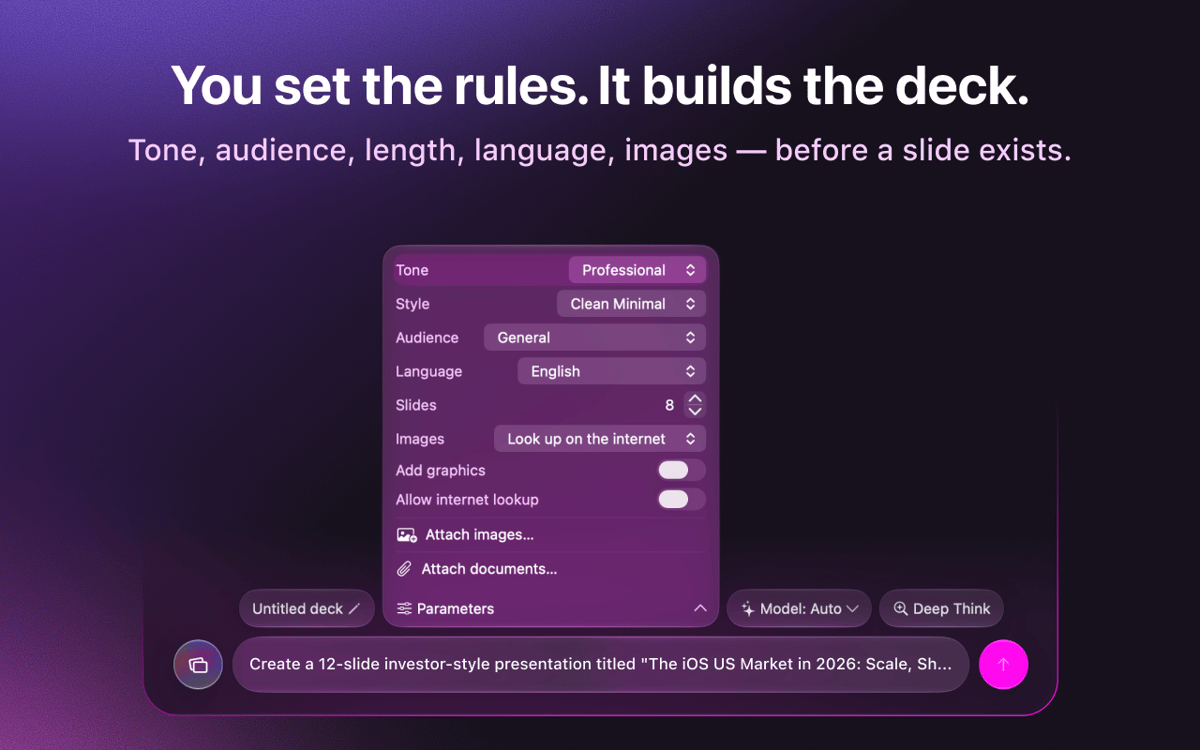
KeyComposer — конструктор презентацій зі штучним інтелектом для Mac. Опишіть презентацію, яку хочете отримати, — і сервіс згенерує слайди, які можна редагувати на власний розсуд. Жодного страху перед порожнім полотном, жодної боротьби з макетами. Додайте власні нотатки або документи, щоб контент був по суті, а потім змінюйте зображення, редагуйте текст і переставляйте слайди прямо в додатку. Коли все буде готово, експортуйте презентацію у форматі PDF, PPTX, Keynote або HTML і представляйте її будь-де.
Створіть презентацію для пітчу з одного запиту
Перетворіть чернові нотатки на повноцінні слайди
Експортуйте у форматі PDF, PPTX або Keynote
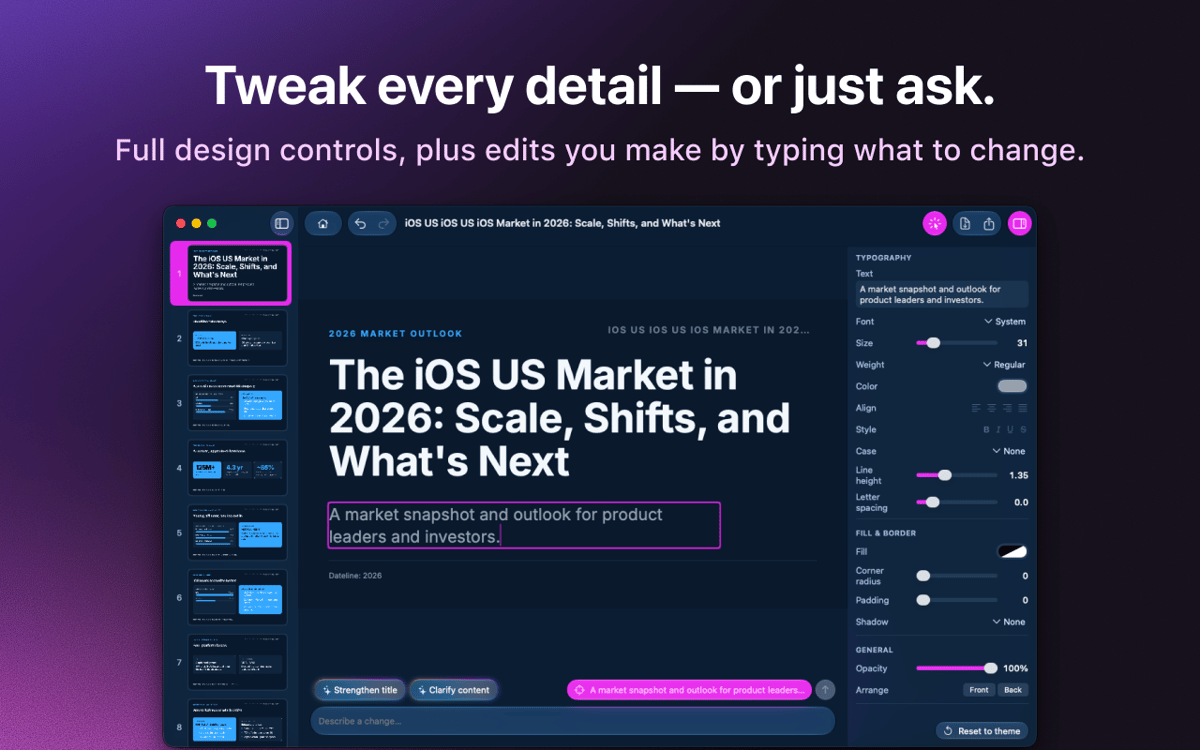
Легко редагуйте візуальні матеріали та текст
Можливості KeyComposer
Презентації з одного запиту
Введіть те, що вам потрібно. KeyComposer створює повноцінну презентацію — зі структурою та текстом — за один крок.
Редагуйте все, не ламаючи нічого
Переписуйте текст, змінюйте порядок слайдів і стилі макетів у візуальному редакторі. Без HTML, без коду.
Ваш контент, ваші факти
Додайте нотатки, PDF-файли або документи — і KeyComposer створить презентацію на їхній основі, тож слайди залишатимуться точними.
Ліцензовані зображення, готові до використання
Шукайте ретельно відібрані, належним чином ліцензовані стокові фотографії та розміщуйте їх прямо на слайді.
Експорт у будь-який формат
Експортуйте презентацію у форматі PDF, PPTX, Keynote або автономного HTML і відкривайте її будь-де, де проводите презентацію.
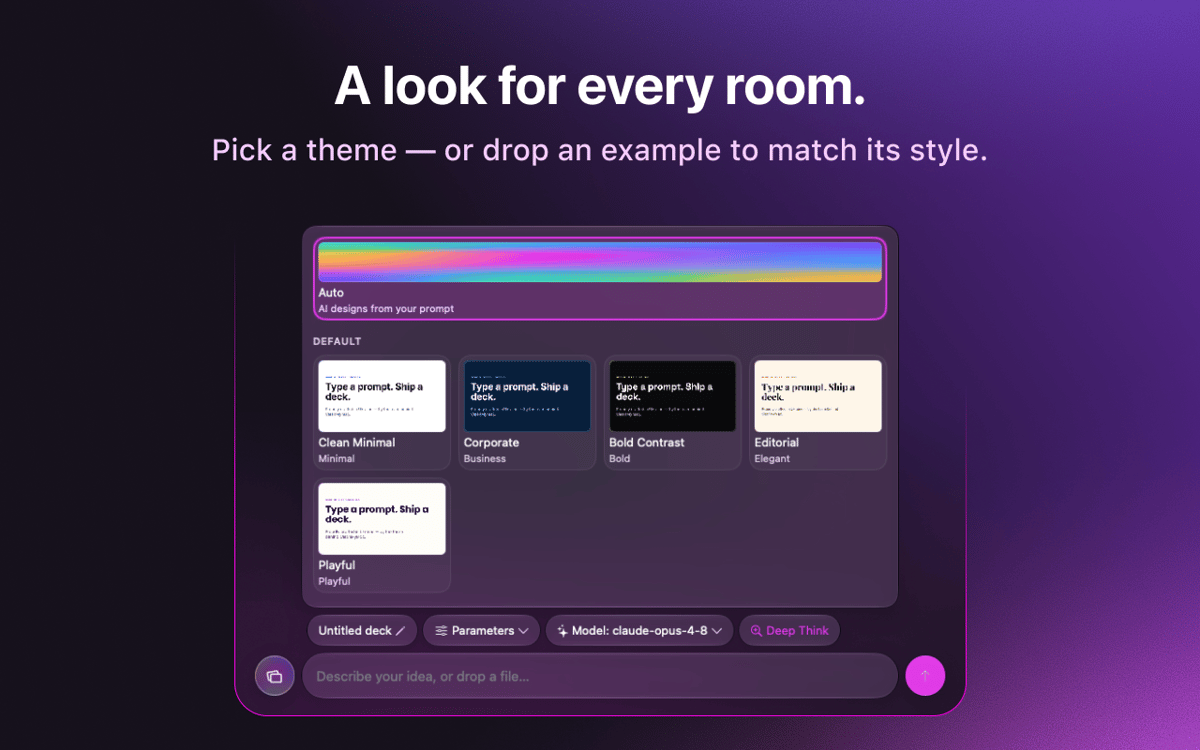
Фірмові шаблони, яких ви дотримуєтесь
Імпортуйте фірмовий стиль вашого бренду один раз і використовуйте його в усіх презентаціях для незмінного враження.
Оцінки та відгуки
KeyComposer
•
Оцінок: 18
Anja
27 серп. 2026 р.
Версія: 1.1.0
I love it! useful app, helps with your presentation in minutes
Nadir Palacios
19 серп. 2026 р.
Версія: 1.1.0
Great app
Marek Skrabak
10 серп. 2026 р.
Версія: 1.1.0
Wiped out 300 ai credits. did nothing.
Відповідь розробника
11 серп. 2026 р.
Thank you for the feedback! To dig into your case, it would really help if you could email us at [email protected] and share how you built your deck — what you were creating and which settings you used. We appreciate you taking the time to try it.
Отримайте сотні програм з Membership
Підпишіться на Setapp і користуйтесь сотнями чудових програм.
Перші 7 днів безплатно, а далі – в єдиному простому плані.
Завантажити Setapp на Mac
Знайдіть в Setapp застосунок для macOS, iOS або web, що допоможе вирішити ваше завдання.

Установіть знайдену програму
Виконайте завдання за допомогою новенької програми зі Setapp.

KeyComposer
Виберіть план підписки
Один застосунок або всі разом в підписці Setapp. Користуйтеся застосунками на своїх умовах.

Отримайте сотні програм з Membership
Підпишіться на Setapp і користуйтесь сотнями чудових програм.
Перші 7 днів безплатно, а далі – в єдиному простому плані.
1
Завантажити Setapp на Mac
Знайдіть в Setapp застосунок для macOS, iOS або web, що допоможе вирішити ваше завдання.
2
Установіть знайдену програму
Виконайте завдання за допомогою новенької програми зі Setapp.
KeyComposer
3
Виберіть план підписки
Один застосунок або всі разом в підписці Setapp. Користуйтеся застосунками на своїх умовах.
Нагору
Від планування та рутинних завдань до програмування і творчості – працюйте ефективніше зі Setapp.

TypingMind
ШІ зі зручним інтерфейсом
генеруйте й обробляйте текст
користуйтеся бібліотекою
ШІ

Spark Mail
Упорядкуйте імейли
ШІ

CleanMyMac
Видаляйте тільки непотрібне

Bartender
Налаштуйте меню під себе

CleanShot X
Робіть будь-які скриншоти

Luminar Neo
Редагуйте фото
ШІ

ClearVPN
Безпечний звʼязок

Craft
Робота з документами
ШІ
KeyComposer
Від запиту до бездоганної презентації