
MacMD Viewer
Нативний читач Markdown для Mac
Mac
Версія 1.6.1
macOS 14.0 чи новіша
20.1 MB
1 мов(и)
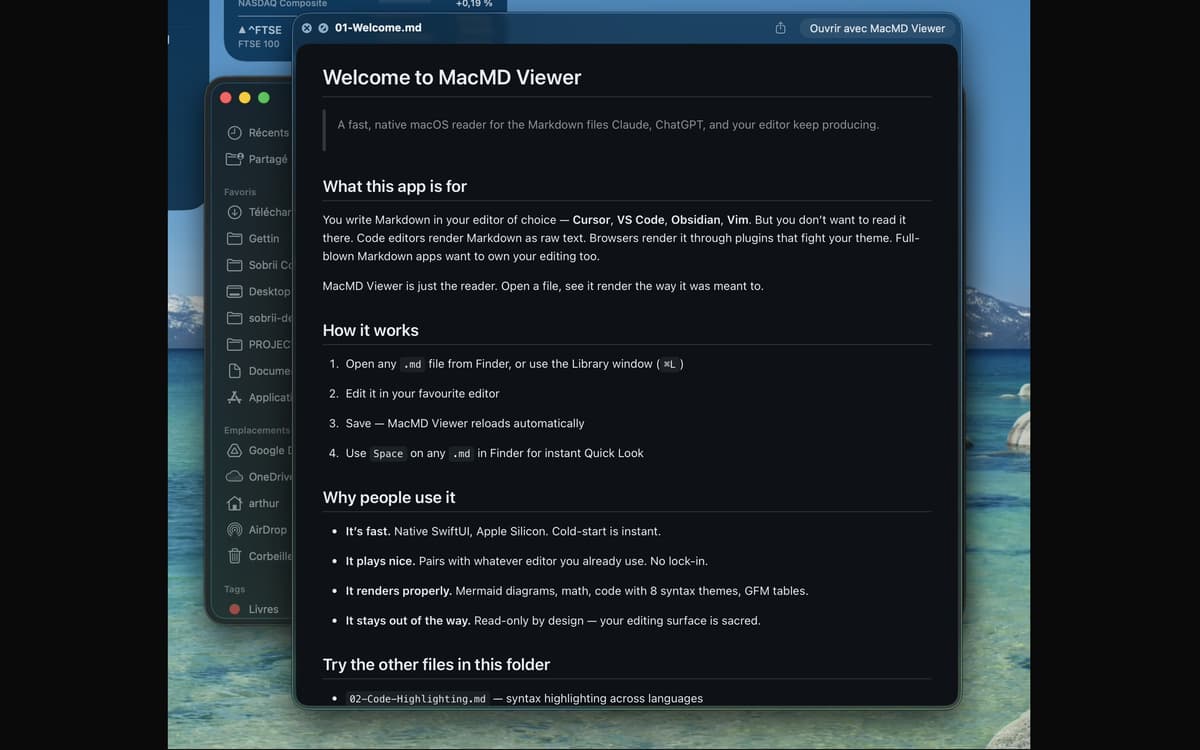
MacMD Viewer — це програма для читання markdown-файлів на Mac. Відкрий файл .md, і він відобразиться саме так, як задумано — із чистою типографікою, підсвіченими блоками коду, функціональними таблицями та діаграмами Mermaid. Він працює з будь-яким редактором, який ти вже використовуєш, стежить за файлом і перезавантажує його щойно ти зберігаєш. Без редагування, без зайвих зусиль — лише твій контент, який виглядає так, як треба.
Переглядай файли README без сирого тексту
Читай документи, створені ШІ від Claude або GPT
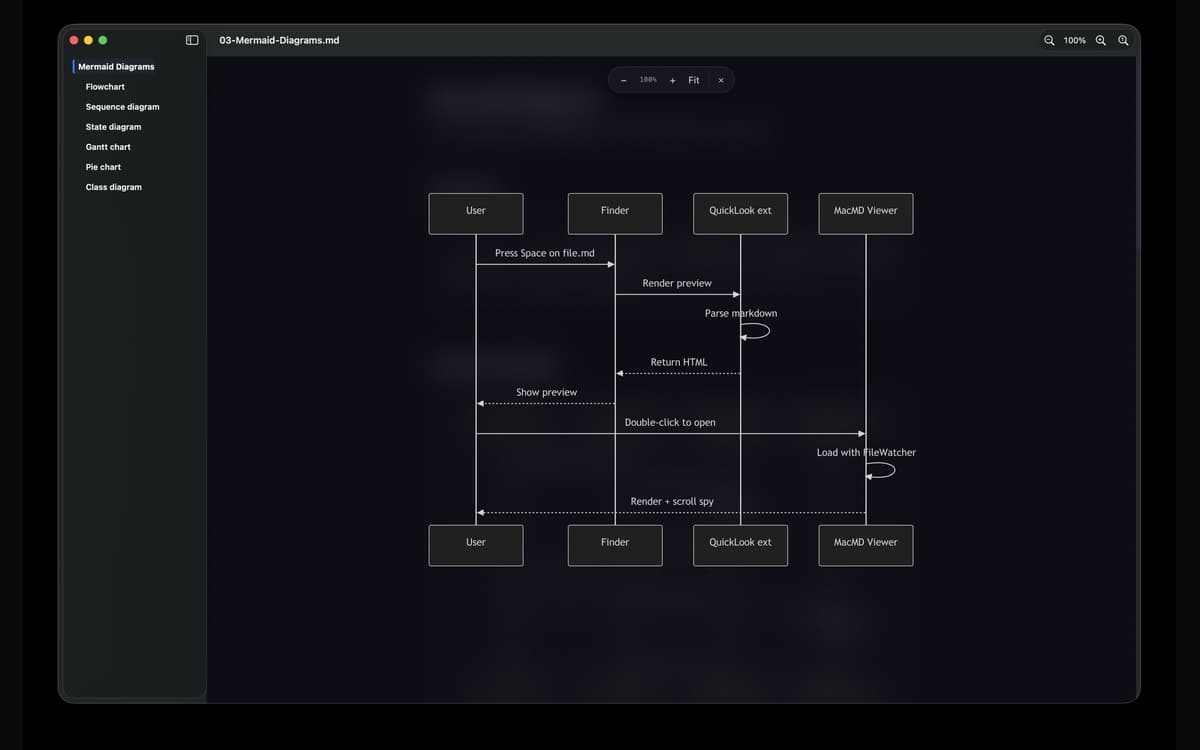
Переглядай діаграми Mermaid у повному вигляді
Швидкий перегляд будь-якого .md файлу з Finder
Можливості MacMD Viewer
Гарний рендеринг, одразу
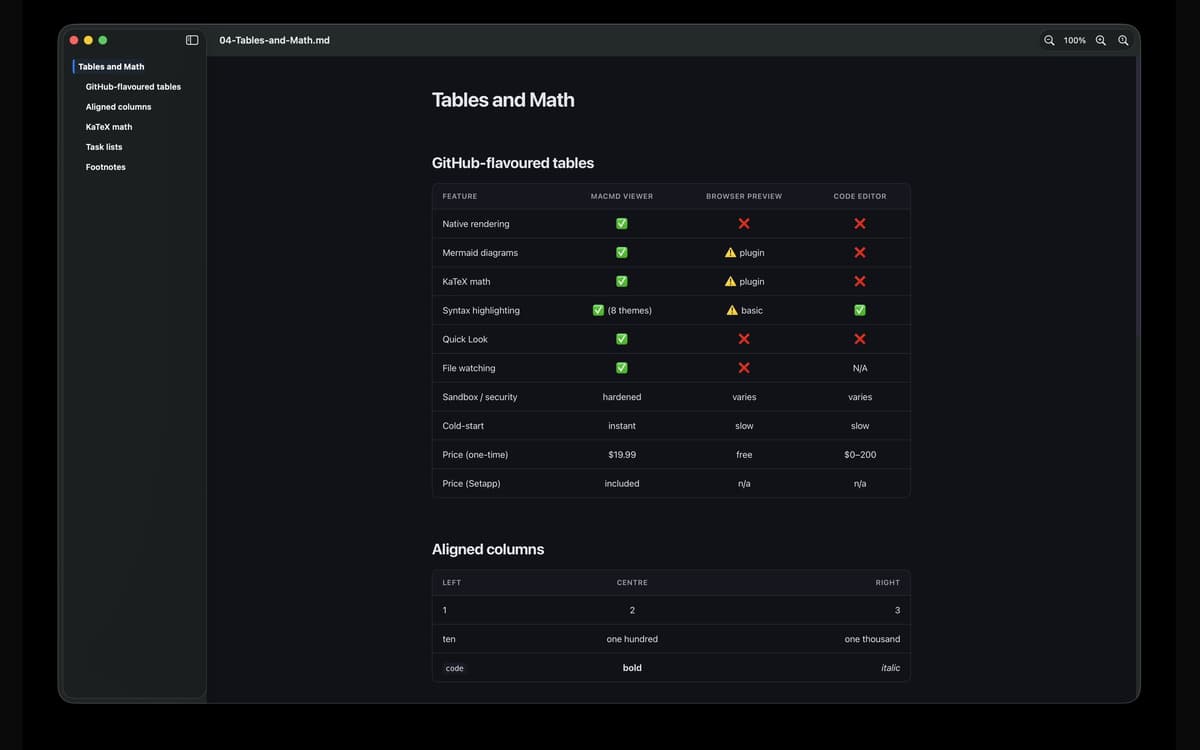
Відкрий будь-який файл .md, і MacMD Viewer зробить те, для чого створений — правильно його відобразить. Столи шикуються в чергу. Виділення блоків коду. Схеми русалок насправді малюють. Без необробленого тексту, без здогадок.
Швидкий перегляд, який справді працює
Натисни Space на будь-якому .md файлі в Finder, і ти побачиш справжній рендер попереднього перегляду — не стіну синтаксису. Це оновлення, з яким мало б постачатися macOS Quick Look.
Перегляд файлів у реальному часі
MacMD Viewer стежить за твоїм файлом. Щойно ти зберігаєш в редакторі — VS Code, Cursor, Vim, Obsidian, будь-якому — попередній перегляд оновлюється автоматично. Ручне оновлення не потрібне.
Зміст бічної панелі
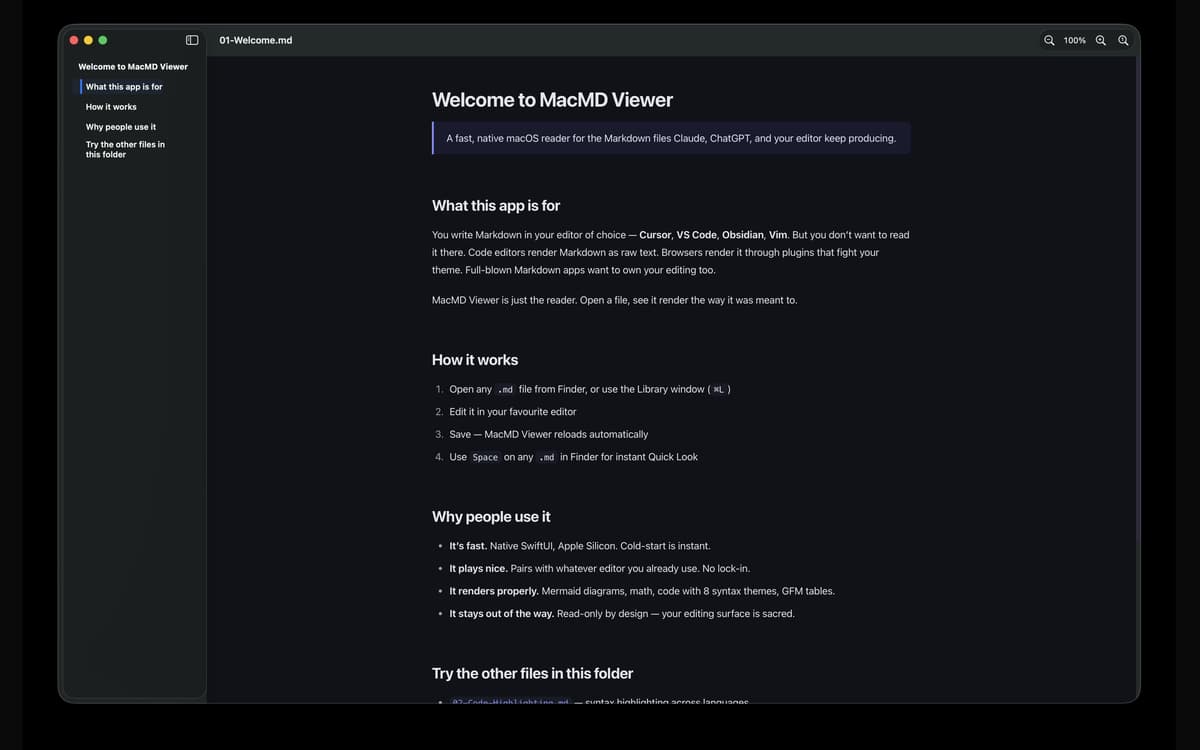
Довгі документи легше переглядати з бічною панеллю, яка відстежує твоє поточне місце під час прокручування. Переходь до будь-якого розділу одним кліком і завжди знай, де ти знаходишся в документі.
Сім тем підсвічування синтаксису
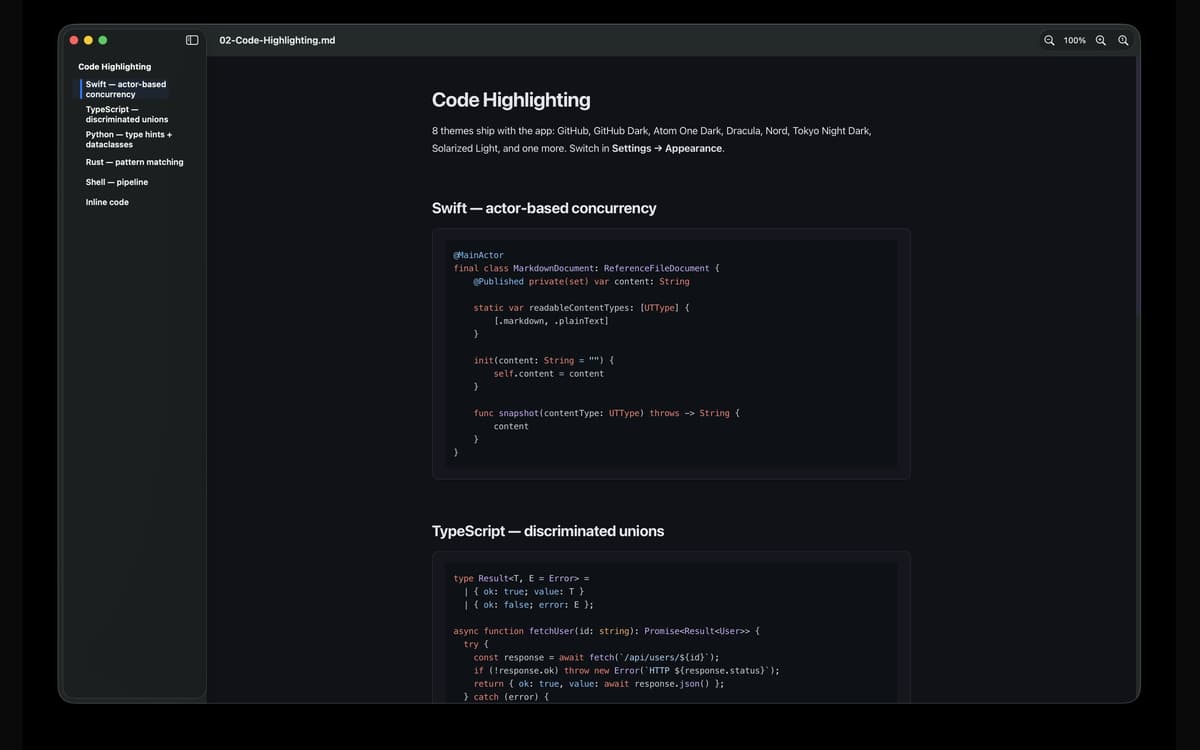
Переключайся між темами GitHub, GitHub Dark, Atom One Dark, Dracula, Nord, Solarized Light та Tokyo Night Dark. Світла, Темна або За системою — включає перевизначення зовнішнього вигляду для кожної програми. Твій погляд, твій вибір.
Створено для Mac, належним чином
Рідний SwiftUI. Універсальний бінарний файл для Apple Silicon та Intel. Холодний запуск відбувається миттєво. Захищена ізольована середа виконання, тому пов'язані файли відкриваються через стандартні дозволи macOS — жодних сюрпризів, нічого підступного.
Оцінки та відгуки
MacMD Viewer
•
Оцінок: 1
Aldo Bergamini
1 лип. 2026 р.
Версія: 1.2.2
Surprised by how well the app fits with my evolving AI coding setup. Well thought product.
Отримайте сотні програм з Membership
Підпишіться на Setapp і користуйтесь сотнями чудових програм.
Перші 7 днів безплатно, а далі – в єдиному простому плані.
Завантажити Setapp на Mac
Знайдіть в Setapp застосунок для macOS, iOS або web, що допоможе вирішити ваше завдання.

Установіть знайдену програму
Виконайте завдання за допомогою новенької програми зі Setapp.

MacMD Viewer
Виберіть план підписки
Один застосунок або всі разом в підписці Setapp. Користуйтеся застосунками на своїх умовах.

Отримайте сотні програм з Membership
Підпишіться на Setapp і користуйтесь сотнями чудових програм.
Перші 7 днів безплатно, а далі – в єдиному простому плані.
1
Завантажити Setapp на Mac
Знайдіть в Setapp застосунок для macOS, iOS або web, що допоможе вирішити ваше завдання.
2
Установіть знайдену програму
Виконайте завдання за допомогою новенької програми зі Setapp.
MacMD Viewer
3
Виберіть план підписки
Один застосунок або всі разом в підписці Setapp. Користуйтеся застосунками на своїх умовах.
Нагору
Від планування та рутинних завдань до програмування і творчості – працюйте ефективніше зі Setapp.

TypingMind
ШІ зі зручним інтерфейсом
генеруйте й обробляйте текст
користуйтеся бібліотекою
ШІ

Spark Mail
Упорядкуйте імейли
ШІ

CleanMyMac
Видаляйте тільки непотрібне

Bartender
Налаштуйте меню під себе

CleanShot X
Робіть будь-які скриншоти

Luminar Neo
Редагуйте фото
ШІ

ClearVPN
Безпечний звʼязок

Craft
Робота з документами
ШІ
MacMD Viewer
Нативний читач Markdown для Mac