MacNotch
Утиліта виїмки для Mac
Mac
Версія 1.9.9.6
macOS 14.0 чи новіша
241.6 MB
11 мов(и)
MacNotch — утиліта для роботи з виїмкою на Mac. Перетвори виїмку MacBook на розумний хаб для керування музикою, завданнями та швидкими діями. Керуй відтворенням, відстежуй свій день і отримуй доступ до інструментів без втрати зосередженості. Тримає важливе на виду, але ніколи не заважає.
Керуй музикою без перемикання програм
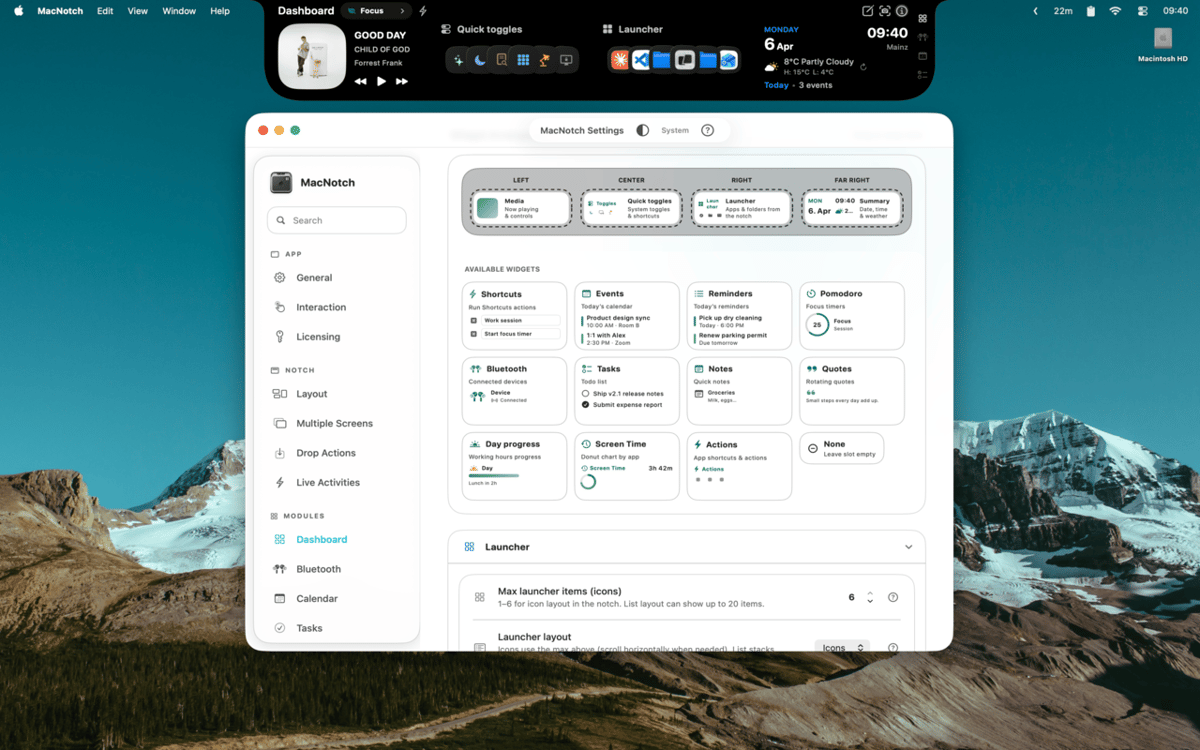
Налаштуй виїмку за допомогою віджетів
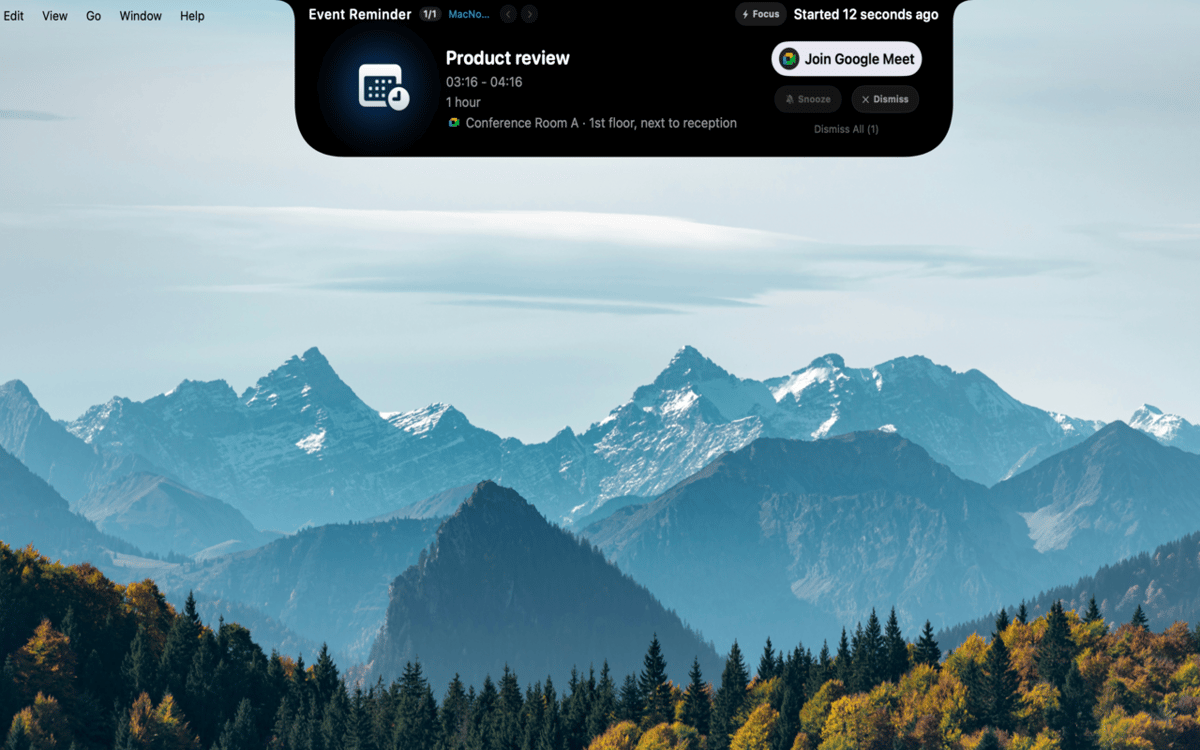
Швидко відстежуй завдання, події й таймери
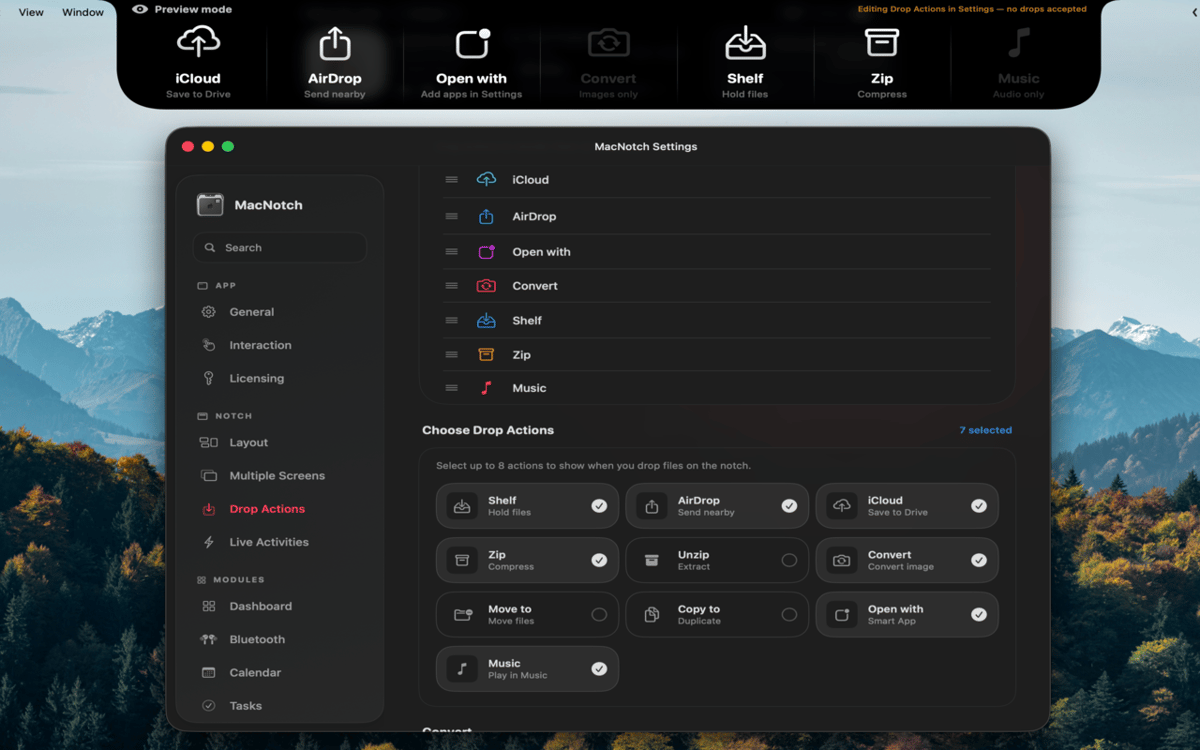
Перетягни файли для миттєвої дії
Можливості MacNotch
Керуй своєю музикою та медіа
Дивись, що грає, з обкладинками альбомів, анімованими музичними смужками та повним керуванням відтворенням — прямо з виїмки. MacNotch працює зі Spotify, Apple Music, YouTube та іншими браузерними плеєрами, тому не важливо, звідки йде звук. Перемикай треки, перемотуй пісні або переглядай обкладинки, не відкриваючи програм.
Контролюй свій день
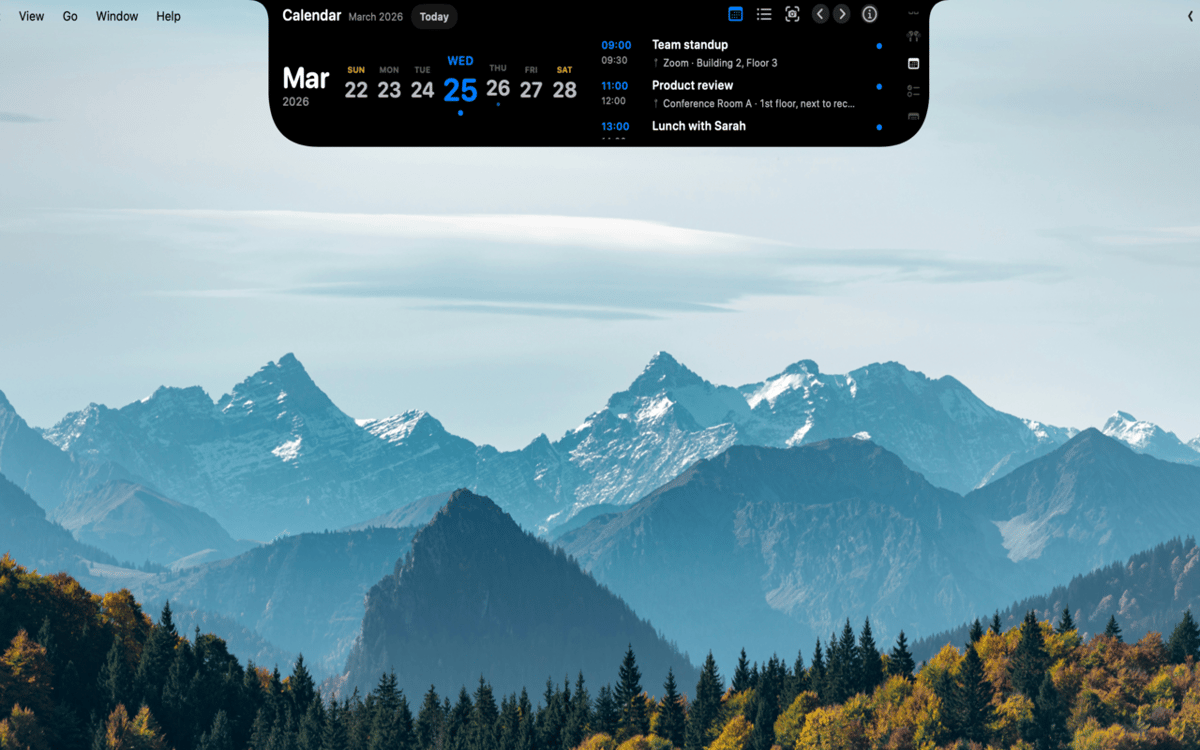
Тримай події, нагадування та сесії фокусування в одному місці. MacNotch показує майбутні події календаря з таймерами зворотного відліку та виявляє активні зустрічі, щоб ти завжди знав, що буде далі. Є вбудований таймер Pomodoro з візуальним прогресом, легкий список завдань, що синхронізується з Нагадуваннями macOS, і модуль швидких нотаток — все це без переривання робочого процесу.
Створи власну панель приладів
Заповни налаштовувану сітку віджетів погодою, панелями запуску програм і швидкими перемикачами для темного режиму, True Tone та Night Shift. Створюй профілі як Робочий, Особистий або Фокус — твої налаштування адаптуються до справ. Ти також можеш стежити за використанням процесора, оперативної пам'яті та сховища або перекладати текст на льоту за допомогою OpenAI або локального екземпляра Ollama.
Контролюй свої пристрої
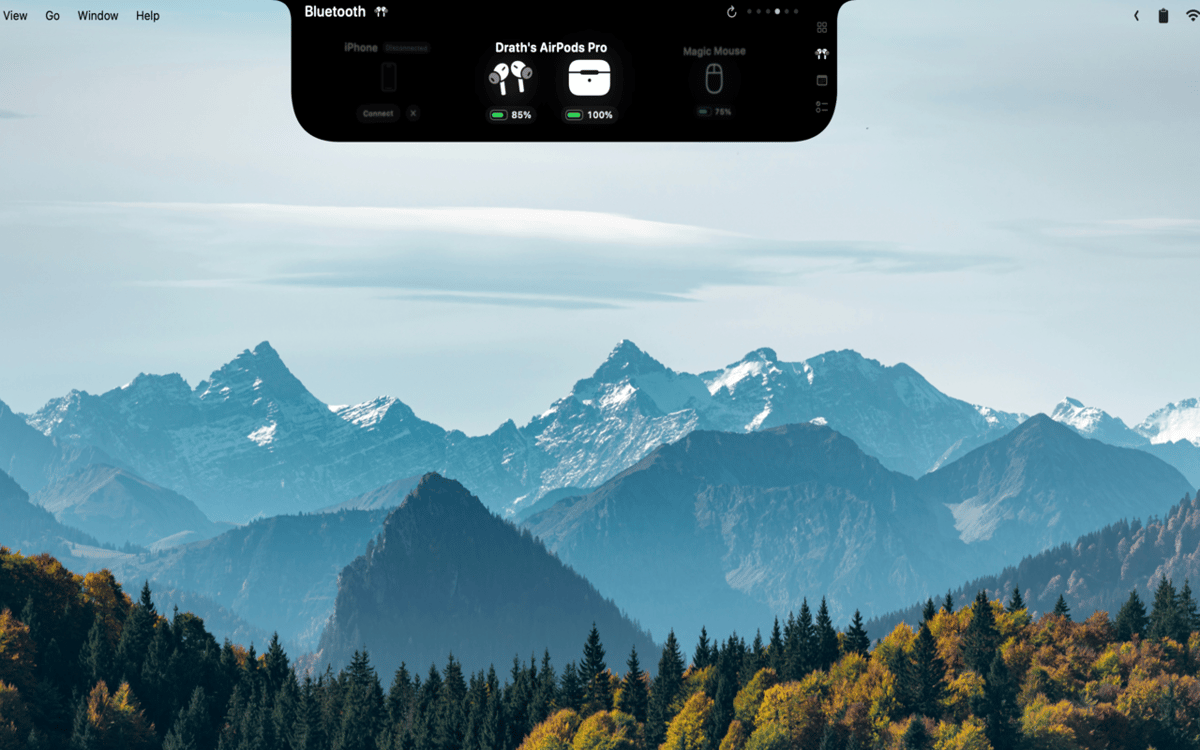
Переглядай рівні заряду батареї в реальному часі для AirPods (ліві, праві й кейс), навушників, мишей, клавіатур, трекпадів і геймпадів. MacNotch попереджає тебе, коли будь-який пристрій розряджається, тож ти ніколи не будеш заскочений зненацька під час дзвінка або гри.
Перетягуй файли, роби справи
Перетягни файл на виїмку, щоб миттєво відправити через AirDrop, заархівувати, конвертувати зображення, перемістити чи скопіювати в папку або відкрити в певному додатку. Ніяких пошуків у меню Finder — просто перетягни і все готово. Це той тип скорочення, який здається очевидним, коли ти його маєш.
Завжди корисна, навіть коли згорнута
Коли виїмку приховано, вона все одно показує живі активності: інформацію про відтворення, таймери Pomodoro, майбутні події та статус Bluetooth. Зміни гучності та яскравості з'являються у вигляді системного HUD прямо у виїмці. Важлива інформація завжди на місці й ніколи не заважає.
Оцінки та відгуки
MacNotch
•
Оцінок: 33
Aarsh Oza
21 вер. 2026 р.
Версія: 1.9.9.5
The app is looking and functioning top notch. Just few things that needs to be there is first to polish the look and also able to resize the notch when its active instead of taking up half of the width of screen.
Marcelo
10 вер. 2026 р.
Версія: 1.9.9.4
Estou gostando bastante do MacNotch! Só notei algo que talvez seja um bug: depois que desliguei e liguei o notebook novamente, a opção de mostrar em telas externas ficou desativada, mesmo estando ativada antes. Mas a ferramenta é sensacional!
Georgi Kolev
9 вер. 2026 р.
Версія: 1.9.9.4
Not bad but it needs live sports and finance tickers.
Отримайте сотні програм з Membership
Підпишіться на Setapp і користуйтесь сотнями чудових програм.
Перші 7 днів безплатно, а далі – в єдиному простому плані.
Завантажити Setapp на Mac
Знайдіть в Setapp застосунок для macOS, iOS або web, що допоможе вирішити ваше завдання.

Установіть знайдену програму
Виконайте завдання за допомогою новенької програми зі Setapp.

MacNotch
Виберіть план підписки
Один застосунок або всі разом в підписці Setapp. Користуйтеся застосунками на своїх умовах.

Отримайте сотні програм з Membership
Підпишіться на Setapp і користуйтесь сотнями чудових програм.
Перші 7 днів безплатно, а далі – в єдиному простому плані.
1
Завантажити Setapp на Mac
Знайдіть в Setapp застосунок для macOS, iOS або web, що допоможе вирішити ваше завдання.
2
Установіть знайдену програму
Виконайте завдання за допомогою новенької програми зі Setapp.
MacNotch
3
Виберіть план підписки
Один застосунок або всі разом в підписці Setapp. Користуйтеся застосунками на своїх умовах.
Нагору
Від планування та рутинних завдань до програмування і творчості – працюйте ефективніше зі Setapp.

TypingMind
ШІ зі зручним інтерфейсом
генеруйте й обробляйте текст
користуйтеся бібліотекою
ШІ

Spark Mail
Упорядкуйте імейли
ШІ

CleanMyMac
Видаляйте тільки непотрібне

Bartender
Налаштуйте меню під себе

CleanShot X
Робіть будь-які скриншоти

Luminar Neo
Редагуйте фото
ШІ

ClearVPN
Безпечний звʼязок

Craft
Робота з документами
ШІ
MacNotch
Утиліта виїмки для Mac