
MacWrench
Tune up your Mac in one place
Mac
Версія 1.5.2
macOS 15.0 чи новіша
25.9 MB
15 мов(и)
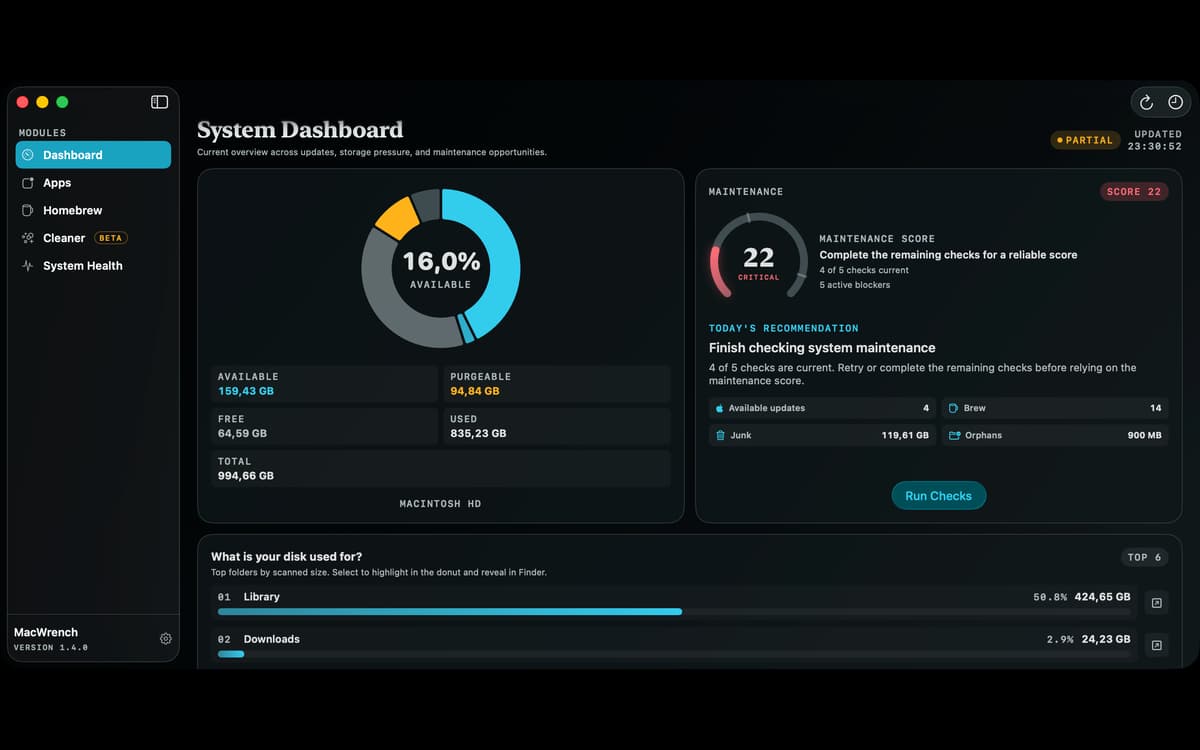
MacWrench is a Mac maintenance app that brings software updates, disk cleanup, app removal, and system monitoring into one window. Find outdated apps, review files taking up space, remove leftovers, and see what your Mac is doing without jumping between different utilities.
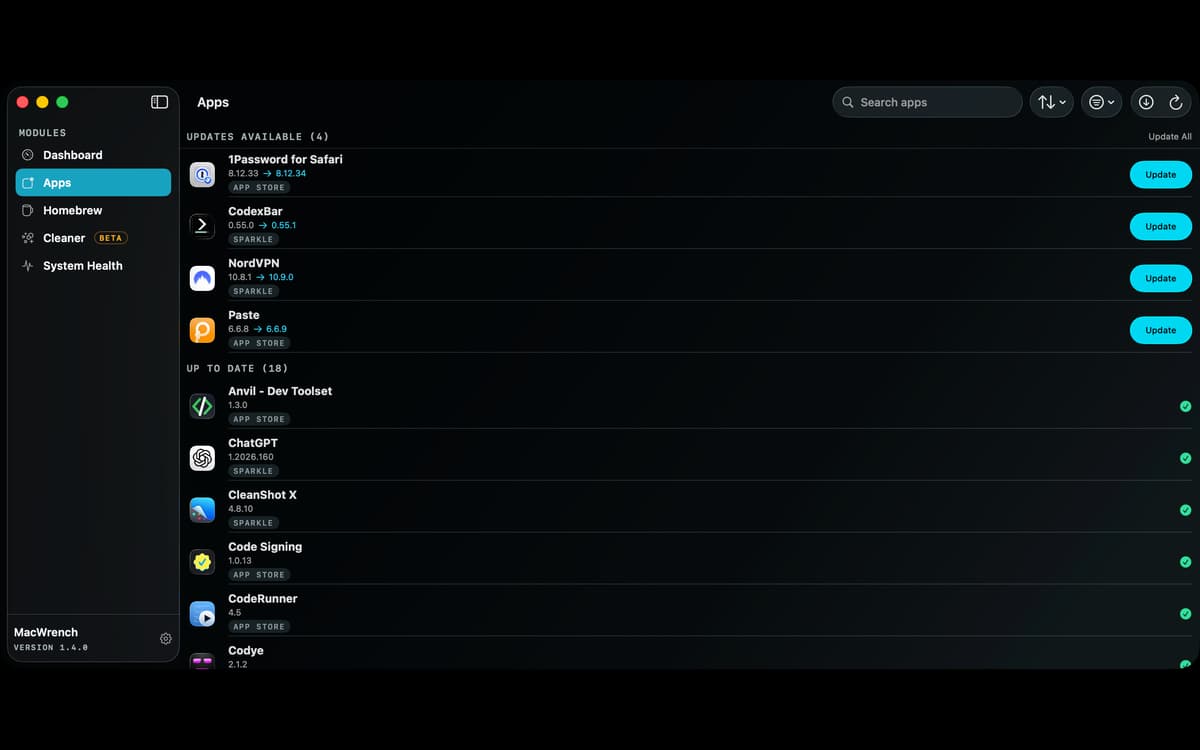
Find updates for your installed apps
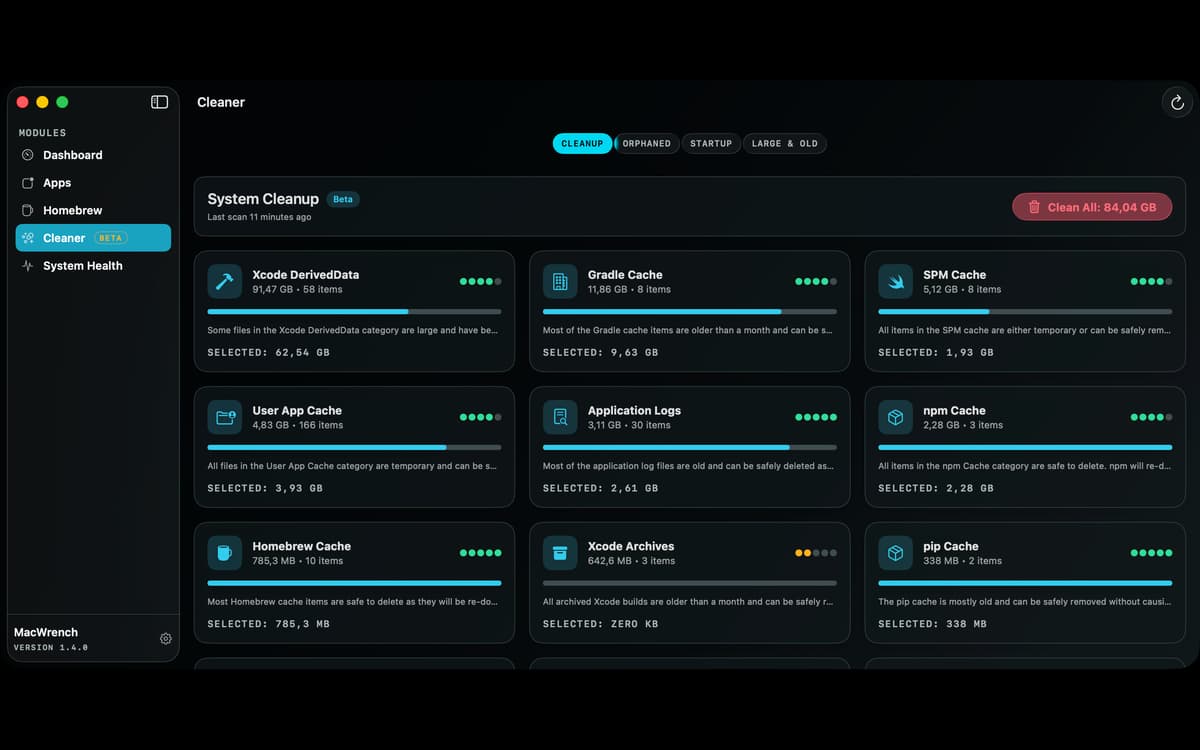
Clear caches and developer leftovers
Uninstall apps and their related files
Monitor performance from the menu bar
Можливості MacWrench
Keep apps up to date
Check installed apps against their developers’ update feeds and the App Store. Outdated apps appear first with the installed version, available update, and release notes. Update App Store apps individually or all at once (current macOS versions need the free mas tool). Apps that use their own updater are clearly marked, and one click opens them so you can finish there.
Review what’s taking up space
Scan caches, logs, crash reports, browser data, abandoned files, and large or old downloads. Developer files get dedicated categories for Xcode, npm, Yarn, pip, Gradle, CocoaPods, Swift Package Manager, Docker, and Homebrew. MacWrench shows each item’s size, location, and cleanup guidance before anything is removed. On macOS 26 and later, Apple’s on-device Foundation Models explain categories and flag files that may deserve a closer look. Earlier macOS versions use built-in heuristics instead.
Uninstall apps properly
Remove an app together with its containers, preferences, caches, logs, and launch agents. MacWrench shows every file it will move before anything goes to the Trash, so you can untick what you want to keep.
Watch your Mac at work
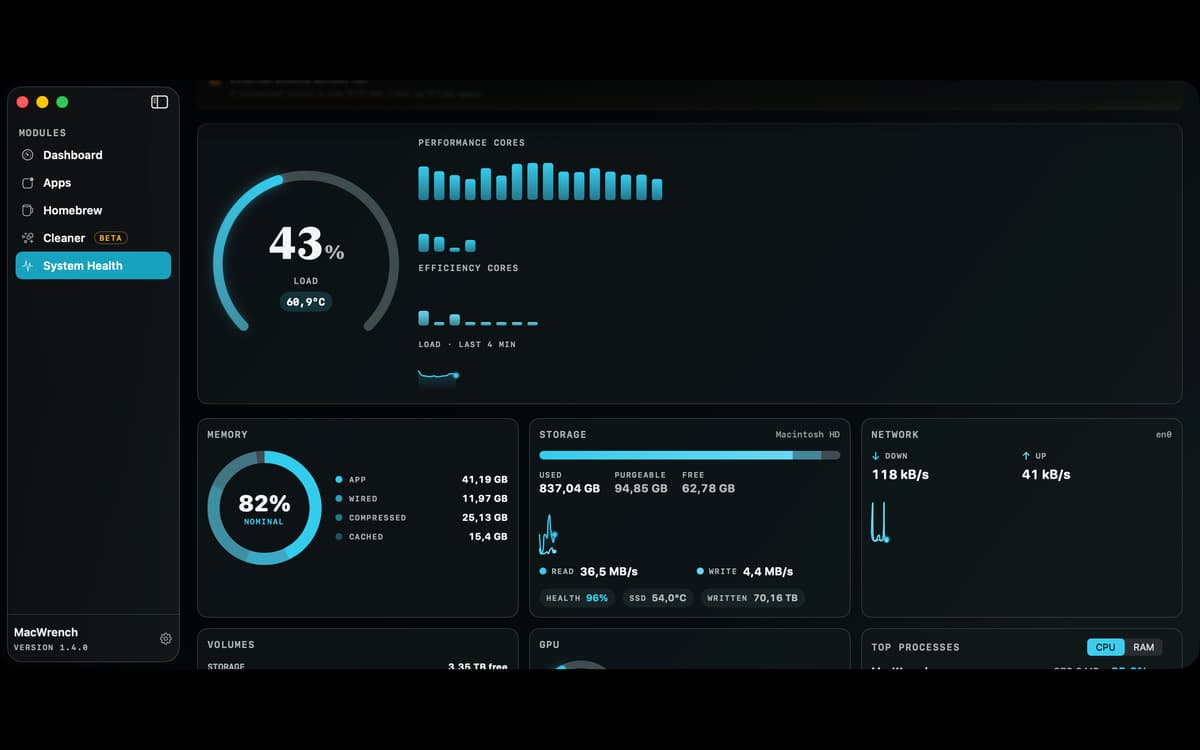
Monitor CPU load, memory pressure, disk activity, and network throughput, and see which apps use the most CPU and memory. Where supported, MacWrench also shows performance and efficiency cores, GPU load, power draw, temperatures, fan speeds, and SSD health. Add compact gauges to the menu bar or a widget to your desktop, and set your own alert thresholds.
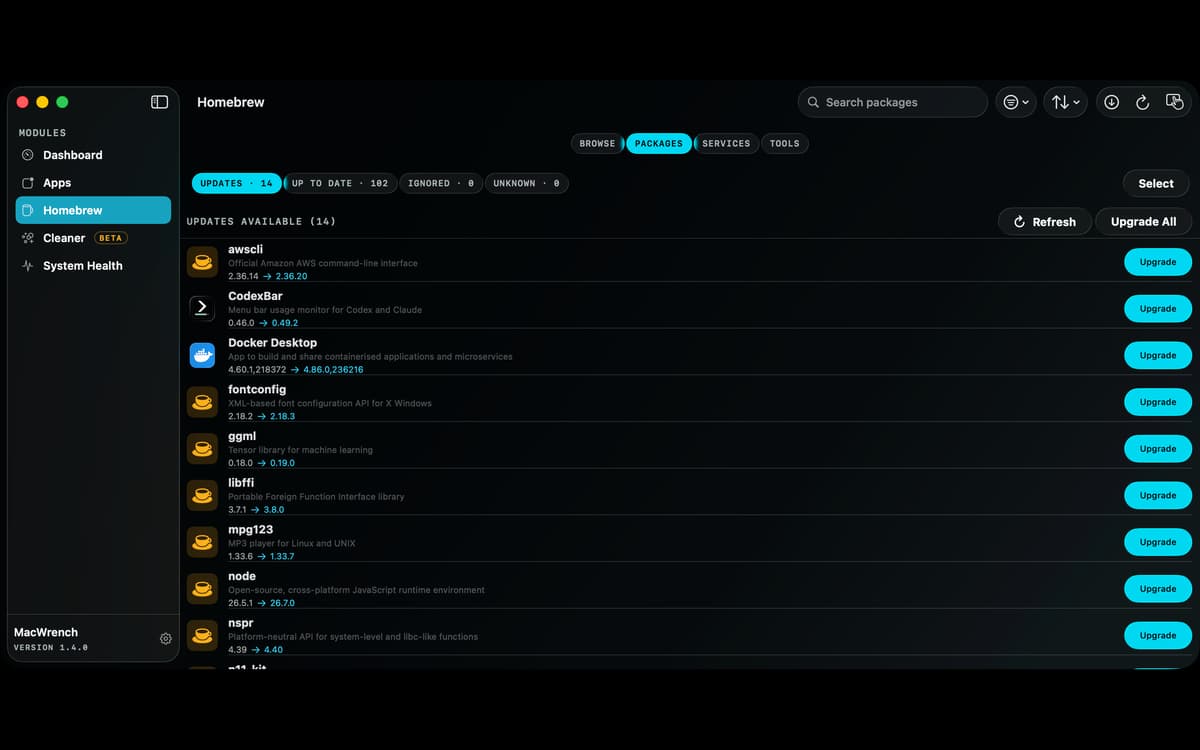
Manage Homebrew visually
Browse and install new packages, view installed formulae and casks, check versions, and install updates one by one or in bulk. Pin packages, manage services and taps, clean stale downloads, run brew doctor, and export a Brewfile. Cleanup previews what Homebrew plans to remove, and installs show Homebrew’s own output as they run.
Take control of startup items
See the launch agents that run for your account and system-wide in one list. Each shows a readable name, a safety rating, and the program behind it when available, so you can turn off the ones in your account you don’t recognize or no longer need.
Отримайте сотні програм з Membership
Підпишіться на Setapp і користуйтесь сотнями чудових програм.
Перші 7 днів безплатно, а далі – в єдиному простому плані.
Завантажити Setapp на Mac
Знайдіть в Setapp застосунок для macOS, iOS або web, що допоможе вирішити ваше завдання.

Установіть знайдену програму
Виконайте завдання за допомогою новенької програми зі Setapp.

MacWrench
Виберіть план підписки
Один застосунок або всі разом в підписці Setapp. Користуйтеся застосунками на своїх умовах.

Отримайте сотні програм з Membership
Підпишіться на Setapp і користуйтесь сотнями чудових програм.
Перші 7 днів безплатно, а далі – в єдиному простому плані.
1
Завантажити Setapp на Mac
Знайдіть в Setapp застосунок для macOS, iOS або web, що допоможе вирішити ваше завдання.
2
Установіть знайдену програму
Виконайте завдання за допомогою новенької програми зі Setapp.
MacWrench
3
Виберіть план підписки
Один застосунок або всі разом в підписці Setapp. Користуйтеся застосунками на своїх умовах.
Нагору
Від планування та рутинних завдань до програмування і творчості – працюйте ефективніше зі Setapp.

TypingMind
ШІ зі зручним інтерфейсом
генеруйте й обробляйте текст
користуйтеся бібліотекою
ШІ

Spark Mail
Упорядкуйте імейли
ШІ

CleanMyMac
Видаляйте тільки непотрібне

Bartender
Налаштуйте меню під себе

CleanShot X
Робіть будь-які скриншоти

Luminar Neo
Редагуйте фото
ШІ

ClearVPN
Безпечний звʼязок

Craft
Робота з документами
ШІ
MacWrench
Tune up your Mac in one place